


Desertcart purchases this item on your behalf and handles shipping, customs, and support to Slovakia.
🎨 Elevate your digital canvas with pro-level precision and color — don’t just create, captivate!
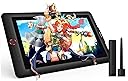
The XPPen Artist 15.6 Pro is a professional-grade drawing tablet featuring a 15.6-inch full HD IPS display with 120% sRGB color accuracy and full-laminated technology for a glare-free, immersive experience. It offers 8192 levels of pen pressure sensitivity with a battery-free stylus, 8 customizable shortcut keys, and a unique Red Dial for enhanced workflow efficiency. Compatible with Windows, Mac, Linux, and Chrome OS, it supports major creative software and is ideal for digital artists, designers, and remote professionals seeking precision and vibrant visuals.


| ASIN | B07M5X7MH1 |
| Active Surface Area | 13.55 x 7.62 inches |
| Additional Features | 60° Tilt Support, Anti-Glare Glass, Full Lamination, Programmable Press Key |
| Best Sellers Rank | #15 in Computer Graphics Tablets |
| Brand | XP-Pen |
| Built-In Media | AC Adapter, Glove, HDMI Cable, Stand, Stylus |
| Color | Red |
| Compatible Devices | Desktop, Laptop |
| Connectivity Technology | DVI , HDMI , USB |
| Customer Reviews | 4.6 out of 5 stars 7,705 Reviews |
| Display Type | LCD |
| Item Dimensions L x W | 8.79"L x 13"W |
| Item Highlight | Tilt Support Graphics Tablet with Screen, Full-Laminated, Red Dial (120% sRGB), 8 Shortcut Keys, Adjustable Stand |
| Item Weight | 3300 g |
| Manufacturer | XP-PEN |
| Mfr Part Number | Artist 15.6 Pro |
| Model Name | Artist 15.6 Pro |
| Model Number | Artist 15.6 Pro |
| Native Resolution | 1920x1080 |
| Number of Items | 1 |
| Operating System | Windows 7 and above, Mac OS 10.10 or later, Linux, Chrome OS M88 or later |
| Pressure Sensitivity | 16384 levels |
| Screen Size | 15.6 inches |
| Software Update Supported to Date | unknown |
| Special Feature | 60° Tilt Support, Anti-Glare Glass , Full Lamination , Programmable Press Key |
| Specific Uses For Product | 3D Modelling, Animation, Drawing |
| Target Audience | Teacher |
| UPC | 654913039536 |
| Unit Count | 1 Count |
| Warranty Description | 12-month warranty |
R**N
From First Stroke to Final Poke
This has been great, overall an amazing product. I had some issues with the first one and a dead pixel; the manufacturer made it right, and either way, it would have been tough to stop using it even with the defect. It makes me want to draw, to paint, to colour, and to engineer. I had always done so much hand, or on the computer with a soulless faceless no-screen tablet, and it was... what it had to be. But switching to this, the size has been awesome, I can free sketch, browse the pages in between work sessions, load it into my DAW when I am making music, and literally do all my adjustments on the fly by touch, it was something I didn't think I needed until I had it, and boom, I love it. Very Responsive on the touch side, the zoom knob, and rotate is nice, heck, I didn't realise on the computer how nice having that rotate would be... do I wish it always made it back to 90° without having to force it? Yeah, that would be awesome, and I can probably adjust a setting to do that, just haven't yet. The ability to adjust the angle is wonderful for however I am sitting, the tactile of the screen is more like a soft hard, not a slick hard, a matte plastic feel, so it doesn't feel slick like some screens. Overall, a great purchase. Set up to draw my first smiley face? Probably something like 15 minutes, and part of that was due to a dirty desk, if you are on the fence, I'd say give it a shot, you might find yourself doing much more, and doing much better than you would have imagined.
T**D
An Excellent Drawing Experience
I want to start off with stating the fact that I am NOT an artist. I am new to drawing and my review is based on the perspective of a first time user of this kind of product. Before I jumped into the world of screen tablets, I had done a lot of research on what to look for in a screen tablet, that is colors, gamut / sRGB, as well as performance, and in some cases, which seems to be quite subjective, how it "feels" when drawing. After watching dozens of reviews of this and other tablets on YouTube, I settled for the XP-PEN Artist 15.6 Pro because I liked the way it looked and I liked its features such as the programmable buttons and dial, and all of the accessories it came with including a stand, a glove, a many-to-one USB-C cable which helps reduce clutter on my small desk and a programmable pen that doesn't require a battery. I also liked the price at the time of $399 (plus some big discounts I got from Amazon) which really helped since, as a non-artist, I had no idea if I'd be using it beyond a test to see if I liked it. The pen-to-screen performance is very nice, it's responsive and has over 8000 levels of pressure sensitivity, I can just say that it feels pretty "natural" to draw with the pen on this screen. I like it a lot. Also the resistance of the pen-to-screen is really nice. It doesn't feel "slidey" like drawing on a phone or tablet (computer) screen, but it also doesn't feel too rough like drawing on paper. I would say it's closer to paper than a phone screen, but the pen glides well and provides just enough resistance to make it feel natural. The colors are very rich and beautiful. I am seeing color saturation on this screen that my actual monitors don't display, or don't display well. In fact this tablet screen is much nicer than all three of my monitors and I'm sometimes tempted to use it as a fourth screen for general use. It's great that all of this is coming from a single USB-C connection which splits into a USB, USB-Power and HDMI. The tablet itself is surprisingly very very light weight. For a moment I was worried over build quality because when picking it up, it felt "cheap", but once I set it up, including the "cheap" feeling stand that it comes with, it all felt good, very sturdy and in fact it started to feel like a quality product. Being able to easily pick this up with little effort and move it around is actually a nice bonus to me. Don't let the lightness fool you, this is a solidly built product. One of the things I worried a lot about was heat when using a screen on my desk, and close to my face. I find the heat uncomfortable and often times I get sick when it's too warm. This is NOT an issue here, I have yet to feel any noticeable heat dissipation from this tablet. This was a major surprise. I spent hours using this tablet with both the single angle the included stand provides, plus the lack of heat dissipating, and I was pretty comfortable the entire time. And speaking of comfort, it comes with brightness buttons to turn up and down the brightness without sacrificing image quality -- my eyes have adjusted well to about 75%. For an entry level tablet, for someone like me, I would say this is perfect. I am having a lot of fun drawing on this, and this is from someone who does 3D modeling and always avoided 2D drawing. Attached is an original character for my Graphic Novel that I've drawn with this very tablet. It's my first ever drawing with a screen tablet and the first one I've drawn since the 90s, after spending the last two weeks watching drawing tutorials and then applying what I've learned to 2D art. I don't want to imply that non-artists like myself can just pick this up and create something nice right away, but as a 3D modeler, I already have a sense of proportion and perspective, as well as having an eye for lighting and shadowing, so I've applied what already know rather quickly using my 3D model as my base image. For the moment (since I only had this for two weeks), this is a 10/10 quality product that I would 100% recommend to anyone looking to get into digital art. It's great for the entry level person, but I'm sure pros would like this as well.
J**E
UPDATED REVIEW - Flickering screen is AWFUL
UPDATE 2: After writing my previous update, it dawned on me that I could probably contact the manufacturer and see if they would be willing to replace my defective tablet. So I did that, and after just a few basic troubleshooting emails back and forth, they requested I ship mine to them and they would send me a new one. As soon as they received mine, they sent out the new one with apparently expedited shipping because I received it within 2 days. Works perfectly! So I've adjusted my review BACK to 5 stars, because it really is a great tablet for the price AND the customer service was fantastic. ----- UPDATE: I've had this tablet for several months now and unfortunately I have to change my review. When I bought it, I had an older Mac that just had a lightning connection, so I had to buy an adapter. Not a problem, except the tablet had some flickering issues. I assumed it was due to the cheap adapter I bought and didn't let it affect my review. I've since upgraded my old Mac to a newer PC with a couple of HDMI ports, so I was excited to get rid of the crappy adapter. Well, the tablet is not only still flickering, but it is actually much worse. I have switched the refresh rate as per multiple suggestions on Google, checked all the connections, etc. I'm bummed that it's so far past the return period, otherwise this would go straight back. ----- ORIGINAL REVIEW: I can't believe this tablet is so great at this price. It's a breeze to set up and very comfortable to use. Customising the side buttons is super easy to do even on the fly, and you can set them per application. The pen tracks extremely well and there's only a noticeable drag when you've set the stroke smoothing pretty high. There is also almost zero paralax (the "space" between where your pen touches the screen and the actual art) and the display is a nice matte finish so there's no glare and the pen doesn't slip around much. You don't have to use the glove, I've just found that it helps my hand glide across the tablet easier, but without it, I have not been accidentally pressing buttons or anything. The size is definitely smaller than you think - I wish I'd gotten the larger one! But only because I've discovered that the screen can actually double as a lightbox, which is super handy since I work in both digital and traditional media. The only downside is that the screen flickers occasionally - BUT that might be the cheap lightning connection I bought and not the tablet at all. It's tolerable so I haven't done anything about it yet. There are a lot of cords, but they're well marked and they're a good length - not too long but not restrictively short. Overall, as I said, I'm shocked that a pen display this nice is so inexpensive. I would recommend this to anyone.
E**N
Few nitpicks/quirks but overall an excellent choice
So I've had this product for probably six months now and overall, I do really enjoy it. It's an amazingly affordable alternative to the wildly expensive cintiqs, and frankly it does everything I need it to do and then some. There's so many buttons on this thing I actually ran out of things to map them to! The pressure sensitivity is great, the colors are accurate, and I really love working on it. It functions like most tablet monitors on the market, which is to say you do need to calibrate it every time you sit down in order to make sure your cursor actually lines up with the tip of the pen. This is because the glass has some thickness to it, as is very common in conventionally-available tablet monitors these days, so there's some parallax. My only real problem with this is that the UI of the drawing program I use (Clip Studio) only appears in whichever monitor is designated "monitor 1," and EX-Pen's software will only allow the calibration to appear in whichever is designated "monitor 2." I have searched high and low online and contacted their customer support to no avail as far as seeing if this can be changed. So every time I need to calibrate it, I have to open my settings, change the monitor of my laptop to be "monitor 1," set the tablet area in the XP-Pen program to be "monitor 2," do the calibration, then change the tablet to be "monitor 1" again, and THEN set the tablet area in the XP-Pen program to be "monitor 1." It's the single most frustrating thing about this device, and it makes what should be a ten-second process take like three minutes. So if you're a Clip Studio user...be aware of that I guess. It's obviously not the end of the world, nor does it impede the overall usability of this monitor, it's just super annoying and I'd really like the manufacturers to fix it in a software update. This is also a little bit of a nitpick, but the display does not get super bright and the anti-glare coating is not very strong. I actually prefer a weaker anti-glare coating myself because those nano-textured things tend to mess with colors, but the fact that the display can't get brighter to make up for that is a little annoying. I prefer to have natural light in my room so during the day I have my blinds open, but I have to close them if I'm using this monitor at certain angles because it impedes my ability to see what I'm working on. I've attached a photo of how strong the reflection from my window is, and the sun isn't even shining into my room. To give you an idea, in all three pictures where the monitor is on, it's at max brightness. I will be honest, though, those are very minor problems compared to other tablet-related nightmares I've had from other companies. Overall this product is spectacular, gets the job done well, doesn't require me to be heavy-handed to get good lines down, and most importantly displays my colors very accurately. At the end of this day, I would highly HIGHLY recommend this product over other similar-priced or more expensive tablet monitors, and I hope the feedback I've provided will make the next generation of these beasts even better.
B**E
Amazing tablet for people new to pen displays!
I’ve finally upgraded from my janky old android tablet to this xp pen one! At first when I ordered it I thought it might’ve been too small being only 12 inches but truly it’s to most perfect size for a person who’s new to pen displays! I’m used to my 10.4in android anyway so it works for me! The setup was really easy! It took me less than ten minutes to set up and it worked perfectly. All the side buttons are customizable and you and set certain button setups for different apps which’s I thought was really neat! The pen I personally love so much it has like a soft silicone feel to it which I really enjoy. The pressure works great on the pen and tablet and I did mess around with the pen pressure settings to my liking. The screen brightness is adjustable on the side of the tablet which was so nice instead of having to dig into the driver settings! All the buttons work great, the red dial is so useful you can use it to zoom, change brush size, scroll, rotate etc. I love how customizable this tablet is it’s so so nice. It connects to my computer perfectly fine , my only complaint is my colors are a bit saturated but that’s fine, as they aren’t off completely so it’s not bothering me so much and I bet there’s a fix to it anyways. Also there is a cable you have to connect it with which I knew , it’s just a lot of plug ins which it doesn’t bother me much but it could bother others. Overall I love this tablet so much and can’t wait to create some awesome art work with it! - note my friend has the 15.6 pro and she said it also works amazing it’s just it’s big. So make sure you check your desk space to make sure your tablet can fit on it!
M**N
Great value
I don’t know what to say other than this thing is a lot of fun. My daughter (8) loves to draw and has been asking for something like this. I bought it so she can finally translate her talent directly to a digital canvas. After buying I read through the negative reviews and said great what did I end up actually buying. I decided to surprise her and get this tablet connected to an old laptop of mine. Despite what the reviews say, it wasn’t that hard to set up. If you ever spent any time installing a printer, program, or driver it was basically the same thing. I downloaded the driver for this machine (Win 10) from the manufacturers site. Installed the driver, connected the cables to the pc, plugged into the tablet, powered it up and it immediately recognized. The website promises free software but I urge you to ignore that. The software is all junk. I wasted 30 minutes on that so you don’t have to make the same mistake. Download Krita if you don’t plan to use this with Photoshop or something similar. It seems to be the best free software followed by GIMP. A quick google search will point you in the right direction. Within a few minutes of screwing around I made the image attached in Krita. I am not an artist by any means but I had a lot of fun messing with this. The pen is responsive, has two customizable buttons and does great with the screen and pressure changes. It also has 8 customizable buttons and a scroll wheel. Overall in the short time I spent with this I am satisfied. Tomorrow I will probably install in on my desktop to see how it pairs with Windows 11. If I run into issues I will update this and also again later after some time using it. This is a fairly sturdy unit for the price. Same goes for the pen and stand. Mine is the 15.6 and it is pretty large in person. Much bigger than I expected. I would buy again though. Note that - A pc is required and this is not a tablet in the traditional sense. -There is no battery -It is dependent on a WIRED connection to the computer you are using. -it does not have built in software or any interface. Literally mirrors your computer screen but you can draw on it. Set your expectations and you should really wnjoy this.
A**H
Great quality at an even better price
I bought this tablet because I can't afford the Wacom 24". Honestly I was expecting a lesser product and wasn't sure I'd keep it since I've never tried an XP-PEN tablet before.... but it is absolutely phenomenal and I am so glad I made this purchase. I also watched about 4 hours of YouTube reviews before I finally made the purchase, if you're curious about the research that went into this. Pros: - Love the express keys. This makes it a lot easier to just paint without technology getting in the way. - The wheels on both sides are SO USEFUL. I set the left wheel to change brush size and the right wheel to change the zoom. Having two wheels like this has changed my art life. - I don't have to use a keyboard!! With brush size and zoom on the wheels and save/undo/redo/hand tool for moving canvas/copy/paste/ctrl/alt etc set to express keys, I literally do not have to touch the keyboard during an art session. - It might not be 4K but 2K is honestly just fine and allows you to paint very clearly. If you do not normally work on a Retina or other 4K+ screen resolution, you probably won't notice much of a difference. I work on two 5K monitors for work during the day at my non-art job and moving to this for art doesn't bother me at all. - The colors are excellent! When I went to color adjust in Photoshop at the end of a piece, I....... didn't have to do anything. I usually have to adjust colors on a finished piece when drawing in SAI on Windows then moving back to MacOS, and in this case the colors were very well represented. - I use Parallels for Windows programs and I was able to get the tablet to work perfectly in Parallels. More details at the end of this review for any users who are on a Mac but use Parallels. - The extra pen included in the box is AWESOME. It also comes with a bunch of extra pen nibs. - The feel of the screen is pretty great. Some reviewers on YouTube wren't that happy with it but unless you're a professional artist who has been working with a Wacom display every day for years, you'll probably be fine. - They include a nice drawing glove that actually fits alright. - There is a pen holder that you can screw into the right side of the display and they even include a little screwdriver for it. - XP-PEN support is PHENOMENAL. I had a small thing to resolve with my order and they were able to resolve it quickly with no issues and went above and beyond to ensure I was satisfied. They were very courteous and kind. If you have to work with their support team for whatever reason, they'll take care of you! Be patient as their support hours may differ during covid times. - The pen experience is great. I've painted a few 10+ hour paintings now with this display and I've not had any issues. Apparently some Wacom 24" users were not as pleased with the pen experience but I wouldn't know, since I can't afford to drop a couple grand on a Wacom... lol. I think this pen does the job just fine. It's fairly light if that makes a difference to you, but I prefer that. Cons: - When I plug the display into my MacBook Pro, sometimes I have to unplug another monitor for it to register the display. Not a big deal and only really matters if you're using multiple monitors. - The screen has a bit of glare so you may need to close the blinds behind you when working or position the display appropriately. All in all, this is a phenomenal display--especially for the price. I'm extremely satisfied with my purchase and if they ever come out with a 4K version, you bet I'll buy XP-PEN again. You can check out some of the art quality I was able to achieve on Instagram: @microsoftoven. I'm a hobbyist when it comes to art, but this display made my workflow super smooth and I loved every second of it! Parallels pro tips: If you're like me and want to paint in SAI but have a Mac, Parallels is AWESOME for this. Here's how it works: - Run Parallels in windowed mode - Install the PenTablet drivers into Windows as well (the latest version worked for me) - Click the USB icon at the top of the Parallels window and make sure you connect the Artist24 Pro display via USB in this dropdown - Go to mouse preferences and enable short mouse trails (I have no idea why this works) - You might have to toggle Windows Ink on/off - If there is any difference in the pen tip location and the cursor, you can use the PenTablet driver calibration tool or adjust the X/Y values in the Work Area -> Tablet/Display options to match them up. With all of those above steps, I've been able to paint away in SAI with absolutely no problems. Full pressure sensitivity, all express keys and wheel functions.. the whole 9 yards.
J**Y
A few flaws, but a perfect first screen tablet!
I wanted to hold off writing this review until I'd used the product for a while. After months of intense daily use, I can finally say that this is 100% worth it! First, the few cons of this product. 1: There are three or four wires that use up all my USB slots and my single HDMI slot. If you don't have a big HDMI slot because you're using a laptop like I am, you'll need to buy an adapter for a mini USB. Not too expensive, but it did keep me from using it for another day. 2: I took the protective screen off because of bubbles and texture, and within two days there were little chips on the screen. It doesn't interfere with any drawing, but there are three of them on my tablet now which is a little annoying to look at when it's off. (First picture) 2.5: It's hard to see in the video but the pixels have a somewhat shimmery rainbow effect after removing the protective screen. I can tune it out easily, but it may bother other people. EDIT (2022) IT TOOK ME TWO YEARS TO REALIZE THERE'S A SECOND SCREEN PROTECTOR ON THIS THING. YOU TAKE OFF THE FIRST ONE AND THERE'S A SECOND ONE UNDERNEATH THAT'S SUPER HARD TO NOTICE AND IT ONLY STARTED COMING OFF IN THE CORNER AFTER TWO YEARS. THE ACTUAL SCREEN IS GLASS 😂😂😂 SO YEAH, THE BUBBLES ARE FROM THE SECOND PROTECTIVE SCREEN COVER WHICH LASTS A REALLY LONG TIME (though the rainbow shimmer from this one is still a pain to deal with!) 3: The glove it comes with does nothing to wick sweat, and leaves it smeared all over the tablet. I cut up an old cotton sock and it works much better. 4: Sometimes the pen seems to stop working. When that happens I unplug and replug either of the USB cables and it works again instantly. 5: The tablet is supposed to be able to act as a second moniter, but it doesn't register as one on my computer so it's basically like my computer screen is just projected onto the tablet. I can't tell if it's an issue with my laptop or the driver, but it works fine for me so I haven't called support about it. You may want to. (EDIT 2022) This fixed itself after a while - I think it was a problem with Windows, not the tablet itself. 6: The function keys only register 2 key presses at a time, so a command like "Ctrl+Shift+A" only registers "Ctrl+Shift." Most commands are only 2 anyways though. The pros: Everything else! The colors are beautiful and easily adjustable. The pen is sturdy and lightweight and has a wonderful little case with extra nibs. The cables are all together in 1 bundle so you won't lose them! Brightness is adjustable, and the 8 function cables + wheel are easy to use and vital! The driver did not have any negative interaction with my previously installed Wacom Bamboo drivers, and it works with Krita, Paint, and Photoshop as well as online art sites/programs. The packaging was cute and very secure, with concise instructions and multiple power adapters (but not a USA adapter) if you choose to power the tablet from an outlet rather than your computer (freeing up a USB space). It also shipped surprisingly fast considering the current situation, which was also current several months ago. Overall, I don't regret this purchase at all! I love using this tablet every day! Plenty of great features and very smooth lines and super sensitive pressure, which have me looking forward to even tedious drawings!
P**T
Si sabes lo que compras es perfecta
Aclaro que no es una tableta para todos los públicos. Aquellos que estén acostumbrados a una Wacom van a notar sus diferencias. No es tan precisa como un producto de Wacom pero si una alternativa barata para todo aquel que quiera introducirse de forma amateur o como hobby. No se le puede pedir más.. viene con soporte instalado, protector de pantalla, dos lápices que no necesitan batería, montón de botones personalizables, guante tipo smudgeguard, adaptador de usb a usb-c... ¡¡si viene hasta un destornillador!! Relación calidad precio óptima. Si comparas con otras marcas te estarías acercando a los tres mil euros.
A**I
驚きのコストパフォーマンス
趣味でイラスト描いています。 ペンタブ、タブレットPC(VAIO Z Canvas)、iPadProなどで主に描いています。(マウスでドット絵とかベクターイラストも描きます) ワコムのFavo F-430当たりから長らくワコムのペンタブを使っていましたが、ここ数年タブレットPCなどで描いていました。 もともと液タブに興味がありましたが、サイバーマンデーで20860円だったので即決しました。 届いてみてからClipStudioPaintで数枚イラストを描きましたが高い満足度です。 接続しただけですんなり繋がりましたし、公式設定アプリを使ってボタンカスタマイズしたら非常に使いやすかったです。リングホイールには絵の拡大と回転を割り当てて切り替えて使っています。 筆圧の違和感も少なくすぐに慣れました。 i1 Display ProとDisplayCAL、Argyll CMSで色調整して使っていますが、同じく色調整したEIZOのFlexScanと色差もそれほど大きくなく十分満足できるレベルでした。 視差がなく、描き味もVAIO Z Canvasで描いていたときよりも書きやすく感じました。 ただ、iPadPro程レスポンスは良くないように感じました。 アナログからデジタルに移行するならワコムのペンタブ経由するより、いきなりこれを買ったほうが違和感なく使えるのではと思います。 価格的には正直5万円くらいでも不思議ではないクオリティだと思います。 液タブが10万くらいしていた時代からするといい時代になったなーと思いました。
B**S
2k en 24" inch maar dan betaalbaar.
Ik heb deze gekocht voor grafisch design en ik heb er alleen goede woorden voor. Het scherm is mooi, helder, 2k resolutie en 24 inch groot wat in mijn ogen toch echt een minimale vereiste is wil je fijn kunnen werken op zo een tekentablet. XP-Pen is inmiddels een echte topmerk voor een fractie van de prijs van een Wacom tablet. Ik ben inmiddels een super tevreden XP-PEN tablet gebruiker.
M**A
Calidad precio muy buena
Tableta gráfica que aún sigue funcionando perfectamente después de tanto tiempo hecha la compra. Es útil, práctica y un buen aparato para comenzar a iniciarse en el diseño gráfico.
A**R
One of the best drawing tablets available
I have been using this tablet for months now, and it is a pleasure to work with. The few problems it has are so inconsequential that I can do nothing but recommend this product to anyone looking for a screen this size. I am very happy with the tablet and hope XP-Pen continue to make products of this quality. PROS: - Great screen with great colours - Comfortable pen with very low activation pressure -Tilt function -Express keys with a programmable dial wheel - One cable - Included screen protector Cons: - No VESA mounting option - The nib remover scratches the nibs THE BUILD: The tablet's made of sturdy plastic, unfortunately it has no options for VESA mounting at the back. It's very thin, and lightweight, has no air vents and doesn't overheat. The included stand is practically unusable because of the tilt angle. In fact, I'd be happier if it wasn't included at all, and the saved costs be used to improve the tablet itself. There are 8 distinguishable express keys with a red dial wheel. The express keys can be distuinguished by touch and feel good to press. The dial is a feature I didn't know I needed until i tried it. Spinning it can make you zoom in/out, change brush size, or even work as extra 2 individual functions (spinning left = step backwards, spinning right = step forward). THE DISPLAY The display is a 1080p IPS panel, clear and sharp, capable of displaying very accurate colours after calibration. It does have a slight yellow tint towards the edges, which are taken up by software UI anyway. The tablet comes with a removable pre-applied matte screen surface protector. The screen itself is glossy, but the protector does a great job at reducing glare and adding some texture to the surface. The screen protector's quality is questionable, as mine scratched in the first few days, but I have since replaced it with a third party solution. Either way, having any screen protection out of the box is a great foresight and I hope XP-Pen will do include a removable screen protector in all of their products. This display is laminated, which reduces the distance between the surface you draw on and the display. The reduced parallax is great, however because of this, pressure gets transfered to the IPS panel and hue shifts will pulsate through the screen when you press the pen too hard. This is a drawback of having a laminated screen, and it is present on every tablet with a laminated screen, so I don't count it as a con. THE PEN The pen is very comfortable to hold. It's very similar to the Wacom Cintiq pens, although a bit lighter, but still substantial enough to not feel like a toy. The tip of the pen has very little amount of play, which is a huge bonus for me. It doesn't *click* every time you put the pen to the screen. This also means the activation force needed for the tablet to register a stroke is very tiny. The pen pressure was a little jumpy for me, but works perfect after adjusting the pressure curve in the drivers. This pen also has a tilt function. This works surprisingly well. I use the tilt function to rotate brushes, and about every 60 degrees there is a slight "jump" to the next 60 degrees when tilting the pen around in a circular motion. The tilt function works perfectly for what it was designed, and works very well whatever you decide to use it for. A massive plastic pen holder is included. Opening one side lets you access the pen, the cap doubling as a pen holder. It functions well. Unscrewing the other side reveals 8 extra nibs for the pen, along with a small hole to help you extract the nib from the pen. CON: The hole is lined with a metal ring from the inside, and has cut a small dent into the my nib when removing it. This extra edge on the nib has scratched the screen protector, leaving rainbow-like marks on it. I advise on using nailcutters, pliers, or just extra care when trying to remove the nibs!
Trustpilot
2 weeks ago
3 weeks ago