Buy anything from 5,000+ international stores. One checkout price. No surprise fees. Join 2M+ shoppers on Desertcart.
Desertcart purchases this item on your behalf and handles shipping, customs, and support to Slovakia.
🔄 Master multitasking with the TK-207K — your dual-PC command hub!
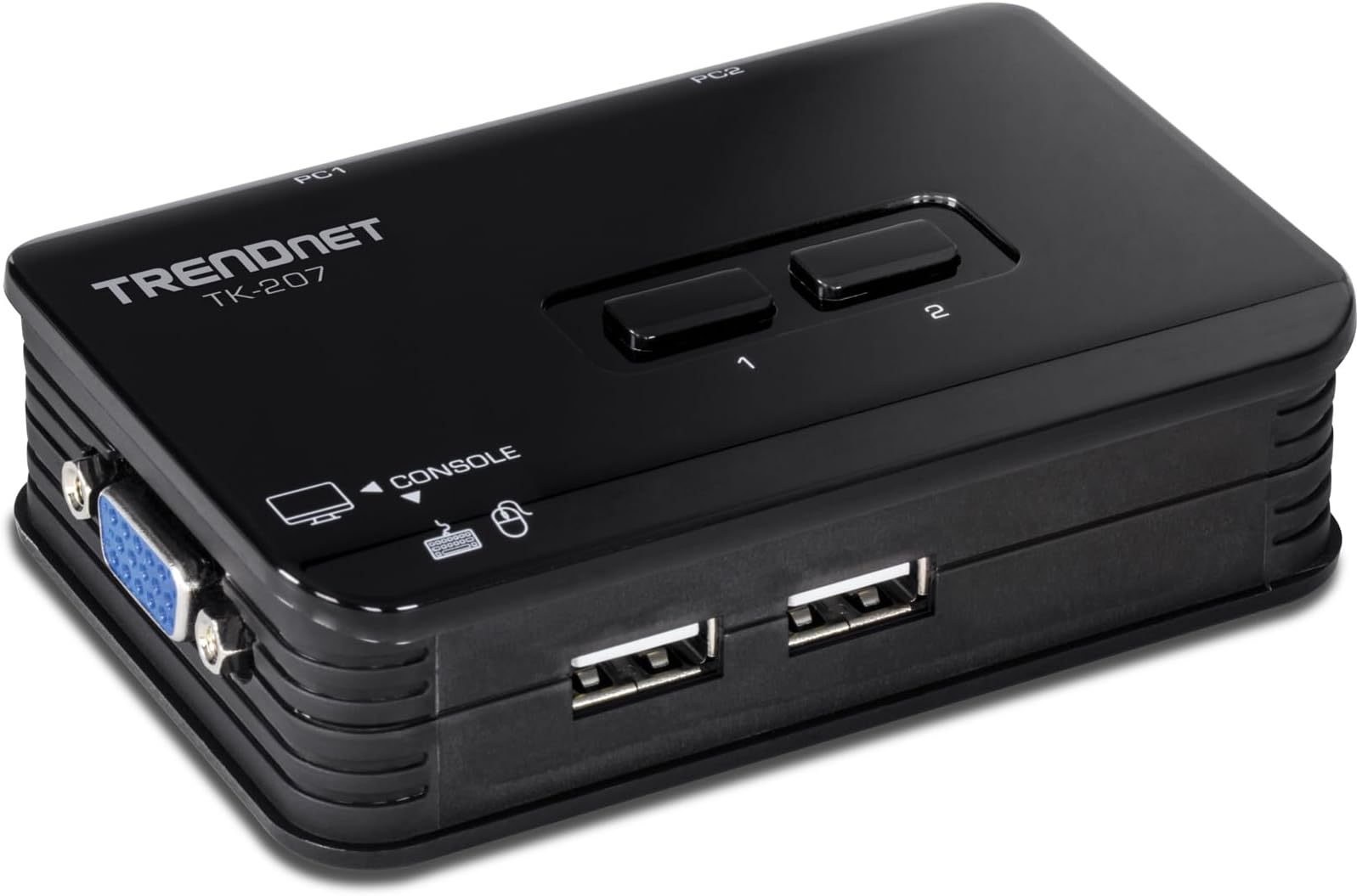
The TRENDnet TK-207K is a compact, bus-powered 2-port USB KVM switch that enables seamless control of two VGA-enabled computers using one keyboard, mouse, and monitor. Supporting resolutions up to 2048x1536 at 60Hz, it features physical push-button and hotkey switching, includes all necessary cables, and requires no external power supply—ideal for professionals seeking efficient workspace management without breaking the bank.


| ASIN | B000F4C310 |
| Actuator Type | Physical Button |
| Best Sellers Rank | #167 in KVM Switches |
| Brand Name | TRENDnet |
| Circuit Type | 2-way |
| Color | black |
| Connectivity Protocol | Usb |
| Connector Type | Usb |
| Contact Material | Plastic |
| Contact Type | Normally Closed |
| Control Method | Push Button |
| Current Rating | 1 Amps |
| Customer Reviews | 4.2 4.2 out of 5 stars (795) |
| Global Trade Identification Number | 00710931304237 |
| Included Components | TK-207K, 2 x KVM cables (1.2m/4 ft.) |
| International Protection Rating | IP54 |
| Item Dimensions | 4.09 x 8.07 x 1.73 inches |
| Item Weight | 99 Grams |
| Lower Temperature Rating | 32 Degrees Fahrenheit |
| Manufacturer | TRENDnet |
| Material Type | Plastic |
| Model | TK-207K |
| Mounting Type | Panel Mount |
| Number of Items | 1 |
| Number of Positions | 1 |
| Operation Mode | Manual |
| Specification Met | Kvm Switch Kit |
| Switch Type | Push Button |
| Terminal | Screw |
| UPC | 060090916094 777787456442 803982821027 710931304237 |
| Unit Count | 1.0 Count |
| Upper Temperature Rating | 104 Degrees Fahrenheit |
| Warranty Description | 1 year |
| Wattage | 3600 |
K**E
Wow! Great product, great price...
I initially dismissed this product because it looked cheap, and seemed to be priced accordingly. But after reading some of the reviews, I decided to buy it and risk a whopping 24 bucks. It was a great buy. What it does - It switches your VGA monitor between two computers, along with your USB keyboard and USB mouse. It has two buttons on the device to control the switching. It has two USB ports that go to your keyboard and your mouse. It has three VGA ports. One goes to your monitor (you use the cable you already have). Two go to your two computers. Interestingly, the KVM-to-computer cable, a special cable that is included (two of them), also carries the USB signal. The cable splits at the computer end and you connect the VGA connector and the USB connector to their respective ports on your computers. What it does not - It does not switch audio. It is not designed to switch additional USB devices, although it may work for some devices that do not need high bus-power, if your keyboard acts as a unpowered hub. The device itself is powered by the computer's USB bus and it does not have a separate power supply. This is exactly what I needed. KVM stands for keyboard, video, and mouse. That's all I wanted to switch between two computers (a Mac and a Linux PC laptop). I considered other KVM devices, and they had more features such as audio switching and special software, but they cost much more than this simple device. The package comes with software for switching, but it is for Windows only. The docs say it has a hot key, the scroll lock key hit twice in succession, that controls the switch. However, it did not work for me, probably because of my Mac keyboard which does not have a dedicated scroll lock key. However, the device is sitting next to my keyboard, and I just hit the appropriate button (1 or 2) to switch. It is quite small. The switching is nearly instant. What could be more simple than that? A few things I have tried... It works fine at 1600x1200, 75 Hz. My normally used Mac resolution is 1280x960 at 75 Hz. My Linux laptop is old and can only externally output 1024x764 at 60 Hz, which also works fine. I do not see any degrading of picture quality going through this KVM. My monitor is 19-inch CRT. In summary, the Trendnet TK207K 2-Port USB KVM Switch works great at a great price. If a simple two-way KVM for VGA/USB is what you need, I recommend this one.
V**.
Very pleased so far
TRENDnet 2-Port USB KVM Switch and Cable Kit. I started working from home and needed a way to switch between my work laptop and my home system. I have 4 monitors on my laptop, and 2 on my home system.. I didn't want to spend $500 or more on a multi-monitor KVM switch. Instead I bought two of these, and one and now I can switch two monitors, mouse and keyboard between the two systems. So far I have been pleasantly surprised at how well they work. I have not had any problems switching. They switch pretty much instantly. I have only lost my monitor settings once in about 2 weeks of using them, but I think I was doing something out of the ordinary at the time. Besides saving money, I think buying multiple of these really inexpensive KVMs has several advantages over buying one really expensive multi-monitor KVM: 1) If one goes out, you just replace the one, very cheaply. Instead of losing a $500 device, you only lose a $20 device. 2) You get two USB ports with each KVM, so you have more options on how to configure your devices. For example, I have my mouse and keyboard on the KVM for my main monitor, but I have my wireless headset on my secondary monitor. That way, I can choose to leave my headset attached to my work laptop while temporarily switching just my main monitor to my personal computer, 3) These are very lightweight and they take up very little space. 4) With these being so inexpensive, you could buy extra ones to switch just certain devices without switching a monitor. For example, I may buy another one to put just my headset on. It's kind of overkill, but it's a possibility. The only potential disadvantage is that you have to press multiple buttons to switch each monitor or device. But I think having the ability to switch only the devices you want is actually an advantage. So I am very pleased with my setup and with these KVMs. If anything changes, like if they conk out quickly, I will update this review.
A**E
Had this unit for a year now with no critical issues at all. The model I have is the VGA version. I use it to switch between two different laptops, both connected to laptop docks. The only issue I had is sometimes (maybe happens once every few months) is that while using Input 2, it would switch automatically to Input 1. So I'll be working and then my screen switches to my other laptop. Not a big issue, I just press the button and switch back, but it did happen more than once, but rare enough not make this product unusable. I have been using this product 5 days a week since I've bought it. For aesthetics, the casing has a shiny cheap plastic look. There are a lot of cords attached to it, which does not look good on a desk. My desk is against a wall, so what I did was use 3M velcro at the back of the unit and attached it to the back of my desk just over the edge so I could still reach and press the switch. This gives a cleaner look. It would have been nice if the unit had built in mounting holes. Also note, this device has 2 USB ports that are sharing one USB2 connection, so keyboards that require USB3 or have an additional USB port for a mouse input may not work. I've only tried one regular keyboard (no backlight) and a few different mice and had no issues, but I see in a few comments people mentioned they had issues getting their keyboard/mouse to work. Overall, I think this is a great product and I would recommend for anyone looking to share a VGA input monitor with 2 computers. If possible, I would recommend using DVI over VGA (VGA has a lower resolution).
L**A
Buen precio y calidad, funciona perfecto, sin ninguna queja al respecto.
J**E
Desaparecen los botones mecánicos, las conexiones PS2. Todo resulta de los más sencillo, con un teclado y un ratón USB manejas dos ordenadores limpiamente. Simple y eficaz.
P**V
Works as described. Needs no external power supply - the VGA cable is supplies the power- even to the attached USB devices like wireless mice. Double press the scroll-lock key to change the system or simply press the dedicated hardware buttons on the box. I run a convoluted system where my laptop and my desktop go to the same wired-keyboard+wireless mouse combo. Most of the time I have absolutely no problems. If the monitor (on very rare occasions) tell you that the timing/resolution isnt supported (happens when I connect the laptop to the device when the laptop display is still off), just reconnect the cable and all is well. All the necessary cables are part of the package and the best part is that both the keyboard and mouse (or anything else connected to the two ports) end up as a single USB connector on the device - one less wire to unplug :) I play FPSes on my desktop and I havent seen any lag or artefacting that I could ever notice. My desktop has a convoluted path to the KVM (HDMI-to-VGA converter on the way to the KVM) and yet, I've had no problems at all. Switching delay is about 2-2.5 seconds - I have no problems with that at all. Very highly recommended.
A**R
I use this to easily switch from my Linux to Windows and vice versa. I have had no problems at all. The display works perfectly for both systems - as do the keyboard and mouse. Very happy!!
Trustpilot
1 month ago
1 month ago