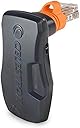
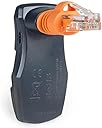
🌠 Elevate your stargazing game—control the cosmos from your pocket!
The Celestron SkyPortal WiFi Module transforms your smartphone or tablet into a wireless telescope controller, enabling effortless alignment and navigation through a vast database of over 100,000 celestial objects. Compatible with most Celestron computerized mounts, it offers personalized sky tours and immersive audio guides, all backed by a 2-year warranty and expert US-based support.


| ASIN | B00OJ5Z2NM |
| Additional Features | Wireless smartphone control and audio descriptions |
| Best Sellers Rank | #25 in Telescope Accessories |
| Brand | Celestron |
| Built-In Media | SkyPortal WiFi Module |
| Coating | Celestron |
| Compatible Devices | WiFi module is compatible with all current Celestron computerized telescopes and select older models. Unit does not require batteries or external power. |
| Customer Reviews | 4.3 out of 5 stars 2,381 Reviews |
| EU Spare Part Availability Duration | 2 Years |
| Eye Piece Lens Description | Barlow |
| Finderscope | Reflex |
| Focal Length Description | 700-2032 inches |
| Focus Type | Manual Focus |
| Global Trade Identification Number | 00050234939737 |
| Item Dimensions D x W x H | 3"D x 2"W x 2"H |
| Manufacturer | Celestron |
| Manufacturer Part Number | 93973-CGL |
| Model Name | SkyPortal WiFi Module |
| Model Number | 93973-CGL |
| Mount | Altazimuth Mount |
| Number of Batteries | Product Specific batteries required. |
| Power Source | Internal rechargeable battery |
| Product Dimensions | 3"D x 2"W x 2"H |
| Telescope Mount Description | Altazimuth Mount |
| UPC | 050234939737 |
| Unit Count | 1 Count |
| Warranty Description | 2 Year Limited Warranty |
| Zoom Ratio | 700 |
R**T
Eccellent add on for the scope, especially if using CCD or AP
I am using it with the CPC 1100 It can generate its own wifi network for when you are in out in a remote place and control the scope via a tablet or a smartphone connecting to such wifi If you are at home, you can switch to access point and basically the scope will now have the ability to connect you your home network. You can then control the scope from the iPad You can use the free app provided, however will work with Skysafari... For 15$ you get a much better app with many more functioanlities and a much more complete visualization of sky object and more complete list Controlling the scope is easy enough, and actually the scope respond very well. I,had a Celestron Evolution, and the native wifi of the evolution is very sluggish often unresponsive with the same Skysafari. the Skyportal wifi adapter seem not to have such issue You can do the regular alignment via the tablet, keep eventually using the HC if you want It also works if you have the Starsense installed, you can initiate the Starsense alignment with it, and refine it adding additional alignment star, like you would do with the Starsense HC Initially it was working at all with the CPC. Was generating the wifi, you could connect the iPad to it, but would not control the scope and you would get an error. It turned out that my CPC had a faulty MC board. It was fixed by Celestron and now works I found more intuitive to control the scope with the iPad having a display of the planetarium than just using the HC Make the observation experience much more pleasant ...once us d, you don't want to go back to just HC
A**D
Awesome!
It connected very easy! This, combined with the star sense autoaligner and Sky Safari (or Celstron Sky Portal app) makes for an incredibly easy, fun viewing experience. The only thing I would change is really more of a software thing. You have to stay within the apps, or it will lose connection with the app. That is, the wifi is still connected to your phone, but if you exit out of the app even for a second, it will need to reconnected and sometimes even need to repeat the alignment process. It is much smaller than what I expected. It looked bigger that the picture. Like the size of a slightly oversized USB thumb drive. Great! Buck for buck, this may be the best $100 for your telescope. Recommended!
A**V
A bit pricey in my opinion but it does the job.
For me this was a necessary accessory for using my Celestron Nexstar 127 SLT. The hand controller just doesn't make the grade for me. I need a graphical user interface and this supplies the necessary connection that allows me to wirelessly hook up to my phone, tablet, or laptop. Occasionally it glitches but I just restart the telescope. The vast majority of the time it works just fine. I wish i could say the same for the actual navigation program in Celestron onboard computer! It is well past time for them to overhaul and upgrade their alignment process!!! Get with it Celestron. It's 2025!
R**H
A great improvement on my connections
This was an easy install the device made a big difference in the connection to my Celestron nextar evolution telescope. I am very pleased with the results
D**S
Telescope Wi-Fi
I have mixed reviews for this item it's easy to connect but not easy to make it Work your Wi-Fi and connect to the telescope at the same time I was having issues getting this task done and the first one of these I purchased the orange light went out and the item stopped working so I had to return it so would I recommend this item yes and no it works moving the telescope with your phone but doesn't allow the Wi-Fi to pass through without jumping through hoops so I would look into something else maybe there's something newer that works better
J**S
Nope - couldn't get the scope to sight, couldn't get the wifi to work
Couldn't get it I got my first telescope - a 2.4" Tasco - when I was thirteen years old (late 1960s) and it stayed with me through college. Life and work got in the way so it stayed in its case until the early 1990s when I upgraded to a 10" Meade Cassegrain with equatorial mount. Got the full package and managed to place some photographs with magazines (back in the days of print). I share this up front so you'll know I've been around and used scopes for quite a while. I received a Celestron NexStar 8se package with 14 piece accessory kit and SkyPortal Wifi Adapter for Christmas less than a month ago, and the only way to do this review justice is to provide a play by play. Day 1: It arrives. I'm not sure why delivery drivers leave 2oz packages by the garage door and place packages you need a derrick to lift blocking the front door so you can't get out to get the package. The 8se comes in a BIG, HEAVY box (SENIORS PAY ATTENTION!). Unpacking. Open the outer box, open the inner box, and you're presented with four more boxes, some of which have even smaller boxes inside. There are instructions (not completely useless, not really helpful) which provide clues regarding which box to open first. If you love mysteries, you're going to love this. Quick Set-up Guide First, have the Instruction Manual handy and refer to it often. If nothing else, the pictures in the Quick Set-up Guide and Instruction Manual provide clues as to how things are suppose to work. When in doubt with the Set-up Guide, check with the Instruction Manual and vice-versa. Neither tells the complete story and each have different errors. Steps 1-5 Good Step 6 - First thing, our tripod didn't have a bubble. Looked and looked and looked and no bubble, no bubble, no bubble. Finally used the one from the Meade. Second, The tripod bubble level's only useful if you never plan on moving the telescope-tripod assembly from wherever you do your initial assembly. Move it outside, front yard to backyard, beach to desert, field to forest, and you need to take the mounting platform off the tripod to level it all over again. Note this: If you take off the mounting platform, the telescope comes with it unless you separate the scope from the mounting platform. Steps 14-15 - Yes, we're skipping. Steps 14-15 is where you put eight AA batteries in the mounting platform. Videos indicate this is easy. (SENIORS PAY ATTENTION) It isn't. You'll need strong fingers, strong nails, or a screwdriver to pop it off. Put these batteries in now because you'll have to work under or around the telescope if you wait until Steps 14-15 is suppose to occur. Further note - a fresh pack of batteries gives good use for ~30m then fades rapidly, especially if you're using the scope in winter (15-30ºF). We planned on getting the rechargeable power supply and ended up returning the entire unit and all accessories because, personally, I don't need the headaches. Step 7 - Notice in the picture the demonstrator's holding the scope and mounting platform together? The hitch here is they didn't include the step where you attach the scope to the mounting platform. The hitch with that missing step is you can't attach the scope to the mounting platform as the platform is configured coming out of the box The hitch there is you need to turn the mounting platform part that the scope slides into so you can slide the scope into it. The hitch there is it doesn't turn easy and, if you're like me, you're leery of turning something with a relatively precision motor attached. We called tech support. Turns out the mounting platform part is on a friction clutch and can be turned by hand. Really? (SENIORS PAY ATTENTION) This doesn't turn easy for people with a good grip, and next to impossibly if you have arthritis. Not to mention turning a precision gearing mechanism with a friction clutch by hand. Nobody told the engineers that's a perfect way to ruin the clutch assembly? Steps 8-13 - Good Steps 16-18 - Only useful if you plan on terrestrial viewing or know astrogation well enough to "point-and-shoot." Now we get to "Before you can begin observing, you must setup your hand control, align your finderscope and align your telescope. Step by step instructions are included in the following Hand Control Setup section." I'd already spent 2+ hours going through the various documentation (the Instruction Manual is a must), so figuring out the Hand Control Guide is the next day's job. Day 2: Aligning the finderscope and telescope. Before anything else, remember you have to mount the finderscope to the telescope to align them. Does anybody writing documentation know how to explain something step by step and explicitly? Remember those college science texts which showed step 1 and 2 then the solution and in between had "The derivation is left as an exercise for the student"? They may as well have had "And then a miracle happened!" Anyway, the people who wrote "The derivation is left as an exercise" also wrote the Celestron documentation. Got the finderscope attached. Now I had to find something ~1/4 mile away to properly align the finderscope to the telescope. Which meant taking the telescope, the mount, and tripod somewhere where I could clearly see a steady, non-moving terrestrial object which was ~1/4 mile away. Do you live in a suburban neighborhood? I ended up using a neighbor's window casing two streets away. Fair enough, but your suppose to get your target in the center of the finderscope which has no crosshairs so you have to be looking through the finderscope dead on while you make adjustments. (SENIORS TAKE NOTE) This can be straining if you have back problems and are 6' tall or more as you have to bend over to see dead on, and the moment to touch the adjustments the entire assembly jiggles so you have to wait for it to quell before making your next adjustment. Once you've got it in the finderscope, move on to the main scope, again with the "center," which again means you have to be viewing dead on. Yeah, I wasn't having fun yet. Hand Control Guide: First, does it work? Yes. Second, could it work better? Definitely. Third, does it work as simply and as easily as the documentation and videos indicate? No way, period! The menu system is extensive. It's also ONE LINE at a time on a horizontally scrolling LED display. Really? In 2025? Okay, chock this up to not getting the flying car I was promised, too. I had to work through the menus four times before I worked it properly. Now onto finding a bright sky object, center it in your finderscope, center it in your main scope, press this, press that, lather-rinse-repeat three times. The first night out I went through that menu system and found three objects three times over and each time got an alignment failed message. Okay, enough for one night. Bring everything inside and start again tomorrow. Day 3: I downloaded two pieces of software available from Celestron, CPWI and Starry Night. I installed and uninstalled Starry Night five or so times. Each time, despite reporting a successful install, Starry Night threw errors faster than I could dismiss them during loading. CPWI installed and loaded, and that leads us to the SkyPortal WiFi adapter module. It worked fine in "direct" mode, meaning it connected to the laptop and I could communicate with the telescope provided laptop and 'scope where within 5-15' of each other. However, it never worked with in wifi network mode, meaning I couldn't sit in my backroom, indicate what I wanted to view, and have that info sent to the 'scope in my driveway about 30' away even though the distance from each point to the router was less than 15'. The CPWI software lets you align your scope. Okay, and mine didn't. It couldn't find anything it suggested as an alignment point. The suggested points where in the sky, simply not where the CPWI software indicated they should be. The Hand Control alignment needs to be repeated each time you set up the scope. Say what? I have to go through a 15-20m procedure each time I want to look at something? The CPWI lets you save an alignment setting. Trouble there is it never aligned my 'scope properly. Days 3-15: I took the 'scope out nightly for about two weeks and repeatedly failed. I contacted Celestron for guidance and was on hold long enough for the sun to go nova. I emailed with my concerns. They sent me pages from the manuals. Day 16: I packed up the 'scope and returned it. By the way, during the repacking process I found the bubble level. About the size of a dime, and stuck in some bubble wrap.to work with the house wifi. It recognized it, indicated it connected, never did.
S**.
Wow! This works amazingly well! (SkyQ with 2 year old IPad, the free SkyPortal App and a Celestron CPC1100 11" telescope)
Oh my goodness! This device with the free SkyPortal app from Celestron (by Sky Safari) makes nighttime astronomy with my CPC 1100 telescope an incredible amount of fun. The old hand controller doesn't begin to compare to how easy this is to use, continue to learn and navigate about the sky. Quickly learning about star names, features, constellations and finding all those allusive deep nebula and clusters. Detailed information about anything in the sky is just a couple touches away, including full narration about what your looking at. Neptune and Uranus were awesome to see and the alignment procedure of my telescope is now so easy. Not sure what your looking at? Just point the telescope and the SkyPortal app (through the skyQ) Shows you the star name, particular information and the constellation you looking at all right on the screen. The app also had night time viewing (dim red) to keep your night vision in tact. The guys at Celestron definitely hit a home run with this one! This works with any of the Celestron go-to telescopes. I had some issues at first. It seems I was experiencing a conflict between the original hand controller and the SkyQ/SkyPortal App). I did not see in the instructions were told me to not have my hand controller plugged in but they must conflict somehow. Once I unplugged the hand controller and restarted everything, the telescope quickly becomes aligned everything worked perfectly. Update 10 June 2016. I upgraded my telescope to an 11" Edge HD telescope on a CGEM DX mount and have lots more use to report on. In warmer weather I still regularly use and prefer the WIFI Skyportal. When it's really cold I use the hand controller as I can wear gloves when operating. I did also upgrade to SkySafari Pro 5 and really like the extra features including comets, asteroids and identifying various satellites including alerts when the ISS International Space Station as well as Iridium flares will occur overhead. Just a note for no matter what kind of mount you have- be sure to balance your scope to maintain dead on goto accuracy. Update-22Nov 16. I am now using an Ipad Pro with Sky Safari 5 and it continues to work great and totally love it! EVERYONE- DONT FORGET TO UNPLUG YOUR HAND CONTROLLER when using Skyportal as the two do not work well together! I did add a photo of the compatibility list below
M**K
Forget about tech support, they have almost none
I purchased a SkyPortal on Sept 18th and received it a couple days later. I was able to connect to it in direct mode (where the device broadcast's a Wi-Fi signal that you can use to connect to it and specify your home Wi-Fi information) without a problem. While connected, I can fully control my Advanced VX mount and it will stay connected however long I need it to. However, this is not optimal because I can either connect to the SkyPortal's Wi-Fi or my home Wi-Fi, but not both. And I would like to be able to have everything connect to Wi-Fi and control it remotely from the patio or the house. However, whenever I tried to use the SkyPortal app configuration screen to configure the settings for my home Wi-Fi, the connection would drop and give me an error. I tried with my phone, my wife's phone and my new iPad. Thinking it was faulty, I returned it to Amazon and they shipped me a new one. I had the same experience with the replacement. Thinking I was doing something wrong, I tried calling Celestron support. I was on hold for 90 minutes waiting for someone. During that time, I was repeatedly given the option to get a call back. After that 90 minutes, I decided to take that option. I was asked to enter my phone number and I did. It again asked for my phone number and I entered it again. After being prompted to enter my phone number and entering it a third time, I was disconnected. Ninety minutes wasted I will never get back. I called back and this time, after two minutes on hold, I chose to get a call back. This time it accepted my phone number and said they would call me back. That was at 11:30am. Around 6pm, I was on a customer call when I saw a number come in from California. I asked my customer to hold while I grabbed that call. I missed it. It went to voicemail. The voicemail was very casual, like he was talking to his lifelong buddy. "Hey! This is [can't recall] from Celestron! You had asked for a call back. Guess you don't need it ? If you still need anything, give us a call. I'll be here until 4." (they are on Pacific time; I am on Eastern). So I called back. It was about 6:10pm. I was on hold until 9:15pm waiting to speak to someone (which would have been 6:15pm Pacific time). At this point, I incorrectly assumed from this that they must just leave at 4pm when the office closes and leave the people on hold waiting. At 9:15pm, before hanging up, I again entered my phone number for a call back. Around 9:45pm ET, almost 12 hours after I started reaching out to them, I received a call back. The technician (Wil) was not knowledgeable on the product or troubleshooting steps, but it sounded like he was reading from a playbook. At some points, I could tell that he was "winging it" and I'll explain why he said that. During the troubleshooting, one of the things he wanted me to do was update the firmware using the firmware app which I had previously used to update the firmware on my Advanced VX mount. He had me connect to the SkyPortal Wi-Fi module and it worked. But when I tried to click the "Update" button as he instructed, it failed saying it couldn't download the software (because I wasn't connected to my home Wi-Fi). So he asked me to connect to my home Wi-Fi to download the software. But that would mean that I would be disconnecting from the Wi-Fi module. Later I realized that I needed to open the firmware app while still connected to home Wi-Fi, allow it to download updates, then connect to the SkyPortal Wi-Fi and update it. But that didn't help. After about 90 minutes of troubleshooting, we were no closer to a solution. By this time, I had tried with my new iPad (8th gen), my iPhone XS and my wife's iPhone X, I had connected all devices to 2.4GHz (by disabling 5 GHz on my Eero) and 5GHz as well as all of the phones and iPads. Nothing was working. I mentioned to him that my wife and I had both upgraded to iOS 14 on Sept 16th. Perhaps what we were seeing is an issue with iOS 14. Both or our phones were upgraded to iOS14 and my iPad came with iPadOS 14. He agreed this could be the issue. He asked if it had ever worked with iOS 13 and I explained to him again that I purchased the first SkyPortal 2 days after we had upgraded our phones so I don't know if it would work with iOS 13. He said he would have to research with the engineers and would get back to me. The next day, he emailed me to let me know that he had opened a support case with them. The next day, we finally got my wife's iPad Mini (2nd gen) back from having the screen replaced. Her iPad was using iPadOS 12.4.8. Surprisingly, it was not disconnecting and I was able to successfully configure the device with my Wi-Fi information. I was able to change it to Access Point mode and I could see in my Eero app that it successfully connected to my home Wi-Fi. However, even though I can now see the device connecting to my home Wi-Fi, I cannot connect to the device with my iOS 14 devices. I can connect and control the mount with my wife's iPad Mini. I tried connecting everything to 5GHz and tried from my phone, my wife's phone and my new iPad. I tried again by turning off 5 GHz on my Eero network but that didn't work either. I emailed the technician back with all of this information and I explained that using my wife's iPad was not a viable option because it was old and didn't hold a charge for more than 30 minutes. I received an email back from the technician two days later asking if it had ever worked with iOS 13. The person sending me the email was definitely the same "Wil" (notice one "L") who I had worked with the first night but I explained to him AGAIN that I purchased the first device two days after we had upgraded to iOS 14 so I don't know if it would work with iOS 13. About a week later, he asked if I could connect everything to 2.4 GHz and try again. Frustrated, I told him he and I had already tried that but I did it anyway and sent screenshots from my Eero showing that all devices (my phone, my wife's phone and my iPad) were connected with 2.4 GHz and that I had disabled 5GHz on my Eero and it was still failing. Responses from Celestron began to take far loner and for the next three weeks he continued asking me questions that we had gone over before. Can you try it with everything connected to 2.4 GHz. Did it work before upgrading to iOS 14. After 3-1/2 weeks and with the Amazon refund deadline looming, and I haven't heard from Wil in over a week, I've decided to just return it. So today I am on my way to the UPS store to ship it back.
P**N
Funktioniert einfach und problemlos
Der WLAN Adapter für mein CPC 800 funktioniert "plug and play": in den AUX Port eingestöpselt, das vom Adapter neu aufgespannte WLAN mit dem Smartphone verbunden, Celestron Skyportal App oder Skysafari App gestartet und Teleskop verbinden: läuft. Einziger Nachteil: verbindet man sein Smartphone mit dem Celestron WLAN Adapter im "Direct Mode", kann man nicht mehr aufs Internet zugreifen. Da hilft nur der AP Mode: bei diesem verbindet man den Adapter in das bereits vorhandene WLAN bei sich zu Hause (oder unterwegs z.B. mit einem mobilen WLAN AP) und greift dann darüber auf den Adapter zu.
A**I
GOOD
EASY OF USE
J**J
Up and running in less than 5 minutes. Perfect score!
It took a little less than 5 minutes to have the wifi module running and that's because I was lazy and didn't want to make mistake. This accessory can in fact be completely functional in few seconds, from its box to the telescope port and Skyportal running. It is that simple. Just follow the few steps on the instructions coming with it and it will work its magic in an instant. I received the latest generation of this SkyPortal accessory and no firmware update seemed to be needed since it worked straight out of the box. Good wifi signal when connecting directly to it with an iPhone. The control response time is instantaneous. It is expensive for such a little piece of hardware but the freedom and functionality it provides is priceless. Control input from wifi device is as accurate as if it was running from the hand controller. And it is much more convenient. No wire, no hassle, and Skyportal interface is fun to use. I'm not deceived. Can't wait to get my 8SE outside tonight with my kids. Just make sure that an 8SE is installed forward enough on the rail so the focus knob don't get into contact with the module. I can almost reach zenith (85 degree up) with the 8SE 1.25" diagonal. Edit: I finally got out tonight with my 8SE equipped and its new Skyportal wifi. This device is a game changer. It hasn't faulted during the whole night, connection was strong and alignments were always spot on. It is so great to tap onto a clestial object in Skyportal app, hit goto and see the scope pivoting and aligning towards its target by itself. The freedom that this wifi device provides is priceless. My little girl thought it was a sorcerer trick when she saw her Jupiter on the phone screen and watch the scope align to it in real time when tapping GoTo. A nice educative tool.
L**L
Bien fonctionner
Paramètre sur pc ok tester et fonctionne parfaitement
C**N
WIFI Celestron
Por que es la mejor , sin duda Me gusto todo A todas las personas que me pregunte se lo recomendaria
Trustpilot
1 month ago
2 days ago