⚡ Dominate your digital domain with unstoppable speed and coverage!
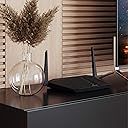
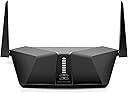
The NETGEAR Nighthawk AX4 (RAX40) is a WiFi 6 router delivering ultra-fast AX3000 speeds up to 3 Gbps and robust coverage for small to medium homes (1500 sq ft). Featuring advanced technologies like OFDMA, Beamforming+, and WPA3 security, it supports seamless streaming, gaming, and smart home connectivity for 40+ devices. Easy to set up and manage via the Nighthawk app, it offers wired and USB ports plus automatic security updates, making it a future-proof powerhouse for demanding professionals and families alike.


| ASIN | B07PCMG75T |
| Best Sellers Rank | #176,540 in Electronics ( See Top 100 in Electronics ) #1,109 in Computer Routers |
| Customer Reviews | 3.9 3.9 out of 5 stars (4,807) |
| Date First Available | April 9, 2019 |
| Item Weight | 1.36 pounds |
| Item model number | RAX40-100NAS |
| Manufacturer | NETGEAR |
| Product Dimensions | 8.1 x 2.2 x 13.3 inches |
A**G
Wow - Blown away
Don't waste your time getting the new AX (wifi 6) tech since its not readily available in devices they said. Don't spend the money cause its gonna be like a normal router for a couple of years until more are released. Let me tell you - ignore that. This is a BEAST. I spent 3+ weeks trying out different solutions on wifi. I tried Orbi mesh. While that is a good product, I am not really in need of a mesh. Speeds averaged 460-525 Mbps. (I tested at different times of day but same time frames with other products). I tried the XR500 Nighthawk that is one of the highest rated devices with DumaOS. So many issues that I was losing my mind. I tried several fixes. Separate the bands, channels, etc. My security cams were going offline every 30 mins or so for at least 15. I was so fed up with trying to trouble shoot the device. My speeds were 580 - 670 Mbps with it which I did enjoy. But speed is only useful if its actually CONNECTED to the devices. Last ditch effort I tried this router. The RAX80 and holy moly. Plugged in, used the mobile app and was up within 5 mins. Every device attached with no issues. No disconnects after multiple days use. Speed improvement on every item. I have 38 devices accessing my wifi as part of the smart home. This monster just cranks it out. No problems at all. My speed on several tests as compared to the same day/ time as the ones above - 830-960 Mbps I am not sure why its such a huge improvement but it is. I cannot say enough good things about this router. Not only is is a monster with handling speeds and multiple devices - just look at it. It is not one you want to hide. You want to show this baby off. Several people have asked me what the space ship is. This thing went from being in an Amazon box to installed and cranking out wifi / lan within 10 minutes and NOT a single drop of signal. I am future proof as well. So I say if you can afford it, do not hesitate. You will really like it. EDIT: After 2 months this router is still the best one I've ever seen. Still getting top level speeds right at a gig. I've got 42 devices attached to it (smart home) and it doesn't even cough. I rarely am this surprised. This router is still #1 in everything I tried!
P**R
No buffering, no weak wifi signal, easy interface and stronge security. Most important crazy fast!!!
In my house I have 5 gamers 3 play WoW, 1 plays Overwatch and 1 plays some flight and tank battle game. I am running Gig Internet and also watch Nutflix, Amazon and a few others. Before I got the Nighthawk I was running into buffering issues daily, Verizon was no help in resolving the problem. After getting the Nighthawk, buffering was no longer an issue. One of my boys is a hardcore streamer and does that for 10 to 12 hours a day and still no issues when all 5 of us are playing something. Security is also a concern and the Nighthawk has that covered as well. Very easy to manage your network and activate very strong signal encryption and security if you want. Oh and the signal strength is crazy good now, I actually get full bars on my phone when I am out back of the house and about 200 feet away. Price wise, it is well worth the cost if you have heavy users in the house.
M**O
Frustrated by this Netgear product
I have been using Netgear wifi routers for years and have always been happy with them. They have been easy to set up, easy to use and work well within the parameters of their use. I purchased this because I moved into a bigger home and could not use Ethernet cables for my workstation. I decided to upgrade to wifi 6 and bought a wifi 6 card for my workstation to connect via within instead. We have a couple of smart TVs, Echo devices and fire sticks. I figured it would be a good time to upgrade. The first one I purchased worked fine and set up easily via the iphone app. I was able to get my usb storage connected again, though it wanted I now have to map the drive with the admin password were before I had it accessible to everyone. Unfortunately, we are renovating our house and the breaker for the router was tripped. When the power was restored, the power light just blinked now. A quick google showed that perhaps my router had corrupt firmware as it may have been updating when the power hit. I but it back in the box and shipped it back as I was not in the mood to troubleshoot and Netgear does not make it easy to find the files necessary to manually update the firmware. Why would it automatically be enabled? Got the new installed and everything again worked fine and I made sure the firmware update was set to manual now. However, I was not able to map a drive to my usb device. It kept saying the password is not correct though I know it is. Also the web admin tool would not update some of the readyshare settings. Opened a ticket with netgear and they replied with update our firmware standard response. I guess they did not read the ticket as I mentioned the firmware version which was the latest. Frustrated, I turned to Google and found I was not the only one who had this and again netgear responses were decidedly unhelpful to these issues. It turns out all I needed to do was use MS Edge instead of chrome and the settings were applied. Also, i had to just change the wifi password and the drive map worked. The only thing annoying is that I have to still map the drive with the admin account and password even though it is set to all no password. According to the docs, I shouldn't have use the admin account. It worked on my old... maybe a firmware update will fix this... Operation is good the dual bands work like they should and have great through put. I have not seem a big lag on any of the devices scattered around the place. The 5G does have range limitations. I had to switch an Echo device to the lower band at one end of the house. The 2.4G signal is strong will the 5G was weak and spotty. This is a limitation of 5G which while faster has worse range. I will probably need repeaters for 5G to cover the house (about 2000 square feet). Update... 4/6/2021 Wifi radios have stopped working 1 month after warranty ended. I won’t ever by a net gear product again.
K**N
It shows good signal, super speed on the Nighthawk app but there wont be any internet data transmission to the connected devices. It stopped working completely.Wasted too much money on this. Pls dont buy this router. You will get 10 routers that will give a long life for this price.
S**I
We have a 2 floor + basement house with 4 AppleTV and multiple WiFi lights, door locks, garage opener on top of 4 iPhones, 2 iPads and 4 laptops. Connection/speed was not an issue on iPhones, iPads and computers but home automation was a different story. Apple’s Home app had issues showing the status off all automation devices or even executing a command to turn on/off lights. I did not know who to blame between Apple Home app or the automation devices. We the Netgear AX8 and all the issues are now gone. The app shows me the status of all devices just 2 seconds after launching it and Siri is able to execute the automation commands. As a bonus, we got connection speed improvement on spots of the house far from the router. The problem was with the previous router. It was a router able to deliver fast connection (AC1200) but was not able to handle all the WiFi devices connected at same time. Home automation devices do not require fast connections, they require instead a constant one and the router we had was not able to provide that constant connection to them. The new router AX8 is able to handle all the devices, and keep the alive and active in the network.
A**W
After sourcing a USA conversion plug because for some silly reason it ships with a usa power cord, I set the router up easily. However I then upgraded firmware, and device no longer working. Found numerous online posts on netgear site stating that this is a known issue and typically requires hardware replacement. Phone support took 5 calls to get connected to someone as it kept dropping me off the call. Now I have been transferred to another support person and have sat through 30 minutes of hold music so far with no response. Extremely expensive timewaster, I will be asking for my money back and no longer consider netgear a quality brand I am happy to pay a premium for.
C**D
Fast when connected in 5Ghz (130Mb/s, 100% of my ISP bandwidth), however constant disconnect-reconnect, make it unusable. I called the technical support which made me switch in a complete guessing and unprofessional manner to a channel 11 and 128 for 2.4 and 5Ghz without checking with me first if those channels were busy in my area (I later used Mac OSx Wireless Diagnostic scan to figure out which was best). He also made me change the MTU from 1500 to 1492. (I'm on cable Ethernet connection, so 1500 is fine, I also checked with ping -D -s etc... ). As you can guess, especially the last change on MTU, made 0 impact on wifi stability. Positive point: it was easy to install, but again, for me, not a big deal as I'm a 30 years experienced and certified IT professional. I'm returning it after fighting with that piece of krapp for 1 week.
W**W
So the router works well. Just keep in mind that when you purchase a used router the previous person who had it probably set it up and registered it in their name. That was my issue. I Had to call netgear support to have them transfer ownership which required me to send a screen shot of the receipt from Amazon and a picture of the serial number of the router. Netgear said this would all be fixed within 3 hours. Not the case it took me calling 24 hours later to get it fixed. I must say that the support person I spoke to was very good from Netgear and walked me through all the steps to get the router up and running. He even made sure all of my devices were online before he ended the call. The only catch is the call Center is in the Asia. I was lucky the person I got, spoke English very well. The range of the WiFi is really good I have it in the basement of our 2300 sq st home and have no issues with signal strength. Also the wired devices have a much better speed now. My device that I replaced was a 12 year old Mac time capsule router. What an awesome improvement! The reason for the 4 and not 5 stars is because Amazon should be more careful checking to insure that customers that repurchase items have everything inside the box. Mine was missing the QR code for setting up the router.
Trustpilot
1 week ago
3 weeks ago