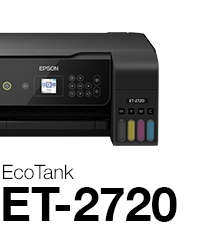
🖨️ Print Smart, Save Big, Live Green!
The Epson EcoTank ET-2720 is a wireless all-in-one printer featuring cartridge-free printing with supersized refillable ink tanks that deliver up to 2 years of ink per set. It offers high-resolution printing (up to 5760 x 1440 dpi), a built-in scanner and copier, and modern connectivity including voice-activated printing. Designed for cost-efficiency and eco-conscious users, it reduces ink costs by up to 90% and minimizes cartridge waste, making it ideal for busy professionals and home offices seeking reliable, high-quality output with minimal hassle.


| ASIN | B07PW3Q92W |
| Additional Printer functions | Copy |
| Batteries | 1 AA batteries required. |
| Best Sellers Rank | #217,046 in Office Products ( See Top 100 in Office Products ) #149 in Ink Tank Printers |
| Color Depth | 24 bpp |
| Compatible Devices | Tablets |
| Control Method | Voice |
| Controller Type | Amazon Alexa, Android, Vera |
| Customer Reviews | 4.3 4.3 out of 5 stars (5,651) |
| Date First Available | June 9, 2019 |
| Dual-sided printing | Yes |
| Duplex | Simplex |
| Global Trade Identification Number | 00010343946927 |
| Hardware Interface | USB |
| Included Components | EcoTank ET-2720 all-in-one, manual, CD-ROM for product setup, power cord, 1x bottle 522 Black (65 mL) and, 1x bottle each 522 Cyan, Magenta, Yellow (65 mL)(2) |
| Ink Color | Cyan, Magenta, Yellow, Black |
| Is Discontinued By Manufacturer | No |
| Item Weight | 8.8 pounds |
| Item model number | ET-2720 |
| Manufacturer | EPSON PRINT |
| Max Copy Speed (Black & White) | 10 ppm |
| Max Input Sheet Capacity | 100 |
| Max copy resolution black-white | 2400 dpi |
| Max copy resolution color | 5760 x 1440 dpi |
| Maximum Black and White Print Resolution | 5760 x 1440 dpi |
| Maximum Color Print Resolution | 5760 x 1440 dpi |
| Maximum Media Size | 8.5 x 14 inch |
| Memory Storage Capacity | 64 MB |
| Model Series | EcoTank |
| Number of Trays | 1 |
| Number of USB 2 Ports | 1 |
| Print media | Paper (plain) |
| Printer Ink Type | EcoTank Ink Bottles |
| Processor Count | 1 |
| Product Dimensions | 13.7"D x 14.8"W x 8.7"H |
| Scanner Type | Sheetfed |
| Series Number | 2720 |
| Sheet Size | 4" x 6", 5" x 7", A6, Half Letter, Letter, A4, Executive, Legal, User definable (from 2.2" x 3.4" to 8.5" x 47.2") |
| Smart Home Compatibility | Smart Home Compatible |
| Specific Uses For Product | Home, Office |
| Total USB Ports | 1 |
| UPC | 010343946927 |
| Warranty Type | limited warranty |
| Wattage | 13 watts |
S**E
Amazing print quality
Let’s start off with the fact that I am so glad I bought this printer. My whole life I have used an inkjet printer with those ridiculously priced cartridges and enough was enough. I am a college student in a STEM field so I print pretty much everyday roughly 10-70 pages depending on my assignments. Printer comes sealed and taped down very nicely and safely. It comes with the cord to connect it and turn it on, the packets with instructions and the cd, and the four bottles of ink. No the CD is not necessary for setting up via WiFi, also your WiFi needs to be atleast 2.4GHz in order for this to work. Setting it up through the computer didn’t work for us so we just did it through the printer, the manual entry was a bit tedious but only necessary the one time and now we can print from anywhere around the house. The set up is pretty self explanatory, follow the steps on the paper and you’ll be set, don’t cut corners because the printer does need to register the ink and everything in order to work properly. Do the ink first before turning it on! While there’s ink in the printer do not flip it. When you fill up the ink you should be left with maybe 2-3 ml but after the whole setup is done you can fill the rest of it up and throw the bottles away. Once everything is being setup, for the best ink quality you’re going to want to do the setup which will use a bit of your ink but it’s worth it, it’s going to print out different boxes and ask which ones are the better quality. This is important for good printing quality! Printer quality is awesome, we did the setup and took our time with it and it prints great! I don’t see anything wrong so far with it, and like I previously mentioned it has been a very pleasant purchase. I’m glad I switched to this type of printer, If you’re debating it still...I think you should do it! Thanks for tuning in to this long but hopefully helpful review :)!
A**A
Easy to use dual voltage printer
Love this printer! Was hesitant originally due to the price, so bought a cheaper HP printer...spent more on ink for that one within a few weeks than this printer costs. I did have a few issues getting the wireless printing to set up, but that may be that my internet isn't great (it prints fine wirelessly from anywhere in the house now that it's set up). I had to put my computer directly on top of the printer for it to properly set up wireless printing. It's easy to use, the paper tray holds a good amount of paper, reducing the number of times needed to reload, I'm able to highlight immediately without smearing ink, and I've printed a decent amount and the black ink tank is still mostly full. Not listed on the Amazon description, the printer is dual voltage (100-240V) and can be used worldwide. Update August 29, 2021: I've had this printer for over a year and a half now. Printed over two thousand pages and I've only had to refill the black ink once so far, and still haven't had to refill the color (though we don't print a lot of color). During a school break where I hadn't been using it as often, I did have an issue where the yellow ink wasn't working, but if you just go to "maintenance" on the menu and do a nozzle check, you can follow instructions to clean the nozzle tips. If that doesn't work, you can do a full clean, which does use a decent amount of ink, but it does the trick. I assume the ink had just dried on the nozzle so it wasn't getting onto the paper, which I knew from previous printers happens if you don't use the printer for a while. But the difference here is that, unlike a cartridge that you would have to replace when that happens (which can get expensive, especially if only one color isn't working and you have tricolor cartridges), you can just have the printer clean itself. It was a higher up front cost, but I have saved so much money on not having to replace cartridges, it was DEFINITELY worth the price!
T**G
So far, I'm loving this printer!
I don't do a lot of printing. A recipe here and there, some pictures on photo paper for my daughter's class projects, occasional other documents. I've had this printer a few weeks now and I just love it. It was incredibly easy to set up, the instructions were clear and easy to understand, the wireless setup worked without a hitch and the printer just works. The software is great, too. It detected new updates during the install and I grabbed the Epson Photo+. It's just a simple, "print my photo now" type application that does exactly what I wanted to do in a way that was intuitive. So far, I've printed a number of photos on premium glossy photo paper as well as documents on plain printer paper. The text is sharp, and photos look at least as good as prints I would order from a 1 hour photo printing place. I've read some reviews that print quality degrades over time. If so, I'll post an update if that happens. This printer is a dream compared to my last. I fought with that thing, had so many paper jams and lockups - I hated it. This printer is a dream compared to what I had before. (Different manufacturer, fyi) Update: I've had this printer for over 8 months now and still loving it. I can print from anything, tablet, phone, laptop, computer, and it never glitches. It's worked flawlessly and the print quality is excellent. So far, it's been very easy on the ink. The ink tanks are still nearly full, although it seems to go through black faster than other colors. I've also done a fair amount of photo quality printing for my daughters' school projects and they turn out great. I could definitely recommend this printer if you want something that "just works".
D**S
Love this printer! So happy to do away with having to buy ink all the time. The ink tanks are supposed to last 2 years and we’ll have to wait and see if that’s the case. But it prints great is super easy to set up and also to connect wireless so we can print from our phones.
A**R
After reading many reviews I was hesitant to order this printer, but decided to give it a shot regardless. I had no problem connecting to wifi like many stated in their reviews. Even connected easily to my 6 year old dinosaur tablet. Print quality seems good. Printed documents from my phone, tablet, and PC...everything is working great. Knock on wood!
A**B
I was printing within an hour after taking the printer out of the box. Printer works really well. Good bye to those expensive HP ink cartridges.
C**C
Now I know I received a used printer and the ink already in it which I didn't know until I received my USB cable to try it out and install it. Easy install. It did not print well at all. Found a way to clean the heads a dozen times. Then it said the Black ink was too low. Uses lots of ink. I did not appreciate all the anxiety I experienced. If I had to do it all over again, I would of bought another type of printer with cartridges. The ink is easy to refill tho. Never buy a last one of anything.
A**A
I purchased the Epson eco tank 2720 after hearing and seeing great reviews. I was super excited! Once the printer arrived, I unboxed it and thought it was strange that the ink was already loaded. Looking around the printer and reading the serial number, nothing matched. I opened it up and it was used. Totally used. Very disappointed, i send it back and going to bestbuy to purchase one.
Trustpilot
2 weeks ago
1 month ago