


Buy anything from 5,000+ international stores. One checkout price. No surprise fees. Join 2M+ shoppers on Desertcart.
Desertcart purchases this item on your behalf and handles shipping, customs, and support to Slovakia.
🔒 Elevate your security game with 4K clarity and AI smarts — don’t just watch, protect like a pro!
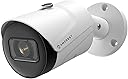
The Amcrest 4K IP POE Camera delivers ultra-high-definition 8MP video at 20fps with a wide 125° field of view and advanced AI detection for humans and vehicles. Its IP67-rated metal housing ensures rugged outdoor durability, while 98ft starlight night vision guarantees clear footage in low light. Powered via Ethernet for streamlined setup, it supports local MicroSD storage up to 256GB and integrates seamlessly with Amcrest apps and third-party NVR systems for smart, reliable surveillance.


| ASIN | B07V1WKRBB |
| Alert Type | Motion Only |
| Antenna Location | Outdoor Security,Night Vision,Surveillance,Home Security |
| Are Batteries Required | No |
| Best Sellers Rank | #177 in Bullet Surveillance Cameras |
| Brand | Amcrest |
| Built-In Media | Item |
| Color | White |
| Compatible Devices | Smartphone |
| Connectivity Protocol | Ethernet |
| Connectivity Technology | Ethernet |
| Control Method | Voice |
| Controller Type | Amazon Alexa |
| Customer Reviews | 4.3 out of 5 stars 1,734 Reviews |
| Effective Still Resolution | 8 MP |
| Effective Video Resolution | 8 MP |
| Enclosure Material | Metal |
| Field Of View | 112 Degrees |
| Form Factor | Bullet |
| Frame Rate | 20 fps |
| Global Trade Identification Number | 00850007530198 |
| Indoor Outdoor Usage | Outdoor |
| Indoor/Outdoor Usage | Outdoor |
| Item Dimensions | 6.54 x 2.76 x 2.76 inches |
| Item Weight | 1.1 Pounds |
| Light Source | LED |
| Manufacturer | Amcrest |
| Manufacturer Warranty Description | 1 Year Warranty |
| Model Name | IP8M-2496EW-AI-V3 |
| Model Number | IP8M-2496EW-V2 |
| Mount Type | Wall Mount |
| Night Vision | Starlight |
| Night Vision Range | 98.4 Feet |
| Number of Channels | 1 |
| Number of IR LEDs | 1 |
| Number of Items | 1 |
| Optical Zoom | 4 x |
| Other Special Features of the Product | Image Sensor, Motion Sensor, Night Vision |
| Photo Sensor Resolution | 8 MP |
| Photo Sensor Technology | CMOS |
| Power Source | Power Over Ethernet |
| Recommended Uses For Product | Outdoor Security,Night Vision,Surveillance,Home Security |
| Room Type | Classroom, Kitchen, Living Room, Office |
| Special Feature | Image Sensor, Motion Sensor, Night Vision |
| Specific Uses For Product | Surveillance |
| UPC | 850007530198 |
| Unit Count | 1.0 Count |
| Upper Temperature Rating | 60 Degrees Celsius |
| Video Capture Format | H.265/H.264 |
| Video Capture Resolution | 4k |
| Viewing Angle | 125.01 Degrees |
| Voltage | 12 Volts |
| Waterproof Rating | IP67 |
| Wattage | 6 watts |
| Wireless Technology | Wired / POE |
| Zoom Type | Digital Zoom |
B**R
High-Quality Camera Delivers
This is my second Amcrest product. (The first was the AD110 doorbell cam). The rest of my cameras are Ubiquiti UVC G2 bullet cams which are getting pretty outdated at this point and I am in the market to replace them with something newer. Since I was happy with the doorbell camera, I jumped at the opportunity to test out this 4K Bullet Cam. I've had it and tested for a week so here's my results. Pros: 4K Image is stunningly crisp and detailed Wide viewing-angle covers a larger area than expected Popular protocols supported (H.264/H.265 and RTSP) Can use with any number of NVR systems or the Amcrest Apps SD slot card for out-of-the-box recording Cons: (There's only one) The cable extends out of the camera body for POE and optional barrel connector for power. This is not an issue if you can mount where the excess cable can be tucked in to a wall, but is the only thing I don't like better than my Ubiquiti cameras which allow the ethernet plug to connect in to the camera body with a weatherproof grommet. I unboxed the camera and it came with everything I needed. The sticker for the mounting pattern was especially useful. I ended up using slightly different anchors because I mounted in my garage on a wall which is drywall over 3/4" particle board. The quickstart guide covers using the apps (there are a few different apps Amcrest provides and they also cover briefly how to connect to third party apps such as BlueIris). To get the physical mounting instructions, the quickstart guide refers to a link with a video and some instructions. Even though the instructions were for a slightly different camera model, they are sufficient. Your exact setup is going to vary anyway so use your judgment along with the instructions for the guide. It's recommended to use a bare cable and crimp ends on to the cable to get the ethernet connection made to make it easy to get the connection in to the weather resistant housing. We had a bunch of snow and I couldn't get to the box of cable I had in the shed, so I used a 10' pre-made cable. As you can see in one of the photos, I had to trim the anti-snag part of the boot to make it fit. If you use a bare cable and crimp the connector on yourself as recommended, you won't have this issue. It is also why I ended up with a slight surplus of cable. I plan to redo the cable at some point in the future. Once the camera was installed, I turned the port on, on my switch and it powered up. The Amcrest app in search mode found my camera (and my doorbell camera too) easily and I was able to adjust the mounting slightly to get the exact viewing angle I wanted. I also added the doorbell camera to the Amcrest view pro app. If you just want basic viewing, you can stop here and you are good to go. I had some other things I wanted to test out including a live feed on my camera monitor in the office so I had a few more steps. If you go to the camera's IP in your web browser (I just used my iPad and it worked great) you can login with default credentials of admin/admin and it will prompt you to change the password. You can then see the live view and customize network settings, picture settings, motion/recording settings and stream settings. I ended up setting a static IP on the device itself as well as adjusting the settings on the sub stream to test them both out. I made sure RTSP was setup on the default port and I was able to add it to my camera display by just configuring the URL rtsp://<user>:<password>@<ipaddress>/ and it loaded up the main stream. You can really see (bottom left) how much better the Amcrest camera picture is than my other cameras. The night vision is really good too. A huge improvement over my UVC G2s. One thing I really like is you can move the overlays around the image to customize. For a final test, I spun up an instance of Shinobi (open source NVR) and was able to quickly add in my new camera and setup recording and notifications. This worked completely as-expected and I had zero compatibility issues. Basically put in the URL and it just worked. Overall this is a great camera and definitely a good candidate for me to use to replace my aging 720p cameras. The product supports all of the industry-standard specs you would expect and plays very nicely with both the Amcrest apps and the third-party apps that I tested.
J**.
Decent Wide-Angle Surveillance Camera at a Decent Price
The AMCREST IP8M-2496EB is a decent, mid-priced option for most surveillance systems. Full disclosure, I was reimbursed for this camera by AMCREST. My surveillance system uses exclusively AMCREST cameras as I have found them to be of reasonable performance and value. I have multiple resolution cameras in my system - 960H, 2MP, 3MP, 4MP, and 8MP - and a combination of wired (both coaxial cable and ethernet) and wireless connections. The IP8M-2496EB camera is the first PoE camera that I have added to the system. As with all previous additions of AMCREST cameras, connecting this camera to the surveillance system was very straightforward. Use of their mobile app to add equipment is simple and quick, and has worked this way with every one of the dozen cameras and recording devices I have added to my system. The PoE functionality of this camera worked perfectly directly out of the box - truly plug & play. The camera clearly states that it does not have the power supply included, so you must supply power either through an adapter or through a PoE switch. I use a PoE switch in my system, and it works very well - no signal dropouts and good speed (dependent upon your switch speed). The IP8M-2496EP camera has a significantly wider field of view than any of my other cameras, and the image is reasonably good over the entire field of view. In my evaluation of this camera, I compared it to a 2MP camera (IP2M-841), which has a 90° field of view. The full view resolution of the two cameras seem to be very similar, but if zoomed (using the scroll function of the mouse rather than the digital zoom function) the image of the 2MP camera does seem to be slightly better when the image is adjusted for the size difference. I've attached a photo illustrating this - the two pics were taken using the IR illumination from the cams which were mounted about 18" apart. The pics were adjusted to be approximately the same size using Photoshop, but no other changes were made. Since the 8MP camera has a significantly wider field of view, this means that the pic is zoomed to a higher degree to be the same size - and this may be a reasonable explanation of why the 2MP camera seems to have better zoomed resolution than the 8MP camera. I am working with the AMCREST product development team to determine whether my hypothesis makes sense. With this limitation in mind, I have set up my system to use narrower field of view cameras where it might be necessary to zoom in for something like facial recognition. This IP8M-2496EB camera has 112° field of view and offers a very good wide view where the zoomed in limitation is of lower significance. Ultimately, this camera will be mounted to provide a wide-angle overview of my property rather than to provide protection for specific entrances and buildings. All-in-all, I have been very pleased with the performance of the IP8M-2496EB camera. I will be adding at least one more of them to provide a very wide field view (~ 225°) of my property and out buildings. A significantly larger amount of money can be spent on setting up a security system, but I have found the AMCREST cameras and recorders to be a very good value proposition - a proper balance of price and performance.
D**.
The video quality is great, super easy setup, and a nice, wide viewing angle.
The Amcrest UltraHD 4K (8MP) Outdoor Bullet POE IP Camera, 3840x2160, 131ft NightVision, 2.8mm Lens, IP67 Weatherproof, MicroSD Recording, White (IP8M-2496EW-28MM) is my 11th Amcrest camera I've purchased over the last 3 years (all are still in service). I added the IP8M-2496EW-28MM to my barn group to better monitor our miniature therapy horses in their turnout. This is a POE camera that I have connected to a WI-FI network that's P2P linked from the barn to my home WI-FI mesh. I use a TP-Link PoE injector and a TP-Link access point in the barn. The P2P from the barn to the house is with Ubiquiti Nanostation M2's. I installed the Orbi mesh and everything else to have a separate high performance network to handle the video load to my Amcrest NVR and I've been really happy with it so far. Installation: As with all the other Amcrest cameras, the actual setup of the camera was the easiest part, once the twisted pair wiring was run. This particular model gives a little more room to mount the camera with the mounting screws without mangling the bullet body, which has been a rub for me on previous versions, so that's a plus. I also give Amcrest a thumbs up for making the connection kit opening large enough to fit the cat5/6 tip through. It's the small things that make a difference. Overall setup time once the twisted pair was in place was about 5 minutes. For my network I always set the camera configuration to use static IP addresses otherwise it's chaos, and I ensure the camera is set to reboot once a week whether it needs it or not. Edit: this was my error. Got it working. I did notice that something changed in the last couple of months that won't run the Amcrest web view plugin in Chrome or Edge but I haven't taken the time to figure it out as I always use the mobile app to view my cameras. Viewing Angle: One of the feature I rely on is a wide viewing angle. This camera has a 112 degree view and not much distortion in this view. Sometimes with wide angle lenses you can get a good bit of a fish-eye effect, but there's very little of this with this camera. I'm able to see nearly all of the horse paddock with one camera, and I see the little bit that's not covered with this camera with an older camera in a different location. Video Quality: I'm pretty impressed with the quality of the video on this unit, both daylight and night vision. There's no chop even when zoomed in. Even the nigh vision is pretty crisp with the horses within 20-30 feet of the camera. In the photo i've uploaded you can even see the fencing at the far end of their paddock which is about 70 feet from the camera. Build Quality/Reliability: I've only had the camera installed 24 hours, but it's made of rugged materials (steel/aluminum I suppose), and is IP67 certified for weather resistance. I have several Amcrest cameras installed that are directly exposed to the harsh northern Illinois climate, and as long as you protect the power/network connectors, the cameras are durable. So far I like this one. The video quality is great, super easy setup, and a nice, wide viewing angle. Keep up the great work Amcrest.
C**S
Generally great camera but the app needs work!
I've had this camera installed for about a month now and while I really do like the camera there's several things I don't like about it. That being said, most of my concerns are most likely app related and not necessarily the fault of the camera. The camera itself seems to do exactly what it's supposed to do and at the advertised specs (except night vision). Pros 1. The camera construction quality is solid 2. The image and video quality are excellent 3. Motion detection is good (though this can be a problem) Cons 1. The sensitivity level/zone changes don’t seem to make any difference either that or it takes a while for any changes to be reflected within the app. I was constantly getting motion detected notifications at night as spiders ran a web nearby. Even after the web was made the movement of a single strand has enough of a reflection in the IR to cause a notification. I changed the sensitivity across the entire level with no immediate changes to notifications. After a couple of days the notifications seemed to stop entirely. I noticed the spiders were gone but there’s hanging lights and a rope that no long seem to trigger a notification when they move. I also no longer get notifications when someone is walking in the yard like myself. I’m going to have to continue to adjust the sensitivity but slowly as I can’t tell what the turn around time is for applying the change since it seems that the change isn’t immediate. 2. The lack of audio is frustrating. I get that this camera was advertised as not having a mic but it doesn’t negate the fact that a mic really should be included on all types of cameras and not just the dome variant. If I get another camera it will have audio since it’s important for me as I use the camera to keep an eye/ear on my 6yo as he plays in the backyard and I have to work in my home office. 3. Intermittent “failed to connect” notices. This was a common occurrence when opening the app the first week or so. Fortunately, it hasn’t happened in a while. It’s possible the reason for it was because I didn’t apply a static IP address to the camera at the time, however, my router typically doesn’t change IP addresses even after a restart. Just to be sure I did add the camera to my routers IP address reservation list but I can’t say whether that fixed the issue, though I don’t think it did as I’m pretty sure I was still getting the error long afterwards. Needless to say whatever the cause it seems to have went away. 4. Instead of automatically scaling the image the app “squeezes” the feed when the phone is in portrait mode and I have yet to find a way to change this. This is better than what Google does in that they “zoom in” of which I forget about every time someone rings the doorbell (it zooms into a location that isn’t where people stand to ring the doorbell) so when I open the live feed I don’t see anyone unless I change to landscape mode. This leads me into the grid issue. The predefined grid options are all a 1:1 scale (2x2, 3x3, 4x4, etc.) This means regardless of the grip option I choose it will “squeeze” the 4K image into a 1:1 aspect ratio fully distorting the image. It would be nice if the app allowed us to keep the aspect ratio and/or define our grid based on the number of cameras I have. I currently have one and plan to get a 2nd but I don’t want a 2x2 grid when looking at the feeds. Instead I want to customize it and change the view to a 1x2. In portrait mode a 1x2 works great from an aspect ratio perspective for 2 camera feeds. 5. The IR isn’t bad but I question its range. I have a small backyard (well within the max range) and it definitely doesn’t light it all up. Interestingly enough, it greatly increases my Wyze Cams view that sits about 15 or so feet adjacent to it. From the Wyze Cam perspective, the IR on the Amcrest is fantastic – pretty much lights up most of the yard. Unfortunately from the Amcrests vantage point that’s not the case. Again, I plan to get a 2nd Amcrest camera with the 2nd one having audio so I can move this camera and see if I can’t find an optimal spot elsewhere. 6. Installation was a pain. This is mostly because good instructions weren’t provided, and none were available on the website. I searched YouTube and found an old video Amcrest posted 4 years ago but there were enough differences between the current models and it that those instructions didn’t always apply, however, they were better than nothing. The biggest problem I had was the connection of the ethernet. I used the POE side to power the camera and there was no documentation on what to do with the 12v connector and there were no instructions, to include in the video, on how to use the grommet/seal. The only information it gave was to make sure to put the end on the ethernet cable before terminating it. Good advice but not a complete picture. The problem is, there’s a thick rubber grommet that fell out when I opened the back and wasn’t entirely sure I was correct in its placement. I’m still not sure but it’s there. 7. Not ecstatic about the lack of a dust cap for the dangling/unused power connector. 8. Once the base is installed, I saw no way to manually pan the camera. This was a head scratcher because I can manually adjust/change the tilt but now I’m going to have to remove the mount from the ceiling and see if it can be adjusted WITHOUT drilling new holes. If I end up having to drill new holes just to change the pan angle, I’ll probably send the camera back because that would be ridiculous.
W**L
Buggy software, poor resolution for a 4K camera
*** UPDATED and downgraded from 3 stars to 2 stars *** *** Updated again on 18-Feb-2019 to 1 star (see bottom for details) *** The setup was fairly straightforward, especially if you've installed other Amcrest cameras before. But the browser interface is a train wreck. It doesn't work at all with Firefox or Chrome. I could only get it to "sort of" work with IE, but the video overlays are completely messed up. For example, in the 1st and 2nd attached images, the live video overlay is offset (right and down) from where they should be, covering up some of the menu selections. Forum posts indicate that others have seen and reported this to Amcrest (months ago), but they have done nothing to fix it. The live video is not scaled to fit the browser window. I have a 4K monitor so you would expect the full image to be displayed properly, but only the top-left quarter of the image is visible and there is no way to scroll right or down to see the rest of the image (or get to the menu options that are usually at the bottom of this screen in Amcrest cameras). You can see this in the 3rd attached image in which the upper half shows a JPG snapshot of the full image and the lower half shows a screen capture from my 4K monitor of the live view with only part of the image displayed. In the Playback screen, Amcrest usually has a timeline at the bottom that allows you to select a specific recording to play back, but the timeline and controls are only partially displayed in the lower-left corner. So it's impossible to play back recorded videos (see 4th attached image). While the video fairly clear, the main reason I bought a 4K camera was to get high res photos capable of capturing license plates of front door package thieves. But that is beyond the capability of this camera. In the 5th attached photo, you will see a car in the driveway directly across the street with a blown up view of the license plate in an inset. In that image, the license plate is completely unintelligible. Just for comparison I took my 3-year old Galaxy S6 cell phone - which has a lower resolution sensor than the Amcrest camera - and took a photo from just beneath the camera so the distance was the same. That photo with a blown-up inset of the license plate (partially blocked out for privacy purposes) is shown in the 6th attached image. The plate is easily readable. I really expected much better for a 4K camera - it's hard to believe a 3 year old cell phone outperforms it. Another thing I don't like about this camera is the mounting assembly. The mount only allows the camera to be tilted 90 degrees from perpendicular using a fixed slot. Once the camera is mounted, that slot cannot be rotated - you're stuck with that one angle and any changes require the mount to be removed, rotated, and remounted. That's fine if you plan to point the camera straight out and only at a slightly downward angle, but if you want to mount it to look off the side and down, your adjustment options are severely limited. Amcrest could have at least designed the mount so the slot could be rotated. Finally, I noticed that video clips and JPG snapshots were getting deleted from my NAS server after about 24 hours. I gave the camera a 300GB allocation and it's using less than 2GB, so that's no the problem. I contacted Amcrest and they admitted to a bug in their software but have no ETA for when it will get fixed. I had to write a Linux script to run nightly on my NAS to move files into a different directory to preserve them from deletion by the rogue camera. I really hope that Amcrest does something about the browser compatibility issues and the NAS storage bug - SOON! [18-Feb-2019]: It's now been over 7 months and Amcrest has not fixed this bug. I've been exchanging e-mails with them several times a month and the responses are all the same: "So sorry, we're working on it, stay tuned." This is a major feature that is not working properly. It's shocking to me that this isn't a bigger issue for other users. Perhaps it's because many other people are using an NVR rather than a NAS to store the video clips.
D**N
Crystal clear, very sharp, easy to use camera
Wow. What a great camera. Crystal clear, very sharp. I can take a picture and zoom in for every little detail. Night vision is awesome. Far much better then my current LAView system. So one of my cameras was flaking out on me…a dome camera. I picked this one because 1) dome cameras suck if you are near a wall and 2) I needed a wide angle lens. So here are the pro’s and con’s. Pros: • Quality of image is outstanding! • Night vision is also very very good. Even when there is a streetlight in the street, the camera compensates for that specific spot and doesn’t kill the entire picture. My street is about 60 feet away from the camera and I can see past the street and to the neighbors house very clear precision. I wasn’t expecting that so it was a pleasant surprise. • Required me to change the password upon entering the camera setup…requires 8 character min. • The 2.8mm wide angle lens is awesome. Works better then my existing dome camera. • Is IP67 weather resistant. But you have to check the temperature because some IP67 cameras can’t withstand cold Michigan weather. This one can rated at -40 degrees! • The camera is able to be seen through Chrome, or phone app on and off home wireless connection. Definite bonus. I currently have an LA View camera system which requires “internet explorer”. Yes! Can’t upgrade the plugin. This camera can be seen anywhere. • Able to integrate into my existing system using ONVIF protocol. It took a bit of work trying to find the configuration. It comes standard with TCP 37777 but I was able to change the management port to 8000. • Easy to create HTTPS certificates for SSL rated privacy. Cedrts are only good for one year though. • Using SMTP protocol, port 25 tcp – there are buttons for easy setup of google, outlook, comcast, yahoo, etc. • Has the new high efficiency video coding standard / data compression … of H.265! So nice….especially when you only have a 2GB HDD. You can also downgrade to H.264, H.264B, MJEPG. • I even tried standalone…yes it has an SD Card that you could use even if you don’t have a NVR. • Software/app is very easy to set up. If you connect to the camera, there is a bar code you can scan. Done. Works via home wireless and also on cellular connectivity (not connected to your internal network). • The physical look/feel of the camera is solid! There are two red lights when the IR is turned on…very much more subtle then the old versions with a ton of IR lights. CONs: • They do have a cloud backup that you can use if you don’t have a NVR system of your own and SD Card is just not enough….but it is $6 per camera per month. Kinda pricy if you need coverage of 4-6 cameras.
W**.
High quality at a reasonable price
This camera is a great addition to my network video system. Set-up is very simple and straight forward. You can use it as a stand alone recording camera or add it to a networked system, and you can record directly to an added micro sd card located inside the camera (you will have to provide your own), you can save video to a network video recorder or even to a FTP server or NAS. I gave the night vision 4 stars because although the night vision is very clear if you have any objects in front of the camera (close to the camera within its field of view) those objects seem to absorb a lot of the infra red light thus minimizing the effective night vision distance. Makes the objects close very bright and the distance gets darker the farther away you look. As far as the set-up process goes all I had to do was connect it to my network via an ethernet port, check what ip my router assigned to it, log in via IE (I tried other browsers and even the plug-in recommended by Amcrest but had issues so I used IE and it worked fine), change the user name and password, and I was off and running able to configure my ports, change the ip to static, and so on. I then removed the camera from my network (unplugged it) and wired it up in its final location via POE to my NVR. I then had my NVR do a search and viola, new camera added. I also have another configuration option I tested which as soon as I receive some additional networking materials I will implement. I have a 9 port Amcrest switch that I connected to my network and then I connected this camera to it to see how it would react and I was able to add it to my Amcrest Surveillance Pro program just like it was connected to my NVR. The advantage to this is I am able to access the web interface without disconnecting it from my NVR. A couple of small things I would like to make note of is 1) the mounting can be a bit tricky unless you are lucky to have a perfect mounting location. This is due to the way the swivel and surface mount are designed. For example, if you mount it horizontally with the open part of the base swivel in either the left or right direction you can only adjust from straight forward to 90 degrees either left or right. The same applies if you mount it vertically, you can only go up or down. I had to mount mine in a diamond configuration because I needed both left and down adjustments and 2) (this is really piddly) when you utilize the POE connection for you final set-up you are left with the power connector dangling free and open to the elements. Electrical tape works in a pinch but a type of end connector, end cap, something to protect it would be a nice addition. I have played with a couple options and have settled on heat shrink but I am going to try a vacuum hose end cap if I can find one that fits snug enough. All in all this is a very good camera and I plan to add more when time permits.
T**F
Terrific camera for a very capable security system. Make the investment. Don't go cheap!
Bought 5 of these for my home security system. Terrific camera. POE operation is very straightforward. I am recording them on my Amcrest 8 channel NVR and have an 8 port Amcrest POE switch in my attic. You can use these cameras without the NVR but need to set them up that way if you want to. The 4K (8MP) resolution is incredible. Daytime color is amazing and the night vision works great as well. Glad I made this investment in high end cameras. I can see where it is easy to go cheap and then find out you have a blurry image once you zoom in. Not so with these. Can't recommend them enough. Only downside I have found is the documentation/manuals/software apps are a little different from one to the other. So expect to spend a little time with them. Update 10/11/18: I have had these 4 cameras in operation for several months now. 4 cameras, an Amcrest POE switch in my attic and an 8 channel NVR in my "IT closet". The cameras provide e-mail alerts as well as Amcrest App notifications on my iPhone. So I typically look at the picture in the e-mail alert and check to see who it is. If it isn't who I was expecting I use the Amcrest App for remote playback of the video that triggered the event. It has worked extremely well. I caught Amazon contractors dumping packages on the bench in my driveway instead of at the front porch. I hammered Amazon and now all is well. No more packages on the bench. I found out also that the cameras have settings for motion and can e-mail alerts directly from the camera. So if the NVR goes down for whatever reason each camera will send it's own alerts. It's a great feature since these cameras can operate stand alone or with an NVR. I did not install the memory card in the camera, but you can have even more redundancy if you choose to by doing so. I have had to tweak the settings in the NVR to get the sensitivity to motion setup as well as adjust the sensing area. I've had spiders create webs over the front of the camera and birds fly into the lens. This will be the case regardless of whose cameras you buy. So expect to do some work to tweak the operation and you will be very satisfied. I record continuously to a 6 TB drive in the NVR at full 8 MP resolution at 15 frames per second. I have 12 days of storage on tap and that is plenty for me. Be sure to backup your NVR config file to a USB drive on the NVR. Also you can backup each camera config by connecting directly to the camera. It's a 10 second job that will pay dividends in case you have issues.
S**N
delivery on time and product as displayed /committed
very happy with the consistent delivery on time and Amcrest Camera products are really good.using for last 2.3 years flawlessly.delighted.
M**S
Value for money
Yet to use the pair of cameras for identifying people, but so far I'm disappointed with the following: 1. The night time "Infra-red" illumination LEDs are are easily visible at night and draw attention to the existence of the camera - can't be easily "hidden". These illumination LEDs obviously fail the test for "infra-red" (infra=below the visible red part of the human observable spectrum of electromagnetic radiation). 2. One camera seems to be more sensitive than the other. Daytime video capture (using Blue Iris) looks good - but I don't have another camera similar with similar specifications to use a benchmark.
C**N
De las mejores cámaras para exteriores
La calidad es excelente, de noche se distingue todo perfectamente pero hay detalles que deben saber: no olviden conseguir el eliminador a 12v porque no lo trae incluido. Además no es wifi solo se conecta por cable ethernet así que tendrán que batallarle un poco para instalarla pero la calidad que ofrece vale la pena. Otra recomendación es que si estará en exterior traten de asegurarla muy bien para que no se las vayan a robar como a mí (o que al menos les cueste). Ya que al guardarse todo en la memoria, si se roban la cámara se va con todo y tarjeta y el servicio de nube de amcrest no es económico que digamos.
I**A
Ideal para oficina (requiere PoE)
Me gusta el equipo y el software para manejar las camaras. Es importante tener equipo para suministrarle PoE.
A**O
No aguantó una lluvia
La compré por todas las buenas opiniones que tiene esa cámara. Lo que me desilusionó es la presentacion. Parece usada. El cable viene un poco raspado al igual que la carcasa de la cámara ya que trae un pequeño rayón por un costado, además el lente viene de igual forma rayado y no venía empaquetado bien ya que ni el manual de usuario que la misma caja dice que trae adentro viene. La verdad espero que sirva como tanto presumen. ya que la primera impresión fue mala. Quiero comprar otra pero me da miedo que venga peor.
Trustpilot
3 weeks ago
2 weeks ago