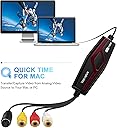
🎥 Capture Every Moment, Stream Like a Pro!
The DIGITNOW Video Capture Card delivers high-quality 4K HDMI input with 1080p60fps output via USB 3.0 and USB-C, ensuring ultra-low latency and broad compatibility across Windows, Mac, Linux, and popular streaming software like OBS and Zoom. Its compact, aluminum alloy build offers excellent heat dissipation, making it the perfect portable solution for gamers, content creators, and professionals seeking seamless live streaming and recording.


| ASIN | B07XP159GX |
| AV Output | MJPEG, YUY2 |
| Antenna Location | Video Recording |
| Best Sellers Rank | #508 in Internal TV Tuner & Video Capture Cards |
| Brand | VIXLW |
| Built-In Media | Capture Card, Installation Guide |
| Compatible Devices | CAMMER, Gaming Console, Personal Computer |
| Customer Reviews | 3.8 out of 5 stars 2,419 Reviews |
| Hardware Interface | HDMI, USB 3.0 Type C |
| Item Dimensions | 4.37 x 1.38 x 0.51 inches |
| Manufacturer | DIGITNOW |
| Mfr Part Number | Video Capture Card |
| Minimum System Requirements | OBS、POTPLAYER、VLC、QUICKTIME |
| Model Number | Video Capture Card |
| Number of Items | 1 |
| Operating System | Linux, Mac OS and higher versions;Android, Windows 10, Windows 7, Windows 8 |
| Platform | Nintendo Switch, PlayStation 5, Windows, Xbox |
| Recommended Uses For Product | Video Recording |
| UPC | 791311410809 190835430513 |
| Unit Count | 1 Count |
| Video Capture Resolution | 1080p |
| Warranty Description | 2 |
Y**U
Worked great with my Windows 10 machine.
I installed the Windows driver and Showbiz that came in the installation CD. Opened Showbiz and was not able to get any video output, only sound. I went ahead and started capturing the video from my old VCR. When I checked the output file, both video and sound were captured perfectly. I wanted to be able to see a preview while capturing the video so I started using VLC. VLC displayed both video and audio perfectly. VLC also allows you to record what you are capturing. But it saves it in AVI formar which makes for huge files. 40 seconds of video captured was 1GB!!!. So I was too lazy to look for another program and went back to Showbiz. I ended up capturing almost 3 hours of video. Crossed my fingers when I went to play the video file (was just over 6GB). Thankfully the entire video and audio were captured correctly. Quality is as good as it can be from an old family VHS tape. Based on some little research, it seems that the lack of video preview in Showbiz might have to do with my Nvidia's video driver (haven't verified). Overall, I'm very satisfied with this product.
S**.
This is a really good video capture device for very little cash! Read full review below.
I took a chance and ordered the DigitNow capture device to help transfer some 30 year old VHS tapes to my 2012 MacBook Pro running OS X Sierra 10.12.6. My old firewire Datavideo DAC-100 had been giving me problems and I found this listed on Amazon for less than $25. I thought what the heck - I’ll return it if it doesn’t work. Glad I took a did, too. After ordering from Amazon, the device was shipped quickly and made it to me within 2 days. Everything was packed efficiently and in good shape by WeRecord. After, finally getting the software installed and set up (see next paragraph), I noticed that the DigitNow device didn’t have any of the problems that my firewire device had. In addition to the quality being good, the audio synced properly and it was easy to use. 5 Stars for performance! As others have mentioned, the only (minor) issue I experienced was with the software. The included CD was useless to me as I don’t have an optical drive. Thankfully, the software is available on the DigitNow website but you have to search a bit for it. To save other folks the frustration, the device’s internal model number is BR117. You can find the software there by searching for the model number or the Master AVCap 1.0.12 software that it comes with. I’ve put together some quick-start instructions to help folks get up and running in no time: Once you download and unpack the .rar file (about 187mb), look inside the ‘Mac’ folder and double click the ‘Masster AVCap 1.0.12’ package to install the software. Then, simply connect the USB cable to your Mac and launch the Masster AVCap application. To start capturing video, you’ll first need to save a few settings in the software: 1. Launch Masster AVCap, click 'Record' and select 'Video Settings' from the dropdown menu. 2. Select your source (composite or S-video) and save your settings. 3. Select 'Sound Settings' from the 'Record' menu and set your source to 'Masster AVCap.' 4. Click the 'Record' menu and select 'Record Setup' to choose where you’d like to save your video files to. 5. Click the 'Record' menu and select 'Record' to start recording your video. That’s it! For the price, this thing is a no-brainer. Good quality conversion, solidly built, includes a composite cable and adapter, can also be used for capturing audio from vinyl & cassettes… oh, and did I mention it was really inexpensive? Thanks, Amazon and WeRecord :)
M**N
Great product that I can see, much easier to use on an Apple computer. Mac review first
I bought this product for both audio and video recording. I have 2 boxes of audio LP records that I want to digitize. I also want to record video from older camcorders and from my TV. I work with both PC's and Apple computers but I prefer to use the Mac due to its built-in video and audio editing. There have not been many products out there that work with the Mac so was happy to see this one did. Just for reference, I have a MacBook Pro (late 2013) which is running on OS 10.14.6 Mojave. Long story short- it works great with my Mac once I figured some things out and I am still learning. I use Quicktime (part of the OS) to record either audio or composite video- you just need to select from the file pulldown which type of recording you are doing (audio or video). Make sure you select the right input (USB 2) and you are ready to record. Note- the Mac recognized the video capture device- no need to worry about drivers. The really nice thing about using the Mac is that once you have saved either the audio or video- you can then use Garage Band or iMovie (also part of the OS) to edit the files. Once done with the editing, you can then share right to iTunes (for audio) or save a video file for sharing. Audio quality is fine at the "high quality" setting. The video files were 640 x 480 at the high quality setting. I did not try maximum quality yet as I have not seen a need. I did try recording audio directly into Garage Band, which is possible-but ran into some error messages that I still need to figure out. I did try loading the included program onto my laptop PC and confirmed that it worked with the capture card. My initial observation is that it will take some "work" to figure out and effectively use the video editing software and I was having issues saving audio files. Admittedly, I shifted to the Mac and had more success, so have not gone back to the PC yet. I will try that in the future and post another review when done.
T**I
Does Not Capture Stereo and has buggy software
As other reviewers have noted, this does not provide stereo input even if he source is stereo. It sums the stereo to mono. You will have lost your stereo forever if you record with this product. And annoying that it is not called out in the description. Also, it does not do a clean uninstall. We wanted to reinstall the software just to give it a second chance. When we did, it did not re-ask us for the product key so we knew something was left installed. There were many remaining artifacts in files and the registry that we had to manually remove before we could cleanly reinstall again. [note the Master AVCap software for BR117 model on the included DVD and also on their website installs as honesTech ] We have also found that the Master AVCap / honestech software does not keep the audio and video synced on a long recording like a 2 hour VHS tape. An alternate, free piece of software OBS, which is also on Digikey's download site, does keep things synced. We just discovered this out of desperation. We are planning to return the product because we want the Stereo. We are going to just buy Dazzle which, although the software is similarly buggy, at least provides a true stereo recording. Editing my review to: 1) update with work around for stereo: If you also purchase DigitNow's Audio Capture Card Grabber: https://www.amazon.com/gp/product/B079CBGDST/ref=ppx_yo_dt_b_search_asin_title?ie=UTF8&psc=1 You can use that to pull of the audio in Stereo from the VHS player and only attaching the SVideo cable from the VHS device to the DigitNow video device. It is annoying that the writeup on this product doesn't describe this - but it does work. 2) Update with Work Around for Bad Software. The free OBS Studio (which is mentioned on digitnow's website but not the software it ships with) is very solid. It is very solid at capturing the video + stereo audio and keeping them synced up - at least across a 2 hour VHS tape length. Have not tried the other features to vote up or down.
T**H
Works great with Mac ‘s Quick Time player
Great Price, easy to install on a Mac. One thing I Became concerned about was at one point when I was recording a video I started seeing a green bar and two black squares where the bottom half played on the top and the top played on the bottom. At first I thought it was the VHS tape then I thought it was the VHS player it was neither all it was, was the male end of the USB of this gadget was becoming loose from the usb port. So, I pushed it back in and the videos recorded fine. I think it records as good of a quality as the vhs tape allows.
M**S
Finally got it to work in Windows 10 Here's how.
I am still waiting for a response from manufacture support (no response to my request thing in 6 days), but I have now been able to get the device to work in Windows 10 Pro. I followed the instructions for installing the drivers, and then restarting the computer. First problem is that the instruction says you should see the device in Device Manager in Windows....this is incorrect. You will only see the device once you now plug in the device into usb. Then install software. You should know that the software is very old, is no longer supported, and does not appear to uninstall from Windows 10 using the normal process. Once that is done, open Showbiz which is the software to use the device in Windows. At this point, you should be able to select "source" and your device should show up. At first mine didn't, and after searching the internet and figuring out that it was working on Windows 7, I realized that my camera privacy settings were turned off and interfering with the software. I turned the camera on and low and behold, the device showed up. Next problem occurred when I selected the device I would get an error message that said "Device not available or in use by another program." More headscratching and searching. Found something that suggested that you had to change microphone settings as well (??). I turned the microphone on for the laptop camera, and now everything works. I have not yet run into the copyright protected message that some others have gotten, but there is apparently a fix for that. So I have upped the stars to 3 since I was able to get it to work. I still have not received any return contact from the manufacturers website, so I assume that they are dead in the water and you are on your own if you get one. It was a cheap solution, so I guess I get what I payed for Still, this device has been around a while, and someone should have figured this out. It reminds me of the days when hardware and software often did not work without some serious tweaking. Thankfully, we don't see that happen that much anymore, but it is satisfying when you can figure out something like this. I hope my experience helps someone else. Oh, and if anyone know a good uninstaller program, please let me know. I might eventually want to remove it from my system. Addendum: Received a response from the Manufacturer's Support person nearly a month after my email request for help. I guess that product support is not a high priority for them.
A**R
Great for windows 10 but I wouldn't recommend it for macOS Catalina
I just ran this software for the first time and it was super easy to use in Windows 10. However it seems that the developers have not kept up with the new macbook os and don't have a 64 bit version of their software for my macbook pro. I run windows as a virtual machine on my mac and it was easier to install the software on windows than wrestle with getting things to work on the macbook side of my computer. Short version great software for windows, but I wouldn't recommend it for OS Catalina.
A**7
Worked GREAT for me
I was skeptical about this working with Windows 10, but it worked GREAT! It tricked me in the beginning! I installed drivers first, like it says to do in the manual (and even though it says to look for the 2 "devices" in the device manager, they weren't there), so I went ahead and loaded the software and it still didn't show the 2 devices, I then plugged in the USB Capture Converter, and everything just fell into place once the software was started. Connected the inputs from capture converter to the VHS and it came right up on the screen. On the FIRST "test" capture, for some reason didn't play the sound, but I heard from other reviews, it wouldn't play the sound while recording but when you played it back, the sound was fine, SO, I went for the FULL capture of the VHS and the sound played fine through the computer speakers and recorded perfectly. BTW, I am running this on Windows 10 - 64bit ver. 1909 - (Computer: Intel Core i5-2400 @ 3.10GHz, w/ 6gig ram).
A**R
Ca commence
3 boites de VHS a transférer... Ouf, merci pour cet adaptateur.
U**A
Didn't work
This device was not recognised by any of the three PCs we plugged in into (tried on two windows PCs running Windows10 and on a Mac running). Contacted the manufacturers help desk twice, neither of the solutions offered worked. Other reviews mention problems with drivers and we suspect this is also our issue. Device is totally non functional, sadly. Probably best to choose another product.
J**.
Outdated
The software is outdated; too old version. Insufficient information provided in the listing.
K**L
Satisfied with the product and its easy installation
The converter worked as advertised. The connections were easy to computer and older video camera.
R**B
diginow
Don't waste your money as it does not work with the latest windows 10 software as the ad specifies.Should not have to do further research or find a back way in the computer to run .Have read other reviews with exactly the same hassle but others seem to have no problem. For me its been a complete waste of money . Thumbs down
Trustpilot
3 weeks ago
5 days ago