Desertcart purchases this item on your behalf and handles shipping, customs, and support to Slovakia.
🌟 Upgrade your comfort game with smart precision and effortless control!
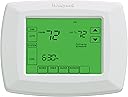
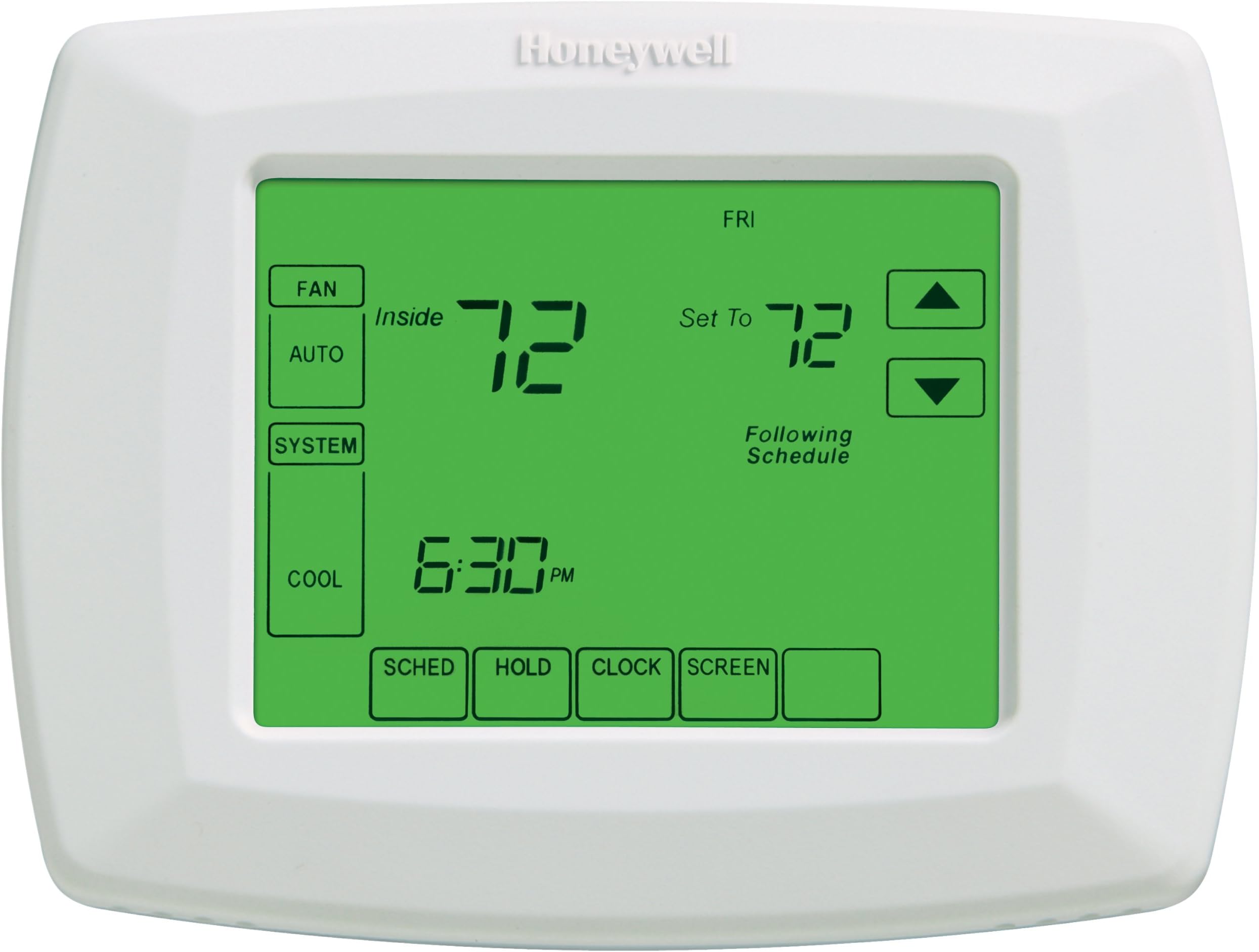
The Honeywell RTH8500D is a sleek, 7-day touchscreen programmable thermostat designed for professional-grade comfort and energy efficiency. Compatible with a wide range of heating and cooling systems, it features precise ±1°F temperature control, Smart Response technology that adapts to your home’s needs, and retains programming through power outages. Its intuitive touchscreen and customizable daily schedules empower you to optimize comfort and savings effortlessly.
| ASIN | B0026ES9UQ |
| Additional Features | Programmable |
| Best Sellers Rank | #250,866 in Tools & Home Improvement ( See Top 100 in Tools & Home Improvement ) #271 in Home Programmable Thermostats |
| Brand | Honeywell |
| Brand Name | Honeywell |
| Color | White |
| Control Method | Touch |
| Control Type | Touchpad Control |
| Controller Type | Touchpad Control |
| Customer Reviews | 4.4 out of 5 stars 1,742 Reviews |
| Display Type | Digital |
| Global Trade Identification Number | 00783961592196 |
| Included Components | sdfsd |
| Item Type Name | Honeywell RTH8500D 7-Day Touchscreen Programmable Thermostat, "C" Wire Required |
| Item Weight | 1 g |
| Manufacturer | Honeywell |
| Manufacturer Part Number | RTH8500D |
| Manufacturer Warranty Description | 1 year. |
| Material Type | Plastic |
| Model Name | RTH8500D |
| Model Number | RTH8500D1013/E1 |
| Number of Batteries | 1 CR2 batteries required. |
| Number of Items | 1 |
| Number of Packs | 1 |
| Power Source | Battery Powered |
| Product Style | Touchscreen,Smart |
| Screen Size | 1 centimeters |
| Shape | Curved |
| Special Feature | Programmable |
| Specific Uses For Product | Heat Pump |
| Specification Met | Energy Saving Thermostat |
| Temperature Control Type | Heating and Cooling |
| UPC | 783961592196 085267256865 |
| Unit Count | 1 Count |
| Voltage | 32 volts |
| Wattage | 1 Microwatts |
J**M
Excellent thermostat
I replaced my 22-yr old Honeywell ChronoTherm with this more modern unit. My old thermostat worked as it was supposed to, but it allowed the temperature to swing about 2 degrees before activating. In the summer, I would be feeling overly warm and as I was about to adjust the thermostat it would click on. That was getting tiresome although I endured it for years. This new thermostat does not disappoint. It turns on the air just as I am starting to feel a bit warm and I like that. I don't know how it works in winter yet, but I have no reason to believe there would be any problem there, either. Some folks argue that having it turn on and off more frequently is a problem. I disagree. Those guys need to live here where it's over 98 degrees most of the summer and see if they mind the a/c coming on too often. Besides, I keep the temperature on 78 day and 79 night with the help of this unit and I can see that it is more energy efficient than the prior unit. Here we have "smart" power meters and I can check my usage every day. This thermostat has made a difference. Although the peak cooling season is right now (August) my heaviest usage days were all back in July before installing the new thermostat when it was actually cooler outdoors. Now I'm using about 5 kwh less per day on a 2-story 2200 sq ft home with single a/c and heat. Also, I never feel the need any longer to go and crank the temp down because I am feeling too warm. Do that in the heat of the day does cause a great loss of efficiency. So basically I am MUCH more comfortable which is very nice indeed. I really don't need the 7-day program ability or the vacation hold. However I did want the automatic changeover between cool/heat so my decision was clear. Also, I could not convince myself that any brand other than Honeywell would be a good choice since I know from experience they have a great reputation for making fine thermostats. Installation could hardly have been any easier. Setting it up was simply a matter of following the very clear Installation Guide. Almost all the options were factory set as I needed them except I turned on the automatic changeover. That makes no difference now, but later in the fall when we are still having 90 degree days and 60 degree nights it will be nice not to awaken in a chill. The lighted touch screen is nice, since my hallway is usually quite dark. Not a big deal, since other than to do a little fine tuning on the program I haven't needed to touch it. Yes, the light does turn off a bit quickly but I've learned to tap in a blank area of the display and turn it on again while I ponder my next move. This unit does not offer the option to be illuminated continuously. That at first annoyed me but to be reasonable about it, it only means that the light will not be deteriorating over its life and getting dimmer every year. It should last for many years (my guess) by turning on only when really needed rather than being an expensive night light. To wrap up, it's a great thermostat. I wish it would pay my utility bills but at least it is helping to ease the monthly pain by a dollar or two and the savings will add up. I like it.
G**N
Installation Do-able, but DO YOUR HOMEWORK in Advance
Before you DIY this thermostat (or any thermostat), you should assess your ability to do it successfully. Some minimal electrical skills are needed as well as an ability to mount this on your wall. Most importantly, one needs to spend some time in advance understanding exactly how to wire it. It's not clear to me that you can damage anything or how much you can damage anything, but, your heating (cooling) may not work due to mis-installation. Calling in a serviceman will probably cost twice as much as this thermostat. Homework means comparing how your old thermostat is wired and what it's functionality is. When you start looking at heating/cooling systems, you quickly see that there are quite a few different systems out there, from conventional gas/electric systems to heat pumps and more. Then, there are different "classes" of these systems so there may be 10 or more to choose from when setting up. I started by removing the cover from my existing thermostat. I had to go online to even find out how to remove the cover without breaking it. With the wiring exposed, I took a picture with my IPAD and recorded the manufacturer's part number (not listed on the outside). The existing thermostat was also a Honeywell unit and I was able to downline the manual(s) for it. There seem to be 2 types of manuals to download, a "users" manual and an "installation" manual. Get both although you'll have to have the "installation" manual for sure. The manual for the existing thermostat showed that up to 15 parameters could/should be entered (by the installer). I cycled through these and recorded the values displayed. Many of the parameters are simply "defaulted" to what the manufacturer thinks is the "standard" setting, but can be changed. I reviewed each, comparing them to their description provided in the installation manual. I agreed with most but still found that I had to go online for an explanation of terms. For example, what is a "2 stage heat pump system"? Do I have that? In the end, it made sense that what I had was a "2 heating, 1 cooling" heat pump system. That's what I needed to set up for with the new thermostat. Next, I started reviewing the installation manual for THIS thermostat, also online. This thermostat has more parameters to set but some are "don't care". For example, this thermostat allows you to set a "filter replacement" notice for a certain number of days. Clearly, it doesn't matter what you set it to for initial installation purposes but I did enter a value I thought I wanted. One benefit of this thermostat is that you can "program" it BEFORE you install it, while it's not on the wall. Another benefit is that it includes a "low battery" warning. When I removed the old thermostat, I found that a battery had a corroded terminal meaning that if power was lost, the thermostat would not remain powered. So, after convincing myself that I understood what I had and what I needed to do to install this, I started. As noted, be sure to turn off the A/C (heat pump for me) at the circuit breaker to avoid damage to it. There is also a 26 volt AC transformer input which I couldn't turn off. But, I've lived a full life so I wasn't too worried. In general, transformer provided voltages can't deliver as much current as sticking your hand in your breaker box. I used the provided labels to mark where each of the wires was connected. Remember, you also have the color picture you took earlier. With the wire disconnected, I removed the old thermostat's backplate. As luck would have it, this thermostat's backplate mounted in exactly the same holes so no new holes were needed. Since I HAD done my homework, it wasn't difficult to connect the wires. There was one area of confusion. The manual said something like "if there isn't any wire already connecting AUX to E, add a jumper". I didn't have this jumper in my old installation but added it here. The manual DOES encourage you to call if you have questions. Somewhat to even my surprise, everything seemed to work when I turned everything back on. For a day or so I checked the readings to make sure the temperature, summer cooling now, was tracking. Everything looked good so far and there wasn't any smoke. So, I am pleased with this thermostat. I had wanted the "touch" model several years ago but it seemed too expensive. It does seem to NOT be as sensitive to my touch, but maybe it's my "fingers". I'm older so maybe I've worn them out. Also, you maybe should be a little more careful when "poking" around. That is, unlike a "pushbutton" thermostat, you can alter things just by touching in the wrong place. For example, we're retired and home almost all of the time. So, the "schedule" function is of no value and not used. We set the temperature to a value we both can live with and specify "hold". Several days after my installation, my wife said she felt hot and that the thermostat was set to "80" and she reset the temperature! I don't know how this happened but suspect that someone accidently de-selected the "hold" mode and thermostat was operating a "de-fault" schedule.
M**K
Good Product, but maybe not worth it at List Price.
First off, 5 stars are for products that exceed my expectations, and this has yet to do that. It has met it thus so far, though, and has earned a strong 4 star "recommended" review. I paid about $85 w/ free shipping instead of the list price of $129.99. I replaced a 25 year old "Sears" unit that had button issues, and I wanted to use the 2 stage heating function on the furnace. Not too tough to install, easy enough to set up the first time, and simple to program days/cycles. The touch screen works fine for me, and I had no problems with hitting the desired buttons with just my fingers. Follow the installation manual (take your time and pick your specific scenario for wiring), program it for your unique housing heating/cooling desires, and then use the operation manual (if you need to) to setup the 4 cycles for each day. You can program multiple days at the same time, can tailor it to almost any unique scenario, and it takes only a few minutes to do. I found it to be very intuitive and easy to do without having to cycle through all of the days one by one. Once that is done, you shouldn't have to do much more unless you are unhappy with your programming decisions. If I had a gripe, it is that it seems to read a bit cooler (2 degrees) that what another thermometer does when placed right next to it. I don't know which one is "correct" but you want to get it set to you personal house and comfort and not to a pre-determined number anyway. I look forward to the spring/fall when I can use the auto heat/cool changeover feature, but I can't comment on it yet. I was hoping it would have a "Circulate" option for the fan instead of just on/auto, but that is what you get by getting a "PRO" series unit. The backlight shuts off after 5 seconds; who cares. It has an audible relay; who cares. Heat temp (lower number) on top and Cool temp (higher number) on bottom; who cares. Another gripe (more about the old unit than the new one) is that this new unit doesn't cover the footprint of the old pig of a thermostat, so I have to fill/sand/paint the wall, but that isn't the fault of this unit in the least. If you can find this for less than $100, you will probably be happy with it: Strongly Recommended.
S**Y
Easiest Thermostat to Use and Program
First the installation was a piece of cake. I have a simple setup with only a AC, Heat, Fan, and 24 volt wire setup. That was simple and the instructions were very simple to follow. The programming is just as simple. Press prog, edit, select the day(s), adjust the temp for AC/Heat for that time period go to the other 3 time periods and do the same AC/Heat settings and it is done. You can select multiple days or every day. I chose the Mon-Fri to be the same and then Sat and Sun to be the same. The thermostat always shows the programed settings and the actual temp. Very easy to understand. And when you have set a hold temperature, it clearly shows that as well. Want to change the temp? Press the up/down arrow on the AC or Heat side to a temperature you want and your done. It will stay on that temperature until the next program time. How simple is that? You do not have to press any other buttons, switch it to heat or cool, or tell it to hold the temperature. It knows you want to hold the temperature or you would not be changing it. The Hunter always started flashing the time to hold it for and the default was for one minute and you had to change it manually with more button pushes. The temperature difference between Heat and AC is 3 degrees. When you program your Heat for 72 the coldest you can adjust the AC for in the program setting is 75. That is ok since it is so easy to then go adjust it another degree when you want it cooler or warmer and it will hold so easily till the next program time. I had a Hunter 44860 and I am sure glad I took it back since the program difference on it is 5 degrees. Can't even get both the AC and Heat in a comfort zone in my opinion on the Hunter model. The only thing I did like about the Hunter was the color change from red to blue for Heat and AC. Buy this thermostat, you will be happy with all the features and the way it functions. The ONLY thing I would improve on, is a brighter display or maybe a larger one to make it easier to read. My thermostat is not in a very well lit area so I use a flash light to compensate for that.
S**E
Very Good Product - Take the time to follow the instructions!
I ordered two of these thermostats (one for me and one for a friend) from Amazon in early 2010. I am not going to throw out any technical stuff but I will give you my view of the experience I have had with this product. The wire installation is very straight forward and was complete in about ten minutes. The next part is stepping through the setup program. This only needs to be done once and this will take patience. (Note: this is the instructional setup program steps not the temperature setting piece) My friend did his install but got impatient and came to work the next day unhappy with the product. I took him through my step by step procedure and it was easy to figure out that he became impatient and skipped steps near the end of the programming setup. He went home and started over and he had it operational in a few minutes and is now a fan of this thermostat. The daily temperature settings become very intuitive once to go through it the first couple of times. The large screen is helpful and may save you a trip to find your eye glasses. The vacation option is nice but because it is so easy to change the settings, I typically just reprogrammed before leaving town. I rarely touch the programming. About the only exception is if a rain storm cools off the place I may manually dial up the temp (summer) to get the maximum amount of A/C savings. If you are changing from a basic thermostat you will notice a savings on your energy usage. This is the third programmable thermostat I have installed and my previous experience is that it is worth fifteen percent if you are out of the house at work most of the day. If you are home all day you will need to tweak the settings to maximize your savings. The other brand I have used was Hunter and it was okay for what I spent. If you want a trouble free thermostat that has better features and expandable options, buy this level of thermostat or higher. To reinforce my endorsement of this product, I have since moved and I just ordered two more Honeywell thermostats for my new house.
D**X
Not the best t-stat ever, but it's close
The Honeywell RTH8500D is a feature packed thermostat for nearly all installations. It features a wide array of programming parameters and fully touch enabled interface. This T-stat can be used with a wide variety of systems ranging from heat only or cool only, combined gas heating and central air conditioning, boiler and electric systems (provided they are wired for 24V controls), and multistage and hybrids systems. This stat will provide up to two cooling stages and two heating stages. So what does all of this mean? Basically it should cover better than 95% of all thermostat replacements. Features. The 8500 series features a fully touch enabled interface with a backlight. The back light will turn on when touched then stay on for about 30 seconds after the user has stopped touching it. This is obviously to conserve battery power. This stat required 3 AAA batteries for operation or the connection the your systems "C" wire (assuming your system has one.) It will operate with or without a "C" connection however without, it will run on the batteries which should be changed about every 6 months in my experience. It also features a backup internal battery to protect the system clock and settings. The touch interface is intuitive and well thought out. System, fan, and temperature settings are all on the home screen and feature "one-touch" (or one button) activation. This is obviously a programmable stat which features 7-day independent scheduling. Simply put every day of the week can be I individually programmed for up to four "changes" per day. They can also be grouped together for quicker programming. I like the schedule programming interface, it's one of the best I've seen. You can also de-activate one or more of the changes if it's not needed that day. The changes are called "wake", "leave", "return", "sleep" in the menu, but of course they can be anything you want. With each scheduled change or event in the system you get two settings a cool and a heat setting. These settings can be anything you want except in the case of "automatic changeover" mode. Once set your display shows the current room temp and the target or "set" temp on the main screen. It shows the time as well. When the next scheduled change arrives the new target temp will appear and the system will switch on or return to standby depending on the what the room temp and target temps are. There are up and down arrow keys on the target temp which activate "hold". Pressing up or down will set a new temporary setting for that period. The system also gives you an option for duration. It will ask you when you want this temp hold to end. You can use the clock to select up to 24 hours. There is also a permanent hold feature which will hold the temp until the user cancels it. Finally there is a vacation hold feature I've not used, but apparently it will hold the temp for a preset number of days. After all holds expire or are canceled the system returns to normal operation following the schedule. I mentioned above the auto changeover feature. This allows the system to select heat and cool on its own and will display both target temps on the main screen at the same time. I really like that! There is one small drawback. There must be a minimum 3 degrees of separation between the heat and cool settings. For instance if you have your heat set to 68 degrees, the closest the cool setting can be is 71 degrees. Not such a big deal but 2 would've been optimal. This doesn't prevent you from increasing the heat temp or decreasing the cool temp, it just "pushes" the other up or down to maintain that 3 degree separation. Setup is a simple enough affair with the included quickstart guide. You will need to know whether you're furnace is gas or electric, if you have A/C or a heat pump. But past that most features are simple yes / no style answers. Basic Connections. R / RH - Heating Relay RC - Cooling Relay (included is a jumper for RH to connect the two together, remove it if your installation has separate RH and RC wires W - Heating Wire G - Fan Control C - Common for 24V power to power thermostat Y - Cooling Wire O / B - Changeover Wire for Heat Pump to A/C Changeover Value W2 - 2nd Stage Heat Mode (may also be used for Auxilary connection to gas or electric furnace for backup heat to a heat pump.) Y2 - Used if you have a two stage A/C compressor There's more but these are the most common. As much as I like this thermostat, there are a few features that could stand some improvement. First is as mentioned above, I'd like to see a two degree separation of temperatures for the automatic change over system. Second is the ability to use external (outdoor temperature) sensors for use with heat pumps and aux heat. This would allow the thermostat to automatically select backup heat when the outside temp drops below the efficiency threshold of the heat pump. There is a Honeywell 8000 series thermostat under the model name Vision Pro with the ability to use external sensors, however it would be nice for this model to include that as well. Lastly I would like to see more than 4 scheduled events per day. Four is plenty for families. However homes where persons work split shifts require more than 4 events. Many comparable t-stats are starting to show the ability for 7 day and even 365 day programmability with a dozen or more events per day. It's time that Honeywell caught up. I wouldn't be saying this if this was a $50 stat, however past $100, you start to expect top tier functionality and quality. All of that said, this is a really good thermostat. As others have said there is a click with this stat but I don't find it bothersome in the slightest, and I sleep 6 feet from it. The screen is clear and the touch interface is accurate. I have to say I really enjoy this unit and it has kept me comfortable over the last 10 months.
C**S
Decent unit but has a few chronic design flaws
I have been using these for years and have several in my home. The ease of programming etc is all true as outlined in other reviews. It is a well designed unit, easy to install and operate. Now my gripes; They last about 2 - 3 years before the touchscreen begins to have dead spots and malfunction. I have had to replace every one of these I bought by about the third year. So that's a definite design problem. I have replaced 5 of these over the years so it is a recurring problem. The other gripe is that it DOES NOT have automatic changeover from heating to cooling despite what the item description or other reviewers say. You have to set the system to heat or to cool. Manually. You cannot set a range of temperatures and have the system decide that you need heating some days or cooling some days like some thermostats can do. Seems like a small detail until the spring and fall months when weather can be quite variable and you can wake up to a freezing cold house on a cold morning when the thermostat was set to cool. For the price, this is such a basic feature to include since most of us have both heating and central air conditioning systems. Hope this helps. I still use these units to this day but have had the same complaints for years.
P**F
RTH8500D - Nice thermostat
My new thermostat has been installed for just 24 hours and the difference between my old programmable thermostat and the new Honeywell RTH8500D is amazing. It was very easy to install and program. My old thermostat would display a constant temperature while allowing the actual temperature to vary about +/- 5 degrees. The house would get very chilly and then the furnace would run for hours catching up, then not run for 6 or more hours. The RTH8500D displays the correct temperature and is very ambitious at keeping the temperature at the desired setting. Using the configuration in the setup manual, the furnace would cycle about every 13 minutes. Honeywell's website says this is acceptable, but seems unnecessary to me. After doing some research on the internet, I was able to increase the cycle time using Function 240. The Pro's are this is a smart, well built thermostat that seems incredibly accurate. It's so easy to program that once it's set up, it never requires further attention. It even handles time changes due to daylight savings. It's hold function allows for a lot of flexibility allowing to set a period from hours to days before automatically returning, or not, to the programmed temperature. The Con's are the "R" in RTH8500D stands for "Residential", or I feel, "Reduced Functionality". From my brief research on the internet, it appears Honeywell makes a series of commercial thermostats that have model numbers not prefixed by "R" which offer many more functions such as external temperature and humidity sensors, additional indoor temperature sensors, etc... Overall, I am happy with my purchase. Had I known about the commercial thermostats, I may have purchased a different model. This model however performs it's tasks very well, is very flexible and is very easy to use.
A**R
Way better than my other thermostat
The only reason I did not give 5 stars is that I can not choose celsius default and the only option is Fahrenheit. Apart from that is a 5 stars rating.
J**M
These just work.
As a lover of technology, I've certainly investigated the smart thermostats like those from Nest and their competitors. I question the payback period on one of those as compared to something simple and bulletproof like this unit. We have hot water baseboards in our home and have five zones (and thus five thermostats). When we moved in, the owner had simple thermostats with no 7 day scheduling capability. They were wasting a lot of energy and money. Over the course of a couple of years, we replaced them all with these units and they run PERFECTLY to schedule. I haven't had any issues and our home heating costs are down from the information shared by the previous owner during the purchasing process. If I needed to replace a thermostat today in 2019, I'd probably buy another one of these. They work very well, are easy to use and offer bulletproof reliability. Highly recommended.
Z**C
Useful controller but could be more ergonomic
Useful controller for heating/cooling for varied configurations but for an expensive thermostat i would expect an alphanumeric display rather than using configuration codes to program the device for some options that need a manual. The information on the display is good but isn’t always visible as the viewing angle isn’t great and the backlight doesn’t always come on when touching the display.
Z**E
Efficacité
Parfait! Conforme aux attentes.
J**Y
Solved our heating issue!
It remains to be seen how great this product is, but it was extremely easy to install (except removing the back wall plate which required a lot of force and fear of breaking it). Doesn't require a trained technician and fairly easy to set up. It'll take time to configure and learn properly as the options seem more limited than our older Honeywell model.
Trustpilot
1 day ago
3 weeks ago