


🎥 Elevate your video presence with effortless clarity and style!
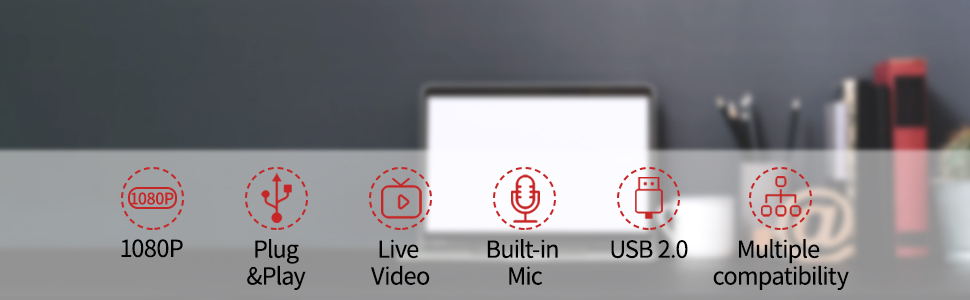
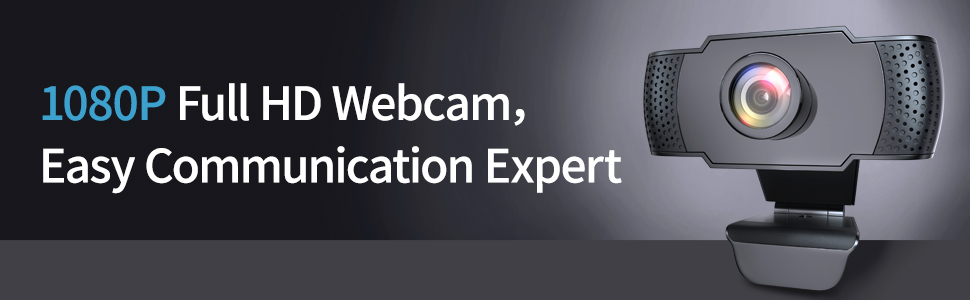
The Wansview 1080P Webcam delivers Full HD 1080P video with smart auto light correction, ensuring clear and bright visuals in any environment. Compatible across major operating systems and featuring a compact, lightweight design, it offers plug-and-play USB 2.0 connectivity for hassle-free setup—perfect for streaming, video conferencing, gaming, and study sessions.



| ASIN | B086QTK3NL |
| Antenna Location | online studying, live streaming, conferences, gaming, video calling, recording |
| Are Batteries Included? | No |
| Best Sellers Rank | 76,530 in Computers & Accessories ( See Top 100 in Computers & Accessories ) 521 in Webcams |
| Box Contents | User Manual, USB Cable |
| Brand | wansview |
| Brand Name | wansview |
| Camcorder Type | Webcam |
| Colour | clear |
| Compatible Devices | Laptop, Tripod, Desktop, Computer, LCD Screen, Android Smart TV |
| Customer Reviews | 4.0 out of 5 stars 8,261 Reviews |
| Exposure Control Type | Automatic |
| File Format | h.264 |
| Flash Memory Bus Interface Type | USB 2.0 |
| Flash Memory Speed Class | C10 |
| Flash Memory Type | SDHC, SDXC |
| Flash memory type | SDHC , SDXC |
| Focus Type | Auto Focus |
| Form Factor | Compact |
| Has Image Stabilization | No |
| Image Aspect Ratio | 16:9 |
| Image Stabilization Type | Dynamic |
| Lens Type | Prime |
| Manufacturer | smarteye |
| Maximum Display Resolution | FHD |
| Model Name | webcam101 |
| Model Number | webcam101 |
| Network Connectivity Technology | USB |
| Operating System | Windows, Mac OS, Android Smart TV |
| Photo sensor technology | CMOS |
| Product Features | Low Light |
| Screen Size | 2 Inches |
| Sensor Type | CMOS |
| Shooting Modes | Low Light |
| Style Name | Minimalist" or "Sleek |
| Supported Audio Format | PCM |
| Supported Image Format | JPEG |
| Supported audio format | PCM |
| UPC | 664213275121 |
| Video Capture Format | MP4 |
| Video Capture Resolution | 1080p |
| Video capture format | MP4 |
| Video capture resolution | 1080p |
| Viewing Angle | 90 Degrees |
| Water Resistance Level | Not Water Resistant |
| White Balance Settings | Auto |
C**S
A really good quality webcam for everyday use
I rarely bother to write reviews on stuff I buy, but now and again, something comes along that I really like and feel I can honestly recommend to others. This little Webcam was just one of those items! I had been looking around for quite a while for a decent quality webcam, especially as I've been at home much more than usual during the Covid19 lockdown and was finding my smartphone difficult to use with it's a small screen and poor resolution considering the increased amount of video calling I was doing using SKYPE ZOOM and WHATSAPP etc. I can now make these calls on my desktop computer with a decent-sized screen, and my contacts tell me the picture they receive from me is magnificent. I had used on occasion a cheap webcam that I purchased several years ago, but it was of dismal quality and half the time didn't work anyway. This little gem, on the other hand, worked perfectly within 5 seconds of plugging it into one of the USB ports on my desktop computer, requiring no software or any other setting up... it just worked instantly and all my programmes and apps found it instantly. The thing that really got me excited was the superb quality of the image. Clear sharp pictures, better than any webcam I've seen so far and a nice wide-angle lens makes for a decently framed picture without having to keep worrying whether I had moved out of the picture with the normal movement of my body. This was always a problem with the narrow view on my other cameras. It was also nice to see that the lens has a focus adjustment so if I use it on top of my smart television... it focusses perfectly from some 3 meters away as well. Colours are very realistic, and even when the lights were dimmed in the room, it still gave a good picture with nice colour rendering. The sound is very good as well, and I'm not sure, but it seems to be stereo, I will need to test that further, but it's certainly very good quality crisp and clear. The mounting clip fits on my computer monitor and television perfectly, holding the webcam securely in place and should fit any monitor etc. My only moan was the bright red LED on the front of the camera, but I soon sorted that out with a tiny piece of grey film which I attached over it to cut down the glare. The USB lead is quite long enough at approx 1.5 metres and fits any USB socket. The webcam arrived within 24 hours of ordering on AMAZON PRIME, well packaged in a plain brown box, and the instruction manual (leaflet), very basic but easily understandable was everything necessary if a little basic. But hey, all you have to do is plug it into a USB socket on your computer and that's it! So, in ending, I would unreservedly recommend this webcam to anyone looking for a decent quality camera with great picture and sound, very easy to set up and a reasonable price for what is a better than average quality webcam.
C**E
Reasonably priced HD Webcam, quick delivery. Works ok on Mac Mini and Zoom. Good value
Ordered this after cancelling an order for a Logitech 920s that had been on order since March and hadn't been delivered (just not available). I needed a webcam for my Mac mini, this was less than half the price of the Logitech and works a treat. Simple to install, clips nicely on my monitor, is small and relatively unobtrusive, gives a good enough picture and works with Zoom. Just what I needed. Can't comment on the sound as I use the external speakers attached to the Mac. Revised 9 Feb 2021 - about 2 months ago the mic stopped working and I had to use a separate external mic. I thought this was a fault with the webcam, but have just solved the problem. It was due to and OS upgrade moving from Catalina to Big Sur on the Mac. The input level on the sound had defaulted back to zero on upgrade. I’ve now reset it to 75% and the webcam functions correctly. I’ve been using the unit for Zoom calls since purchase and it’s ok, colours are a bit garish, but that’s mainly due to the lighting at my desk. The quality of the video camera is not as good as an iPad camera, but it’s ok.
M**.
Why pay more?
I am guessing the sales of webcams have skyrocketed over the past year, since lockdown has led to more people working from home and families & friends meeting up virtually via zoom etc.. The traditional PC webcam has not been something many people will have considered purchasing, other than social media content creators etc, as most laptops, phones and tablets have camera's built in for years now. I like to use my main desktop PC for work and meetings, as it's more comfortable than trying to balance a laptop on my knee or hold a phone or tablet up for the duration of a meeting, so I needed a traditional webcam to allow me the use of online meetings on this computer. I was reading reviews of many higher priced devices, and was initially thinking I would have to spend in the £100-150 range, until I saw this and decided to give it a go. Set up is as easy as plugging into a free USB port and balancing the thing on top of the monitor. My antivirus initially blocked access (BitDefender) but after configuring it to allow app access to the webcam, all was ready to go. I tested with the zoom app and also with the windows 10 built in 'Camera' app, and it works well, and is functioning at LEAST at 30fps, it seems like more to me though. The quality is typical standard HD 1080p, and is MORE than good enough for web based meetings...who wants to be pumping 4k video down to people who may have slow broadband connections anyway, the quality would suffice for anyone unless streaming via Twitch or online vlogging etc... A small red light on the front illuminates when the camera is in use, I would have preferred a little physical flap to fold down when not in use, as you see on some other webcams, but it's certainly not a deal breaker at this price, and its as easy as just unplugging the usb cable if you are concerned about privacy when not in use. There isnt really much more I can say about this device, and will have to report back if longevity is a problem, but at present, from a PC and tech enthusiast, all I can say is why pay more, when you can have a perfectly functional device like this for a fraction of the cost of others. Have fun and stay safe :-)
G**X
Decent picture, terrible sound
Like many other recent reviewers, I purchased this webcam to allow me to have better quality conference calls from my PC. In my case, I teach online dance classes on Zoom and was struggling with my old Logitech Quickcam, which had a maximum resolution of 640 x 480px, no automatic light adjustment and a fairly narrow field of view. I went for this product based on the 90 degree field of view, which is more than most other HD webcams. I knew from some reviews about the fish-eye effect on the lens, but was willing to put up with that in exchange for a wider field. Having tested the old and new webcam side to side, I am pleased with some things but not with others. Let's start with the positives: I was not disappointed with the picture quality, it's certainly much sharper and clearer than the Logitech and the lighting correction works very well. I'd say it's comparable to the cameras on budget phones and actually quite similar to the one on my kids' Kindle Fires, but nowhere near as good as my Huawei phone or my iPad - but then at this price I wouldn't expect a lens of that quality. I'm also happy with the manual focus adjustment on the lens, as auto-focus webcams are notoriously unreliable and I am constantly moving around the room, so I didn't want to risk being out of focus half the time. It's a shame that the webcam doesn't come with any software for adjusting the picture, because personally I would prefer to decrease saturation and contrast slightly, as the default settings look unnatural. The fish-eye effect is quite noticeable, probably a bit more than I expected. I am now questioning the benefit of having the extra width, when I wouldn't really want to use the edges of the camera to demonstrate any dance steps, as my body would look deformed. The most disappointing thing by far is the microphone. I had made a test video to demonstrate this, but my previous attempt at posting this review war rejected and I think it might be because of the background music I was playing, so I won't post it again. But trust me when I say that my Logitech webcam, which is a very old, low-cost model, has a far superior microphone, with much clearer sound even from far away. The Wansview's supposed "dual microphone" makes both music and voice sound muffled from close-up and almost inaudible from just 10 feet away - and this is with maximum volume set up in both Windows and Zoom itself, so it's impossible to make it any louder. The Logitech by contrast is set up at about 70% volume and it's much louder. I am not sure why so many reviewers are mentioning really clear sound, I may be doing something wrong but I don't think so as I've tried everything, and as I said without any software to make manual adjustments, I don't know what else could be done beyond pushing the volume to the max in Zoom's audio settings. I was quite annoyed by the red ON light but it was easy enough to cover it, and in fact attached to the front of the webcam was a small adhesive tab which I guess is meant for that very purpose, as it doesn't seem to serve any others. However I fashioned my own shield which still lets some light through, as from a privacy point of view it's good to have an indication of when the camera is on - I just don't want to be blinded by it! In conclusion, by combining the picture from this webcam with the sound from the old Logitech, I can make pretty decent Zoom calls and recordings, but I expect after lockdown this product will fall right down in price to somewhere around £25, which is what I think it's worth, if it weren't for the fact that branded webcams are impossible to get hold of at the moment. Otherwise I would have definitely gone for a new Logitech, which I suspect would have been 10 times better. Still, needs must...
C**W
Excellent Webcam
I needed a webcam for my Windows 10 desktop PC for video conferencing/meetings with work colleagues during the coronavirus lockdown. As I already own a Wansview wifi security camera, which I’m very pleased with, I decided to give this webcam a try and I’m so glad I did. The webcam has a fixed 1.5M (5ft) lead and comes in a small box with an instruction sheet. As the webcam is plug & play with Windows 10, setting up was very easy. Switch on PC, plug in webcam, job done. The webcam stays securely in place on top of my monitor thanks to the adjustable base. Even though my monitor has a thin bezel it was easy to adjust the base so the webcam doesn’t obscure any part of the screen. Getting the right angle was easy as well. The base can also be adjusted to be used off monitor on a desktop or shelf although I prefer the camera to be looking slightly down from above. The 1080p HD video is sharp and clear with accurate colour. Feedback from colleagues confirm the quality of both video, and sound from the built-in microphone. This webcam is far better than the webcam on my Windows 10 laptop. I’ve not needed to use the manual focus function as it works so well in automatic focus. Overall, I am very pleased with this webcam, it does everything I want of it. And at less than half the price of the cheapest webcam from other well-known brands, it’s a real bargain as well.
M**E
Just terrible.
I mean honestly - phone cameras are amazing compared to these crappy webcams. I used to own a webcam 20 years ago and honestly I thought the quality would be better by now, but the picture quality was total bunk. Why is it such a short focal length too? It sits on my monitor and just needs to see my portrait area in view, but instead shows half of the room behind me. Who would need it to do that when you can just move it back? But you don't have the option of moving it closer because it sits atop your screen - you can't mount it above your keyboard! The mounting is also rubbish, it doesn't hold on properly and they clearly didn't think about wire placement when they made this thing as it comes out at a funny angle. Why didn't they make it so it doesn't obscure the top of your screen? Don't they know thats where all your open tabs are that you need to be able to see? It doesn't seem to utilise the GPU properly either, so even on my fairly beasty computer it causes pretty high CPU usage, combined with Chrome killing CPU as well, it makes Facetime/Messenger video run a bit choppy. I've used this camera for recording guitar and singing as well. The sound quality is bunk as well, but I have another Mic for that anyway . It's like webcam technology has been stagnant for years. Pretty useless, wish I'd spent 30 quid more and got something half decent. Buy cheap, buy twice!!
M**F
Perfect webcam for those Working From Home meetings!
So pleased that I found this Wansview webcam. I had been looking for webcams last week as I am now working from home and Amazon had no stock of any. Obviously a lot of people are also working from home now! Came across this Wansview one this week and ordered it. I've a couple of Wansview IP cameras in the house and they've been running smoothly for almost a year now, so I knew the brand. It's packaged in a small cardboard box, in which is the webcam with USB lead attached, and a small user guide. You don't really need the user guide as it worked as soon as I plugged it into my Windows 10 Pro PC. It sits atop your monitor and can be secured by a solid feeling clip arm. This same clip also allows it to stand on your desk as well. I have used it now for two Zoom meetings. It worked perfectly in Zoom, and the virtual backgrounds also worked well in it. The picture quality is excellent and 1080 is a noticeable step up from the 720 webcam I have in an old laptop. I performed a mic test in Zoom and the built-in microphone picked up my voice clearly. The only thing of note and I've seen it mentioned in other reviews is that the red LED that shows the camera is active is quite bright. I have admit that while I did notice it was bright, I soon forgot all about it during my meeting. I prefer that it is bright from a security point of view, as that way I'll know easily if the webcam is on or not. I've included a few photos to show you what comes in the pack, the camera mounted on my monitor and a screenshot of a Zoom meeting to see how well the virtual background works. To conclude, if you are working from home and need a webcam for remote video meetings, this Wansview webcam will handle it with ease.
S**N
Nice budget camera, great service
I was looking to get an HD web cam back when Zoom, etc, started becoming the norm for meetings and chats. I didn't want to pay the price the likes of Logitech wanted (although I do like their products) for a HD cam that I wouldn't use that often. I ordered this as it seemed to fit requirements and wasn't overly expensive, although it is significantly less now! On delivery I connected the camera and it seemed to connect OK. However, I have to be honest I wasn't overly impressed, to the extent that I preferred my Logitech 720p cam or built in laptop cam to this. So, it never actually got used for any calls. I tried various things to see if I could get better results in the months since and eventually got to a point where the camera didn't function at all. All I got was a flashing white screen. Without much hope I emailed Wansview to see if there was a known problem or if there was some solution to the issues I was experiencing. After a short exchange of emails it was agreed they would send me a replacement. This came very quickly and, I am pleased to say, the new one seems to function well. The picture is better, both in clarity and colour balance, and the built in mic is much more responsive. I have concluded the original was faulty. In conclusion then, I would say the camera is a good quality budget camera suitable for occasional use. For a more professional use I would suggest you might want to look elsewhere. The customer service has been brilliant though. I cannot fault the response to my emails and the speed of delivery of the replacement (and I haven't had to send back the original). From this perspective I would say it is a fairly risk free purchase.
Trustpilot
2 weeks ago
1 month ago