Desertcart purchases this item on your behalf and handles shipping, customs, and support to Slovakia.
đ Dual-speed, dual-port, dual-style â storage that keeps up with your hustle!
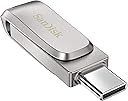
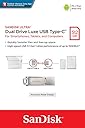
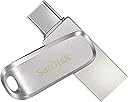
The SanDisk Ultra Dual Drive Luxe 512GB is a premium all-metal USB flash drive featuring reversible USB-C and USB-A connectors for seamless file transfers across devices. With blazing read speeds up to 150MB/s and automatic backup capabilities via the SanDisk Memory Zone app, itâs designed for professionals who demand fast, reliable, and versatile storage on the go.


| ASIN | B0842NYBHN |
| Additional Features | Reversible;Swivel |
| Best Sellers Rank | #52 in USB Flash Drives |
| Brand | SANDISK |
| Built-In Media | Contents: 1 item |
| Color | Silver |
| Compatible Devices | Mobile, Tablet |
| Compatible Phone Models | Tablet |
| Connectivity Technology | USB |
| Customer Reviews | 4.4 out of 5 stars 24,338 Reviews |
| EU Spare Part Availability Duration | 1 years |
| Flash Memory Type | USB |
| Global Trade Identification Number | 00619659179182 |
| Hardware Connectivity Technology | USB Type C |
| Hardware Interface | USB 3.0 |
| Item Dimensions D x W x H | 5.91"D x 4.33"W x 3.94"H |
| Item Highlight | USB Flash Drive, Reversible Connectors for USB-C Smartphones, Tablets, & Mac, Automatic Backup, USB 3.2 Gen 1, Metal, Silver |
| Item Type Name | Flash Drive |
| Item Weight | 18 g |
| Manufacturer | Sandisk Technologies, Inc. |
| Memory Storage Capacity | 512 GB |
| Mfr Part Number | SDDDC4-512G-G46 |
| Model Name | Ultra Dual Drive Luxe |
| Model Number | SDDDC4-512G-G46 |
| Number of Packs | 1 |
| Read Speed | 150 megabytes_per_second |
| Special Feature | Reversible;Swivel |
| UPC | 619659179182 |
| Unit Count | 1 Count |
| Warranty Description | 5-year limited manufacturer warranty |
| Write Speed | 150 |
S**P
Happy with the purchase!
I've been using this SanDisk 1TB flash drive for a few weeks now, and I'm really impressed with it for a few reasons: 1. I had been using portable hard drives my whole life, and the downside is that they need a separate power source to function. This is my first time buying a 1TB flash drive with storage capacity similar to a hard drive, but it doesn't require a power outlet! It just works by plugging it into my iPhone! 2. My iPhone video settings record high quality videos which takes up a lot of memory space. I like that itâs so convenient to backup all my iPhone 15 photos and videos directly into this flash drive (without needing a Mac or PC! Btw, both my Mac and Pc is able to read the drive). 3. Itâs also easy to share the files directly with family or friends that want a copy of the photos or videos. I donât need to worry whether theyâre on Android/iOS. Also theyâll get an original copy, and not a âreduced sizedâ copy. 4. I like the build of the flash drive. Itâs made from metal and the built seems really good. Some downsides/workaround I found: 1. Several users have mentioned that the flash drive can get warm during large file transfers. I've noticed this as well, but only when my phone battery is low (below 60%). The transfer speed also seems to slow down when the battery is low. To avoid this, I keep my phone battery at least 80% charged before transferring large files, which significantly helps to reduce the flash drive's heat. 2. On the design side, it only has a cover for one side of the USB connector, not the other. Ideally, it would have two rotating covers for both sides to provide better protection and keep the connections clean. Knowing all the pros and cons, I still think it's a great buy overall! It's super convenient, which outweighs the minor drawbacks for me (and worth the price)!
J**E
A True Thumb Drive
This 3.1 USB Flash Drive Is Small, Smaller the Size Of a Pair Of Fingernail Clippers. But, Don't Let the Size Fool You. It Will Hold Every Bit of 1 Tb. And The End Flips Over Give You Both a USB Type-A Connector and a USB Type-C Connector, (Which Will Fit The Modern Androids and Apple Products). So That I Don't Have To UpLoad To My DeskTop Computer Then DownLoad To My Tablet. I Can Connect Straight To The Tablet. I DownLoaded Lots Of Video Files All Over 1 Gb Each and That's a Little Dicey. It Depends On the Memory in Your Computer DeskTop, But I Would Recommend Just DownLoading a Few Files At a Time or a Few Folders At A Time. Do It Quickly One After Another and Windows 10 Will Put These Files To Be Copied In The Copying Que, Then Select the Two Vertical Bars In The Copying Display To Pause Each Copy and Stack Them Up And When One Folder Has Been Copied Then Click On The Arrow For The Next Set In The Que. You Normally Only Have To Do This Once Then Just Update Any File or Folders One At A Time. If You Put Too Much Strain On the BandWidth, It Might Come Back and Tell You Errors Were Found and Ask You To Scan & Repair The Flash Drive, (an Easy Thing To Do). But, Chances Are That If You Just Let It Copy Files While You Are Not Using The Computer It Will DownLoad about 35mb to 65mb Per Second and Be Done, Just A Little At A Time. So, Far, I Highly Recommend This Flash Drive and It's Not Too Bulky to Carry in my Pants Pocket. I Have Mot Experience Any Heat Problem as Others Mentioned. It Get A Little Warm, but No Warmer than My Other SanDisk Flash Drives. I Like The Brand, (Always Quality Products), and I Would Say That This A Genuine SanDisk Product.
P**T
Gets plenty hot
Small, USB 2 and 3 on either end, which is perfect for my array of devices. Gobs of storage, which I need. When loading it up the first time, it got hot. I've been taught that 40 degrees C is where your reflexes jerk your finger back. This was not quite but almost that hot. I've also been taught that silicon integrated circuits can handle up to 125 C, which is enough to make blisters and boil water. So, I'm pretty sure this tiny but mighty flash drive is well within its operating limits. Still, it spooked me a little. I held it between two fingers to cool it down, and it did - pretty quickly. Then, when I let go, it got hot again, but never so hot that it burned me. It has a hole for a lanyard. Being so much smaller than my G-drive or my 1TB external drive, my only worry now is losing it. I'm about to tie something bulking onto the first one, and then buy a second one. Just prior to ordering this one, I had purchased another one that was slightly cheaper. It faulted twice in a row, then again after I reformatted, so I know not to buy the lowest cost version available. This SanDisk, a company I have grown to trust over many years, passes muster with me.
D**G
Tough, fiery little space saving drive!
Nice little (large capacity) drive, comes wit 233 GB space. ~150 Read speed and ~64 Write speed removed from CrystalDiskMark which is may more than I thought I'd get. Although, you know, it would be nice if your reps could advertuse the write speeds instead of us having to get third party software. The drive comes with a Sandisk software App built in. The drive itself is VERY durable (sadly no protection cap or turtle mode however) and easy to switch from C to regular. I really like how SMALL it is because I don't have to worry about it bending while I plug in other devices like most other USB drives tend to have issues with in the past. It's and perfect for what I need - file syncs between 3 devices (mobile, laptop, desktop) is very easy now. It's great having a USB C drive now since it opens an extra regular USB slot too and no more fumbling with USB cables to backup my smart phone. The drive itself is certain "luxe" HOWEVER that beautiful sheen comes with a price. I have to drop 1 â because the drive itself gets a hot as a metal coffee pot (seriously I should get a temp reader on this fiery little anvil) that's been sitting brewing for 10 minutes. So yes, it will burn you quite decently if you touch it long enough. It cools off relatively fast though in a couple minutes. I do hope it does not overheat and die. My old Sandisk Extreme GO only got a little warmish so it's a new experience.. I saw people recommending a USB extender cable, but that kind of defeats the purpose of me wanting it to use the USB C slot to free up a regular USB port. Anyways, I hope the heat does not melt itself or my laptop's USB port..
C**Z
Excellent thumb/flash drive
This Sandisk ultra dual drive Luxe is much easier and faster than previous ones Iâve tried. What up with the bad reviews????? I have an iPhone 16 and a windows/Lenovo IdeaPad 3 slim laptop and this drive works FLAWLESSLY on both. I transferred 557 photos and about 75 videos (some are up to 10 minutes long) last night and by no means whatsoever did it get hot and it didnât take long. Plug in to iPhone, open the photos app, save what pics and vids you want to âNo nameâ open Apple files app and itâs immediately there. It also works just as easily on the laptop as the iPhone. Plug in, click files folder, same deal. Itâs very easy, fast, smooth. Works great, is compatible with all devices that I have anyway, good value, good way to save data and have a backup copy of all your photos and videos. It was exactly what I needed and I would highly recommend this flash drive and I will be buying another one. AGAIN- what up with these bad reviews Iâve seen?? Works flawlessly and I donât have any complaints or problems at allđđ
N**L
Must to have in every electronic users arsenal, treat this like an essential.
Got the 256 GB one, back in the days we had to pay the same price for a 4GB stick and it was all hype 16GB ones were the overkill. Coming to 2021 everything has changed 256GB drive smaller than your pinky finger is the deal-breaker. As a cybersecurity professional, I can say everyone should carry one on them at all times. You can tag it to your house keys, car keys, or your office keys and forget about it, very handy also looks very good on the keychain. I suggest you buy the metal version of this over the plastic one. The metal version has a soft satisfying click when you switch between USB types and of course excellent premium finish, only trade-off would be it might run hotter than the plastic counterpart of this. Moving and sharing pictures from my phone has never been so easy. Sharing pictures on social media whats app, messenger is an embarrassment they compress your images and give that distorted look they don't do justice to your high res phone camera. I would rather copy those images and videos share them in no time without losing quality. My purpose: I needed something that helped me in moving files between my MacBook Pro, android phone, and my gaming desktop and this sits the category perfectly. I am a clumsy guy and I can get away by dropping it in liquids or using it roughly. CON: Runs hot when transferring data but I don't really care just something to know as it can be a bit concerning. I got 5 of these around my house. 1 in my MacBook sleeve, 1 lying on my home workstation desk, 1 on my vehicle keys (can keep media on this to watch them later in my Bugatti), 1 with system drivers, recovery images, and backup, 1 encrypted and stored somewhere safe with private media/data. Note: This isn't a technical review, vouching for basic users to buy it.
1**1
Lasted more than 5 years constant reading and writing and deleting! Reading still works!
So my flash disc just died. I post a 5 star review because: ... I ordered it more than 5 years ago, and I used it several times every day, as a backup between 2 computers for my project files, so wrote files on it, deleted files, back and forth, several times a day. It never failed. Now since several days I noticed it just is too slow to write on it. I could retrieve all data that was on it without a problem = meaning reading was still fine. It is just old, I think it is said that a flash drive should be replaced every 3 years or so? This is 5 years. So, a 5 star review.
C**R
Not worth the money and headache.
First of all, I was browsing around for a USB-C flash drive. I mainly see dual drives. The specific USB-C only flash drives are either cheap brands or too pricey. This fits my price range just fine and I don't need to go overboard on buying 1TB or anything. I thought 256Gb was fine because it's a USB, not an external hard drive. I feel like the power isn't there to expect it to meet my file criteria. I came across SanDisk different dual drives, such as the "Ultra Dual Drive" and then "Ultra Dual Drive Go", but after reading their reviews. The speed isn't there. I came across this and the speed was better than both of those. Even though the description says they are all the same speed (150 Megabytes Per Second), but someone in the reviews posted speed test results, so I ended up getting this. The speed so far isn't bad. Important Part: - I plug this into my USB-C port on my desktop, first time it all works fine. 2 Times after, it shuts off my computer. I'm suspecting driver issues, so I've updated my drivers and install any updates I can find for my computer. While everything was installing I thought I had some free time to write this review. Originally it was 3 stars, but then I thought since I'm writing a review, I might as well post a speed test, so I plug in the USB-C and guess what?? It crashed again! (All drivers were done installing, but I didn't restart my computer yet because I wanted to finish writing this review when doing so, luckily I was wary and saved my review in a notepad before plugging in the USB-C). It seems like I need to turn off my computer and plug in the drive before booting up my computer. Kind of a pain to turn off my computer and insert in something that's designed for plug and play. I finally get to do my speed tests and I've included these in the photos for my review. If you're curious about what I'm using to run a speed test, I am using the CrystalDiskMark Shizuku Edition. You can see that I'm a weeb so that I'm really into being the computer nerd I am. The only conclusion I came come to is this flash drive is faulty. I mainly got this to use on my iPad Pro, which seems to work fine. Except for 1 time where it just kind of disconnected from my iPad Pro and no longer shows up (so the USB is causing issues on not just my computer, but also my iPad). I had to unplug and reconnect it. I planned on using this with my iPad for on the go studying, so I store my lectures on the drive. If this keeps up. I'm afraid I'm going to do a whole lot of nothing. I'm going to keep trying this out and see how well it works. I'm going to back up my files on the drive in case it dies on me. - Side note. Since it is a metal body it does run very warm to hot. The build quality seems okay, BUT barely owning it for more than a day. The switch mechanism that flips the USB-C and the traditional Type-A got loose. When I first got it, it's was very sturdy. Now it's starting to dangle... at this point, I'm about to break the switching mechanism off and use it like those fancy non-USB without all the fancy mechanisms. - I'm still going to keep this a little longer because I need it for the time being until I can read some more reviews for a better alternative and I can return this. I'm hoping someone will reach out and maybe help fix these issues? I don't know how SanDisk will handle this. - I gave this 5 stars for easy to use. Yeah, it's easy to plug it in and crash your computer. Any kids can do it. If you have kids and working on a big project without saving yet. Your kid may just decide to plug this USB in because you know. Kids like sticking things into other things... Good Game.
R**G
Excelente producto.
Excelente producto. Las tasas de transferencia son muy buenas. El material de metal es de muy buena calidad y elegante. A diferencia de su versiĂłn de plĂĄstico, esta tiene una protuberancia que sirve como seguro y de esta manera la "tapa" no gira ni se suelta. Se calienta cuando haces grandes transferencias, pero se disipa casi de inmediato. 128 G por 350 pesos, es una ganga. Ampliamente recomendablep
D**C
TrĂšs bonne clef usb avec une bonne vitesse
TrĂšs bonne clef usb avec une grande vitesse de lecture et d'Ă©criture. C'est la troisiĂšme que j'achĂšte. Je recommande vivement đ đ
B**D
Muy prĂĄctico para pasar archivos entre mĂłvil, ordenador y tablet sin complicaciones
ComprĂ© este pendrive porque necesitaba una forma mĂĄs sencilla de mover archivos entre distintos dispositivos, especialmente entre mĂłviles, ordenadores y tablets. DespuĂ©s de usarlo, la verdad es que me parece un dispositivo increĂblemente prĂĄctico. USB-C y USB-A en el mismo dispositivo Para mĂ, este es su gran punto fuerte. Tener en el mismo pendrive conexiĂłn USB-C y USB-A facilita muchĂsimo las cosas. Antes muchas veces necesitaba usar un dispositivo intermedio, un adaptador o pasar primero los archivos a otro equipo. Con este pendrive puedo extraer o mover archivos directamente desde el mĂłvil y luego conectarlo al ordenador sin mayor problema. Velocidad de transferencia La velocidad me ha parecido muy buena para el uso que le doy. Por ejemplo, un vĂdeo de unos 8 GB suele tardar aproximadamente 5 minutos en transferirse, lo cual me parece mĂĄs que correcto. No lo compararĂa con un SSD externo, pero como pendrive compacto y versĂĄtil cumple muy bien. Uso real Me resulta especialmente Ăștil cuando voy a eventos, tengo que rescatar vĂdeos o fotos desde un mĂłvil, o quiero pasar archivos grandes sin depender de la nube, del correo o de cables adicionales. Es pequeño, fĂĄcil de llevar y resuelve un problema muy concreto. Diseño y comodidad El diseño giratorio tambiĂ©n me parece prĂĄctico, porque protege los conectores y permite cambiar de USB-C a USB-A de forma rĂĄpida. Es de esos accesorios pequeños que terminĂĄs usando mucho mĂĄs de lo que pensabas. ConclusiĂłn Muy satisfecho con la compra. Es rĂĄpido, cĂłmodo, compacto y muy Ăștil si trabajĂĄs con varios dispositivos. Para pasar fotos, vĂdeos o documentos entre mĂłvil, tablet y ordenador me parece una soluciĂłn excelente. No le encuentro grandes puntos negativos para el uso que le doy. Cinco estrellas.
I**N
SanDisk Ultra 128 GB Silver och SanDisk Memory Zone appen Perfekt kombination
Jag har en Xiaomi 11T mobiltelefon med över 100 appar och behov av att kunna kopiera in en stor musikfil pÄ ca 20 GB. Den nya trenden hos nya Androidtelefoner Àr att ta bort minneskortplatsen, vilket försvÄrar arbetet. Musikfilen Àr sparad i min PC via överföringsprogrammet HighSuite frÄn min gamla Huawei mobiltelefon. DÄ Xiaomi inte har nÄgot motsvarande överföringsprogram blir frÄgan hur jag skall kunna fÄ över filen smidigt till min Xiaomi telefon. Jag har köpt en ytterligare Xiaomi 11T mobiltelefon, dÄ jag anser att den Àr prisvÀrd och tekniskt mycket bra. Jag vill kunna enkelt överföra allt frÄn den gamla Xiaomi telefonen till den nya telefonen nÀr allt Àr installerat i den gamla telefonen. Jag ringde Kundsupport pÄ ett stort elektrotekniskt varuhusföretag i Sverige och frÄgade om dom hade en lösning pÄ mitt problem. Det hade dom dÄ det finns en enkel och prisvÀrd lösning pÄ mitt problem. Den har anvÀnts under mÄnga Är pÄ Iphone mobiltelefoner. Man köper Sandisk Ultra USB-minne med vÀndbara USB-A och USB-C anslutningar och installera Appen Sandisk Memory Zone i min gamla och nya Xiaomi 11T mobiltelefon. Jag kollade priset pÄ SanDisk USB-minnet hos dom och tyckte att det var alltför högt och letade runt pÄ internet och fann att Amazon.se hade det bÀsta priset. Jag köpte SanDisk SDDDC4-128G-G46 Ultra Dual Ride, 128 GB, Silver för 234 kr pÄ Amazon.se. Storleken 128 GB valde jag för att matcha USB-minnet till storleken pÄ internminnet i min Qiaomi mobiltelefon. DÄ jag har stor erfarenhet av filhantering i PC och Àven pÄ Android mobiltelefoner sÄ skriver jag ned hur jag utförde överföringsjobbet. SÀkerhetskopiera innehÄllet i gamla Xiaomi telefonen och föra över till nya Xiaomi telefonen: För att rÀdda telefonuppgifter, SMS , bilder och skÀrmdumpar sÄ anvÀnde jag SÀkerhetskopiera via Google Drive pÄ gamla telefonen. Det gör man i InstÀllningar_Google_SÀkerhetskopia. NÀr jag skapade Google kontot i nya telefonen sÄ valde jag att hÀmta sÀkerhetskopian frÄn Google Drive. Pefekt nÀstan alla appar rÀddades över och allt annat. Nu följde ett arbete med SanDisk Memory Zone appen i mobiltelefonerna som krÀvde att man har har bra koll pÄ vad man gör. Man blev tvungen hoppa mellan gamla mobiltelefonen, nya mobiltelefonen och PC. Installera SanDisk memory Zone appen i gamla och nya Qiaomi telefonerna: Laddade ned SanDisk Memory Zone appen i varje mobiltelefon. NÀsta operation blev att installera appen Memory Zone i bÄda mobiltelefonerna och ansluta SanDisk Ultra minnet i USB-C porten pÄ gamla mobiltelefonen. DÀrmed blev minnet formaterat med ett lÀmpligt format (troligen FAT32), som mobiltelefonen kan hantera. Viktigt att man inte sÀtter in USB-minnet i en PC som första ÄtgÀrd. Den riskerar dÄ att bli formaterad för PC och kan inte lÀsas av mobiltelefonen. Skapa en undermapp i Phone Internminne Musik i gamla mobiltelefonen: Sandisk Memory Zone appen kan inte skapa undermappar (enda nackdelen). För detta krÀvs appen File Manager. Du gör sÄ hÀr: Start File Manager_Main Storage_Musik_tre prickar_New_Folder_Skriv in "Musik f PC"_OK. Nu ligger Musik f PC inne i internminnet som en egen rad. Om jag i framtiden vill lagra en ytterligare Musikmapp sÄ Àr det enkelt att skapa en till mapp i Musik mappen med File Memory. Gör Backup #1 pÄ hela innehÄllet i gamla Xiaomi telefonen: Jag bytte till Sandisk Memory Zone appen i Xiaomi telefonen för att kunna göra Backup pÄ hela gamla mobiltelefonen till USB minnet. Gör sÄ hÀr: VÀlj Tools_Backup and Restore_Manual backup_5 Items Àr förbockade_Klicka pÄ röda Backup. Backupen startar och vÀnta tills allt Àr kopierat. Storleken pÄ Backupen ca 3 GB. Kopiera den stora musikfilen i PC till gamla Qiaomi telefonen: DÀrefter satte jag in USB minnet i USB-A porten i min PC och kopierade den stora filen pÄ 20 GB till USB minnet. Gör sÄ hÀr i Windows 10: GÄ till Din Dator_USB-enhet (D) om det endast finns en C-disk. Klicka pÄ den och den lÀgger sig pÄ nedersta raden som en mapp. NÀr man klickar pÄ den ser man en kort lista pÄ innehÄllet i min gamla mobiltelefon. Du skall kopiera till Musik f PC, som nyligen skapades. Den Àr tom. GÄ tillbaka till DinDator och leta upp mappen dÀr den stora filen ligger i mitt fall pÄ skrivbordet och kopiera innehÄllet till Musik f PC i gamla mobiltelefonen. VÀnta tills kopieringen Àr klar Kopiera innehÄllet i Musik f PC till Phone internminne pÄ gamla mobiltelefonen: Detta Àr inte nödvÀndigt att göra. Det gÄr att köra musikfilerna med val frÄn SanDisk Drive. Jag tyckte att det var mest smidigt att lÀgga musikfilerna i internminnet, vilket blir enklare nÀr jag vill lyssna pÄ musik. SÀtt nu in USB-minnet i USB-C porten i gamla mobiltelefonen. Klicka pÄ SanDisk drive. Det Àr hÀr den kopierade stora filen till mappen Musikf PC ligger. Den följande operation för kopiering Àr rörig och lite svÄr att förstÄ och utföra. Beroende pÄ hur man klickar fÄr man olika vÀgval. Den mest direkta Àr min angivna nedan. Gör sÄ hÀr: Klicka pÄ nedre raden My Files. Klicka pÄ SanDisk Drive. Ger nytt fönster. HÄll ned raden Musik f PC. Klicka pÄ nedre raden röda Copy. Klicka pÄ Phone. Klicka pÄ raden Musik f PC. Ger nytt fönster, som Àr en tom mapp. Helt OK. Copy ITEMS HERE. Kopieringen startar nu. VÀnta tills kopieringen Àr klar. Redigeringsarbete efter kopiering till Musik f PC i internminnet: DÄ musikfilen var vÀldigt stor 142 mappar och 1292 filer blev det en del fel vid kopieringen. Flera mappar hamnade inne i enskilda mappar och mÄste flyttas ut till huvudmappen Musik f PC. Efter nÄgon halvtimmes arbete var det ÄtgÀrdat. Gör Backup #2 pÄ hela innehÄllet i gamla Xiaomi telefonen efter Kopiering: Jag bytte till Sandisk Memory Zone appen i Xiaomi telefonen för att kunna göra Backup pÄ hela gamla mobiltelefonen till USB minnet. Gör sÄ hÀr: VÀlj Tools_Backup and Restore_Manual backup_5 Items Àr förbockade_Klicka pÄ röda Backup. Backupen startar och vÀnta tills allt Àr kopierat. Restore pÄ innehÄllet frÄn gamla mobiltelefonen till nya mobiltelefonen: Kopplade in USB-minnet i USB-C porten i nya mobiltelefonen. VÀlj SanDisk drive_Tools_Backup and Restore_Backup_Restore from latest backup_Backup_Klicka pÄ röda Restore. Restoren startar och vÀnta tills allt Àr kopierat. Nu körs en Restore pÄ ca 23 GB till min nya mobiltelefon. Det blev perfekt. Den stora Musikfilen blev helt korrekt. Inga fel. Viktig information har nu valt Backup helt pÄ SanDisk USB-minne: Viktig information: Nu har jag ca 23 GB i min Backup frÄn gamla mobiltelefonen, som gÀller för bÄda mobiltelefonerna och ligger sparat i mitt USB-minne. Om jag skulle vilja göra en ny SÀkerhetskopia med Google Drive sÄ passerar jag 15 GB som Àr gratis och mÄste betala för tjÀnsten att ha mer Àn 15 GB. Jag tycker att detta Àr en onödig utgift, nÀr jag har en ett bra USB-minne att lagra pÄ. Vill man kan man ha tvÄ USB-minne som extra sÀkerhet. Avslutande omdöme i min nya mobiltelefon: Efter flyttning av appar och tillverkning av samlingsappar för vissa appar sÄ Àr nu mina mobiltelefoner helt lika. Jag kan inte nog berömma appen Sandisk Memory Zone. Det Àr den första appen för filhantering, som fungerar enkelt och klarar av kopiering, göra backup och restore. Sandisk har gjort ett toppenjobb. Om du vill rÀdda över allt innehÄll frÄn en gammal mobiltelefon till en ny mobiltelefon sÄ kan jag inte nog rekommendera appen Sandisk Memory Zone och Sandisk Ultra USB-minne med USB-C 128 GB.
G**L
11
önerilir
Trustpilot
1 month ago
3 weeks ago