Desertcart purchases this item on your behalf and handles shipping, customs, and support to Slovakia.
๐๏ธ Draw like a pro, no strings attached!
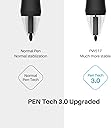
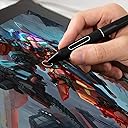
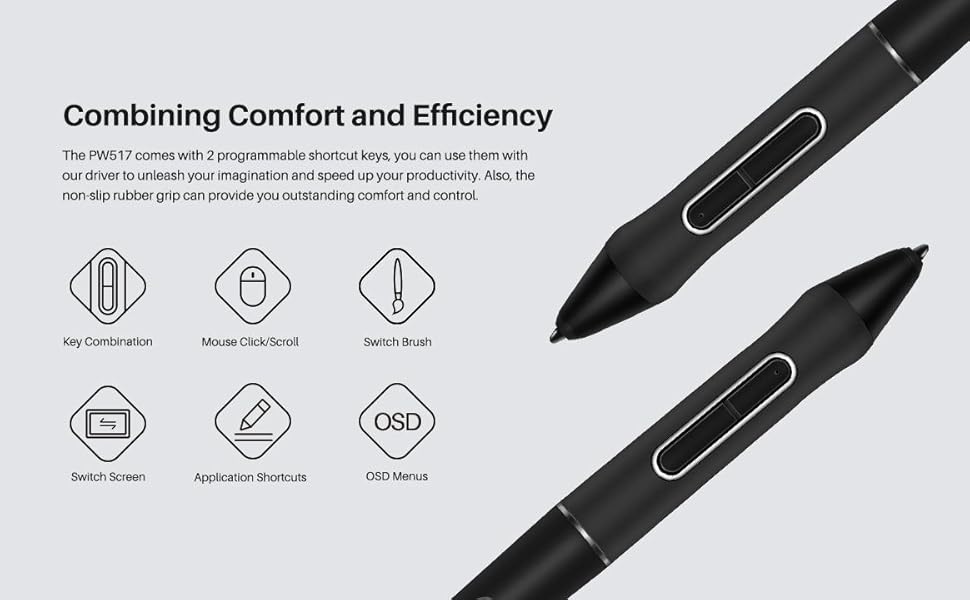
The HUION PW517 Battery-Free Stylus leverages advanced PenTech 3.0 electromagnetic resonance technology to deliver 8192 pressure sensitivity levels and 60ยฐ tilt support, providing a natural, lag-free drawing experience. Compatible exclusively with Huion Kamvas tablets, it features two programmable hot keys for enhanced workflow and requires no batteries, making it an essential tool for creative professionals seeking precision and convenience.


| ASIN | B089VWDJCS |
| Active Surface Area | 292.1 square inches |
| Additional Features | Electromagnetic Resonance |
| Best Sellers Rank | #60 in Digital Pens |
| Brand | HUION |
| Built-In Media | Digital Pen, Pen Nibs, Pen Nib Clip |
| Color | PW517 |
| Compatible Devices | Tablet |
| Connectivity Technology | electromagnetic resonance |
| Customer Reviews | 4.1 out of 5 stars 271 Reviews |
| Item Highlight | Compatible with Kamvas 12/13/16 (2021), Kamvas 22/24 Series, Kamvas Pro 13/16 (2.5K), Kamvas Pro 24 (4K), etc. |
| Item Weight | 14 g |
| Manufacturer | Shenzhen Huion Animation Technology LTD. |
| Mfr Part Number | HUION-US-PW517 |
| Model Name | PW517 |
| Model Number | HUION-US-PW517 |
| Native Resolution | 5080 LPI |
| Number of Items | 1 |
| Number of Packs | 1 |
| Operating System | Windows, macOS |
| Pressure Sensitivity | 8192 levels |
| Software Update Supported to Date | unknown |
| Special Feature | Electromagnetic Resonance |
| Specific Uses For Product | Drawing, Painting |
| Unit Count | 1 Count |
J**A
Good
Used it for the Kamvas 13, works fine. 8 replacement nibs and a nib remover are provided as well, but they give it in a baggy.
T**N
Please Pay Attention to Tablet Type!!!
This pen is specifically the PW517 pen. If you pay close attention to Huion's website, it specifically states the PW517 is for the Kamvas 12, 13, 16 (2021 version), Kamvas 23 & Plus, Kamvas Pro 24, KD200, Kamvas Pro 16 (4k version) & Plus, Kamvas 24 & Plus, and the Kamvas Pro 24 (4k). This pen is NOT for the Kamvas 16, Kamvas 20, Kamvas Pro 12, Kamvas Pro 13, Kamvas Pro 16, and Kamvas Pro 20 (2019) version. Please look at the Huion website under the accessories tab to see which specific pen type your tablet needs. You can see what tablet type you have by looking at the back of the tablet at the sticker that has model information. Or, if you're really that sketch, just buy the pen you need off of the Huion website lol Now as for using the pen. Initially when I had used it, it was lagging, buggy, and frozen. However do not fret! After some brief anger and then finally kicking in my basic comprehension skills, I was able to fix the problem. I figured that since it was a new pen, I simply needed to refresh my tablet to get used to the new one as I knew this one was compatible for mine. If your new pen doesn't seem to be working 1. Doodle with the pen on your tablet for about 2-3 minutes 2. Turn off your tablet 3. Unplug all wires from your device that allows the tablet to connect. Yes this includes unplugging the wires from the PC it's plugged into. I waited around 20 seconds. 4. Plug all wires back in, and then power on the tablet. By then your pen should work and be refreshed. If it still doesn't work I recommend restarting your PC or installing the Huion driver app. After doing this it worked like magic and I was able to draw again, which was much relief since I had missed doing so. Hopefully this helps someone :)
J**A
Doesn't work at all.
Absolutely useless. I purchased this pen after my original one was damaged. I checked to make sure that it was compatible with my version of the Huion tablet. But, it draws while I hover, which makes it absolutely impossible to draw. It creates these messy scribbles before my pen even touches the screen. I tried to adjust and calibrate the pen, but to no avail. The pen isn't cheap, so you'd expect it to work. It's kind of ridiculous that after only a year of owning my Huion tablet, it might be rendered useless just because I can't find a pen that works.
M**B
Works and arrived quickly
Works great! We needed a replacement for a lost pen. We received this quickly and it works. Thank you!
O**N
A Life Saver
Needed a new stylus pen in a hurry, was able to get this overnight and it worked right out of the box! Took a few seconds to calibrate it on my graphics tablet and then spent the rest of the day drawing! What a life saver!
E**E
DO YOUR RESEARCH
3 stars bc the pen is probably fine but WHY does this show up as the first result for Kamvas pro 16 when it doesn't work with the Kamvas pro 16???? I've gone through hell and back just trying to get a new tablet pen because all the search results for my tablet weren't compatible. I'm partially at fault for not doing my research but ffs why wouldn't the right result show??
L**K
Works
God these are so expensive, but i lost my pen for the kamvas 13 and the replacement works as expected. I will say on my original one the connection of the grip under the buttons broke and i havent had that issue with this one, but this could just be cause im more careful with it now.
O**R
Plug and play, couldn't have been easier.
Great item, great price, great quality, thanks.
L**A
Caneta perfeita
A caneta chegou direitinho. Bem embaladas e estรก funcionando bem!!
Trustpilot
1 day ago
3 days ago