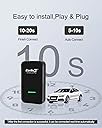
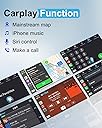
🚀 Elevate Your Commute with Wireless Freedom!
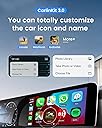
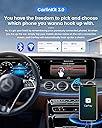
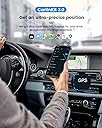
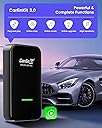
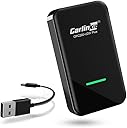
The Carlinkit 2025 3.0 Wireless CarPlay Dongle Adapter U2W transforms your factory wired CarPlay into a wireless experience, compatible with iPhones from 5 to 16 Pro Max. It ensures seamless communication for a stable connection, auto-connects every time you enter your car, and comes with a 1-year guarantee and tech support for hassle-free usage.


| ASIN | B08GLVW169 |
| Best Sellers Rank | #327,081 in Electronics ( See Top 100 in Electronics ) #9,392 in Car In-Dash Navigation GPS Units |
| Brand | Carlinkit |
| Color | Black |
| Compatible Devices | For iPhone |
| Connector Type | USB Type C |
| Customer Reviews | 3.7 out of 5 stars 1,742 Reviews |
| Item Weight | 0.14 kg |
| Manufacturer | CarlinKit |
| Model Number | 2024 3.0 |
| Number of Items | 1 |
| Number of Ports | 1 |
| Package Quantity | 1 |
| Power Plug Type | No Plug |
| Unit Count | 1 Count |
| Warranty Description | 1 Year Mmanufacturer |
| Warranty Type | Limited |
J**A
Hats off to robaroo’s review - great product
Robaroo’s review was spot on with the small modification of the Wi-Fi, it appears at it is vehicle specific as follows for my 2021 Tundra. It works perfectly on a 2021 Toyota Tundra. Here is Robaroos instructions First off, don't read the instructions. They claim you plug it in, and then connect to bluetooth, and you're all set. But that's not it at all. It doesn't even transmit a bluetooth signal until you've updated the firmware on the box. So here's what you need to do: Plug it into your car's USB port which you use with wired CarPlay. Wait approximately 30 seconds, then on your phone connect to the wifi transmission labeled "TOYOTAFF" or something very close to that. I don't know why it's called that, but that connects you to your Carlinkit. The password to join is 12345678. After you're connected, browse to IP address 192.168.50.2, which takes you to the configuration page for your Carlinkit. On that page, it'll say that your Carlinkit is up to date, but it isn't. Click the "Check for update" button, and then you'll see that there's a newer version available. Install the update and wait for the page to tell you it's done updating. At this point, you may lose the "TOYOTAFF" WIFI connection because the update reset the WIFI transmission name from "TOYOTAFF" to "Auto box" or something similar to that. After you've re-established a connection to the new "Auto box" WIFI signal, browse to IP address 192.168.50.2 again. Again, it'll tell you that your Carlinkit is up to date, but it probably isn't. Click the "Check for update" button, and then you'll see that there's a newer version available AGAIN. Install the update and wait for the page to tell you it's done updating. Repeat the cycle of update, refresh page, update, refresh page, until it tells you that there's no more updates when you click "Check for updates." When you reach that point you should be ready to rock. When you plug in your Carlinkit to your car's USB port that you use for CarPlay, you will see an different screen that gives you directions to connect your iPhone. Now finally the Carlinkit transmits a bluetooth signal that you can pair with. Go ahead and pair it, and on your phone it'll ask you to confirm if you want to pair it. For some reason, after it's paired via Bluetooth, it'll unpair itself and then continue to use the WiFi connection. That's it! You're all set up. Next time you start your car your iPhone will automatically reconnect.
D**R
The 2021 model worked with (almost) zero setup!
Update (again) 11/03/21 - DO NOT BUY FOR MAZDA!!!! When I originally bought the device, it actually worked right away in my 2021 CX5 without any firmware updates. Then one day it stopped connecting, but after running the firmware updater (had to run it about 3 times for subsequent updates) it appeared to work fine again. About a week later it just stopped working with a "Device Authentication Error", and every attempt to check firmware said I was on the newest version. I was past the return window so bought a second unit in hopes that the adapter itself had died, but the new one also never worked despite being on the latest firmware. I checked the software update history in my car's infotainment menu, and there was no evidence of an over-the-air software update that might have broken the connection (i.e., my car is still on the same software version that I bought it with). Multiple attempts to contact the vendor resulted in zero responses, even though the packaging includes a card that claims that they support the device for a year after purchase. This was great when it worked, but it only lasted about 6 weeks before it stopped connecting. Also, I could have sworn that the details mentioned support for Mazda vehicles, but Mazda is no longer on the list of supported manufacturers. I ended up returning the second unit and giving the first one to a friend with a Civic, who's car doesn't seem to have any issues connecting to it. ******* Update 9/18/21 - Haha, okay, I have to take back my original “it just works” reaction with a caveat: It DID just work for a couple weeks, but then started connecting inconsistently. Unplugging and reconnecting the adapter would fix this, but I’d have to do it each time I turned the car on again. Knowing that I hadn’t checked for firmware updates, I had a feeling that might be related, so I ran the updater about three times. It now says I’m fully up-to-date and appears to be connecting fine again with no issues. Basically, even if it works for you right away, go through the update process to avoid having to do this at an inopportune moment at a later date. I’ll leave my original rating as is, since this is already something that the manufacturer suggests. ******* Original Review: After reading previous reviews, I expected this to have a time-consuming setup. I even pulled up the review on my phone that recommended running the "check for updates" tool repeatedly, and made sure to have those instructions handy when I first went to connect to my car. I was blown away when everything "just worked"! I deleted/unpaired my phone from my car's built-in bluetooth, plugged in this adapter, connected to the adapter over bluetooth... AND IT JUST WORKED (I know, I'm being repetitive here haha). But no joke: there was no need to check for updates, no need to connect to the "volkswagon" wifi network, nothing. Literally: 1) unpair phone from car, 2) plug adapter into your car's USB port, 3) pair your phone with adapter over bluetooth, 4) done! I'm actually very impressed. If it weren't for the janky looking splash screen at startup (which makes me guess the adapter is running an old version or fork of android), I'd give it the full 5-stars.
A**N
Simple Install, Seamless Functionality
The 2022 Carlinkit 3.0 Wireless CarPlay Dongle Adapter U2W (Type C Design) is ‘dead simple’ to install. No configuration required. Just plugin to vehicle’s USB port (I own a 2021 Jeep Wrangler Unlimited) and wait a few seconds for the device to setup and display a green light. Your vehicle’s audio system must be CarPlay ready. This device does not give you CarPlay if the vehicle you own isn’t already supporting it. Pro: No longer necessary to connect my iPhone to the audio system with a USB cable. CarPlay begins functioning as soon as I start my vehicle- seamless. I just carry my iPhone in my pocket when I start my vehicle for everything to work. The phone never has to be taken out of my pocket. Con: There have been a few, minor, wifi glitches when I enter my home and my Jeep is parked close to the room I’m in. If I’m too close to the vehicle while in my home (about 20’), the phone may function as if you were still in your vehicle. My audio feed (streaming over wifi) will not play properly because the vehicle’s audio system (where the CarLink receiver is permanently located) is influencing my phone’s connection. I’ve addressed this issue by turning off Bluetooth on my phone whenever the issue arises. Again, it only arises when I’m in a room in my home that is relatively close to where I parked my vehicle outside (within ~20’).
S**Y
Works Perfectly After Update
This device worked exactly as intended with my 2022 Subaru Crosstrek- when it worked at all. The setup was simple: plug in to the car and connect to the device with Bluetooth. There’s no lag or glitches with the display. I was super happy with it… for the most part. However, I wish I’d read through the Amazon comments when I was first setting it up. I used this for about 2 weeks and about 80% of the time it worked perfectly. The other 20% it wouldn’t connect to my phone no matter what I tried; unplugging the device, restarting my phone, turning the car off. I couldn’t figure it out. I came to leave a dissatisfied review after giving up on getting it to connect AGAIN, but saw a comment from another user talking about updating the device by connecting to it via its own wifi signal. This process took about 10 minutes total but was otherwise very straightforward. Afterwards, the device connected to my phone immediately. I’m going to hold off on updating my review to 5 starts until I can make sure it works consistently, but I’m feeling hopeful! Make sure to use the update procedure the very first time you connect to avoid any headaches with using this product. EDIT September 2022 (about 5 months after purchase): Still working great! There have been a few times recently when it has randomly disconnected after a few minutes of driving (the entire device seems to lose power and reboot). It hasn't caused any major disruptions nor does it happen frequently, so I'm still happy with it overall. Even with the hiccups, its definitely a must-have item!
A**C
2016 Honda Accord Touring Installation and Observations
Installation and Observations iPhone 11 Day 1 - Dec 7, 2020 I was excited and somewhat worried after reading all the reviews and experiences, both positive and negative, about the various CarPlay wireless adapters. Any reader here will agree that wireless CarPlay will eventually become standard. However, for now these devices are the only options. Installation All of the following steps were performed in the driveway with the car in Accessory mode. I elected to try the unit without upgrading the software, per some of the instructions I have read. I plugged the USB C adapter into the adapter not realizing it was not all the way in. This slowed me down a bit at first. Be sure to look for a Red light on the unit when first powered. On first bootup, a couple of messages were displayed. One message asked if I wanted to use the attached device for CarPlay. The other message was to allow the Honda to use the CarPlay adapter to call emergency services if a crash was detected. I clicked okay for both. Next the display asked me to join a Honda-290F Bluetooth connection. I did that. After that I waited and nothing else happened. I realized my phone needed to disconnect AND forget the Honda Bluetooth built into the car. I deleted the Honda BT connection then I turned the ignition off and back on. This time the car connected to the device and the device connected to the phone without any problems. The phone connects using the BT connection Honda-290F each time it starts, then switches over to the WIFI connection (called Honda60 in my case). The Bluetooth then disconnects. The Honda WIRED CarPlay is not fast. Sometimes I can pull out of the garage and be a block down the street before the music starts. The CarLink2 unit adds more time for startup but that is a small price to pay. I tried a few different apps and everything works fine. The latency delay from switching songs is not that noticeable. Again, an acceptable tradeoff. Installation Notes Before joining the Honda290 Bluetooth connection, I noticed a new WiFi service called VolkswagenG (or similar) and I tried to join it but it was password protected. Ignore any WiFi networks that initially pop up. After the initial BT connection is made, the device becomes a WiFi source and my phone automatically connects to it. CURIOUSLY once connection is established, my iPhone does not show the WiFi connection icon at the top of the screen (shows LTE), but Wi-Fi in Settings shows the connection to Honda60 while the Bluetooth is not connected to anything. See the attached screenshots. Perhaps a VPN connection? Dunno. Initial Observations, Comments and Questions As of Day 1, I am happy. I don't like adding wear to the connection port. I used to have an iPhone 6 Plus and eventually had to have the port replaced. Since I am connected via WiFi from the phone to the CarLink2, I presume I cannot use my phone as a mobile hotspot. It won't matter because I don't have a plan that supports it. A few things to test: Steering wheel Next, Prev, Volume buttons - all work correctly. There is a slight lag as one song ends and the next one starts. Acceptable. Siri using steering wheel - works fine Siri using "Hey Siri" - works fine Phone calls - works fine Sound quality - surprisingly good. I think it uses WiFi rather than BlueTooth to send digital audio. Auto dimming at night - Have to check. Navigation volume - I checked it and the sound comes out of a different Nav speaker at the correct volume. Freeze / Lockup during initial testing I was testing the unit, going from one app to the next, coming out of an app called Audio Books when the device locked up. My iPhone was not locked. I disconnected the USB cable between the car and the CarLink2 for a few seconds and plugged it back in. It came up in about 30 seconds and everything worked fine. I came inside the house and opened the app on my phone and observed messages asking permission to use BlueTooth and connect to my network. It also indicated my library is empty although there is a book right there in the middle of the screen. Candidly I don't know how much the AudioBook app contributed to the lockup. I rarely use the app and it had a different look than I recall and indicated I was not logged into it. However, my phone did not lockup and the CarLink2 device did lockup. Perhaps I need to upgrade the firmware. I will continue to test the device over the coming days and post my observations. I will give the unit 3 stars for now and adjust over time.
P**N
Pleasantly surprised
I was expecting roughly the same quality that I got with my Motorola android auto adaptor for my pixel, but this is much better. I’ve had this for at least 2 months now, and I’m in and out of my car at minimum 5 times a day. I’ve maybe had 3 times where this thing failed to connect, and 2 of those times it connected after it rebooted itself. It connects quickly, from the time my head unit turns on to the time CarPlay is up and running is usually only about 10 seconds. Sometimes it takes longer but it does connect eventually. Any issue I have is minuscule. Sometimes there’s a quick millisecond long pause or skip in a song, but it only happens maybe once or twice every 2 hours of playtime. Also read down the reviews to the person telling you the ip address to toggle some firmware settings. I decreased my delay to half the time to where you don’t even feel there’s any delay at all. I rarely ever write reviews but I had to for this product because I did not expect to be half as satisfied with this as I have been. Definite buy for any apple owners.
B**L
Works Great in Our 2018 Hyundia Santa Fe's
We purchased two of these about a week apart. My wife and I both purchased 2018 Hyundai Santa Fe's and I tried it first in mine. I had some problems at first and had to download an update. After updating I believe I had to unplug the device to get it to reset and then it linked up with my iPhone 12 Pro. The second one linked up right away in my wife's Santa Fe, but she had an iPhone 11 Pro Max. Maybe that was part of the initial connection difference as well. In any case, both have been working great now for over a week. They both connect within 30 - 60 upon starting the car. Yes, I would recommend this product, of course, your car does have to be Apple Play ready to begin with. Oh, I wanted to register the product but the only way to do that seemed to be through the "WhatsApp", which I didn't want to install.
G**W
Piece of trash; either at the beginning or some point later.
UPDATE IN 2024: This thing is a piece of crap. Eventually, it will stop working as you update your Iphone, which is a normal part of life. There is no tech support; they expect you to "email them" in order to get a firmware update...it's just a joke. This is the problem with dealing with a limited Chinese company...it's not going to be a good customer service experience because they simply don't have to do that. Go with a more established company that has straight-forward customer service. This isn't it. Original review: Got this for my Mazda CX-9 2022. It does work but I had to read the instructions from one of the reviews in order for it to connect. Once it’s connected, I still flawless, fast and works great. The problem is that about every 4 months it disconnects and you have to go through the tedious set-up process again. I’m very good with technology but it still usually takes me about 15 mins to get it working and connected again. Then it will be great again for several months. Until I have to go through the setup again. And so on. For clarity, you have to have it connected via the WiFi signal and Bluetooth signal for it to work. I have to update the software version several times usually and sometimes downgrade the version…it’s just a crap shot until suddenly your car detects it and you’re all set. The product is great; the software and IU is not for those who struggle with technology. Having said that, I will always own one of these bc it completely changes the CarPlay experience and makes it what it should have been from Apple.
A**R
Works great I love it
Easy to set up. Works every time. The only small negative is that the volume of the phone calls is a bit low but aside from that it's great
A**N
Good choice
It worked perfectly and was setup easily on landcruser gxr 2022 , I wished the quality of the box itself was a little bit better 👍👍
P**H
With few instances of blank screens on MazdaCX9 2021, eventually it stopped connecting.
To begin with it worked well with my car Cx9 2021 make & iphone12. After ios update to ios15.5 it started showing blank screen when apple carplay connected wirelessly. I had to put reverse gear and then back to parking or drive gear to bring up the display. Which worked as work around for some time. Eventually it stopped connecting with the attached message. After several futile trials i had to return it.
A**Y
There is a delay in voice
There is a delay in voice, other than that working fine
L**S
It’s work as it says on the description.
It works well but little but slower than cable . So far it’s great .
Trustpilot
2 months ago
1 month ago