Buy anything from 5,000+ international stores. One checkout price. No surprise fees. Join 2M+ shoppers on Desertcart.
Desertcart purchases this item on your behalf and handles shipping, customs, and support to Slovakia.
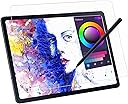
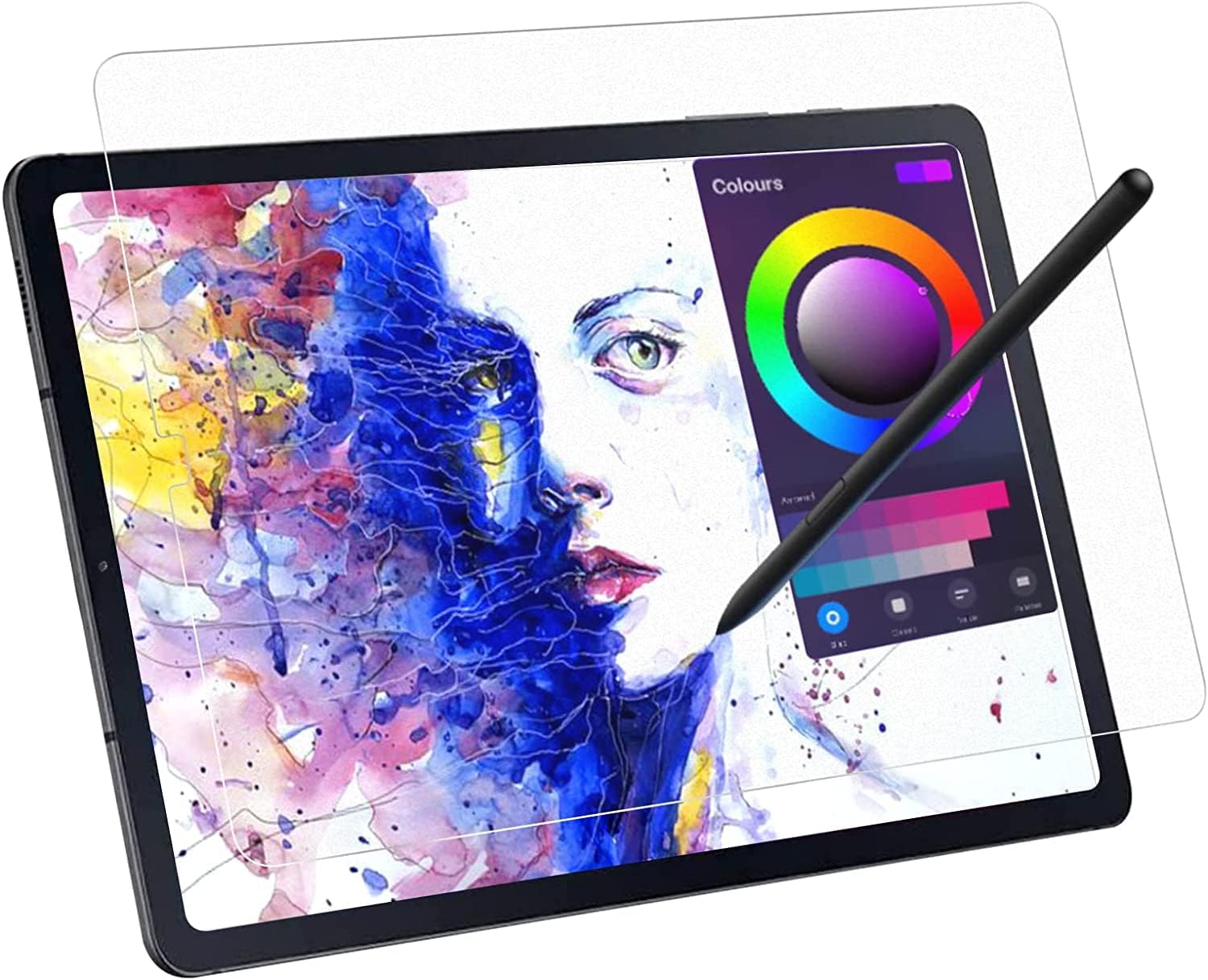
✍️ Elevate your digital creativity with the ultimate paper-like screen protector!
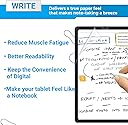
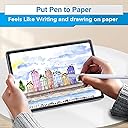
The ZOEGAA Galaxy Tab S9 FE Screen Protector is a precision-engineered, ultra-thin matte film designed specifically for 10.9 to 11-inch Samsung Galaxy Tabs. It delivers a natural paper-like texture that enhances writing, drawing, and note-taking by reducing pen slippage and maintaining high touch sensitivity. Compatible with multiple Galaxy Tab models, it offers 3H hardness protection and a waterproof surface, combining durability with a premium tactile experience favored by professional artists and managers alike.


| ASIN | B08HCVJMXX |
| Best Sellers Rank | #1,068 in Tablet Screen Protectors |
| Brand | ZOEGAA |
| Brand Name | ZOEGAA |
| Clarity | 100 |
| Color | Transparent |
| Compatible Devices | Tablet |
| Compatible Phone Models | Samsung Galaxy Tab S9 FE 10.9" (SM-X510/X516B/X518U), 11" 2023 (SM-X710/X716B/X718U/X716N), S8 2022 (SM-X700/X706), S7 2020 (SM-T870/T875/T878) Compatible Phone Models Samsung Galaxy Tab S9 FE 10.9" (SM-X510/X516B/X518U), 11" 2023 (SM-X710/X716B/X718U/X716N), S8 2022 (SM-X700/X706), S7 2020 (SM-T870/T875/T878) See more |
| Compatible Tablet Computer Models | Samsung Galaxy Tab S7 11", Samsung Galaxy Tab S8 11", Samsung Galaxy Tab S9 11", Samsung Galaxy Tab S9 FE 10.9" |
| Customer Package Type | Standard Packaging |
| Customer Reviews | 4.2 out of 5 stars 1,353 Reviews |
| Finish Type | Matte |
| Included Components | 1 × Galaxy Tab S9 FE Paper Screen Protector Scratch card, 1 × Galaxy Tab S9 FE Screen Protector, 1 × Galaxy Tab S9 FE Screen Protector Installation Instructions, 1 × Samsung Galaxy Tab S9 FE Screen Protector Accessories Kit |
| Item Dimensions L x W | 0.1"L x 0.1"W |
| Item Hardness | 3H |
| Item Weight | 0.2 Ounces |
| Manufacturer | ZOEGAA |
| Material | Polyethylene Terephthalate |
| Model Name | Galaxy Tab S9 FE 10.9" (SM-X510/X516B/X518U); Tab S9 11" 2023 released (SM-X710/X716B/X718U/X716N); Tab S8 11" 2022 release (SM-X700/X706); Tab S7 11" 2020 release (SM-T870/T875/T878)Galaxy Tab S9 FE 10.9" (SM-X510/X516B/X518U); Tab S9 11" 2023 released (SM-X710/X716B/X718U/X716N); Tab S8 11" 2022 release (SM-X700/X706); Tab S7 11" 2020 release (SM-T870/T875/T878) |
| Model Number | Samsung Galaxy Tab S9/S8/S7/A9+ 11 Inch |
| Number of Items | 1 |
| Part Number | no |
| Product Dimensions | 0.1"L x 0.1"W |
| Screen Size | 11 Inches |
| Screen Surface Description | Matte |
| Special Features | Feels Like Writing On Paper |
| Unit Count | 1.0 Count |
| Warranty Description | 2 Year Manufacturer |
| Water Resistance Level | Waterproof |
D**E
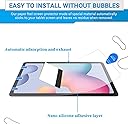
Follow the instructions
The product is great. The instructions have some translation errors (English does not appear to be the original language). Once positioned, work out the bubbles per instruction, but don't try to rework it to much or you will start introducing more dust and end up worse off than just leaving it alone. The instructions show to use the sticker that removes the outer protective film to lift the screen when removing bubbles. This did not work for me. It simply lifted off the protective film and left the screen more vulnerable to creasing (creasing is far worse than dust bubbles), so be satisfied with slightly less than perfect or proceed at your own risk. Texture is great. I forgot that the texture is one of the things that attracted me to this product, so when I first used my spending on it, I was surprised, but also impressed with the friction, feel and sound of use... Very pencil like!
B**N
Awesome
It is a very very good screen protector. The feel is amazing, the installation is easy, the instructions are clear, and while i got a few bubbles it was because i was smart enough install it the wrong way (i was trying to stick the outer part directly on the screen... Yeah i checked the instructions after the installation) It does make taking notes and drawing a breeze, it has a good fit on my galaxy tab s6 lite. I'm loving it so far. My recommendations: - Read the instructions (please). - If you are using some sort of protective case, use that as a guide so your corners dont wear out or get loose. - If you can get these anti wear-out titanium alloy nibs do it, i have them on my s pen and it indeed doesn't wear out unlike the other plasticky nibs. It slightly reduces image quality, but it isn't that bad for me
A**Z
Not Bad at all
Ordered the Tab S9 Plus size since they didnt exactly have one for Galaxy Tab S9 FE+, front camera alignment/cutout wasn't exactly right. When first installing the screen protector, I was kind of worried on how the screen protector was a little 'flimsy', I had to make sure I pressed down on the screen protector to align it percisely. Guide stickers was a huge help, I wasnt a huge fan of the dust removal sticker tho, as I feel I had to be careful as to not peel off the entire thing. The manual had some translation errors but not too difficult to follow, and there was no video here on amazon to watch for guidance according to the manual unfortunately, so I had look up some videos on youtube for guidance. I dont have too much issue putting on the screen protector, tho making sure no dust gets on the screen and no bubbles appear is kind of a hassle. After putting on the screen protector for the first time, it was a success. Only two small air bubbles appeared but it wasnt too much of a hassle for me to try out the screen protector. As for removing the screen protector to remove some dust/air bubbles, the guide stickers aren't that helpful to easily remove the screen protector, but I was worried if I lift up the screen protector I would leave out more dust and dirt on the screen which is something I would not like. Now in terms for drawing on the screen protector, it's very bad for some of my soft pen nibs, which I know they will wear off very fast or possibly break. Hence why I had to replace my nibs with Wacom One Pen Nibs, which works more of a charm for me. The feel and texture of the screen protector is pretty nice, I notice how it kind of reduces the light of the tablet for me when I lower the brightness (which is a positive note for me, I dont like to draw with a brighter screen. much more easy for my eyes). Screen protector was a pretty okay fit but not exactly perfect, value for money? Pretty worth it.
J**Y
Works Great. Some Things To Be Aware
This really adds some nice texture to the tablet. Two things to note. The S Pen tip really doesn't like to be held straight up and down with this screen protector. It feels like you're breaking a rubber eraser. It hasn't caused an issue but when you feel it you'll understand, one of the times the rubber tip is going to give. Secondly, because this is textured, the tips are going to obviously wear out faster and need to be replaced quicker. It's kinda like running your S Pen across a fine-coarse sand paper. Something to be aware of and take into account. Even though it may seem negative it's really not. I would buy this again in the future. It's well worth replacing the S Pen tip when it wears out. I am quite impressed! It feels really nice to draw on and the tablet didn't lose and responsiveness. Still snappy, picks up angles and pressure. Solid product!
R**E
Great feel and function! LOVE to draw on this!
I LOVE this screen protector. It was easy to apply and the feel when writing on it is MAGICAL. the faint noise, like writing on paper could literally be an asmr thing. It makes the tablet screen easier to see with no glare and seems to fit well and be very protective. A little more expensive than some other options, but I can honestly say there is a reason! Very worth it, spend the few extra dollars for something great. Just take your time applying and follow directions as you only get one chance!
C**A
Feels Like Paper...
I want to like this product all around, but I can't. Bought the S8 ultra screen protector as I just bought the tablet last weekend to upgrade from my 3rd Gen iPad. It feels like Paper, I will give that. However, just let my iPad, due to the case, the edges are being forced up as can tell in the 2nd picture. Would think these companies would make the screens just a hair smaller so that they work with any case, but here we are. I don't feel this is worth the $12 price tag for one screen protector that is not compatible with the case I use and cause the bottom edge to come up. If you don't put a case on your device, then this will work just fine. If you do want a case to protect your tablet then prepare for this to maybe not work depending on the case you use. I can only give this 1 stars. I'm happy with it but at the same time not. I'll look at another brand down the line if this one should start to fully come up and no longer be usable.
E**S
Overall not bad, but some quality control issues somewhere in the process.
Three stars because while the screen protector so far seems to work really well as far as touch sensitivity and it fit my screen perfectly, the item's individual packaging was bent at some point before being added to my shipment (this was in a larger box with two other items that were not at all damaged) and so now there is a small area on the top of the screen that will not stay down as it was bent before I opened the package. Also, while installation was pretty easy and it seems to be sticking well overall (minus the spot mentioned above), the install kit had some issues. Mainly that the "Squeezer" card that was supposed to be there so you could push out airbubbles was missing entirely, and the dust removal sticker was almost useless as it was basically just a small sheet of really flimsy, semi-sticky film, similar to the protective film that comes over appliances. It also claims anti-fingerprint, but in using it for only about an hour, there's already fingerprint smudges in a few areas where I touch the screen more frequently (I use it for reading often, and the area of the screen I touch to scroll the pages is where most of the smudged are). I will say though that the glare does seem to be much less than my previous screen protector, at least in the single lighting set up I've used it in thus far. Overall though, a little disappointing to have the quality control issues on a single screen protector at this price point.
S**.
It feels like I'm using an entirely different device. Pricey, but recommend!
I am not normally inclined to review products, but this this is awesome. I'd been using a tempered glass screen protector for about 6 months with the standard s pen nib. It felt awful to write in and I didn't feel like my handwriting was accurate on the screen. This thing though is a joy to write on. I have maybe noticed some slight issues with responsiveness, but that could absolutely have to do with the metal nib I swapped into my s pen. Even typing with the onscreen keyboard feels better. I love that I no longer have to deal with the glare of overhead lights. It was surprisingly easy to apply. It's a pretty rigid screen protector, so it went on like a tempered glass protector and I felt it was easy to prevent bubbles.
A**R
Amazing quality
As described, paper-feel screen protector and easy to follow instructions on how to apply
L**Q
A recommander
Comme si on dessinait avec un crayon sur une feuille de papier PARFAIT
E**A
Excelente cubierta de protección
La sensación de papel cumple las expectativas.
H**D
Great feel
Feels great to write on, altho it seems to have wreaked the tip on the pen
A**Y
Not good
It damaged the nib of my Tab pen and also take out portion of the image quality.
Trustpilot
2 weeks ago
3 weeks ago