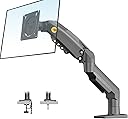
🖥️ Elevate your workspace, elevate your game — don’t just work, work smart with F80!
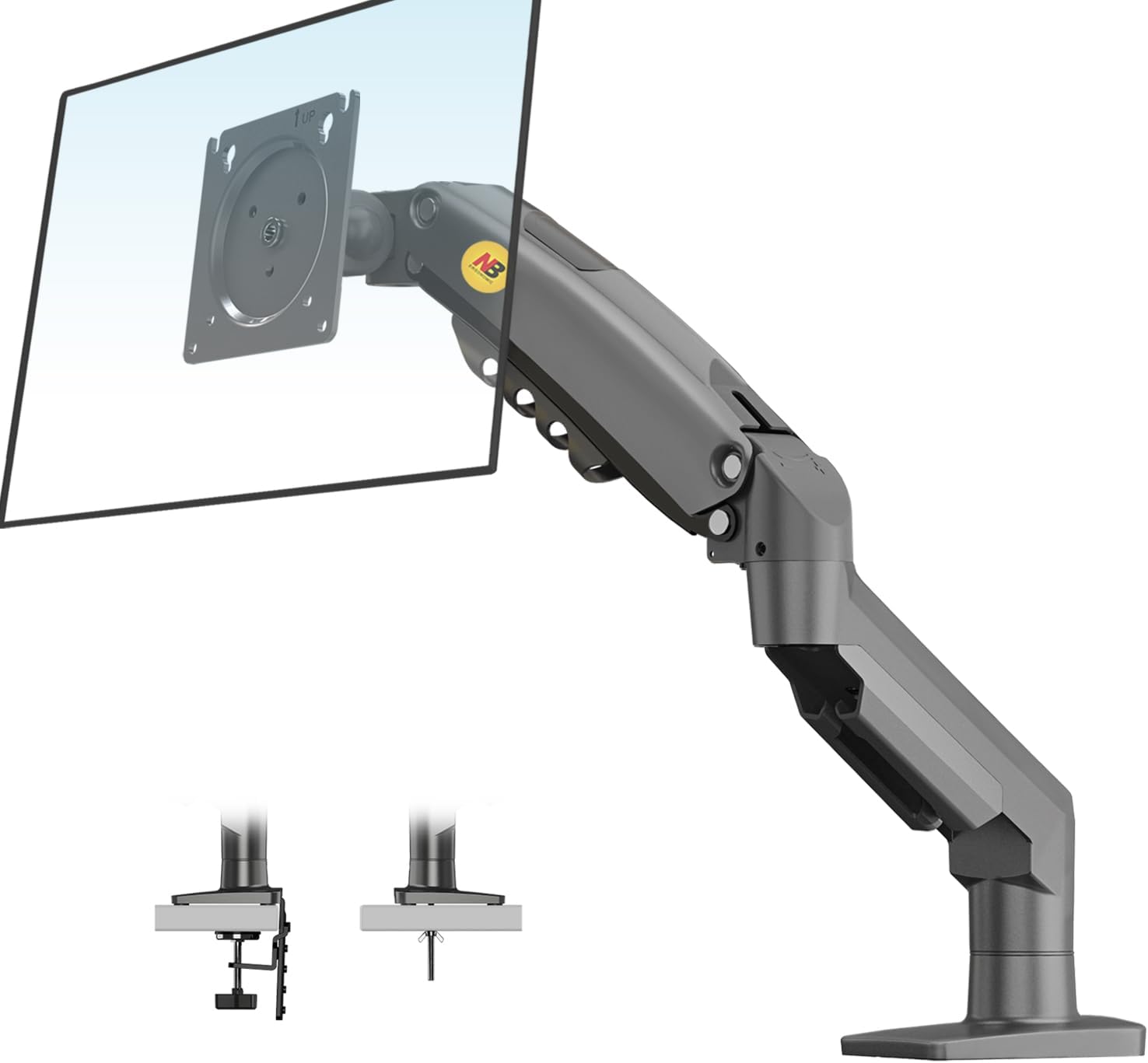
The NB North Bayou F80 is a premium ergonomic monitor arm designed for professionals seeking ultimate flexibility and durability. Supporting monitors from 17 to 30 inches and up to 19.8 lbs, it offers full-motion adjustability including tilt, swivel, rotation, and height adjustment. Crafted from high-quality aluminum with automotive-grade gas springs tested for over 20,000 movements, it ensures long-lasting stability and smooth operation. Easy to install with versatile mounting options and integrated cable management, the F80 transforms any desk into a sleek, organized, and health-conscious workspace.


| ASIN | B01AI2YGK4 |
| Best Sellers Rank | #502 in Computer Monitor Arms |
| Brand | NB North Bayou |
| Color | Grey Black |
| Compatible Devices | Monitor |
| Customer Reviews | 4.6 out of 5 stars 23,033 Reviews |
| EU Spare Part Availability Duration | 5 years |
| Enclosure Material | Aluminum |
| Item Weight | 2.1 kg |
| Manufacturer | KUNSHAN HONGJIE ELECTRONICS CO., LTD |
| Material | Aluminum |
| Maximum Tilt Angle | 85 degrees |
| Maximum-Supported Screen Size | 27 inches |
| Mfr Part Number | HETI02_SML |
| Minimum-Supported Screen Size | 17 inches |
| Model Number | HETI02 |
| Mounting Type | Tabletop Mount |
| Movement Type | Articulating |
| Number of Items | 1 |
| Warranty Description | 3 year |
R**N
Buy this thing!!!
I don't typically write reviews. But I love this thing! I'm a design engineer by trade and pretty critical of stuff poorly made. I can't think of a thing I would change in this design. It goes together easily. You adjust it one time to balance the weight of your monitor... in my case a TLC tv. You clamp it to the table/desk you wish to use it on and Bob's your uncle! And bonus... it comes apart to put back in a well-thought-out box for transport to a new location. Something I do on occasion. My application was a TV stand / monitor. I mounted a mini PC, USB expansion strip, 2 terabyte SSD and bluetooth sender to the back of my 34" TV. It serves as a computer / TV with a thousand plus movies stored on the drive. The monitor stand allows me to position the TV for all viewing angles and it works like a charm. I move it around for movie night with the grand children or playing video games with the guys around the kitchen table. The monitor stand ROCKS! Buy it! And keep the box it came in!
B**N
WOW! All this for $35? Might save your monitor from breaking too?
For background, I came from an IT job in which we used HumanScale M8 and M8.1 monitor arms. These are $300-400 products, so at least 10x more expensive. When I went to look for my own personal monitor arm, I was amazed at how cheap these were - I thought for sure that it would be junk and wouldn't feel solid like the ones I use at work. While there are some very tangible differences between the HumanScale M8 arms and this North Bayou, functionally they're remarkably similar. Interestingly enough, this arm was easier to put together than the HumanScale ones, and I was impressed at the materials with which its made. The HumanScale arm is a beautiful piece of matte metal, while this is a thinner, lighter black, glossy metal. The North Bayou still inspires confidence, but not in the same way. The North Bayou is easy to pivot around and adjust, and required far less adjustments than the HumanScale arms that I was used to. It's easy to hit the ground running with it. The arm has already saved my monitor once - I left my chair under the standing desk and hit the button for the desk to come down. The desk buckled with the chair under it, which would have caused my monitor to tip over and break the screen if it had been on its normal stand. However, with the monitor being on the arm, it simply buckled along with the desk and was completely fine. All in all, I give this monitor a huge thumbs up for its value, and I am thoroughly convinced that there is no need for someone to buy a $400 monitor arm if these exist.
N**N
An extremely durable and affordable monitor arm
The North Bayou single monitor arm is an EXTREMELY durable monitor arm and it's pretty high quality. The tilt function is easy to use, it has great fluid mobility, I would've preferred if they sold a black version of these arms, but when I purchased these, they only had 1 option for the color at that was "dark charcoal" or something like that. Other than that, the monitor arm looks great and even has spots for managing your monitor cables. It functions exactly the way I need it to. I'm giving it 4 stars though because although the entire mount is easy to move around and is very fluid, when it comes to rotating the mounting plate is where I run into issues. I don't know if it's just with my specific arms, but the I find that it takes A LOT of forced in order to rotate the the plates on the arms so I can have my one monitor vertical instead of horizontal. I didn't see anything in the instructions manual as far as a screw to loosen to allow it to rotate easier so maybe that's just by design. Other than that, these monitor arms are amazing, durable, and has plenty of mobility. I would highly reccomemd these arms for anyone who wants to clear up some space on their desk if you have more than 1 monitor.
S**O
Solid monitor stand. Bought a second one.
I was apprehensive about this product because it's one of the cheaper items listed and had some unfavorable reviews. However, I am glad I took the risk! I couldn't be happier with the product and I ended up ordering a second one. Here's what I found favorable. This was easy to assemble and I was able to mount the monitor with ease by myself. It came with simple instructions and all the tools and parts needed to assemble it. Other stands I've owned or used required two people to mount the monitor. The range of motion is superb! Once I loosened the screw to the main arm as explained in the directions, I was able to rotate it with ease. While I don't plan on moving the monitor often, I was able to move it 360 prior to locking it down to the table surface. Once locked in place, I was able to move it up/down, left/right, and tilt viewing the angle with little effort and it held the position firm. It has small clips towards the based of the arm to hide the cable. While it's a nice touch, it's not needed. I find that if you decide to move the monitor especially pulling it forward towards you, that lining the cables in the clips will restrict movement for short cables. Again, not a deal breaker for me as I don't plan on moving it often. The base is solid and is holding firm to the table. It is easy to adjust as I had to do this a few times to get the arm and monitor in a sweet spot for how I conduct business. The finish on the arm is a mix of what seems to be polished metal/chrome and plastic. While the plastic has a cheap feel to it, I believe this was done to reduce the weight of the arm and allow certain types of movement such as hiding the cables, etc. In addition, the arm is not visible due to the size of the monitor, therefore making the finish a moot point. I merely grab my monitor to adjust the position I desire. Overall, I am extremely please with this arm as it supports my large monitor, it is very adjustable, sturdy, and inexpensive! I would recommend others who are in the market for a single arm mount to consider this product!
B**Y
Fabulous computer monitor arm
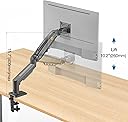
This monitor arm works great and is an excellent value! I have the two arm model and also a single arm model, and the quality of both is fabulous. Installation is super easy, the cord management is a nice touch, and it is very easy to adjust the monitors in terms of angle or height or orientation. I really love how I can quickly rotate a monitor 90° and use it as a portrait display for certain types of documents. The only thing I'm not a huge fan of with the arms is I wish the design was such that it would allow the upward height range to be greater. At maximum height, you can have the monitor be roughly 10.2 in above the work surface, which I find to be the perfect eye level for my desk height and chair height, but I wish I could have the monitors sit another 4 or 5 in higher so there's more room for my cats to walk around the desk and underneath the monitors. All in all, don't sleep on these arms, they are a great purchase!
J**N
A Must Buy!
One word! Awesome! I have watched reviews on various monitor arms and usually the cheap models have issues with poor packaging, poor paint quality, and shoddy construction. I really did not expect quality from such an inexpensive unit but I was wrong! The packaging was exact as I have seen on $180 units. All separated nicely, everything individually wrapped. The finish was great, all fasteners are flush with the arm. The clamping device is robust at 1/4" thick or maybe 5 mm. No tools required as every tool needed is included. Set up was a little confusing as the instructions are basic and I have never installed such a device. Tension adjustment is easy and straight forward. It pivots and holds my monitor just fine. Perfect for my needs. I spend a good deal of time editing videos and my old eyes just can't focus well at a distance even with my glasses. Now I can bring my monitor right up close and personal to my face if need be! This is the 1st time I have ever been excited to write a review! Can you tell? I'm almost convinced this monitor arm was mixed up with much more expensive units. There is just no way to buy such high quality for $30. Nope, not in this world but apparently it's true with this unit. Go figure! A great deal and must buy IMO!
C**S
Great Product!!
A big thank you to Nathan C. for his very informative comic posted in the reviews. Without it's guidance, I definitely would have given myself a good whack in the face when opening the velcro strap. This thing springs out extremely quickly, like a flailing toddler arm made of steel. I went the whole "let's drill a hole into my wood furniture" route to mount this beast. I suggest having an extra person assist you if you do this. Not to drill the hole, they would just be in the way, although I suppose you could have them on hand with a fire extinguisher if you do what I did and just drill the hole in a wooden table in a closed room next to some nice flammable paper. On the upside my room smelled like a fresh outdoor campfire for a while. Anyway, once you have drilled a hole, realized it was too close to the edge for your liking, and drilled another one about an inch further up, you can now commence bolting the thing down. This is where that other person comes in handy. Have them set down the fire extinguisher, and choose whether you want them to hold the arm upright on the table, or hunch down under the desk to put the faceplate and wingnut on the bolt. If they are shorter than you and can say the word "wingnut" without giggling like a madman, I suggest you have them do this so you can keep the arm aligned with the desk and not off-kilter like a psychopath who doesn't care how their monitor feng shui is balanced. Anyway, once they slide the faceplate on and have the wingnut (heh) tight as possible, bend down and forcefully shove them out of the way. They aren't needed anymore. Double check that the faceplate is flush with the desk, and go ahead and give that wingnut one or two more twists that you can probably force into it since your helper was probably cajoled into this and has the strength of a feeble child. Go ahead and play around with the movement of the arm, and once you are satisfied that you understand the range of motion this thing has, slap your monitor on there with the screws provided. Sheepishly call back that other person you rudely pushed out of the way earlier, and have them hold the monitor at a close enough approximation so you can struggle with getting the tiny bolts aligned to their holes. Personally I started at the bottom holes, because I usually do for other tasks; and after I did the top ones it didn't look like it was laying properly so I removed them and started from the bottom. Now, we're here with a fully attached monitor screen, what's next? Unless you are an absolute madlad you probably need to connect the cords at this point. If you did all this with the cords connected, you have problems and you should seek help. Anyway, this device comes with not one, but TWO cages for your cords, lest they become unruly and try to escape. The one on top just needs a simple tug on the side that isn't attached and you can simply slide your cords into this cosy nook. The bottom arm is the final boss of this thing. There are two holes just on the underside of this arm. One is a decoy to trick you and take damage intended for the actual hole. The important hole has a screw inside, but this puppy is NESTLED in there. Now that you have the thing bolted to the desk, there is no great way to access this screw visually without the aid of a mirror. Locate the smallest mirror in your home, or break an existing one and grab a shard, and slide it under the arm, so that you might be able to determine which hole houses The Only Screw That Matters™. Rummage around in your tool box and locate a short enough screwdriver (Phillips) that can rummage around in these holes without banging into the desk and nicking the heck out of it multiple times. After a good, sweaty 15 minutes of trying to visually locate and extract the screw from it's home, becoming enraged and throwing the screwdriver across the room a few times, you should now only have about 5 more minutes before it pops out, seemingly of it's own volition. Now, squeeze, the plastic housing on the arm, and after about 5 minutes of feeling that it's about to come off, it finally will. Now, you can tuck those rebellious cords into this bottom prison. At this point you will realize that your previously well-functioning 6 foot HDMI cord is now entirely too short, since you mounted the screen waaay off to the side so you can have more room on your desk for other things, like additional screens. Rummage around in your drawers for a while until you will a longer cord into existence, or break down and buy an additional cord. I overcompensated, as I do, and bought a 15 foot cord, and now my swivel mount arm can transcend all earthly dimensions with it's range of motion, but now I have about 5 extra feet of cordage haphazardly shoved behind my desk in a tangled mess. I really should have bought the 10 foot cord. Now you can slide your new cord into it's housing and fully enjoy moving your screen around five-thousand seven-hundred and forty-eight times until you find the perfect angle, which you will inevitably lose when you try to show someone else how cool your new monitor arm is. I don't personally like their big yellow logo on the side and base, so I covered it with a piece of black tape that reasonably camouflages itself to the base, but I might put a completely different logo there in the future to trick my friends into thinking some other completely random company made it. Like hey, check out my CoverGirl monitor arm, I bet you didn't think they made those, did you. I mean they don't, but you might be able to trick them for a while and maybe they'll made some kind of social media post about it, and then you can pop up like "A-HA! You've been bamboozled!" Anyway, I recommend this swivel mounted arm, it's pretty cool.
Y**N
Darn good functionality at a great price
I'll admit price was a major factor in why I chose this monitor arm, most of the ones on amazon cost nearly 3 to 10 times the asking price of this one. Since I really doubted that the other ones would give three to five times the functionality, I chose to go with this. I had my doubts at first, thinking that there must be some catch and that as soon as I got it I'd realize why too late to do much about it, but once I set it up I was pleasantly surprised and have yet to find any real negatives to this arm. It works quite well and the construction seems quite solid and unlikely to fail. There are no signs of any real wear despite daily adjustment. Still I do have a few minor gripes, thus far I have found three places where I am not entirely satisfied with this arm. 1. The range of motion in the monitor tilt and height are slightly less than ideal. Though honestly I have not encountered a situation where it was a real hindrance, there were occasions where it would have been nice to have a little more height, or if I could tilt the screen flat. 2. The bottom swivel is only 350 degrees, meaning that for some positions instead of just swiveling an extra 30 or so degrees past that 350 mark, you will have to get behind your monitor and wrangle the upper and lower sections of the arm to get it to move into position. Now for most people I doubt this will be an issue, and even to me it only inconvenienced me once or twice in nearly two months of use, but it's still something that could likely be improved. 3. The edge mount is subjected to a lot of force when the monitor is extended, and while using the clamp on the edge mount you have to tighten the screw quite a bit to get the rather small clamp securely holding the arm. While doing this I noticed the metal the bracket is made out of was deforming a bit due to the force. I'm not entirely sure what's causing that, either a metal that's a bit too springy, or maybe the clamp shape not distributing the force as well as it could. This is unlikely to be a problem for people using the "through the desk" mount style however, and I still managed to get a secure hold. All that being said I am still entirely pleased with this purchase, and unless it suddenly implodes on me I think I will continue to enjoy use of this product well into the future.
S**I
Stable, easy to install, easy to use, cost effective
The item was delivered in less than 16 hours! It came with the fittings for both a grommet or an edge clamp. I went with the grommet. Installation was quick and easy with two gotchas - both not the fault of the item. The grommet diameter on my table was too large. I had to conjure up a wooden strip And drill a hole through it to fit correctly. Secondly, the instructions are just too tiny for my eyes so it took a bit of squinting to figure them out. Once installed, I had to tighten up the tension to hold my monitor down - as it kept spring back up to its maximum height. But that was documented in the instructions clearly. So, the mount is installed and the desk is free of clutter, and the monitor suspended mid air is quite stable. Good buy. Especially for the price!
N**7
ممتاززز
رهيب وصلني امس وركبته طبعاً بمساعده الAi خطوه بخطوه وبعدها كملت باقي الخطوات من اليوتيوب طبعاً قبل ما اطلب الاستاند صورت شاشتي والاستاند هاذا للAi وسالته اذا تناسب ولا لا والحمدلله ناسبت وتركيبها سهل واخذ مني التركيب تقريباً 20 دقيقه اللي متردد يطلبها خذها ولا تشاور بس سو نفس طريقي وتاكد اذا تناسب شاشتك او لا عن طريق الذكاء الاصطناعي شاشتي حجمها 27 بوصه وركبت بالراحه وشكراً
M**T
Good product
Good for the price Looks pretty solid and the springs are good too. It's not too heavy and the materials are made of steel for the important part then plastic all the rest. The cable management not the best but do the job
I**N
screen/monitor stand
amazing product what ells is there to say the price was high but boy o boy does it work my neck does not hurt anymore and my shoulders don't feel so tired at the end of the day i still feel its riced to high but i mean its worth it any way due to the fact they ever ran tests n the structure and fail rate of the arms GREAT PRODUCT
@**N
Buen soporte.
He comprado este soporte, porque el que viene con mi monitor es muy grande y me quita espacio para el teclado, con este he conseguido tener la mesa muy despejada. Nada más desenvolverlo se ve bien construido, y da confianza, por cierto si lo compráis, cuando lo desembaléis cuidado al retirar el velcro puesto que se despliega rápidamente por la acción del gas y puede golpearos la cara si lo tenéis cerca. Viene montado, de lo único que hay que preocuparse es de elegir que sistema de anclaje se quiere utilizar el del agujero a la mesa, o el de la pinza desde una esquina de la mesa, en mi caso, retiré los componentes de ambos sistemas de fijación y atornille directamente el soporte sobre la pared y ha quedado de cine. La maniobrabilidad del monitor una vez acoplado es una pasada se sitúa a la altura deseada sólo con un dedo, tiene una gran inclinación tanto hacia delante como hacia atrás, y el brazo se pliega fácilmente con dos manos, también se puede voltear el monitor en ambos sentidos quedando fijado en cualquier posición en cuanto no se le aplica fuerza. Tiene un sistema para ocultar los cables al que se logra acceder retirando 2 tapas mediante una llave de allen especial que se incluye, yo no lo he utilizado de momento porque tengo que hacerle un agujero a la mesa para pasar los cables primero. Una cosilla si cuando lo instalas observas que a cierta altura el peso del monitor vence al soporte, en este caso hay que apretar un poco el tornillo "central" del brazo (situado en lo que es el codo) con la citada llave de allen. La única pega que le veo es que las instrucciones sólo están en Inglés, Francés y Chino. Considero que ha sido una buena inversión los 30 euros que me han costado, lo recomiendo para el que quiera ganar espacio en la mesa, o el que tenga el típico soporte que se queda muy bajito. Saludos.
Trustpilot
2 months ago
5 days ago