


Desertcart purchases this item on your behalf and handles shipping, customs, and support to Slovakia.
🚀 Elevate your home Wi-Fi game — because buffering is so last decade!
Google Wifi AC1200 is a sleek, easy-to-use mesh Wi-Fi system designed to deliver fast, reliable internet coverage up to 1500 sq ft per unit. Featuring dual-band AC1200 speeds, gigabit Ethernet, and smart parental controls, it seamlessly integrates with Google Home for effortless setup and management. Expandable and secure with WPA3, it’s perfect for modern homes craving uninterrupted connectivity.
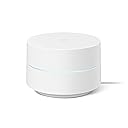
| ASIN | B08GGBZNZ5 |
| Antenna Location | Business, Home |
| Antenna Type | Internal |
| Best Sellers Rank | #626 in Computers & Accessories ( See Top 100 in Computers & Accessories ) #27 in Whole Home & Mesh Wi-Fi Systems |
| Brand | |
| Built-In Media | Router |
| Color | Snow |
| Compatible Devices | Personal Computer, Printer, Tablet |
| Connectivity Protocol | wi-fi |
| Connectivity Range | 1500 square_feet |
| Connectivity Technology | Wi-Fi |
| Control Method | App |
| Controller Type | Google Assistant, Nest |
| Coverage | 1500 square feet |
| Customer Reviews | 4.5 out of 5 stars 15,288 Reviews |
| Data Transfer Rate | 1 gigabits_per_second |
| Frequency | 2.4 GHz |
| Frequency Band Class | Dual-Band |
| Item Dimensions L x W x H | 5.04"L x 4.94"W x 4.92"H |
| Item Type Name | Networking Device |
| Item Weight | 340 g |
| LAN Port Bandwidth | Gigabit Ethernet |
| Manufacturer | |
| Maximum Upstream Data Transfer Rate | 500 megabits_per_second |
| Mfr Part Number | GJ2CQ |
| Model Name | Google Wifi (2020) |
| Model Number | GA02430-US |
| Number of Antennas | 2 |
| Number of Items | 1 |
| Number of Packs | 1 |
| Number of Ports | 1 |
| Operating System | Google proprietary firmware |
| Other Special Features of the Product | Guest Mode, Internet Security, Parental Control |
| Router Network Type | Mesh |
| Security Protocol | WPA3 |
| Special Feature | Guest Mode , Internet Security, Parental Control |
| UPC | 193575004693 193575014333 |
| Unit Count | 1 Count |
| Voltage | 240 volts |
| Warranty Description | 1 Year |
| Wi-Fi Generation | Wi-Fi 5 |
| Wireless Communication Standard | 802.11ac |
| Wireless Compability | 802.11ac |
J**.
As an IT professional for over 40 years, I have to say I am impressed.
I had been an IT professional for over 40 years, and am now retired, but remain the IT professional for my household. In that time, I have had to set up many different routers to provide internet service for my home with multiple Alexa devices, Internet TV, and multiple PC's often running at the same time. We have a large, 4500+ square ft., home with two stories and a basement. Our basement has 3 large rooms with concrete walls that have caused dead spots in most parts of the basement. Internet on the second floor works, but devices often need to be reconnect to establish a new connection. I have tried multiple internet extenders and access points that usually worked sporadically. Having to constantly reconnect them and reestablish a connect was frustrating, and I finally gave up on them. I found out about the Google Mesh WIFI system and decided to look into them. I debated on the higher priced system that units include speakers and voice, but decided on this one since we have so many Alexa devices in our home. Another consideration was the cost of the upgraded system since 3 units costs 2 1/2 times more than this one. If you have a number of Google devices it may be worth the extra cost. All I wanted was a dependable WIFI system that would deliver WIFI to our entire house with no dead spots. I am so happy that I chose this WIFI system. After I downloaded and installed the Google Home app, it took me all of 15 minutes to set up the system, and at least 10 of those minutes was used to find the best locations for the satellite units. The app really does it all. There was no setup of the ISP - it was just so simple anyone could set up this system with absolutely no knowledge of setting up a router. You don't have to fool with an internet connection to router software- it's all in the app. Just connect one unit to the Ethernet cable you would connect to the router and scan the QR code on the unit with your phone. After the router unit is connected, plug in the satellite units to electricity and select + at the top left of the screen in the app to add each satellite. I did notice that I had to wait until the light on the new unit stopped blinking and it was finished booting up before connecting. After all of the units are connected, you can check the connections of each and move the units to get the best connections to all of them. Since the Google Home app is also used for the upgraded system, there are a lot of options that don't apply to this system. At this point, I couldn't be happier with this WIFI system. We now have fast internet in every corner of our house, including all of the rooms in the basement. I also tested the this system by taking one of my tablets out to the furthest end of our patio which is 60 feet from the router. I was still able to stream Netflix video with no lag. I should also mention that with this system and router, you don't have a choice on the connections between 2.4 GHz and 5 GHz. The system automatically uses the 5 GHz connection unless the device is too far. Then it will automatically switch to the 2.4 GHz connection. Knowing this is helpful if you need to initially connect a device that uses only 2.4 GHz. You need only to get far enough way from the router for it to switch the the 2.4 GHZ band. After the initial connection, the device will automatically connect to the 2.4 GHz band. When connecting a computer, you don't have to choose a band width, only your network name. I am super happy with this WIFI system, and would highly recommend it. For the first time in years, we have internet service in every area of our house and for an extended area outdoors. Setup was so incredibly easy - so much easier than setting up a router. In addition, the WIFI signal is much better than ever before when checking it with the internet speed tests. Although we have been paying for 10 mbps download, previous to getting this system, our speed was 4-5 mbps. Now, we consistently get 7-9 mbps according to the speed tests. We watch internet TV and no longer have times the programs buffer. In addition, the TV doesn't cut out if we use the microwave. To-date, we have not had to restart any of the devices to get a WIFI signal on any of the 3 floors in our house. UPDATE 8/10/21: We have been using this system for over 2 months, and, to-date have not had to reboot any of the 3 modules. When watching TV (all internet apps), there has not been any buffering even when we use the microwave. The only minor problem I have had is in setting up a device that will connect only to a 2.4 GHz connection. Most peripherals now will use both 2.4 GHz and 5 GHz, so this usually isn't a problem. I did manage to get this device connected using the method described above. At this point, I am thrilled with the performance of this system. Since I am the techy in my house, this means less trouble shooting and less problems for me. UPDATE 01/14/22: We have been using this WIFI system for about 8 months, and I can now say that it is the best we have ever had. I have tried all of the "high-end" routers, and have never had the great connection to WIFI throughout the house that we have now. Since getting this system, I have rebooted the main router only once. With all other routers we have had, it was a regular thing. We use only internet services for our TV, and since getting this system, there has been absolutely no buffering problems. The WIFI signal reaches every part of our 3 story house, and our devices have not had to be reconnected because of connection problems. There are enough problems in life to spend time trying to resolve WIFI connection problems. It's so very nice to not have this problem anymore. I hope this review was helpful for you. I will update this review if my opinion changes.
A**1
Easy to set up; download speed dramatically increased compared to old router
I had been in the market for a mesh wifi system for a few months, since my house has a fairly large footprint for its overall size. I knew that I absolutely did NOT want something with smart speakers built in, so after doing some research, I decided to go with the most recent version of Google Wifi. Setting it up was incredibly easy. I already had the Google Home app, since I use it to cast my phone screen to my TV, so it was just a few clicks to get the initial point set up. After plugging in the other two points, it took a couple of tries for the app/network to actually detect them, but each attempt only took about five seconds. After that, it tested the mesh network, did some updates for about ten minutes, and I was up and running. I kept the same wifi name and password so I wouldn't have to change any of my devices over; weirdly, my Insignia Fire TV Edition was the only device (out of about twenty) that needed to be reconnected. All of my devices, no matter where they are in my house, now have a much stronger connection. I can also walk completely across my house without the signal dropping off, and the dead spots immediately outside of my house seem to be significantly reduced, if not gone. Additionally, my download speed dramatically increased compared to my old router (admittedly, said router was purchased in February 2016, so its age may have played a role). I haven't really done anything with the wifi settings in the app yet, so I can't say how well they work, but I like how easily accessible they all are. The devices are all very small, so they won't get in your way or take up limited space, and are also aesthetically pleasing, so you won't feel compelled to hide them (and negatively impact their connectivity in the process). Overall, I'm very happy with this. Setting up takes about thirty minutes at the most, and it's extremely easy to do. The wifi signal is great, and the connection seems very fast. I'd definitely recommend this to anyone looking for an affordable mesh system, especially if they want to avoid anything with smart speakers.
J**M
No more Dead Zone and It Looks Great
Ahoy, tech enthusiasts! Gather 'round as I spin the yarn of the Google Wifi AC1200 Mesh WiFi System – a true maestro in the symphony of seamless connectivity. Let's dive into the nitty-gritty of this technological marvel. The beauty of Google Wifi lies in its ability to cast the net of reliable Wi-Fi coverage over the entirety of me humble abode. With its mesh technology, dead zones walk the plank, and every nook and cranny is awash with the soothing waves of uninterrupted connectivity. It's like having a fleet of signal boosters ensuring smooth sailing for all devices aboard. The aesthetics of this contraption are no less impressive. The modern design, sleek and unassuming, blends seamlessly with the decor of me ship – I mean, home. No longer does the router need to be an eyesore; it's a beacon of contemporary tech elegance. The minimalist design ensures it sits pretty without drawing unwanted attention, like a stealthy pirate ship amidst the waves. Installation, my savvy shipmates, is a breeze. The setup process, akin to hoisting the Jolly Roger, is swift and straightforward. The accompanying app, a trusty first mate, guides you through the seas of network configurations with ease. No need to navigate treacherous manuals – the Google Wifi app charts the course. The user interface is a treasure trove of insights. With the app, ye can monitor the devices on your network, check their data usage, and even control their access – a captain's dream for maintaining order in the digital realm. As for performance, the Google Wifi AC1200 is no slouch. With dual-band Wi-Fi supporting AC1200 standards, it ensures a speedy and reliable connection for all your devices. Streaming, gaming, or plundering the web – it handles the digital seas with finesse. In conclusion, me hearties, the Google Wifi AC1200 Mesh WiFi System be a modern-day marvel in the world of connectivity. With its blanket of reliable coverage, sleek design, and user-friendly interface, it's a true flagship in the fleet of routers. Aye, for those seeking a seamless and stylish solution to conquer the digital seas of connectivity, the Google Wifi be a worthy companion on the tech voyage. Anchors aweigh!
S**M
Solid Mesh Wi-Fi System with Great Coverage—Just Make Sure You Have the Right Setup
I’ve been using the Google Wifi AC1200 mesh system (3-pack), and it’s been a really solid upgrade for my home. The coverage is excellent—rooms that used to have weak or spotty Wi-Fi now have a strong, reliable signal. Setup was simple and fast, and the app walks you through everything in a way that makes it almost impossible to mess up. One thing I learned pretty quickly, though, is that you need the right router or modem setup for this system to work the way it’s supposed to. If your existing hardware is old or not compatible, you won’t get the full benefit. Once I paired it with the right setup, everything ran smoothly. The mesh network keeps devices connected automatically as I move through the house, and speeds stay consistent without random drops. For everyday streaming, working from home, and general use, it works great. Overall, I’d put this at about a 4.5 out of 5. It’s reliable, covers a big area, and is easy to use—you just have to make sure your router situation is correct before expecting perfect results.
M**Z
Reliable Performance, But Not What I Expected ⭐⭐⭐⭐
Overall, this is a good WiFi extender and it does what it’s supposed to do. The setup was simple, and it helped extend my WiFi signal in areas where the connection was weaker. The reason I’m giving it 4 stars instead of 5 is that I originally bought it hoping I could connect it directly to my work computer and move freely around the house. Unfortunately, the Ethernet connection still needs to be connected to the main router, so it didn’t work for my specific setup. Other than that, it performs as expected and is a good option if you’re simply looking to extend your WiFi coverage.
J**E
Good beginner mesh system
I love this mesh system! Very easy to setup and use! I know Google moved on from this system but the Nest products do not seem quite as reliable for some reason. Also, the ports on this system make them more attractive for use around the house.
C**.
Actual coverage
While most reviews about this Google Mesh Network focused more attention on how easy it is to set up their new networks, And I certainly appreciate that information, I was far more interested in seeing reviews on effective signal coverage and distance between routers and access points. In my case, I have s wireless WiFi security camera outside, and also needed better coverage on patios outside the walls of the house to use phones and laptops etc. The house is 2800 sq ft plus an 1100 sq ft separate detached garage and working area. The exterior walls are made of 16 inch thick clay adobe, which like more common brick and masonry walls present a challenge for getting a good WiFi signal outside. The system being replaced was centered around an Apple Time Capsule router that was OK through about half the house and very marginal to weak on the patio just outside the house. The best signal on the security camera was around 55% and iPhones would frequently loose their WiFi connection and drop phone calls. For fair comparison the first thing I did was to get a single Google router pod up an running in the exact same location as the old Apple router being replaced. The result was that it had ranges very similar, probably pretty close to the advertised 1500 sq feet. This was a positive thing because some reviewers felt range from a single puck was inadequate. Next I connected and meshed the remaining two access points to the system and placed them between 30 to 40 feet away from the main router puck, but still more or less within line of sight to the main puck. The results were outstanding and far exceeded my expectations both inside and outside of the house! We now have very solid WiFi coverage on the patios and well beyond for the wireless camera. Signal went from a best case of 55% to more than 90% giving solid video connections without the drops in service. In fact I tested coverage out to 135 feet from the exterior walls of the house which opens up many options for better camera placement that we never had. Likewise, I had very good coverage on the iPhone well beyond the patio and down the long driveway. This is wonderful because cellular coverage around the house and property is weak and often drops calls. Not any more since this new WiFi network takes up the slack! Throughput speed testing is showing roughly the same maximum speeds but within a much expanded area. I didn’t see any decline in speed as reported by some reviewers. Bottom line is that the Google mesh system works and I am amazed at the increase in signal strength over the old system. Our coverage problems are solved. My only complaint or wish is that the Google Home app would give an indication of exactly which access point or points are active with a given device. This would help greatly during setup and help with best placement of the access points/router. Google engineers, I hope you are listening.
J**S
Mesh wifi ac1200 from Google
Its like a back up wifi when your main network is having signal issues.
L**E
Muito facil e rapido de instalar!
Recomendo! Aumentou consideravelmente o sinal da internet Agora tenho sinal de qualidade em todo terreno da casa e ate em areas comuns no condominio como salao de festas, piscinas e quadras.
م**ي
الفيش
الفيش ثنائي ارجو الانتباه من الخيارات
N**N
Amazing Product!
Amazing product, delivered before time, properly packaged. Very easy to install and total control through an application.
P**Y
was my first choice but ..
i thought to buy Wifi mesh to solve the dead spots issues behind concrete walls , well , this system didn't solve it . i would say any other system that dose not support a wired back-haul connection will also not solve it . it has a premium build quality and very intelligent software and will work amazingly in open space , but if you have concrete walls in your home , don't waste your money. the only solution is to buy a system where you can connect all the nodes with main unit through a wired connection .
H**Z
Prácticos y fáciles de configurar.
Son fáciles de instalar y configurar con la aplicaciónde google. Se necesitan mínimo 2 piezas para que funcione la red. Yo tengo 3 piezas y la verdad si ayudó a estabilizar la red y velocidad del Internet en mi casa. Ya no tengo perdida de señal ni lag al jugar en línea. Son algo pequeños y no ocupan tanto espacio. Si recomiendo el producto.
Trustpilot
1 week ago
2 days ago