Desertcart purchases this item on your behalf and handles shipping, customs, and support to Slovakia.
🚀 Upgrade Your Connection, Ditch the Wi-Fi Woes!
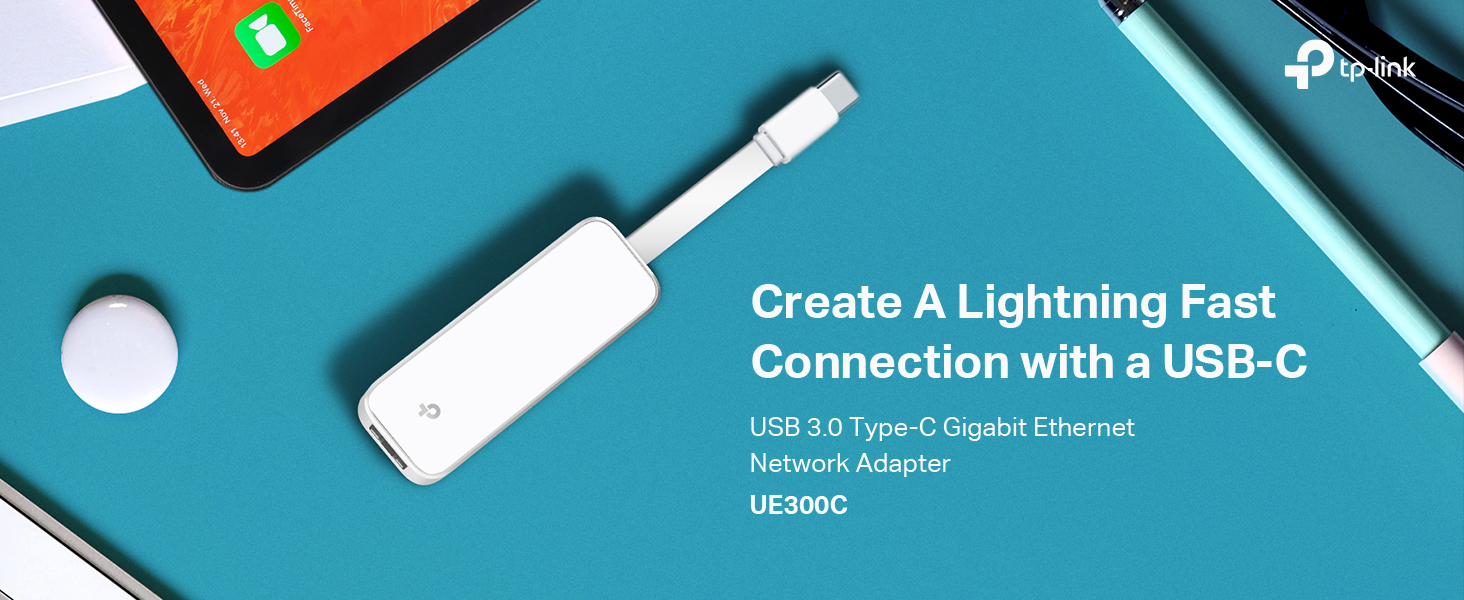
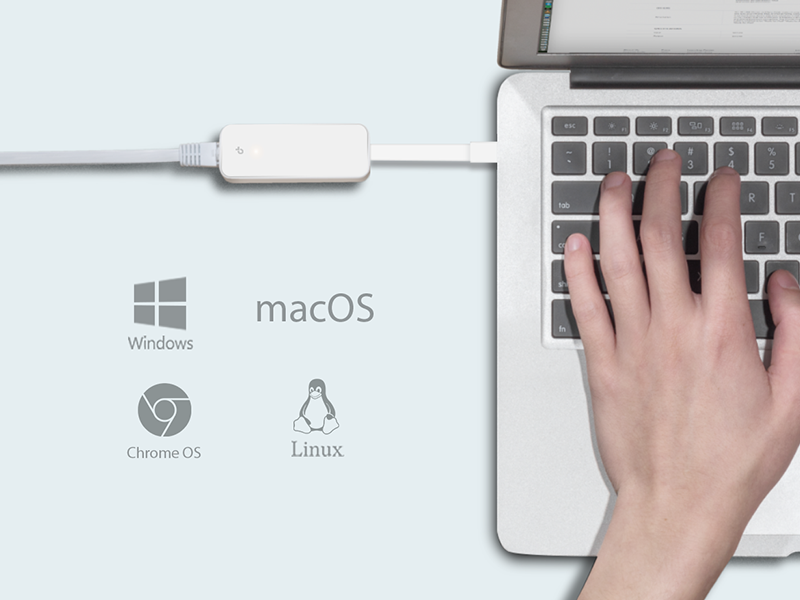
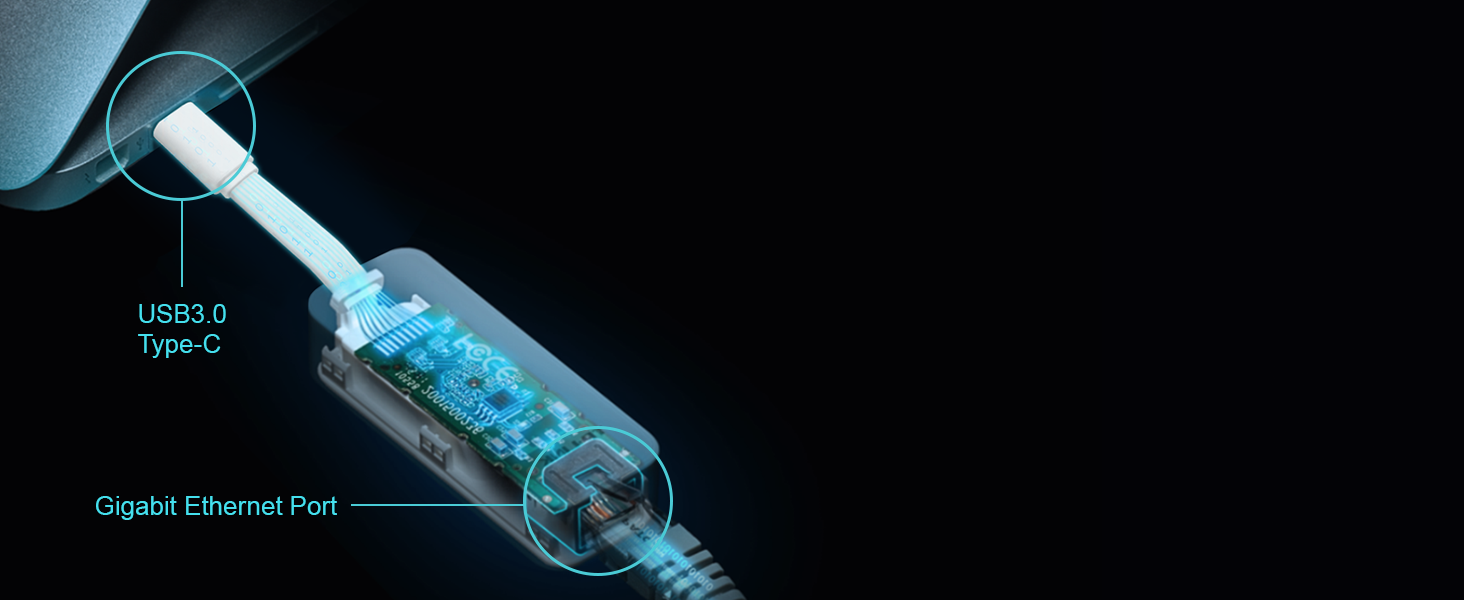
The TP-Link UE300C USB-C to Gigabit Ethernet Adapter delivers stable, high-speed wired internet up to 1 Gbps through a USB-C 3.0 port. Its compact, foldable design makes it perfect for professionals on the move, offering broad compatibility with major laptops and tablets. Plug-and-play functionality requires no drivers, ensuring instant connectivity across Windows, macOS, Linux, and Chrome OS. Ideal for remote work, streaming, gaming, and large file transfers, this adapter combines portability, speed, and security in one trusted device.


| ASIN | B08HQBC678 |
| Best Sellers Rank | #31 in Video Games ( See Top 100 in Video Games ) #1 in Nintendo Switch Cables & Adapters #1 in Laptop Network Adapters |
| Brand | TP-Link |
| Built-In Media | 1 x USB Type-C to RJ45 Gigabit Ethernet Network Adapter UE300C, 1 x User Guide |
| Color | White |
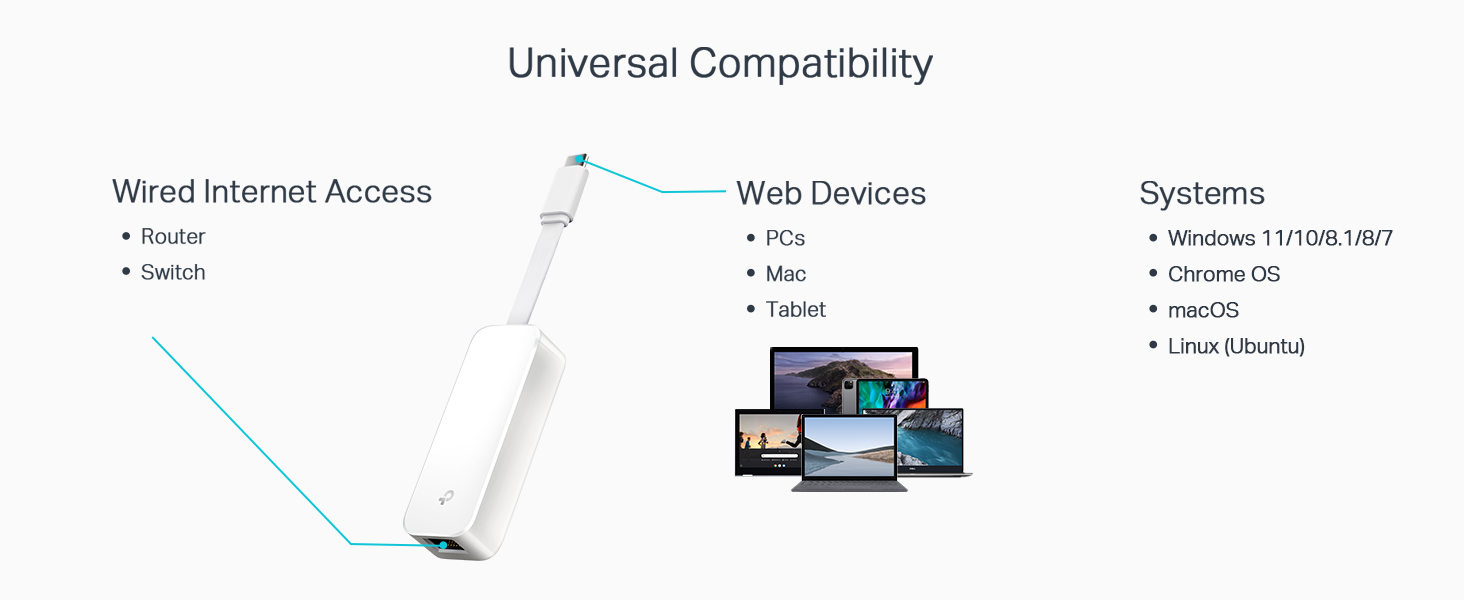
| Compatible Devices | Laptop, Smartphone, Tablet |
| Compatible Operating System Family | Windows |
| Customer Reviews | 4.6 out of 5 stars 4,871 Reviews |
| Data Link Protocol | Gigabit Ethernet |
| Data Transfer Rate | 1 gigabits_per_second |
| Hardware Interface | USB Type C |
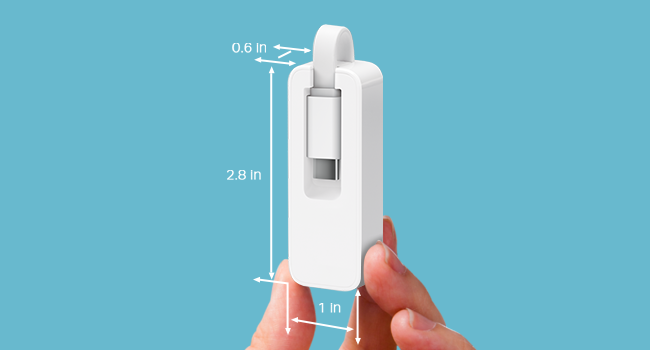
| Item Dimensions L x W x H | 2.8"L x 1"W x 0.6"H |
| Item Type Name | USB-C to Ethernet Adapter |
| Item Weight | 18.14 g |
| Manufacturer | TP-Link |
| Mfr Part Number | UE300C |
| Minimum Required Operating System Version | ChromeOs 134, Ubuntu 18.04 Bionic Beaver, Windows 10 |
| Model Number | UE300C |
| Number of Items | 1 |
| Product Dimensions | 2.8"L x 1"W x 0.6"H |
| UPC | 840030701511 |
| Unit Count | 1 Count |
| Warranty Description | 2 year manufacturer |
M**N
Plug-and-Play Wired Internet for USB-C Device's, Much More Stable Than WiFi
After using the TP-Link UE300C USB‑C to Ethernet Adapter, I honestly wish I had bought it earlier. For anyone who relies on a stable internet connection, this tiny adapter makes a noticeable difference compared to using WiFi alone. One of the best things about this adapter is how simple and truly plug-and-play it is. There’s no setup process, no drivers to install, and no complicated configuration. I plugged it directly into a USB-C port and connected the Ethernet cable, and the device immediately recognized the wired connection. Internet was up and running within seconds. It works perfectly with USB-C devices, including laptops and tablets. I tested it with newer devices that charge through a Type-C port, and it connected instantly. Even with an iPad that uses USB-C, it worked the same way, just plug it in and the Ethernet connection becomes active right away. That kind of effortless compatibility is very convenient if you switch between multiple devices. The connection stability is where this adapter really shines. Compared to WiFi, the wired Ethernet connection is far more consistent. Video calls feel smoother, large downloads are more reliable, and streaming or cloud work doesn’t randomly slow down because of wireless interference. If you work remotely, attend online meetings, transfer large files, or simply want dependable internet, the difference is very noticeable. In terms of build quality, the adapter feels solid despite its small size. The casing is compact and lightweight, making it easy to carry in a laptop bag or even a small pouch. The cable portion is flexible but durable, and the Ethernet port grips the cable firmly without feeling loose. Another highlight is the value for the price. Considering the stability it adds to your internet connection and how widely compatible it is with devices like MacBook Pro, MacBook Air, Surface, Dell XPS, and other USB-C laptops or tablets, it feels like a very worthwhile purchase. Overall, this adapter delivers exactly what it promises: fast, reliable wired internet through a simple USB-C connection. If your device has a Type-C port and you want a more stable connection than WiFi, this is an easy and highly recommended solution.
A**M
Reliable and High-Speed Gigabit Ethernet Connectivity for USB-C Devices
The TP-Link USB C to Ethernet Adapter (UE300C) is a reliable and efficient solution for connecting USB-C devices to a Gigabit Ethernet network. With its compact design, easy setup, and fast data transfer speeds, this adapter offers a convenient and stable wired connection for laptops, tablets, and other devices equipped with USB-C ports. One of the standout features of the UE300C is its compatibility with USB-C devices. It supports a wide range of devices, including laptops, tablets, and smartphones, making it a versatile accessory for users who require a reliable and high-speed Ethernet connection. The adapter eliminates the need for Wi-Fi or the absence of an Ethernet port, ensuring a stable and consistent network connection. The UE300C provides Gigabit Ethernet connectivity, allowing for fast and reliable data transfer speeds. With its support for speeds up to 1000Mbps, this adapter is ideal for bandwidth-intensive tasks such as HD video streaming, online gaming, and large file transfers. It ensures a seamless and lag-free network experience, even when Wi-Fi signals are weak or unstable. The adapter's plug-and-play design makes it easy to set up and use. Simply connect the adapter to your USB-C port, and it will be recognized by your device without requiring any additional drivers or software installations. This makes it a convenient solution for users who value simplicity and ease of use. TP-Link is a trusted brand known for its reliable networking products, and the UE300C lives up to that reputation. The adapter is built with quality materials, ensuring durability and long-lasting performance. The compact and lightweight design makes it highly portable, allowing you to carry it with you wherever you go and ensuring you can always have a reliable Ethernet connection. One aspect to consider is that the UE300C's performance may be affected by the USB-C port on your device. Some devices may have USB-C ports that are limited in their data transfer capabilities or power delivery. It's important to check the specifications of your device and ensure compatibility for optimal performance. In conclusion, the TP-Link USB C to Ethernet Adapter (UE300C) offers a reliable and high-speed Gigabit Ethernet connection for USB-C devices. Its compatibility, fast data transfer speeds, and plug-and-play functionality make it a convenient solution for users seeking a stable and efficient wired connection. With its compact design and TP-Link's reputation for quality, the UE300C is a valuable accessory for users who require reliable Ethernet connectivity on their USB-C devices.
M**Z
Reliable Solution for Faster & More Stable Internet Uploads
I purchased this TP-Link USB-C to Ethernet adapter because I was having issues with slow and unstable upload speeds while uploading YouTube videos over Wi-Fi. Setup was very simple — I connected it to my laptop’s USB-C port, plugged in an Ethernet cable from my router, and it worked right away. The biggest improvement I noticed was stability. My internet connection became more consistent, especially when uploading larger video files. Before using this adapter, uploads would sometimes feel painfully slow or unstable over Wi-Fi. With a wired connection, the experience has been smoother. The adapter itself feels lightweight but solid, and the compact size makes it easy to carry if needed. I also like that it doesn’t take up much space. My only suggestion would be to double-check that your laptop has a USB-C port before purchasing. Overall, if you work from home, upload videos, attend virtual meetings, or simply want a more reliable internet connection than Wi-Fi, this is a great option.
D**Y
The Connectivity Conductor: TP-Link's UE300C, The MacBook Pro's Perfect Partner
In the sleek, streamlined world of the MacBook Pro, TP-Link's USB C to Ethernet Adapter (UE300C) emerges as an essential ally, a necessary addition for those seeking the unwavering stability of a wired internet connection. This adapter isn't just a tool; it's the bridge between the cutting-edge and the classic, merging USB C's modernity with the steadfastness of RJ45 Ethernet. Awarded five stars, it's a small device making a big impact in the realm of connectivity. The UE300C shines in its role as the MacBook Pro's sidekick. It acknowledges the elegance and simplicity of Apple's design philosophy and complements it with its own minimalist charm. This adapter doesn't try to steal the show; it's there to support, to enhance, to seamlessly integrate. Ease of use is a hallmark of this adapter. In the spirit of Apple's plug-and-play ethos, the UE300C requires no complicated setup, no additional drivers. It's akin to a reliable friend; just connect it, and it's ready to go, no questions asked. Performance-wise, the UE300C excels. It transforms your MacBook Pro into a bastion of internet stability, banishing the fear of Wi-Fi dead zones to the annals of history. The Ethernet connection ensures a consistent, high-speed link to the digital world, perfect for uninterrupted streaming, gaming, or data-intensive tasks. Its compact design is a boon for mobility. Slipping easily into a pocket or laptop bag, the UE300C is an unobtrusive travel companion, ensuring you're just a plug away from a stable internet connection, wherever you may be. TL;DR: TP-Link's USB C to Ethernet Adapter (UE300C) is a must-have for MacBook Pro users seeking a stable, high-speed internet connection. With its easy plug-and-play setup, minimalist design, and reliable performance, it's a five-star solution to the Wi-Fi woes of the modern, mobile professional.
P**O
Travels well, fits in a pocket, plug and play.
Works well enough, just not forever. I bought this one to replace another one just like it when it died after about 3 years of occasional use.
C**.
A Quality chipset at an affordable price!
I originally purchased this adapter while it was on a sale that was too good to pass up. After ordering, I researched what internal chipset was being used and briefly considered canceling the order when reading on forums that this supposedly used the older Realtek RTL8153 chipset Once it arrived, I was able to test a few file transfers and review what chipset was being used in System Profiler. To my pleasant surprise, not only was it able to reliably saturate my gigabit switchports, but it's actually using the ASIX AX88179B chipset internally. The biggest benefit of this chipset over the older RTL8153 is the support for Ethernet Frame Aggregation via CDC-NCM. To put it simply, it allows for the chipset to reliably send more traffic with lower overhead on your computer's CPU for faster, more efficient and more reliable throughput. -In the attached image, you can see that macOS recognized the AX88179B and auto-loaded apple's cdc.ncm driver. Ignore the 5 Gb/s link speed, as that is referring to the internal USB interface on the chipset. (Actual Ethernet speeds are capped at 1Gb/s per the chipset's description) Note: I'm not saying "All Realtek Chipsets are bad", I'm just saying the RTL8153 should be avoided if you want a quality adapter for your computer. As far as the TP-Link UE300C goes? It's a fantastic little device that's made well. I wish it came with an aluminum casing instead of a plastic one, but the white plastic is visually handsome and totally justified given the asking price. 5/5! Great little adapter at a fantastic price!
M**T
Nice and works.
Overall Rating: 5/5 Summary: it's a simple adapter from Ethernet to USB C, it works as intended and looks great. • Features: It adapts the signals given from a Ethernet to a USB C device, most commonly needed on laptops without a Ethernet port or phones. It got a led light on top of the logo, so you can see when it's working, that's pretty useful for me. • Ease of Use: Really easy to use, it's just plug and play, USB C is reversible so you can put it either way, the Ethernet only goes one way due to its tab on the connector, so it's impossible to go wrong when plugging it. • Performance: It works, I didn't get to test the speed, but the information does go through, so if you need to know technical information about the speed, better search a little more. • Design: Fairly compact, and it got a space to put the cable end when not using it, got a lil logo on it. That white is easy to get dirty so always make sure that you have clean hands. • Value for Money: I think it could be a little cheaper, but it's still worth it, because it's from a trusted company, so if you don't wanna gamble with other brands, here is one that works. If the item is on a good sale, don't think about it too much and get it. • Customer Support: I didn't have to contact customer support on this product, But TP link is usually good on their service. Conclusion: If you are looking at this product it's because of a need, and this one on specific is the one that I can recommend. Can't go wrong with TP Link.
T**.
Easy to Use
Plug and Play. Great speed improvement over WiFi.
G**Z
Funciona excelente
Debo decir que funciona excelente, no tengo ninguna queja, es sencillo y agarra la conexion correctamente
J**G
Plug n Play Einsetzbar
Installation war super einfach, in USB Port stecken, Netzwerkkabel dran, Fertig. Funktioniert auch beim MacBook Air 2024
R**H
works right out of the box
just plug and play works right out of the box very good speed never drops the connection very good product
B**R
It's good
It's great
O**I
Great USB Network Adapter – Quick Fix for Stable Internet
My laptop doesn’t have a network port, and on top of that, the Wi-Fi signal in my office is very weak. I needed a stable connection, so I tried this small USB network dongle—and it fixed everything! I no longer need to replace my laptop. This gadget is a great and simple solution. Even if your device has an old network card, this adapter can upgrade your connection quickly and easily. Pros: Fixes weak or missing network connection Easy plug-and-play setup Great for laptops without Ethernet ports Works as an upgrade for older network cards Cons: None so far
Trustpilot
3 days ago
1 month ago