🚀 Carry Speed, Security & Style Everywhere
The Samsung T3 Portable SSD offers 500GB of ultra-fast, USB 3.1 external storage with read/write speeds up to 450 MB/s. Its compact 1.8-ounce design ensures portability, while AES 256-bit encryption and shock resistance provide robust security and durability. Compatible across PC, Mac, and Android platforms, it’s the perfect high-performance storage solution for professionals on the move.


| ASIN | B01AVF6UQQ |
| Additional Features | Shock Resistant |
| Best Sellers Rank | #662 in External Solid State Drives |
| Brand | Samsung |
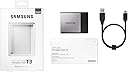
| Built-In Media | Samsung Portable SSD T3 ^ USB3.1 Cable (Plug Type: C to A) ^ Quick start guide & warranty statement |
| Cache Memory Installed Size | 500 |
| Color | Black |
| Compatible Devices | Desktop |
| Connectivity Technology | USB |
| Customer Package Type | Standard Packaging |
| Customer Reviews | 4.6 out of 5 stars 1,261 Reviews |
| Data Transfer Rate | 5 gigabits_per_second |
| Digital Storage Capacity | 500 GB |
| Enclosure Material | Nand Flash |
| Form Factor | Portable |
| Global Trade Identification Number | 00887276133515 |
| Hard Disk Description | Solid State Drive |
| Hard Disk Form Factor | 1 inches |
| Hard Disk Interface | USB 3.1 |
| Hard-Drive Size | 500 GB |
| Hardware Connectivity | USB |
| Hardware Platform | Mac |
| Installation Type | External Hard Drive |
| Item Part Number | MU-PT500B/AM |
| Item Weight | 1.76 ounces |
| Manufacturer | Samsung Electronics |
| Media Speed | 450 megabits_per_second |
| Mfr Part Number | MU-PT500B/AM |
| Model Name | T3 |
| Model Number | MU-PT500B/AM |
| Number of Items | 1 |
| Read Speed | 450 megabytes_per_second |
| Special Feature | Shock Resistant |
| Specific Uses For Product | Personal, Business |
| UPC | 887276133515 |
| Warranty Description | 3Year limited |
A**R
I would love to get my hands on the 2TB model
I am a huge fan of the previous generation of this drive, the Samsung T1. The qualities I look for in external storage are speed, speed, speed, and reliability/durability. I've yet to have a Samsung disk fail, and I've owned and used a small handful over the past 3-4 years. For me, use means ran a full system from, whether it be as a root drive or as a host for a partition with a Virtual Machine on it. I've not yet been able to confirm the durability and reliability of the T3, but I would be surprised if it failed any time sooner than their T1 l ine. Now, for performance. I will let the numbers speak mostly for themselves, but I will say this- the is is the fastest external drive I've ever found or heard of, and it's actually quite faster than many internal SATA SSD drives over 6gbps interfaces. Here are the no BS benchmarks. I was only able to test the 1 TB model as my budget doesn't allow me to buy one of each of the other sizes. That said, I would love to get my hands on the 2TB model! For the benchmark, I'm actually using a 64 bit Linux system and the partition I am testing on is using software encryption, the settings being xts-plain64-sha1 with a 256 bit key size. This benchmark focuses on what I tend to care most about- raw, sustained throughput. Many drives will burst to a certain speed via some caching mechanism, then quickly return to 1/10th that speed. The T1 and T3 devices do not have this issue- or at least their non-cache speed is still blazing fast. Before I get to the numbers, I'd also like to commend Samsung for not setting the device as a CD-ROM type device untilo formatted using their Windows based software. This device was a 1TB disk out of the box, easy to partition however I wanted. Raw throughput peformance via LUKS software encrypted partition: root@debian:/mnt/usb# echo 3 > /proc/sys/vm/drop_caches root@debian:/mnt/usb# dd if=/dev/zero of=tempfile bs=1M count=102400 conv=fdatasync,notrunc 102400+0 records in 102400+0 records out 107374182400 bytes (107 GB) copied, 258.599 s, 415 MB/s root@debian:/mnt/usb# echo 3 > /proc/sys/vm/drop_caches root@debian:/mnt/usb# dd if=tempfile of=/dev/null bs=1M count=102400 102400+0 records in 102400+0 records out 107374182400 bytes (107 GB) copied, 253.642 s, 423 MB/s root@debian:/mnt/usb# dd if=tempfile of=/dev/null bs=1M count=102400102400+0 records in 102400+0 records out 107374182400 bytes (107 GB) copied, 14.054 s, 7.6 GB/s root@debian:/mnt/usb# To interpret these results- the first is a raw write benchmark, writing ~100MB sequentially, with an empty cache. The second is a raw read benchmark, again, with an empty cache. Without cache, these are worst case performance tests. The third test is read peformance with the cache in play. The numbers: 415 MB/s WRITE speed 423 MB/s READ speed 7.6GB/s CACHED READ speed A device at this price that can read/write at these speeds consistently is amazing for anyone who wants to use it for serious I/O. If you plan to backup an entire system, use this drive. Your source drive will probably be the bottleneck, even if it has Samsung 850 Pro drives in it. If you plan to run virtual machines off of this, you should also use this drive. If you're just one of those people that wants the absolutely best value with a preference towards high performance, use this drive. Hope this is helpful. Note this review is from a Linux system- there's no reason the drive should perform significantly differently in Windows, though it is entirely possible there is a special Windows based driver Samsung provides that gives a small boost. VERDICT: very happy, would recommend you buy this drive
P**S
Fantastic External SSD Drive!
These external SSD drives from Samsung are fantastic for anyone whose looking for both portability, reliability, and fast read/write speeds in a small, rugged package. Just how fast are these drives? For my tests I decided to use the Disk Speed Test application from Blackmagic Design. This is a nifty little MacOS application that allows you to easily stress test any drive that you can connect to your computer. First, I started by testing the internal 512GB Apple SSD in my laptop and got a staggering 1604 MB/s write and 2604 MB/s read speed. Those are insane numbers! No wonder these new MacBooks feel so fast. Next, I tested the Samsung T3 and was pleasantly surprised to see quick 392 MB/s write and 404 MB/s read speeds. Sure, that's no where near as fast as the internal SSD, but it's crazy fast compared to traditional spinning disk media. Just to be fair, I also tested my external G-Drive which uses an HGST 7200RPM internal drive. The HGST, as expected, scored woeful slow speeds of only 28 MB/s write and 24 MB/s read. As you can see, these Samsung SSD drives fall nicely between traditional drives and Apple's insanely fast SSD drives. In fact, these are so nice that I've gone all SSD for backing up the internal SSD in my laptop and for archiving my personal files. Yes, you can get twice as much space for half as much money when you buy a 72000RPM platter-based drive. However, the pathetically slow speeds will soon have you pulling your hair out. Do yourself a huge favor and just stick with SSD drives and this Samsung drive in particular. You can thank me later. :-)
A**A
Love it so far!
I have had my old PC's collectively backed up on a single external hard drive. I've always worried that it could crash and I would lose everything. Finally, SD drives are affordable enough to back up my backup! I purchased this T3 drive based on reviews and price. It took me just over an hour to attach both external drives through my laptop and copy everything on one to the other. It was about 250 gigs of pictures and music and videos and old PC content. I saw speeds in the 36 something/second (whatever the speed units are I don't know). But I was pleasantly surprised. The new drive is USB 3, but I'm sure my older disk drive is only USB 2. I figured it would take overnight to accomplish this backup. The Samsung drive got pretty warm but not as hot as my laptops have gotten in the past. And it was never any worse than that. As far as form factor goes, I couldn't believe how small this drive was when I received the package in the mail. It literally fits in the palm of your hand, and in my case, with some palm leftover. I've only used it once for this large data dump but it worked flawlessly, and I am thrilled to have a second copy of ALL of my files...and on an SD drive to boot!!
R**L
Great little hard drive! Man this thing is TINY and works really well
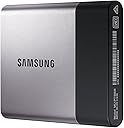
Very happy with this purchase. The drive seems to be of very high quality and has been dependable in the time that I've used it to back up my Macbook Air with Time Machine. It works as described and has the full 500 GB (499.76 GB precisely) as advertised. It is also USB 3.0 and this thing is lightning quick when I use it on my Air - it seems like the files are all transferred in the same amount of time that it takes to eject the drive properly in OS10. As the attached photos show, the drive is extremely small; something I didn't really fully grasp at the time of purchase, which wound up being a welcome surprise. It's also very light, which strictly by comparing the two in my hands while writing this review, has it weighing around 1/3 of the iPhone 6 without case. Bottom line: I'm extremely happy with this purchase and I plan to buy two more to keep at my parents' house and at work as offsite backups. Pictures next to an iPhone 6 for size comparison
C**O
Fantastic if you want to speed up an older iMac with available USB 3.0 ports
No new iMac was released by Apple in late 2016, so I looked into replacing the internal hard drive of our older iMac with an SSD. Then I decided an external SSD might run just a bit slower but would be so simple to install (it's now plugged into a USB 3.0 port and zip-tied to the back of the machine). I've only had this up and running for a day, but here is experience so far. This is fast and it was easy! In fact, I'm surprised just how easy this was (just google it). Plug the drive in on a USB 3.0 port. Erase the drive (a few seconds). Reformat with parameters as directed. Download and install Sierra. Start it up and Apple asks if I want to move everything else over from the internal hard drive. Sure! Next morning get up, enter the purchase key for our Microsoft Office, re-enter our Apple ID password, and this acts just like our old iMac for functionality (all other system info was moved over by Apple) -- except now it's easily running an order of magnitude faster. It's like the computer was brought from near death to excellent health overnight. I was concerned about the cost of this drive (not cheap). Now my only regret is that I didn't buy an SSD sooner. If you're looking to breath a little more life into an old iMac (make sure you have open USB 3.0 ports so they're fast enough to take advantage of the speed), IMO this is a great way to do it yourself with minimal effort and hassle.
T**N
Fast and reliable boot drive
Bought a brand new 2014 mac mini two months ago after my 2009 mini died. The 1TB hard drive in this new mini is 5400rpm and a piece of garbage! Heavy RAM usage and a slow hard drive made this mini run like a sluggish PC and in fact FROZE. Pathetic! Apple ran diagnostics, no hardware or software issues. Apple suggested buying an external SSD drive as the 5400rpm hard drive cannot be upgraded. Apple even knows the 5400rpm hard drive is garbage! I asked Apple to configure the SSD drive with Yosemite as a BOOT drive. Generic web pages loaded instantly and the boot time was shaved down considerably. The Apple tech was even surprised. The SSD drive actually utilizes the hard drives SWAP file superbly allowing heavy usage of Ram without bogging down and freezing! See Activity Monitor if you use this as a boot drive. However, I gave it four stars as I have up to 10 stocks websites open at a time. When 7+ GB of Ram is in use pages load a bit slower. and scrolling can be choppy. If I close a couple windows lowering the Ram usage to 6+GB no complaints here. I did open 14 generic websites simultaneous and ALL pages loaded instantaneously and all were navigated with smooth quick scrolling 6.78GB Ram used in Activity Monitor. For this test, 5 stars. This unit is a Strong Buy. Best
C**M
Best hard drive in the market
This is the best external hard drive out there (June 2017)! It is reliable, light, and surprisingly small. Its speeds are quite impressive and match what is advertised. This SSD also comes with a 3 year warranty which is great in the unlikely event that there is a manufacturing error. It was easy to reformat and works well with my MacBook Pro. My only wish is that it would come with a USB-C to USB-C cable so I wouldn't have to use an adapter with my Mac's ports. I ended up buying USB 3.1 Type C Cable 1FT - 3 Pack, FosPower Reversible USB 3.1 (Gen 2) Type C to Type C Nylon Braided Cord for Nintendo Switch, MacBook, Galaxy S8/S8 Plus, LG G6, Google Pixel/XL, HTC 10 & More to make the connection easier for me. I am also using a Mountie by Ten One Design - Mount Your Phone or Tablet to Your Laptop - an Instant Second Screen for Your Computer Monitor (T1-MULT-109) - Blue to attach it to my MacBook when I am using it for extended periods of time. I keep recommending this drive to friends because it is so great!
G**F
Impressive
I had my eyes set on a Samsung T1 for a long time, but decided to wait until the next generation drive before buying. I picked up the 2TB model of this drive, and am seeing (encrypted) speeds of 360 MB/s write, and 450 MB/s read. Reading reviews of the T1, it appears this is slower than the previous model. Not a huge concern of mine considering I would rather opt for the increased storage (2TB). After initial frustrations with Samsung's required software in order to password protect this drive, I decided to just format it as Mac OS X Extended (Journaled) and encrypt it myself. The drive comes pre-formatted as exFat, but I was unable to encrypt this drive with Disk Utility using exFat because of CoreStorage issues. Formatting as Mac OS X Extended (Journaled), then encrypting the drive worked flawlessly. Having never owned the T1, I'm seriously impressed by how tiny the casing is. They fit 2TB of SSD storage into this tiny package... quite amazing. The included USB-C to USB-A cable allowed me to plug in right away and get going without worrying about compatibility issues if they had used a USB-C - USB-C cable. The cheaper variants of this drive make it a candidate for anyone looking for fast external storage in a tiny package! I might buy some of the smaller models for different backup reasons.
M**P
Impressed with speed and size.
Fast, light, and small. Purchased for use on my Surface Pro 3. I needed an extra drive to install Adobe's Photoshop, Dreamweaver, and the large files I was working on. I knew the Samsung T3 would do the trick, but I'm still impressed with how speedy the Samsung T3 is via USB 3 connection; Photoshop and Dreamweaver, which are rather large programs, load up quickly. The size is also very nice, so small and light that I simply stuck it to the back of my Surface Pro with Velcro (see picture) so that it is always with me but can still be removed to easily share files with my desktop system. Another bonus is that no external power is needed, it is completely powered by the USB 3 connection. I'm very pleased, and have no complaints. A great SSD drive and solution.
A**R
Five Stars
I love it
G**S
Una buena inversión
Si necesitas hacer algún respaldo o te gustaría almacenar fotos y verlas al instante, este SSD es el ideal. Quizá sea muy caro para algunas personas pero vale la pena invertir en él. Las tasas de transmisión para guardar archivos en esta memoria externa son muy rápidas. Para los que son dueños de discos duros externos, como yo, se les hará absurdamente pequeño esta memoria SSD.
A**C
El mejor SSD USB 3.0 que he usado.
Un disco externo súper rápido en USB 3.0. Yo lo compre para mí iMac para usarlo de forma externa y montar el S.O. Para no perder la garantía uso el disco de forma externa, para el arranque e instalar algunos programas. El disco duro interno lo uso para almacenamiento únicamente
C**A
Very Satisfied Customer
With the exception of the price this drive is AMAZING. It comes with encryption software to password protect the whole drive. If you don't need it you could just format the drive and use it without. The SSD drives are blazing fast and I use them to run my virtual machines off my MacBook Pro and my Windows 10 PC. The only cons is that the price is really expensive and I would recommend for the suppliers to see if they could reduce the price. I am very happy with the product however.
Trustpilot
3 weeks ago
1 month ago