Desertcart purchases this item on your behalf and handles shipping, customs, and support to Slovakia.
🎥 Elevate your video presence—anywhere, anytime, in stunning HD!
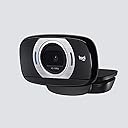
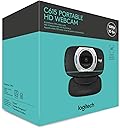
The Logitech HD Laptop Webcam C615 delivers vibrant 1080p Full HD video with a 360-degree swivel and foldable design for ultimate portability. Featuring premium autofocus, a noise-filtering microphone, and broad OS compatibility, it’s engineered for professionals who demand crisp visuals and clear audio on the go. Perfect for remote work, online tutoring, and content creation, this webcam combines flexibility and performance in a sleek, travel-ready package.


| ASIN | B004YW7WCY |
| Antenna Location | Video recording, video chatting |
| Best Sellers Rank | #349 in Webcams |
| Brand | Logitech |
| Built-In Media | Webcam^USB Extension^User Documentation^Software Media |
| Camcorder Type | Webcam |
| Color | Black |
| Compatible Devices | Laptop |
| Connectivity Technology | USB |
| Customer Reviews | 4.4 out of 5 stars 8,754 Reviews |
| Display Resolution Maximum | FHD pixels |
| Effective Still Resolution | 8 mp |
| Effective Video Resolution | 1080 pixels |
| Exposure Control Type | Automatic |
| File Format | JPEG |
| Flash Memory Bus Interface Type | SD |
| Flash Memory Type | Micro SD |
| Flash Memory Video Speed Class | V10 |
| Focus Type | Auto Focus |
| Form Factor | Laptop |
| Global Trade Identification Number | 00097855074805, 10097855074802 |
| Image Aspect Ratio | 16:9 |
| Image stabilization | False |
| Item Dimensions D x W x H | 8.25"D x 3"W x 6"H |
| Item Type Name | Webcam |
| Item Weight | 8.8 ounces |
| Lens Type | Zoom |
| Manufacturer | Logitech |
| Maximum Aperture | 1 f_stop |
| Maximum Focal Length | 1 millimeters |
| Minimum Aperture | 1 f_stop |
| Minimum Focal Length | 1 millimeters |
| Model Name | C615 |
| Model Number | 960-000733 |
| Number of Batteries | 1 Lithium Ion batteries required. |
| Operating System | Windows 8,10 or later, macOS 10.10 or later, ChromeOS, Android v 5.0 or later |
| Photo Sensor Technology | CMOS |
| Screen Size | 2.7 inches |
| Sensor Type | CMOS |
| Shooting Modes | Automatic |
| Special Feature | 360 Degree Capture |
| Style Name | Webcam |
| Supported Audio Format | AAC, MP3 |
| Supported Image Format | JPEG |
| UPC | 097855081407 809392581254 809199908032 097855074805 803982776617 |
| Unit Count | 1 Count |
| Video Capture Format | AVI |
| Video Capture Resolution | 1080p |
| Video Resolution | 1080p |
| Warranty Description | 2 year limited |
| Water Resistance Level | Not Water Resistant |
| White Balance Settings | Auto |
| Zoom | Optical Zoom |
A**E
Great webcam. Portable. Super flexible. Suitable for video recording.
NOTE: Video quality is reduced for Amazon upload. I am NOT using the built-in microphone for the video. You will see the mic samples in my testing clips though! :) Things that I love about this webcam: Tripod Base - Great feature for online tutoring. I can set the webcam on a tripod and point it down to my desk to play games with my student. 3-foot Extension Cord - A great (and almost a must) if you want to use it on a tripod and/or need to move your camera location. Portable - Folding the webcam will cover the lens, so you won't have to worry about damaging the lens during transportation. Small Size - When folded, it is about 2.5 inches in width. About 1.5" in thickness. I have a small hand, but this thing is small! 360 Degree Flexibility - Gotta love how flexible it is! You can adjust it in any way to sit it on a laptop. You can rotate it 360 to find the perfect angle you are looking for. Decent Microphone - Better microphone than my computer's built-in microphone that is for sure. Please see the video for a testing sample. Auto Focus - Auto focus for me is a bit iffy. When showing an item, sometimes it works wonder, other times it can take a while to adjust. When just doing a video chat, it focuses on me perfectly fine. Additional Features: Follow My Face/Pan/Tilt - You can control these features from the software. I don't use them but they are there if you need them. I don't have the testing clip in my overview video, but I do have individual testing clips on my channel. RightSound/RightLight - These two features I leave them checked since they help improving the quality of the video quality. But in case you want to reduce your quality for whatever reason, you can turn them off ;D Manual Focus - You can use the slider from the software controls to move the slider to adjust the focus point. Things that I wasn't expecting: The webcam is advertised as 1080P, but if you are planning on using the 1080P for video recording, you might run into the problem of having to wait for a long time for compression if your computer is average like mine. There is no cancel option while it is compression either. My computer spec is the following: Intel Core i5 M430 Memory: 4 GB OS: Windows 7 Professional 64-bit But I do want to point out that 720P was sufficient for my video recording at the time. I bought the webcam back in August 2013. Overall I am very happy with the webcam. I love the built and the quality. Great little webcam that helped me finished my video project back in the days.
J**J
Perfect For Working From Home
I recently purchased the Logitech HD Laptop Webcam C615 and am thoroughly impressed with its performance. The fold-and-go design makes it incredibly easy to take wherever I go, and the 360-degree swivel allows me to adjust the camera to any angle I need. The 1080p camera is crystal clear and provides sharp, detailed images whenever I use it. I use this webcam for video conferencing, which is a game changer. The quality of the video is so good that it makes it feel like I'm in the same room as the person I'm talking to. The autofocus feature is another excellent aspect of this webcam. It ensures that I am always in focus, no matter how much I move around. The built-in microphone is also perfect and picks up my voice clearly without background noise. One of the things I appreciate the most about this webcam is the lack of software needed to install it. As a result, it was a breeze to set up and use, which is especially important since I'm not the most tech-savvy person out there. Overall, I highly recommend the Logitech HD Laptop Webcam C615 to anyone needing a reliable and high-quality webcam. It is an excellent investment for anyone needing to video conference regularly or even for casual use. The fact that it is reasonably priced only makes it even more appealing.
S**T
Works great if you persevere through the bugs
This WebCam works great. It is a terrific value and the hardware gives you a sharp clear image. I think it's a great product but I did have one problem with it that wasn't mentioned in the setup instructions. I'm running a custom-built Asus P8Z68-V running 64-bit Windows 7 which was set up for photography and video editing. The install for the C615 required download since only Windows 8 is supported on the disk. I have never had an install problem with any software before until the installation of the Logitech C615 and I have over 120 gig of programs alone installed on SSD. The install for the C615 failed 4 times in a row. 3 of those resulted in a BSOD and one install failure required me to run the Windows repair utility (which said it was unable to repair anything). When I repeated the install after a BSOD shut down, the install would apparently proceed to completion but the WebCam was not detected (yes, it was plugged in). I finally discovered that the C615 would work depending on which USB port it was plugged into. Apparently all the install problems were strictly dependent on whatever rear panel USB it was plugged into. Worked fine off the front panel USB. I shifted around USB plugs and finally found a different rear USB plug that the C615 worked with. i,e. that would not result in a BSOD halfway through the install. After working through all that, the C615 is worked flawlessly. While I'm happy with the hardware, the install was a nightmare and I would've appreciated heads up that the hardware is sensitive to whatever USB is used. Note that I did specifically use the rear panel motherboard USB plug-in to avoid any issues with USB hubs. obviously, it didn't like the 1st USB but had no problems with the 2nd. Whatever I plugged into the 1st USB works fine. The C615 was touchy and there is nothing in the documentation to indicate there could be an issue. I deducted one star because of that. apart from the install, the hardware and software has performed perfectly. I purchased this product in April 2013 and posted this review in October. It's worked flawlessly for 6 months and I have every expectation that it's longevity will be excellent. One other note: I primarily use it to Skype and I've had comments that my voice has an echo when I use the onboard microphone in the C615. My voice is clear and the pickup is very good (considering the distance between where I normally sit and the monitor where the unit is perched) but the echo is only there if I use the onboard mic. If I switch to my headset mic, there is no echo. I think the onboard microphone in the C615 is very sensitive which would normally be an excellent attribute but in my case, my office has a tile floor and hard surface walls which contribute to a small but noticeable echo. It's less a function of the microphone than the environment it's used in. As I said, it's sensitivity would normally be an excellent attribute.
D**B
Great with Macbook/Youtube, but it can be tricky.
First I'll go over the camera itself, and then how it works with my Macbook. The camera is easy to use right out of the box. You'll quickly figure out every pivot it has, and how to hook it up to your laptop or tripod. With the tripod I suggest holding the camera to the base, and then using the screw key underneath the base to screw it in. With larger cameras it's easier to turn the whole base, but this was difficult with this type of camera. Macbook related features: I initially tested the camera out with Photo Booth, and it worked great. The autofocus does a good job of keeping the subject clear, and I didn't notice it to be overly sensitive to slight movements. iMovie '09: iMovie only recognizes the built in iSight camera, and cameras that use firewire/a special codec that isn't present with this camera. I believe this is true with all recent versions of iMovie. I wish I hadn't upgraded from iMovie HD, but I don't think that would change anything. This was the tricky part... Solution to iMovie issue is Quicktime! You can record with Quicktime... Seems odd for Apple to have it setup that way, and is a bit confusing. That being said, it turns what initially seems like a huge issue into a non-issue. Youtube/Google+ Live Hangouts: This was somewhat disappointing, but once again isn't the camera's problem. To actually get true 720P video for live broadcast hangouts the Google software requires a processor with with dual cores with hyperthreading/dual threading or a quad core processor. It doesn't say this upfront. It just says that you need a dual core processor. I have a standard dual core processor, so my video quality was cut in half. Like many things with Youtube/Google I believe they built in this feature to keep every person from uploading high quality material. It's a free feature they offer, but they don't tell you upfront that you better be popular/wealthy if you want to get high quality video. They do the same thing with standard video. They suggest uploads at 8,000 kbps unless you have an "enterprise quality connection". Then they'll allow you to upload up to 50,000 kbps. That's over 6X the video quality, and is made available to their big earners. This makes it difficult when starting out on Youtube. In conclusion. The webcam is a great product, but understand your system(s) requirements.
A**G
Works on Windows 7
I was hesitant to order this webcam based on some reviews from past years, but I'm glad I went ahead with it, so here's a bit of an update from 2022: I'm running Windows 7 on an older PC, from around 2009. 64-Bit Operating System with 8 GB of RAM. It's a small Dell tower so it sits on my desk (meaning the short 3' USB cord is not an issue from me, but be warned that it is hardwired into the back of the camera and the cord is in fact short as other reviewers have stated). I have speaker/headphone capability but no built in audio mic. I only needed a webcam for video chats, nothing fancy and was mostly comparing to the built-in webcams on my Mac machines that I use for work. This met all of my needs. Whatever was stopping older models from being plug & play seems to have been resolved, at least for Windows 7. The drivers installed automatically once plugged in, and Zoom, Google Meet, and Discord all recognized it right away. I haven't tested it with every platform available but the computer seems to recognize both the video & microphone. The picture quality is good enough for the purposes of video chat. It even did very well in my room where I am typically backlit; the other built-in webcams I've used require me to have a light on my face and the light behind me turned off, but this one managed just fine, which I appreciated! I also received good feedback on the audio quality, so no issues on that end either. The webcam doesn't have a clip to attach to the monitor so I ended up using a command strip, and this thing will be unplugged while not in use as it also does not have a privacy cover. We'll see how long it lasts, as that's the only thing left to really tests, but time will tell on that front. For now, it's doing its job.
A**.
Everything should be this easy to use.
Worked out of the box with Windows 7, 8, 8.1. Bought 3 cameras, one for myself, one for my father, and for my sister, and all are still working 27 months later. Image quality is very good as is the built-in microphone for conversation/conferencing. Does not suffer from the common tries-to-autofocus-frequently problem when used with the windows default drivers. I've never used the included software so I can't speak on its performance. Easy to use; plug in and you can start video skyping or google hangouts, Windows does most of the work and usually selects the default device properly for you. It just works. The only caveat here is it may need a small desk tripod for thick displays, greater than about an inch deep at the top, or ones with a shallowly angled back side that may prevent the camera from sitting. It takes a standard camera mounting screw like on a digital camera. Update, 5 years later: This has been a great camera. It worked perfectly until Windows 10 update 1809. Now Microsoft is forcing the use of its mediated camera API which doesn't seem to work with this device. I won't take a star off for something Microsoft did.
J**N
Comes with a 3 Foot Cord
I will begin by saying that this webcam is PERFECT for laptops w/o cameras. Which basically no longer exist.. But, this was mfg in 2011, so, yeah. Great if you have an older laptop w/o camera. I believe Logitech should be advertising this thing as having a cord that's much too short to use with a desktop. Cons 1. The cord is hard-wired, lol, so you can't even get a bigger one for it. The only way to plug it into something that is farther than 36" away is with an adapter, which would have to be USB female on one end and USB male on the other. Sitting on top of my monitor in the middle of my desk, the cord barely hangs over the side. Come on Logitech. How cheap can you possibly get? I realize it's just under $30, and that's awesome. That's why we're here reading the reviews on the freakin thing and it's why we bought it. Good, trusted brand, very inexpensive product. Woo! I have to say though, it is incredibly disappointing to see a company you've trusted and appreciated, and basically loved for so long putting 3' cords on these stupid things just to save money. I've always sworn by Logitech to people, because they've been my go-to for computer sound, mousing, keyboarding, listening, recording, all sorts of things - Always Logitech. I'm not saying that will suddenly change, but now I'm going to have to be concerned every time I buy a dang product for fear of receiving something stupid like this. Now, let's see what 20 years of die-hard loyalty gets me when I try to return it. Will update if they give me any probs. Otherwise assume all went perfectly fine with the return. 2. This camera does NOT include a tripod. Idk why ppl say Logitech said that it does. Maybe they used to say it included one and then changed the description? I hope not... In any case the description clearly states that it is ready for a tripod, not that it comes with a tripod. But it does have the female port for the tripod on the underside. So. Buy a tripod and screw it in or buy a different webcam with a tripod. 3. No security shutter! No way to cover the dang thing up when you're not using it! NO BUENO!!! I really should have paid more attention lol. I'm sorry but I have no useful information about quality. I'm sure it's great. Logitech does make quality stuff without a doubt. I have not had any complaints in 20 years until this cord thing. Doesn't mean it's not a great camera, especially for $30. FYI: I almost hate to say this but I went to Wal-Mart to look for another Logitech webcam and only found ones that were at least $60. I won't tell you the brand, but, for $27 I got a ring light webcam w/1440 resolution and it has a 6' cord. Update - ended up paying $200 for a Logitech Pro something or other. Ya get what ya pay for. They're really charging way too much for their stuff though.
J**N
Another great webcam from Logitech.
Okay, I'm an admitted fan of Logitech and have been using (and unintentionally collecting) their webcams for years. The C615 is one of their very best. It will stream video with services like Skype at 720p and record video at 1080p. It is small, folds into a very compact package, can be mounted almost anywhere and, joy of joys, has a tripod socket! The webcam swivels 360 degrees and can be adjusted through a wide tilting arc. The lens is tack sharp and capable of extreme close-ups. The monophonic noise-cancelling microphone does a great job. Colors are excellent and the unit does a great job of compensating for common lighting problems, such as a bright overhead lighting fixture sitting above a balding or bald head. All that bare skin retains color and detail under the bright lights. There's a longish USB cord attached to the unit and, I suppose in deference to the tripod mount, an equally long USB extension cord. You can go a step up in definition with the C910 or down with the C525. But the C615 is my favorite. More than good enough for everyday use and small enough to go in your travel kid. Logitech, unfortunately, did not include the neat pouch packaged with the older C510. But the unit folds into a pretty much self-protecting bundle or you can throw it into a plastic bag or specialty pouch. On the software side, Logitech has constantly improve its drivers and control panel and in the current iteration, the bugs are gone. Overall, this is one of Logitech's best webcams in a long history of excellent web video devices. Jerry
P**G
Great savings from buying from physical store.
Works well and auto-install. Value for money and good for virtual meetings.
F**N
Excellent Logitech quality product - 4 years and still going strong!!
I bought this for Covid when we all started working from home. Almost 5 years later this thing is rock solid. The picture is amazing the noise reduction is amazing. I don’t have to use a dedicated microphone because the mic on this thing is so good everybody can hear me perfectly. Used with Windows 10 and 11, zoom, ms teams , never any problem. You can waste your money on cheaper alternatives if you like, or you can just buy Logitech quality product. It won’t let you down.
A**H
أفضل كاميرا مقارنة بسعرها
A**S
buena calidad de imagen
Cumple con lo esperado al comprar una camara logitech, vamos una buena imagen y sonido para tener videoconferencia de calidad y muy facil del llevar a cualquier sitio con el diseño compacto.
I**Y
Wonderful!
I had originally ordered this when I had a laptop, but it crashed and now I'm using a very old computer. For the laptop, it was perfect for what I needed. I could take pictures and videos at the click of a button with excellent quality. Now for my old computer, I was very happy to learn that It worked on such an ancient piece of machinery. Although there were a few missing features. The controller panel no longer works and I cannot take videos even with it on the lowest quality. So if you have an older computer be prepared to not get everything that is advertised. For all up to date machinery this product is a dream. The picture is clear and the blue 'on' light is handy to know when your camera is in use. The built in mic. is surprisingly sensitive and can filter out background noise from a relative distance to the speaker. I would recommend this to any who is looking for a high quality web-cam for a decent price.
Trustpilot
1 month ago
2 months ago