Buy anything from 5,000+ international stores. One checkout price. No surprise fees. Join 2M+ shoppers on Desertcart.
Desertcart purchases this item on your behalf and handles shipping, customs, and support to Slovakia.
🖋️ Elevate your digital creativity—because your ideas deserve precision and power.
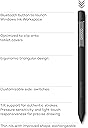
The Wacom Bamboo Ink Plus is a rechargeable active stylus designed for Windows 10 pen-enabled devices, featuring 4096 pressure levels and tilt detection for precise drawing and writing. Its ergonomic triangular design offers comfortable handling, while customizable side buttons enhance productivity. Compatible with most 2-in-1 devices using Active ES and Microsoft Pen Protocol, it charges via USB-C and provides up to 10 days of standby time.
| Average battery life on standby | 10 days |
| Brand | Wacom |
| Colour | Black |
| Item weight | 0.02 Kilograms |
| Material | Bamboo |
| Number of batteries | 1 Lithium Polymer batteries required. (included) |
J**S
Battery needs to be recharged all the time
I also own Bamboo Ink pen with a normal battery and that battery lasts more than 1y with my usage (about 10 hours of taking notes or making corrections per week). This Bamboo Ink Plus with integrated rechargeable battery needs to be recharged every 1 or 2 weeks! So the battery is nowhere near what a normal battery is capable of. The writing and reaction speed is similar as a normal pen, but the poor battery capacity ruins the entire experience.
J**R
It does the basic well but still to pricey for what you get.
Overall I like about this stylus are the textured tip, solid build quality and nice design, replacement tips included, and the three shortcut buttons. Things I don't like would be the jitter when drawing diagonal lines slowly and limited customisation for the buttons. Depending on when you can buy this stylus, it's going to be quite pricey. But in Europe it's even more. If you're just looking for a stylus for writing, or just a general purpose stylus, I recommend the cheaper.
M**N
Funciona perfectamente
C**T
Stylet parfait
Acheté pour une utilisation sur Lenovo L380 Yoga. Le stylet d'origine est fonctionnel mais trop petit pour travailler longuement. Ce styler est parfait. Sa forme triangulaire le rend très ergonomique. Il est léger, rechargeable et le panel de pointes livré avec est génial. Utilisé avec le bloc croquis Windows Ink, OneNote et SketchBook : fonctionne parfaitement. Sensible à l'inclinaison et à la pression. Je vous recommande la version rechargeable. D'une part pour éviter l'achat de piles couteuses et lourdes. D'autre part, vu le prix de la boîte de pointes à l'achat à part, on s'y retrouve vite.
F**Z
Klasse Stift, weitgehend kompatibel zu meinem HP ENVY x360 13-ar0210ng
Der Stift ist zu meinem HP ENVY x360 13-ar0210ng kompatibel, macht keinerlei Probleme - einzige Ausnahme: Die Tilt-Funktion wird von diesem Laptop nicht unterstützt. (da dieses Laptop aber auch bei Wacom nicht als kompatibel aufgeführt ist, gebe ich dafür keinen Punktabzug, schließlich war das von Anfang an klar und zu erwarten). Etwas gewöhnungsbedürftig ist die Position der beiden Buttons am Stift, denn sie liegen genau da, wo ich gewöhnlich den Stift halte. Deshalb passiert es leicht mal, dass man beim Schreiben löscht, statt zu schreiben, weil man versehentlich den unteren Button drückt, der zum Löschen gedacht ist. Nach ein paar Tagen habe ich mich allerdings soweit daran gewöhnt, dass es nicht mehr stört. Großer Pluspunkt ist für mich, dass sich der Stift per USB-Kabel aufladen lässt, sodass man nicht ständig neue Batterien einlegen muss. Es liegen vier unterschiedliche Stift-Spitzen bei, sodass man hier mit hoher Wahrscheinlichkeit einen Typ findet, der zum jeweiligen Display am besten passt. Auf meinem ENVY komme ich mit der "soft"-Spitze am besten zurecht. Schwierig ist eigentlich nur, den Stift letztlich auch produktiv einzusetzen, weil dazu jegliche Anleitung fehlt. Sehr zu empfehlen ist hier die kostenlose App "Sketchbook" von Autodesk, mit der man die Fähigkeiten des Stifts ziemlich ausreizen kann. Für Text-Erkennung ist wohl Onenote die beste Wahl.

Trustpilot
3 weeks ago
2 weeks ago