


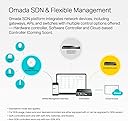

Omada SG3428X, 24 Port Gigabit L2+ Smart Managed Switch
Product ID: 297199749
Details
- BrandTP-Link
- Colorblack
- Included ComponentsSG3428X Switch
- Number of Ports24
⚡4× 10 Gbps SFP+ uplinks
🔗24 Gigabit RJ45 ports
☁️Omada Cloud SDN integration
Desertcart purchases this item on your behalf and handles shipping, customs, and support to Slovakia.
⚡ Power Your Network Like a Pro — Stay Ahead, Stay Connected!
The Omada SG3428X is a 24-port Gigabit L2+ smart managed switch featuring 4 ultra-fast 10 Gbps SFP+ uplink slots, designed for high-performance home or small office networks. Integrated with the Omada SDN platform, it offers centralized cloud management, advanced security protocols, and future-ready AI-driven enhancements, all backed by a 5-year warranty and expert TP-Link support.


| ASIN | B08TRGHZK4 |
| Best Sellers Rank | #73 in Computer Networking Switches |
| Brand | TP-Link |
| Built-In Media | SG3428X Switch |
| Case Material Type | Metal |
| Color | black |
| Compatible Devices | These models are designed to be compatible SDN platforms: TL-SG2008P, TL-SG2428P, TL-SG3452P, TL-SG2008 V3, TL-SG3452, TL-SG3210 V3, TL-SG2210P V3, TL-SG2210MP, TL-SG3210XHP-M2, TL-SG3428MP, TL-SG3428XMP, TL-SG3428X, TL-SX3008F, TL-SL2428P V4 and so on. Compatible Devices These models are designed to be compatible SDN platforms: TL-SG2008P, TL-SG2428P, TL-SG3452P, TL-SG2008 V3, TL-SG3452, TL-SG3210 V3, TL-SG2210P V3, TL-SG2210MP, TL-SG3210XHP-M2, TL-SG3428MP, TL-SG3428XMP, TL-SG3428X, TL-SX3008F, TL-SL2428P V4 and so on. See more |
| Current Rating | 2 A |
| Customer Reviews | 4.6 out of 5 stars 78 Reviews |
| Data Transfer Rate | 1000 megabits_per_second |
| Included Components | SG3428X Switch |
| Interface | RJ45 |
| Item Highlight | 4 x 10GE SFP+ Slots, Omada SDN Integrated, IPv6, Static Routing, Support QoS, IGMP & LAG, 5 Year Manufacturer Warranty |
| Item Type Name | Ethernet Switch |
| Item Weight | 1.95 kg |
| Manufacturer | TP-Link |
| Mfr Part Number | TL-SG3428X |
| Model Number | TL-SG3428X |
| Number of Items | 1 |
| Number of Ports | 24 |
| Platform | DOS |
| Switch Type | Touch Switch |
| UPC | 840030702082 |
| Unit Count | 1 Count |
| Upper Temperature Rating | 158 °F |
| Warranty Description | Limited Lifetime Warranty |
D**H
Great switch for your home/small office network
This is a great value if you are looking to enhance your home network. I picked this item for the 4 x sfp+ 10gig ports that I need to make everything in my home network run smoothly. If you have a couple switches in your home or small office, get the sfp+ ports so you can connect your networking gear with fiber (if possible). I combined this with a PoE switch by the same manufacturer to help cut down on bottlenecks in my home network traffic.
H**Y
I couldn't be happier with this company!
As a home user buying business class equipment (SG3428X), I got in way over my head! The switch itself has worked flawlessly. No complaints at all. But what really made the difference was the support I got from TP-Link! Without these people, I would have had just a big paperweight! I admit I had to make a bunch of calls, but everyone was patient and willing to educate me. So, slowly but surely I got this system up and running the way I wanted, which was pretty complex. There is a lot of hardware out there, but I don't feel any other company provides the support on a level with TP-Link. Color me Fan Boy!
B**R
USB Console issues
Switch seems fine. Good standard management features. I got a v 1.0 hardware It appears to be that some Jetstream devices have USB console drivers that are not included in Linux, and the windows driver is not signed, and not auto-installed. This made me look at my other devices and I found two out of seven devices had this issue, including one of two with the same model number. Probably due to the older hardware version. Waiting to hear back from TP-Link support. Not a huge deal as you can use the included serial console port/cable if you have a supported Com port. EDIT: TP-Link support looked into this issue, seemed to spend a lot of time with it, but is acting like it is a non-issue. To be fair, you can still use the serial console cable and a separate usb serial device.
K**K
SG series of switches from TP-Link
This series of switch equipment supports 10G uplinks and installs easily and quickly
C**N
Amazon shipped USED product for the price of new. Beware of misrepresentation!
It is impossible to purchase new product from Amazon reliably. My purchase was from Amazon LLC directly, not a third party, and they are wholly responsible for their inventory. I installed this switch into my system, and found that several ports were blocked from access, and my Omada controller was unable to find and adopt the switch. I looked back on the box, and found it labelled "shop switch" in ink on the outside of the box. TP-Link needs to address this immediately and definitively. They share responsibility for their supply chain through Amazon, and they are shipping their products in boxes that are not sealed in any way, so it's not obvious if a product has been returned and reshipped. They also should not be showing green lights on ports that are blocked - it makes debugging this kind of problem a pain in the effing ass. There is a mechanism to reset a switch to factory settings, that requires the use of console access via the USB console port or the serial console port. It's tricky to do it via the USB console port, because you can only do it in a very short time after powering up the device. With PUTTY, you must set the correct serial parameters for a serial connection (38400 baud), but not open the terminal until the moment the USB port gets powered up as you plug in the switch. (Windows 10/11 makes an upward-going series of tones when the port gets powered up, and downward-going tones when the port is powered down.) Then you have to bang on the "RETURN" key and hope you catch the timer before it counts to zero. It took me a few tries, but eventually got it. There's a menu given, and you have to select "2" to reset the device to factory settings. That got it working for me, for the moment, but frankly, unless Amazon is going to refund me for sending me used equipment for the price of new equipment, it's going back to Amazon for a full refund. I'm not taking the chance that the former owner had a problem with this equipment and sent it back. After 30 days, I'd have to deal with TP-Link if a problem develops, and can see from other reviews that the RMA process is less than stellar. To the person who wrote "shop switch" on the box, you should take blame, too, presuming you returned it to Amazon for a refund. If there was nothing wrong with it, you should have done the factory reset so the next sucker doesn't lose hours figuring all this out. This was nothing but a $350 headache. I can only hope the next one isn't worse. Caveat Emptor, indeed!
T**C
Thanks
Thanks
S**G
Nice!
Very nice, works as expected. SFP+ ports are a godsend for fast connectivity to servers in my homelab. No product issues till now writing after 1.3 year.
V**A
A solid managed switch! Love it.
For the price point, this switch offers lots of versatility and throughput. Has a good number of 1gig ports plus a few 10gig ports for an uplink and a couple of faster devices. Runs silently and integrates perfectly with the Omada ecosystem and has many L2 and L3 features. The only trade-off is that it doesn't have any PoE ports but that was not an issue at all for me.
T**O
Configurable with 4x 10G SFP+ Uplink
Most affordable switch with a 10G uplink that I could find. With four SFP+ ports you can avoid bottlenecks by having a 10G link back to the router and connect a small number of 10G devices without spending a pile on a full set of 10GBaseT ports being wasted by gigabit devices. That is surprisingly rare in the current market with most vendors having nothing between expensive full 10G switches and simple 1G switches. L2+ features are extensive and cover all of my needs, and the built-in administrative interface makes it easy to configure. I haven’t tried the Omada controller yet as I’m running a mostly Ubiquiti setup and didn’t want to fool around with a second controller, but thankfully that’s optional with this device so it works well on its own. Build quality is excellent and its fanless design is nice and quiet. Currently using it with a fiber uplink to my router and two copper SFP+ modules for a workstation and server with throughput right up at the rated numbers when I push. Only con I can think about is that it’s very slow to start up, but that’s a rare occurrence so not much of an issue.
A**R
Avoid if at all possible
Port speeds as advertised. But please avoid if at all your budget allows. Dlink or Huawei is better. Jetstream advertises a lot of features but there are strange quirks of the system. CLI is similar to Cisco with a few differences. A lot of port settings eg VLANs, Interface settings, etc simply do not work properly. Is it a genuine struggle to set it up as per expectations. 10G randomly decides to switch to 1G. A switch reboot is needed to fix. No amount of config changes on the switch or connected server changes the link speed.
A**X
Great switch for SFP+ and gigabit
This switch is the best for people starting out with 10GBE. The 4 SFP+ ports can support 10g over ethernet but be careful about the lenght the transceivers support. The plethora of features can make it challenging for beginners but it's easy to find any feature you're looking for
Trustpilot
1 month ago
1 week ago