Buy anything from 5,000+ international stores. One checkout price. No surprise fees. Join 2M+ shoppers on Desertcart.
Desertcart purchases this item on your behalf and handles shipping, customs, and support to Slovakia.
🚀 Elevate your WiFi game—fast, secure, and everywhere you need it!
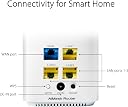
The Asus CD6 AC1500 Dual Band Mesh WiFi System delivers expansive 465m² coverage with dual-band 802.11ac speeds, enhanced security via lifetime AiProtection by TrendMicro, and four gigabit ports for wired connections. Its Adaptive QoS ensures smooth performance for critical tasks, while AiMesh compatibility allows seamless network expansion, making it ideal for modern connected homes and professional setups.


| ASIN | B08HNHSLTM |
| Antenna Location | Home |
| Best Sellers Rank | #27,926 in Computers ( See Top 100 in Computers ) #105 in Whole Home & Mesh Wi-Fi Systems |
| Brand | ASUS |
| Built-In Media | Asus CD6(3-PK) |
| Color | white |
| Compatible Devices | Laptop, Personal Computer, Smart Television, Smartphone, Tablet |
| Compatible devices | Laptop, Personal Computer, Smart Television, Smartphone, Tablet |
| Connectivity Protocol | Wi-Fi |
| Connectivity Technology | Wi-Fi |
| Control Method | App |
| Country of Origin | China |
| Coverage | Home (Multi-story) |
| Customer Reviews | 4.0 out of 5 stars 129 Reviews |
| Data Transfer Rate | 1500 Megabits Per Second |
| Frequency | 5 GHz |
| Frequency Band Class | Dual-Band |
| Frequency band class | Dual-Band |
| Has Internet Connectivity | Yes |
| Has Security Updates | Yes |
| Is Modem Compatible | No |
| Item Type Name | ZenWiFi CD6 3pk |
| Item Weight | 1.62 Kilograms |
| Manufacturer | AsusTek Computer Inc. |
| Mfr Part Number | 90IG05S0-BU2420 |
| Model Name | ZenWiFi CD6 3pk |
| Model Number | CD6(3-PK) |
| Model name | ZenWiFi CD6 3pk |
| Number of Ports | 5 |
| Operating System | ASUSWRT |
| Other Special Features of the Product | WPS |
| Router Network Type | wireless |
| Special features | WPS |
| Unit Count | 1 Count |
| Warranty Description | 1 year manufacturer |
| Wireless Compability | 5 GHz Radio Frequency, 802.11ac |
| Wireless communication standard | 5 GHz Radio Frequency , 802.11ac |
M**R
Not recommended
The Wifi coverage is average although I purchased two sets (total 6 units) to cover the house, but the coverage is less than satisfying. The biggest problem is the total internet drops of all units randomly, I updated the software and followed all troubleshooting recommendations, but nothing works. The units continue to drop without any logical reason which makes a normal MS Teams meeting or similar Apps near impossible. Very disappointed from ASUS, especially that the set is quite expensive and there are much better routers with less cost....
K**Y
Reliable but need a bit professional knowledge to maintain it well
Most of time it is reliable for ~20 devices sharing internet in my house, some of devices are not co-working well with it's "Smart Connect" function, like my LG Smart TV usually like to connect to 2.4GHz channel rather than 5GHz one, which will cause speed drop, disabling "Smart Connect" resolved most of these issues. By default it may select DFS channels for 5GHz broadcasting, it usually work well until it decide to swap back to Non-DFS channels occasionally, during this moment it may use 2.4GHz channel for WiFi backhaul, then the internet speed will drop a lot, I need to restart all satellite nodes then it will back to 5GHz WiFi backhaul again. There are no specific options to specify WiFi backhaul preference, hopefully ASUS can improve it in their next firmware update.
D**E
Superb mesh
I had a different mesh system that was giving me a headache!!.. as in it didn't work as expected (poor signal and connectivity) Purchased these as they were £100 on an offer.. I cant fault them, unboxed them.. connected to my router.. and they just worked... updated to the latest firmware and have had no problems with them (well except DCHP settings (my router was handling this but these come with DCHP turned on..) easy fix... just told them my Router was issuing IP addresses.. and rebooted the Zen Wifi .. took a few mins to re-establish connection with the 2 nodes.. but all worked well Best thing is each node has 2 1GBIT sockets in it.. so you can have 1 as the backhaul connection (hard wire to the Zen base Router, which suits me perfectly ) you can also connect another rj45 ethernet to the other socket so the Zen Node is a mini ethernet 2 port switch! really useful.. you can also disable the ethernet port and have it as a normal 2 port switch that uses the wifi as the backhaul. The Main Zen Wifi has 4 ethernet ports.. (one for the internet and 3 for anything else you want to hard wire connect) I have a 74mbit internet connection.. this mesh handles that with ease.. providing 74mbit on the wifi The web interface for setup/configuration is excellent and very comprehensive.. You can even connect to Alexa (so you can turn the internet off or disconnect individual devices !!! VERY USEFUL - so many voice commands .. I love this feature.. Pros • Good Price Point • 1Gbit ports • Easy to set up • Comprehensive setup options • Alexa Compatible Cons • None so far.. Review Update: Having used this mesh for several months now I can find no real fault with them. They have worked non stop since I purchased them, without any re-boots, just the occasional software update... (which was successful and the nodes all retained their settings. I have a strong signal all over my house now (45db is the lowest connection!) Speeds are well within the design specs.. and although this is not WiFi 6 it is sufficient for all my wifi devices (Amazon alexa devices, WiFi Smart home devices - I have over 30 different devices connected, several tablets, 4 laptops, and All work fine. Very pleased with the product and will be purchasing an additional node to cover my garden area.
B**D
Great mesh set with robust features. Unsure why anyone wouldn't like these?
I've had these for over a week now and as expected from Asus, my wifi has been super reliable. Speeds are consistent and it even has a an identical web management interface as my old ASUS router (RT-AC3200). These units are tiny (when compared to other mesh units on the market) and blend well into the background with a simple small colour changing status led on their front (which can always be toggled off if needed). Setup was simple enough, plug the main node into a modem and run through the web interface quick setup. The main router then uses WPS (to send config to the extra nodes) and that's it working. WPS should be switched off once completed - as WPS isn't a secure function anymore. It can always be switched back on when adding any future nodes. These also run AiProtection (from Trend Micro), this can be setup to monitor specific usage, block sites and can even checks the router options are configured correctly. It also has some great monitoring tools including parental controls, infected device isolation, malicious site blocking and wifi timed scheduling to name just a few. Placing the nodes is made easy as the main routers interface shows a simple schematic displaying the wifi backhaul connection strength (shown by connected coloured lines) on the Aimesh menu - this should help guide where to place them. One small gripe (which is why this isn't a 5 star review) is this routers resource don't seem enough (specifically for memory) which seems maxed out all the time. This may bite me long term however presently it seems stable and no issues have occurred since setup. Cpu however is barely touched when running. *I did try a TP-Link S4 mesh prior to this however sent them back as can only be administered via the TP-Link deco app (which uses a non 2fa capable TP-Link web account). These ASUS units are different and can be administered either by cloud or a local web interface - personally I always switch off cloud functions. Overall I think these units are great, yes - its not the wifi 6 or tri-band model but, I don't have any wifi 6 devices simple wanted a wider wifi coverage than previous - which units these provide in spades. Well done again ASUS. --edit-- One small annoyance found, is one of the child nodes (which is placed in a bedroom) seems to randomly turn its LED light on when you are stood nearby (I kid you not - its when you stand near it), this is even when the LED light setting to switched off. I've contacted ASUS who stated the unit may be faulty so must return however the same things occurs on its replacement - so assume there is another reason for it? ASUS provide no documentation as to why this occurs however it doesn't seem to be affecting this nodes operation - so will live is simply with it. -- edit -- 3 months on.. I've recently updated my configuration to make these nodes run in AP mode - so still use my old Asus router as a primary gateway / DHCP. I did this as the main mesh router unit struggled occasionally with performing both routing and running its mesh function (I have 30+ devices always connected) - so things did slow occasionally and especially when trying to administer / make changes or when looking at the monitoring tools. This was no biggie for me as my old router was gruntier anyway (dual core with twice the memory than the single core mesh system). My old router now handles the main heavy lifting and the mesh deals with wifi and mesh actions only. Using the Zens in AP mode does mean some of the in-built fancy functionality is now disabled however I have these missing functions on my main router (which is also an ASUS) so again no biggie. Overall these are great and are working well, I've even just added two more nodes - to cover those harder to reach garden areas (now making 5 nodes in total). The new coverage means wifi is everywhere and at 5ghz too. The two new nodes were bought for £85 (via amazon warehouse) so nabbed a real bargain as well. For those who don't know, adding two nodes is a simple case of buying another one or in my case a two pack (1 x router and 1 x node in the box) - both are then simply setup as extra nodes using the Asus router app.. Super easy.
D**E
Excellent tech with easy set up
This was purchased for a 3 bed home in a rural area. We rely on 4G broadband, via a Huawei B525 router, but getting a decent signal on this heavily restricts its position in the house meaning wifi was only covering half the rooms. We have tried various combinations of external antennas and wifi extenders, each of which comes with their own complexities and limitations, and most of which I would not recommend the bother. Having tried the bigger brother version of this (the CT8) elsewhere, it seemed worth trying the zenwifi mini for our needs and we are really pleased with it. Setup was easy - done with plugging in one cable from the router to the first asus unit, scanning a QR code on my phone and then using the asus app, which I recommend. The only tiny gremlin was that the app showed one of the three units had out of date firmware, but selecting ‘update’ just kept resulting in an ‘update failed’ message. This was resolved by first selecting ‘check for update’ and then ‘update’ and then it changed straight away. Apart from that this basically just works - a breath of fresh air after some other optikns we tried. We now get stable mesh throughout the house, with no discernible issues even when moving between rooms. A plus is the small size of the units - very discrete in any room, though each one needs a plug point. Although we bought the 3 pack, we found two would have been enough, but having the extra one allows excellent signal strength everywhere. Recommended.
I**P
Better but has issues
Coverage is better but WiFi calls still drop out as you move between nodes, which is what I thought mesh WiFi was supposed to fix. It also frustrates me that I can't use wired backhaul on the 'router' node (even thought it is being used as a normal extension node) - this is a known bug. Wired backhaul definitely gives a faster connection (even through powerline adaptors). I've also found the nodes have stopped working occasionally and needed a reboot. The app is good for setup and managing the mesh, and was ideal for me because I already used it with my router. I find it hard to recommend these at the current price point. I was trying to avoid upgrading my home network to WiFi 6 but it seems I may have to sooner than I wanted to. I've read that WiFi 6 with tri-band mesh is much much more reliable.
Trustpilot
1 month ago
1 week ago