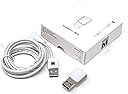
Desertcart purchases this item on your behalf and handles shipping, customs, and support to Slovakia.
๐ก Blink and youโll never miss a beat!
The ThingM blink(1) USB RGB LED is a compact, programmable status light that connects via USB to deliver customizable, color-coded notifications from your computer or cloud services. Compatible across Windows, Mac, Linux, and more, it empowers professionals to stay informed without distraction, leveraging open source hardware and software for full personalization.
| ASIN | B07Q8944QK |
| Best Sellers Rank | #50,132 in Computers ( See Top 100 in Computers ) #350 in USB Lamps |
| Brand | ThingM |
| Brand Name | ThingM |
| Cable Type | USB |
| Cable type | USB |
| Color | rgb |
| Compatible Devices | Personal Computer, Laptop |
| Compatible Phone Models | Likely compatible with modern smartphones, specific models not listed |
| Compatible devices | Personal Computer, Laptop |
| Compatible phone models | Likely compatible with modern smartphones, specific models not listed |
| Connectivity Technology | USB |
| Connector Gender | Male-to-Male |
| Connector Type | Usb |
| Connector type | Usb |
| Customer Package Type | FFP |
| Customer Reviews | 4.3 out of 5 stars 62 Reviews |
| Global Trade Identification Number | 00758524799640 |
| Included Components | Power Cable |
| Indoor Outdoor Usage | Indoor |
| Item Shape | Stick |
| Manufacturer | ThingM |
| Maximum Current | 500 Milliamps |
| Maximum Voltage | 525 Millivolts |
| Model | BLINK1MK3 |
| Model Name | blink(1) |
| Number of Pins | 4 |
| Other Special Features of the Product | OSHW, RGB, USB-controllable, open source |
| Part Number | BLINK1MK3 |
| Recommended Uses For Product | Monitoring notifications, data sources, or events on a computer or the internet, and using it as an indicator for various triggers through IFTTT or custom scripts |
| Special features | OSHW, RGB, USB-controllable, open source |
| Specification Met | USB-IF |
| UPC | 758524799640 |
| Unit Count | 1 Count |
S**H
Niche Use Case
So, Apple, in their infinite wisdom, have decided that the small white LED in front of the Mac Studio computer should not fade in and out when the Mac Studio is in sleep. Incredibly it stays on all the time. So you have no idea if the computer is sleeping or awake. How crazy is that? Mac miniโs have had that feature forever. Well this little device can be plugged into one of the USB ports of the Mac studio. I have mine plugged in the front, and with a little bit of software magic it will stay green while the computer is awake and active and then it will turn Amber and then eventually turn off when the computer is sleeping so you can tell at a glance what your computer is doing. Obviously the colors are controllable. The states are controllable and you can use this device for other things like flashing in different colors when you get an email or when something happens so it acts as a visual indicator for a lot of things, but for my purpose I got it specifically so I can tell when my Mac studio is sleeping and when itโs awake.
N**N
Practical and fun
I program in Python primarily, and it's really nice to have a simple, ready-made, programmable light I can control with my own code. If you don't want to write any code, it also comes with some reasonably powerful software to control the light and tie it to events.
B**H
Easy to Use, Powerful Software
Blink(1)s have been around since the early days of the Maker Movement and have been great fun to configure and use. The software also makes it trivial to spin up an API if you want to write your own code to send it messages that change the colors, brightness, and blinking patterns, and I suspect you could figure out how to leverage a connection service like IFTTT or Zapier for that purpose if youโre knowledgeable about networking as well. If you want a light that automatically signals events, this is a terrific solution.
D**P
A neat gizmo, nicely made, useful
My Blink(1) mk3 is well-made and nicely finished. The lights are bright, and pleasantly diffused by the cover. I downloaded the Windows command-line program and the Windows UI program, and they worked well. The two internal LED's Independently set color, brightness, flashing and fading. I like the included USB cable. I would like to find better descriptions of the storable pattern and "serverTickle" features. Where? After a brief bit of searching, I was able to find the NodeJS API at Github (todbot/node-blink1). I was able to recompile it for electron (electronjs.org), updating the native-based API from NodeJS version 72 -> 73. This works wonderfully, and will add a sweet WOW! factor to my next project. I expect this little $30 gem will pay for itself, in short time.
N**K
Lots of options for developers- an API for pretty much every platform
Personally I just run the Blink1 control software with HTTP server enabled, which allows you to control RGB color, create patterns, start/stop patterns, etc. with simple GET requests. However if you use one of the many blink1 libraries (they have one for node, python, obj-c, and many more), it's simple to control the device directly without any software running in the background. I use my Blink1 for indicating unit test status: solid red for fail, solid green for success, and pulsing blue when tests are in progress (they get launched by a watcher so tests are being run all the time as I'm writing code). This indicator is much nicer than having to spare screen real estate for terminal output.
Trustpilot
3 weeks ago
2 weeks ago