


⚡ Elevate your system with speed and stamina that won’t quit!
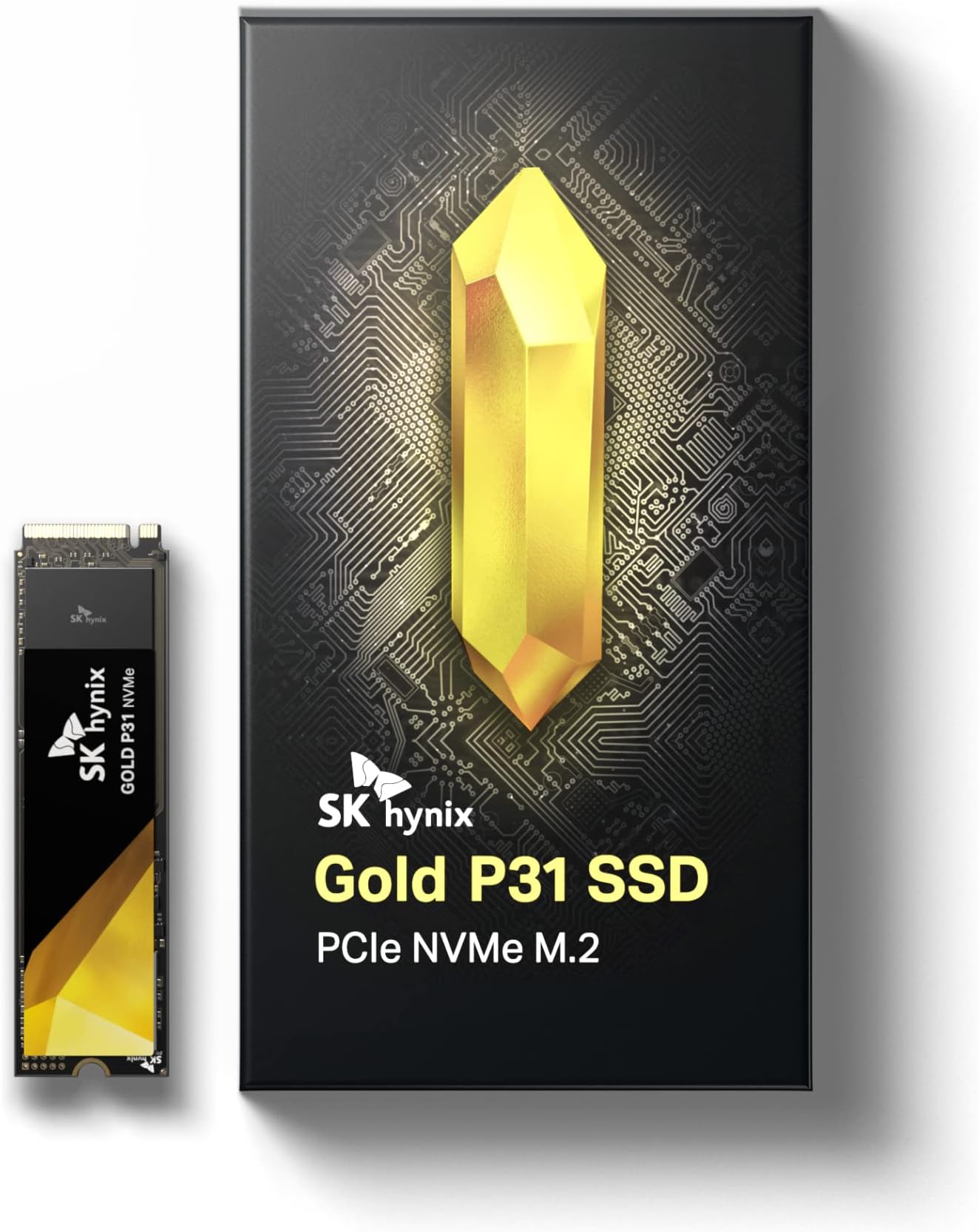
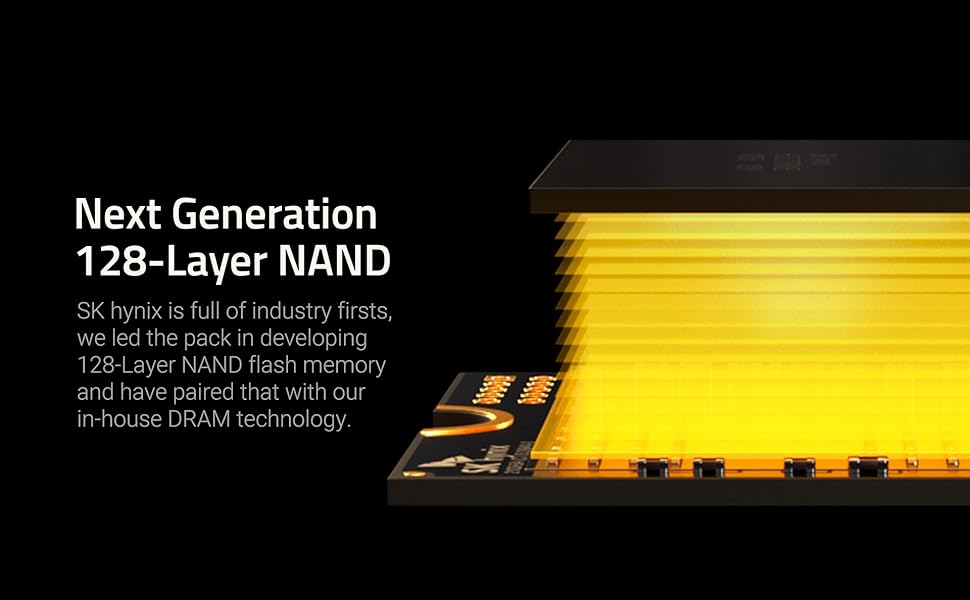
The SK Hynix Gold P31 2TB PCIe NVMe Gen3 M.2 2280 SSD delivers ultra-fast read speeds up to 3500MB/s and write speeds up to 3200MB/s, powered by proprietary HYPERWRITE cache technology. Its 128-layer NAND flash and advanced thermal management keep performance cool and stable, backed by a 5-year warranty and tested reliability. Designed for professionals and power users, this compact SSD offers massive 2TB storage in a sleek M.2 form factor, ensuring effortless installation and long-term durability.





| ASIN | B099RHVB42 |
| Additional Features | Portable |
| Best Sellers Rank | #362 in Internal Solid State Drives |
| Brand | SK Hynix |
| Built-In Media | Solid State Drvie, User Guide |
| Cache Memory Installed Size | 2 |
| Color | Gold |
| Compatible Devices | Desktop, Laptop |
| Connectivity Technology | PCIe NVMe 3.0 |
| Customer Reviews | 4.8 out of 5 stars 9,830 Reviews |
| Data Transfer Rate | 28000 Gigabits Per Second |
| Digital Storage Capacity | 2000 GB |
| Enclosure Material | Gold |
| Form Factor | M 2 |
| Hard Disk Description | Solid State Drive |
| Hard Disk Form Factor | 2280 Inches |
| Hard Disk Interface | Solid State |
| Hard-Drive Size | 2 TB |
| Hardware Connectivity | Solid State Drive |
| Installation Type | Screw In |
| Item Dimensions L x W x Thickness | 3.15"L x 0.87"W x 0.09"Th |
| Item Weight | 7 Grams |
| Manufacturer | SK hynix |
| Media Speed | 3200 megabits_per_second |
| Mfr Part Number | SHGP31-2000GM-2 |
| Model Name | SK hynix SuperCore Seres - Gold P31 |
| Model Number | SHGP31-2000GM-2 |
| Number of Items | 1 |
| Read Speed | 3500 Megabytes Per Second |
| Special Feature | Portable |
| Specific Uses For Product | Gaming |
| Warranty Description | 5 year manufacturer |
K**.
SK hynix Gold P31 2TB SSD - Unleashing Blazing Speeds and Unrivaled Reliability
My experience with the SK hynix Gold P31 2TB PCIe NVMe Gen3 M.2 2280 Internal SSD has been nothing short of extraordinary, and I'm excited to share my positive review of this high-performance storage solution that has transformed my computing experience. Exceptional Speeds: The standout feature of the SK hynix Gold P31 SSD is its exceptional speed. The PCIe NVMe Gen3 interface, combined with the M.2 2280 form factor, unlocks blazing-fast read and write speeds. Whether I'm loading large files, running applications, or booting up my system, the SSD's speed has significantly reduced wait times, providing a seamless and responsive user experience. Generous Storage Capacity: The 2TB storage capacity of the Gold P31 SSD offers ample space for storing a vast array of files, applications, and multimedia content. This generous capacity ensures that I can keep my system clutter-free and have room for future storage needs without compromising on performance. Reliable Performance: Reliability is a key aspect of the Gold P31 SSD, and it delivers consistently stable and reliable performance. Whether handling demanding tasks or supporting multitasking, the SSD's reliability instills confidence in its ability to meet the demands of intensive computing without sacrificing performance. Efficient Heat Management: The SSD's efficient heat management is worth noting. The innovative design incorporates a graphene heat spreader, which helps dissipate heat effectively, ensuring that the drive maintains optimal operating temperatures even during prolonged, resource-intensive tasks. This attention to heat management contributes to the overall longevity and reliability of the SSD. Energy-Efficient Operation: The Gold P31 SSD operates with remarkable energy efficiency. The drive's low power consumption not only contributes to a greener computing experience but also translates to extended battery life for laptops, making it an excellent choice for both desktop and portable systems. Easy Installation and Compatibility: The M.2 2280 form factor ensures easy installation on compatible motherboards. The SSD is compatible with a wide range of systems, making it a versatile choice for users upgrading existing setups or building new ones. The straightforward installation process adds to the overall user-friendly experience. High-Quality Build: The SK hynix Gold P31 SSD boasts a high-quality build with attention to durability and longevity. The drive's robust construction and premium components contribute to its reliability and ability to withstand the rigors of daily use, ensuring that it remains a dependable storage solution for the long term. Competitive Pricing: Considering its top-tier performance and expansive storage capacity, the Gold P31 SSD offers competitive pricing in the market. The balance of performance, reliability, and affordability makes it a standout choice for users seeking premium storage without breaking the bank. Overall Satisfaction: In conclusion, the SK hynix Gold P31 2TB PCIe NVMe Gen3 M.2 2280 Internal SSD has surpassed my expectations with its exceptional speeds, generous storage capacity, reliable performance, efficient heat management, energy-efficient operation, easy installation, high-quality build, and competitive pricing. This SSD has transformed my computing experience, delivering the performance and reliability needed for a wide range of tasks. Highly recommended for users who demand top-notch storage solutions that elevate their systems to new heights. Elevate your computing experience with the SK hynix Gold P31 SSD!
J**D
Fast, reliable, always working like the first day.
This Nvme its one of the best in the market. Currently i have a big 2TB WD Black Gen4 and the speed in commond daily task are none. Hynix its a very googd drive, cooler and always give me 3500/3200 R/W speeds Today afte 3 years or more, its like new and working as auxiliary disk in a Nvme/usb enclosure. Reccomended!
F**D
Great performance and price
Bought the P31 Gold to take over as primary drive from my Intel 600p 512GB SSD, located in the upper M2 slot above the GPU and under the CPU radiator/fan (a more confined space). Physical installation: Installed easily in the lower M2 slot under the GPU (GTX 1070). Cloning: The standard Macrium cloning software from the sk Hynix web site (SKHSSD.exe) did not work due to VSS errors I could not resolve (their manual just said to look on the internet for solutions, none of which worked). Instead, I went to Macrium's web site and downloaded Reflect, which worked. After updating the BIOS settings, the new drive booted fine. Tests using Crystal Disk: - Temps: Both SSDs peaked at 66C, while the P31 Gold idles 8C to 10C higher (very little difference when using the upper M2 slot). If I manually increased the GPU fans to 80% or so, the SK Hynix's temp dropped significantly as the GPU pulled more hot air away from the drive. I added an internal fan to blow across the drive - the SK Hynix temps improved and are just 4C-5C above the Intel's. - Read/Write speeds: the P31's throughput was 2x to 5x faster in most cases, which means any R/W operation finishes much faster, for less time at the higher temps. The Intel came close in random writes. Bottom line: Very good value, fast read/write and reasonable temps with the proper air flow, but not very good online customer support yet (however, once installed, it's really not needed). I may try a heat sink in the future and remove the internal fan to compare the difference. 1 Year later - very satisfied. Removed the internal fan that was blowing directly on the SSD, and temps remained well within normal ranges when compared to other similar capacity SDDs; so I decided against adding a heatsink. My only advice for new SSD buyers is to get more than you think you need; I had a faulty app that caused unnecessary SSD life loss due to excessive writes before I was able to isolate the problem.
S**E
Great drive with a fast DRAM cache
Even though this drive has "low specs" for a modern nvme drive, don't be fooled. It includes 2GB of LPDDR4-2133 for it's DRAM cache (which many faster drives don't have) and a decent sized Pseudo-SLC cache at 185 GB. Once the drive fills it's Pseudo-SLC cache it transfers at a fast 1400 MB/s, which may be faster than low end newer Gen 4/5 nvme drives. Do not get the wrong idea about only have 2GB of DRAM not mattering because of it's "small" size. This cache is mainly for the drive's metadata not for caching your data. Drives without a cache either use a tiny 64MB HMB (Host Memory Buffer), which is system RAM or no caching at all. Those drives will be fetching the metadata from the nvme which can make a difference in responsiveness. With a 185GB Pseudo-SLC cache, which caches your write data, I highly recommend reserving that amount on the drive. This means making sure that about 180 GB is NOT partitioned on the drive. This will ensure that there is always at least 60GB is available for the Pseudo-SLC cache. So that you understand, the drive controller will utilize flash from it's data area for caching. This drive uses TLC flash which is 3 bits per cell. When it uses the flash as a Pseudo-SLC cache it instead uses the flash in 1 bit per cell mode. If you reserve 180 GB then the drive can use that for 60GB of Pseudo-SLC cache. This is large enough to matter as the drive fills, but not so much as to greatly reduce the drive's formatted capacity.
M**Z
Great product, highly recommended.
Excellent upgrade for any computer.
J**E
High write performance, top endurance rating and runs cool.
SK hynix has been around for a while and it is known as one of the three RAM chip manufacturers...so it could well be in your system RAM. The SK hynix Gold P31 is a speedy SSD for tasks such as booting the operating system and launching apps and games. It also shows one of the highest endurance rating around backed by a 5-year warranty. The system tested, took 12 seconds to boot Windows 10 counting from the time I pressed the power button. I have tested several SSDs, and that is the fastest the system will boot. I have noticed that any drive with read speeds of 1800 MB/s or better will accomplish the task. The SK hynix P31 500GB surpassed the advertised write speeds of 3100 MB/s reaching 3183.53 MB/s. It felt short on advertised read speed of 3500 MB/s reaching just 3440.91 MB/s. On real word test it managed to reach 2787 MB/s write speed and 2209 MB/s read speed. I transferred 70 GB of mixed data from another SSD with 3500 MB/s read speed. If you don't write that much data , filing up the SSD SLC cache, then the P31 will run a lot faster. The SK hynix P31 was faster on write speed than the higher rated 970 EVO Plus, was using less power, it ran cooler, while costing less. SK hynix provides a very simple System Migration Utility (cloning app) powered by Macrium to migrate data from your previous disk to the P31 SSD. It did not work when I try to clone the main disk onto the P31, while the P31 was in a USB enclosure. It worked fine when the P31 was in a M.2 slot. That could be problematic, if like many systems, there is only one M.2 slot. Most laptops have a single M.2 slot. There is a firmware file for the P31 SSD on SK Hynix website. There is not data whatsoever about the firmware...nada...nor even the date. Just for kicks, I downloaded the firmware bin file and tried to upload the firmware using the SK hynix Drive Manager tool, also available on their website. I click the 'Update Firmware' button, then select 'Browse for file...' and even though I selected the folder where the firmware bin file is located the app does not see the file. The SK hynix Drive Manager tool has four tabs where it displays status data about the SSD, such as temperature, life remaining, firmware version, smart status, etc. Many free apps do offer the same data. If you need 256-bit hardware encryption look somewhere else. There are similar priced SSD with hardware encryption. I dropped a star since the software available was pretty much useless and many similar drives provide hardware encryption. SK hynix P31 is a fast SSD and a good price point and fares even better if you could get one when discounted. If you do not need that much speed (most of us don't), you could get a less expensive SSD with even more capacity.
P**S
Why I chose this one
If you are looking for a SSD, whether for an upgrade or a new build, you have a lot of choices from both very well known companies and some you’ve never heard of. There may be a lot of your reading this who never heard of this company before and were either lured by the price compared to others or maybe you ran across a third-party review for it somewhere. If you are a technie who actually walks the walk rather than regurgitates fantasy specs you already know that this SSD has a lot going for it, perhaps making it one of the best overall buys you can find. And if you’re on the other end of the extreme, depending on the so-called experts to guide you, you probably feel a whole lot safer sticking to a brand name you know. Let’s stop right there and clear that up for you, the company who makes this is one of only two or three who actually designs, engineers and makes these things. Until recently they hid behind the scenes, content to sell their technology to those more famous names. Now they are available under their own brand name and the fact is that it seems they have saved some of their best technology for themselves. I am not a computer engineer but I have a very solid background in the industry. These days I operate my own photographic and design studio and have an HP graphics workstation that is substantially more sophisticated than most typical PC’s. My language is performance, not benchmark tests under ideal conditions or what manufacturers put on their spec sheets. The company who makes workstations like mine has installed Hynix memory for a very long time in their products, it’s what I buy when I upgrade memory. Due to the heavy use my systems get I was shopping for 1TB SSD’s and did a lot of research. Paying a few dollars more or less wasn’t part of the equation - performance and reliability topped my list, with the second one hard to quantify and not usually discussed in other reviews. I can’t and won’t put a number to that because this particular one I’m reviewing could die an hour after installing it. Anyone who quotes you anything definitive is someone you should be walking away in the other direction from - fast. And by the way ditto regarding those reviews who ignore everything about this product and give it one star because it didn’t include a setscrew. Really? Use your old one, that’s something that is not the responsibility of any SSD manufacturer to provide. The same thing by and large goes for specs. Whether they be in the controlled environment of a lab or something quoted in a so-called expert review, what is true for someone else you don’t know, in their system, under their loads, using their apps simply is not going to be true for you, so I’ll save you the trouble, don’t look for meaningless specs from me, you’ll just be wasting your time. CAUTION Whether you are experienced in replacing or a new install of a SSD I suggest not just plunging into it without going to the manufacturer’s support page and downloading the three PDF’s and three apps (including a firmware update specific to the model of this drive you ordered. The support docs are free and helpful no matter what your skill level is. This is especially true if you are doing a data migration from your boot drive to a new SSD, the risk of some data not transferring or being corrupted is too great, which is also a definite mandatory to back up everything you own before even diving in. YES OR NO This brings me to the bottom line a lot faster than I usually get there when evaluating a product. I’ll tell you why I chose this one and from there you’re on your own. I put about ten percent of my choice on it being the right form factor and configuration to fit and work in my system and a full ninety percent on trusting this brand to give me the best performance in its price range. As a side note, if you are closer to the novice level you shouldn’t have to worry about cloning your system boot drive over to this as your new one - the app they include (while not being the most sophisticated ever made) is excellent. It gives you almost zero options, which is perfectly adequate - easy, safe and as much as most people will ever need. Migrating my entire C drive to the new SSD took about 15 minutes and it gave me an extremely detailed report (optional to read unless you are into such things). When I plugged my new Hynix into the slot and powered up my computer it was absolutely flawless, every app, every file, every preference, ever login, they were all exactly when they used to be only now I had a much larger, faster and brand-new main drive.
A**W
Works great on Mac Pro 6,1
TLDR: After recently purchasing a used Mac Pro 6,1 a.k.a. "Trashcan" (Late 2013), I decided to upgrade the SSD from 256GB to 2TB. After testing numerous popular NVMe SSD's (Samsung 980 Pro, 970 Evo Plus, WD SN770, Crucial P5), I can say this is the ONLY ONE that works flawlessly with the Mac Pro 6,1. All the other ones, even after updating the firmware, has read/write issues. The read and write are pretty fast overall. Obviously it will not reach max speed due to the Mac Pro's dated number of bus lanes (theoretical max ~1600/1600 MB/s), but it is comparable to the Apple SSD that came with it, if not a bit faster. Because the NVMe came out a bit after the 500GB and 1TB versions, there is no need to update the firmware. This is because it is already in the most updated version from the factory. This is just a plug-and-play SSD on the Mac Pro 6,1. To install macOS Mojave, you first need to update to Mojave on your original Apple SSD. This is because ONLY the Apple SSD can update the Mac's firmware. SO DON'T THROW/SELL THE ORIGINAL APPLE SSD AWAY, as you will need it in the future for any macOS updates. Create a bootable installer for Mojave (Google: "Create a bootable installer for macOS"). Plug in SK SSD to Mac. Press POWER button + OPTION keyboard key. Choose the USB/Mojave installer. Install Mojave. Simple as that. Aside from the drive itself, there is a warning on the seal of the packaging. Not sure if it's important for warranty.
C**U
SSD TOP di gamma
Ho deciso di aggiornare il mio DELL XPS 13 9360 i7-8550U con 16GB di RAM installando un SSD più capiente da 2TB, per dare nuova vita al mio ultrabook. L'SK hynix Gold P31 è stato una scelta eccezionale, rivelando una perfetta compatibilità con il mio ultrabook. È importante notare che il DELL XPS 13 9360 ha un limitatore di velocità di lettura e scrittura dell'SSD di 1800 MB/s, quindi su un altro computer raggiungerebbe sicuramente valori più elevati. Nonostante ciò, il mio XPS 13 9360 rimane un dispositivo veloce e affidabile in qualsiasi situazione, nonostante sia ormai un modello di qualche anno fa. Windows 11 gira alla grande e la suite Adobe pure! Tornando all'SK hynix Gold P31, avevo bisogno di un SSD che garantisse prestazioni elevate, ma con una gestione termica efficiente. Una volta installato, ha superato ogni mia aspettativa! Rispetto all'SSD di fabbrica, questo nuovo dispositivo mostra temperature di esercizio nettamente inferiori: la ventola raramente si attiva, rendendo il mio DELL XPS 13 9360 incredibilmente silenzioso. È come se avessi un nuovo ultrabook! Stupefacente! In conclusione sono super soddisfatto dell’acquisto! Costa tanto sì, ma vale ogni euro speso.
E**.
Buen SSD
Justo lo que necesitaba, buscaba ampliar el almacenamiento de mi laptop cambiando el ssd de fabrica de 256gb por éste ssd, y creo que incluso mejoró la velocidad de arranque de mi laptop, de forma mínima pero definitivamente es perceptible.
A**R
Fast and responsive
It is fast and responsive, happy with the purchase. I don't have any stability issue with the drive, on par performance as Samsung.
L**3
En effet c'est une tuerie...
Je pensais avoir testé tout ce qui se fait en nvme sortis depuis 3 ans. Et j'ai rencontré un souci en montant un serveur de logs Graylog sur un Raspberry Pi. J'avais besoin d'un stockage sur nvme, le tout alimenté en POE. J'ai d'abord monté un Crucial P5 plus. Résultat reboots intempestifs (trop d'ampères tirés sur le port USB du Pi limité à 1,2 A) et 58 degrés de température disque dans un boîtier en aluminium massif... Bref la cata. En cherchant un disque plus économe en énergie, je suis tombé sur cette valeur sûre recommandée par tous les connaisseurs. J'étais passé à côté... Alors soyons clair. Pour un usage sur système normal, ce disque déboite sérieusement en debit et il les tient dans la durée, bien qu'il s'agisse d'un Pcie 3.0. Il est vraiment hyper veloce pour une installation système. Et niveau température de fonctionnement c'est dingue. Il est tiède là où le Crucial faisait des grillades... Bref un formidable produit. Prochain achat le Platinum en pcie 4.0 mais il paraît qu'il chauffe beaucoup plus. Vu les performances de celui-ci je ne peux que le recommander.
K**M
Arrived, good 2TB ssd
Good price-performance for 2TB nvme
Trustpilot
1 month ago
3 weeks ago