⚡ Elevate your DIY display game with pro-level clarity and versatility!
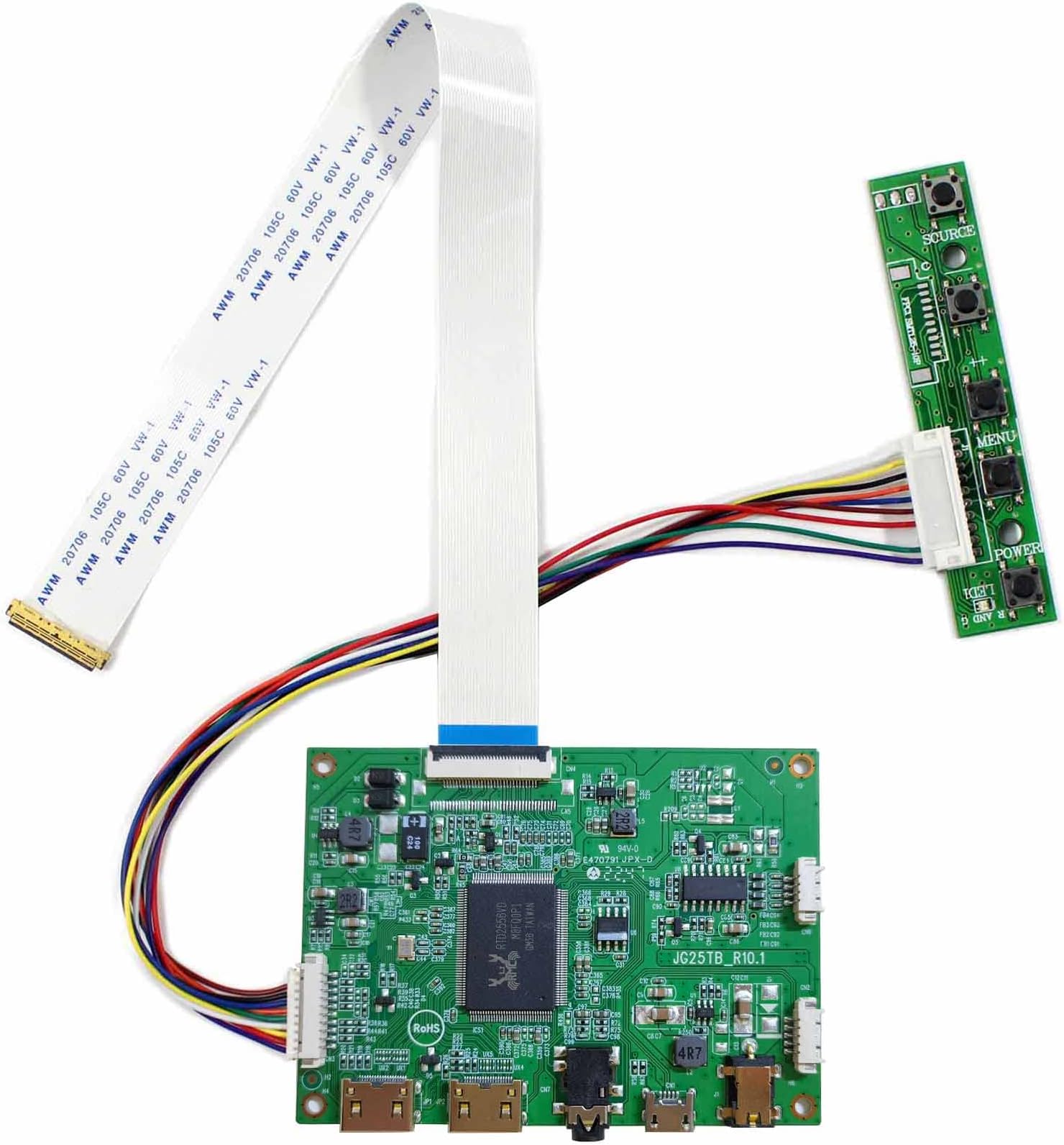
The VSDISPLAY HD-MI Mini LCD Controller Board is a compact, energy-efficient controller designed for 30-pin EDP LCD screens ranging from 11.6" to 17.3" with native 1920x1080 Full HD resolution. Featuring a 12V DC power input, single HDMI port, and an intuitive on-screen display for easy adjustments, it supports multiple languages and standby mode under 0.3W. Ideal for professionals and DIY enthusiasts looking to repurpose or upgrade laptop screens with crisp visuals and reliable performance.
| ASIN | B07SDG8SBR |
| Are Batteries Included | No |
| Brand | VSDISPLAY |
| Customer Reviews | 3.6 3.6 out of 5 stars (34) |
| Date First Available | 21 March 2021 |
| Item Weight | 60 g |
| Item model number | 601285644011 |
| Manufacturer | VSDISPLAY |
| Number of HDMI Ports | 1 |
| Product Dimensions | 0.51 x 8.2 x 5.99 cm; 60 g |
| Resolution | 1920 x 1080 |
| Screen Resolution | 1920x1080 |
| Series | HD-MI Mini |
| Standing screen display size | 17.3 |
| Voltage | 12 Volts |
C**E
Works perfectly for my diy laptop I used it to make my old Chromebook screen. It runs 1080p at 60hz which makes school work along with gaming easy to do.
R**S
After sending in pictures of the board, showed it working on the montior and the controller settings that showed the incorrect resolution displayed from the board, and the settings in my windows install. When I set the windows display settings to 1920x1080, it cut off the top and bottom of the picture, and when I set it to 2500x1700, it would display on the whole 1920x1080 panel, but had cut off lines in the panel from the controller cutting off lines from the resolution of the screen not matching the controller programmed settings. After showing several pictures of the board working, the resolution on the lcd screen I installed it on, showing the cutoff on the screen, the seller refused to do anything about it and requested more pictures, of the same things I had already sent. I wouldn't buy from this seller again, and I had to go find another controller board that actually displays 1920x1080.
M**8
This is a good way to give LCD panels a 2nd life if a laptop has died or has become beyond its useful service life. This seems to have very sturdy ports (I've abused the power jack a bit and it hasn't broken yet). It also doesn't use a lot of power. Only thing though is the buttons aren't labeled too well for the OSD. Also, keep in mind that the power LED is too bright to my liking which I tamed by super gluing a few tiny pieces of tinted plastic to help diffuse the brightness. I like how it has two HDMI ports so you can switch between the two (as long as you have the HDMI adapters for each of the two mini HDMI ports. Plug your favorite powered speakers into the headphone jack on the back so that any sound from your PC can play thru it. The OSD has a volume control as well as many other settings.
C**.
I've bought this to bring back to life the screen of a dead laptop, it worked as a charm with the HDMI out of one laptop but it doesn't work with a usb-c (thunderbolt) to hdmi adapter when using windows 10. Same adapter works ok on a macbook and also same adapter works ok with windows 10 and another HDMI screen.
S**T
I’m using this in a virtual pinball cabinet to power a nv156fhm-n41 (15.6” 1920 x 1080) screen. Initially the board had horrendous coil whine but pushing the brightness to 100 made the card silent. So far so good! In case your board has the coil whine, I have 2 different cards that lost the coil whine with the brightness adjustment.
Trustpilot
4 days ago
1 month ago