Desertcart purchases this item on your behalf and handles shipping, customs, and support to Slovakia.
🚀 Elevate your TPMS game with the ultimate pro tool—never miss a sensor beat!
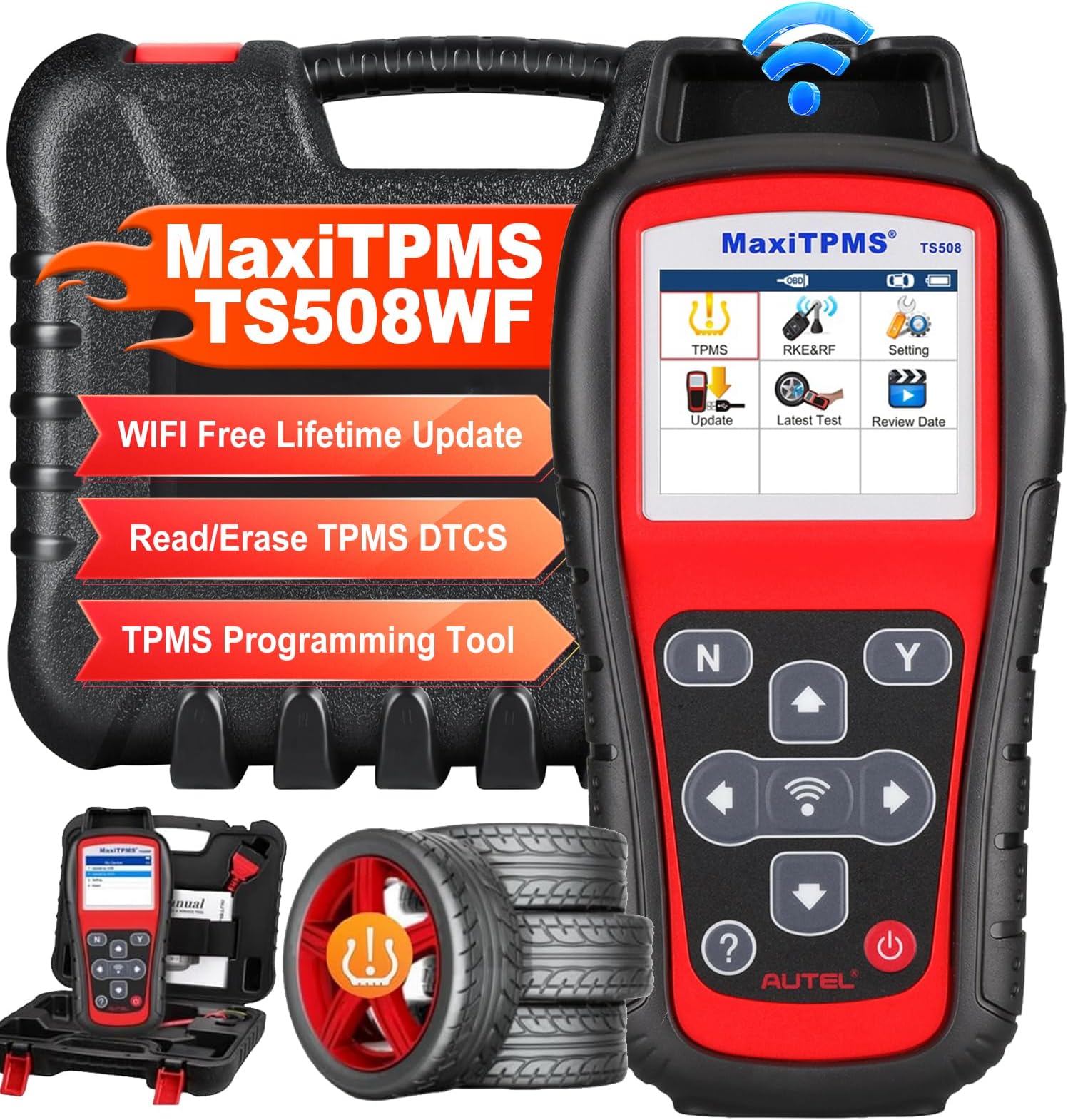
The Autel MaxiTPMS TS508WF is a cutting-edge professional TPMS diagnostic and programming tool designed for comprehensive global vehicle coverage. Featuring dual-band 315/433MHz sensor programming, wireless activation, and relearn capabilities, it supports all major vehicle makes post-1996/2006/2009. With WiFi-enabled lifetime free updates, dual operational modes, and integrated OBD2 code reading, it empowers technicians and enthusiasts to perform fast, accurate tire pressure monitoring system repairs and sensor replacements with ease.


| ASIN | B0992Q3LFP |
| Best Sellers Rank | #399,811 in Automotive ( See Top 100 in Automotive ) #53 in Tire Pressure Monitoring System Tools |
| Brand | Autel |
| Brand Name | Autel |
| Customer Reviews | 4.4 out of 5 stars 78 Reviews |
| Item Weight | 390 g |
| Language | English |
| Manufacturer | Maxivideo |
| Manufacturer Part Number | Autel TS508WF Kit |
| Model Number | TS508WF |
| Native Resolution | 320x240 |
| Number of Items | 1 |
| Operating System | Android 4.4 |
| Power Source | 3.7 V Li-polymer battery; 3200 mAh |
| Screen Size | 8 inches |
| UPC | 792499842802 |
D**N
Easy to use, with several options available for different types of sensors.
I've used this tool to swap five TPS sensors so far. Four where Autel programmable sensors which I used the function to just make up random IDs for each one, and it worked great. The old sensors were all dead, and the ECU was wiped, so we had no IDs to go by. The fifth sensor was a cheap preprogrammed sensor. This tool was able to read the ID and program the ECU very easily. Overall, I'm happy with this purchase.
D**L
Great tool
Great tool, easy to operate. Has saved me money being able to program my TPMS system. Also, was able to find the tire sensor that wasn’t working.
S**E
Worked exactly as advertised!
Easy to perform initial update using WIFI and easy to use to find malfunctioning Tire Pressure sensors. I had two sensors that were bad so I went ahead and replaced all four as a set. Have yet to use the feature to upload data to my Outback but looks pretty straightforward. On a side note, would be nice if vehicle OEM's would divulge system information to aid in troubleshooting. A very simple system made to appear complex by the owners manual statement of "see dealer for system reset" any time there is a malfunction. Multiple failing sensors cause a TPMS malfunction that will not reset. Even the good sensor data won't be displayed.
M**S
Good
Ok wish I'd bought a little more expensive one.
D**H
.
Very good scanner for tier sensors
B**0
Research Before Buying.
2015 Subaru Forester 2.0XT Touring. I rotate my tires myself and I rotate my full size spare in with each rotation, but my Subaru only reads 4 TPMS not five so each time I have done a rotation I would have to go to a tire shop and have them resent the car’s computer through the OBD input. This takes about 30 minutes or more, sometimes the person doing the task knows what they are doing, sometimes not, and sometimes it's a guy with a bad attitude. I stopped going to the tire shops to have the TPMS resent and I have had the warning light on my dash for two years now, so I thought why can't I do this myself. I started looking into it a discovered Autel, they seemed like the real deal, and I could purchase on Amazon, I brought 5 TPMS (Autel TPMS Sensors 2in1 MX-Sensor 315Mhz/433Mhz Tire Pressure Sensor) and a TS408 scanner and thought I was Good To Go but I was wrong. (Don't worry I am getting to the TS508). If I had gone to a tire shop and had the computer reset for the four sensors that were on the car and figured out how to properly clone them before the new Autel sensors were installed with the new tires or called the Autel customer service number the TS408 may have been all I needed but I didn't do that. Since I didn't know what sensors were in the cars computer I didn't know what sensors to clone and I did try but I could not get the car to recognize them, but the TS408 would read the sensors at the tires fine once I found out how to trigger them after they have been installed and new tires mounted, the PSI needs to be below 10psi. I decided to call Autel and explain what I had and the situation, I already knew the answer was to find someone with the correct Autel scanner or buy a new scanner and the tech recommended the TS508. So I could do nothing and live with the warning light, buy new sensors that every tire shop can program, or buy a new scanner. New genuine Subaru sensors for five were more than the scanner so I bought the TS508WF. Once I received the new scanner I connected it to Wi-Fi, it took about 30 minutes for it to update, I then selected my vehicle, model and year and what I wanted to do. The scanner had me scan each sensors starting at the driver's front, passage front, passage rear, then driver rear. After the scans were completed and all the new sensors showed green the TS508WF instructed me to plug the cable into the cars OBD port, asked some questions and replied, thenthe TS608EF programmed the car's computer to recognize the new sensors and my TPMS warning light turned off. I am very happy with the Autel TS508WF and for me it is worth it.
T**R
Great Tool for tpms
worked well on all vehicles I have met for tpms health diagnosis, but it can only program Autel tpms sensors, not support oem sensor programming
J**Y
Registration required. Does not support sensor cloning.
I’ve been using Autel products since 2018, and I’m disappointed to report that the latest version has removed the TPMS cloning feature, which was one of the main reasons I bought these devices in the first place. For people like me who switch between summer and winter tires, cloning sensors was a huge time-saver. When powering on the device, you’re immediately greeted with a message saying you have ten uses left before being locked out unless you register. The registration and software update process took me about 40 minutes of trial and error. I recommend connecting it to a PC right away, though this isn’t easy on a modern laptop using the outdated USB cable provided. After all that setup, I was frustrated to find that this device cannot perform the simple task of reading one sensor and cloning its ID to another. The mind boggles. The workaround? You’ll love this. I dug out my old Autel MaxiTPMS PAD (now discontinued), installed its old software, and in about five minutes I was able to clone my old sensors and upload the IDs to new ones. How has Autel managed to make their products less user-friendly and remove useful features over the years? The mind truly boggles. This product is going back to Amazon.
H**I
إضافه بعض التفاصيل
ممتاز ويعمل
M**F
Good
Good
Trustpilot
3 weeks ago
3 weeks ago