Buy anything from 5,000+ international stores. One checkout price. No surprise fees. Join 2M+ shoppers on Desertcart.
Desertcart purchases this item on your behalf and handles shipping, customs, and support to Slovakia.
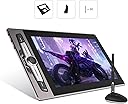
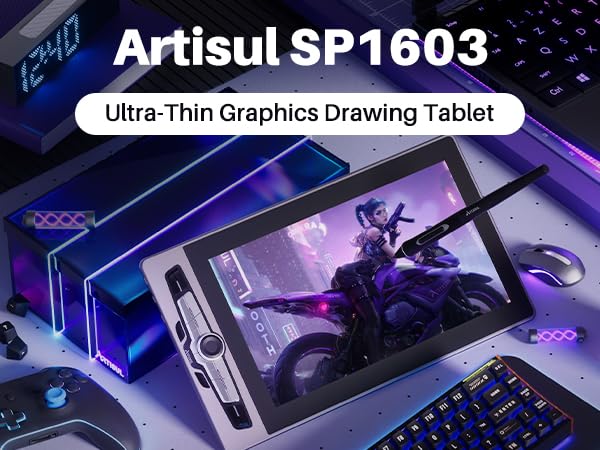
🎉 Elevate Your Art Game with the Artisul SP1603!
The Artisul SP1603 is a 15.6-inch graphics drawing tablet featuring a full-laminated display, 8192 levels of pressure sensitivity, and compatibility with Windows, macOS, and Android. With a sleek design and customizable shortcut keys, it’s perfect for artists, designers, and educators looking to enhance their creative workflow.


| ASIN | B09D3JDDD7 |
| Active Surface Area | 15.6 inch |
| Additional Features | Dail Controller, 60° Tilt Support, 128% sRGB, Extra-Slim, Full Lamination, 14 Shortcut Keys |
| Best Sellers Rank | #300 in Computer Graphics Tablets |
| Brand | Artisul |
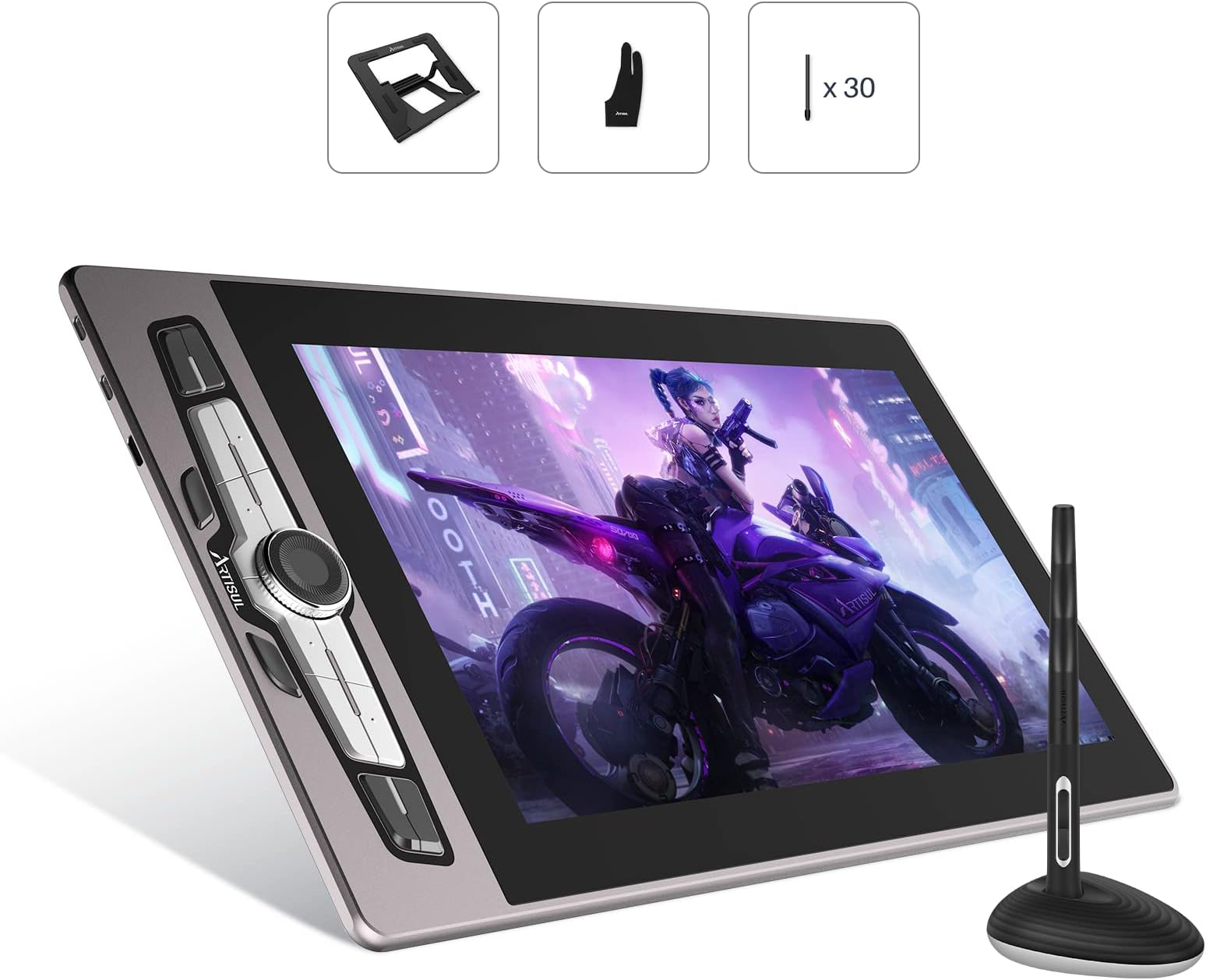
| Built-In Media | SP1603 Pen Display,P77 Digital Pen,Pen Case,Pen Stand,Pen Nib,Adjustable Stand,Mini HDMI Cable,2-in-1 USB-C Cable,Adapter,Quick Guide |
| Color | SP1603-15.6inch |
| Compatible Devices | Compatible with Windows, macOS, and Android |
| Connectivity Technology | HDMI , USB, USB- C( USB3.1 Gen1, DP1.2) |
| Customer Reviews | 4.3 out of 5 stars 220 Reviews |
| Display Type | LCD |
| Item Dimensions L x W | 18"L x 10.1"W |
| Item Type Name | Drawing Tablet with Screen, Pen Display, Drawing Tablet with Monitor, Graphics Tablet |
| Item Weight | 3 Pounds |
| Manufacturer | Artisul |
| Mfr Part Number | SP1603 |
| Model Name | Artisul SP1603 |
| Model Number | Artisul SP1603 |
| Native Resolution | 1920x1080 |
| Operating System | Windows 7/8/8.1/10/11 or later, MAC 10.12 or later, Android 6.0 or later(USB3.1Gen2 DP1.2) |
| Pressure Sensitivity | 8192 Levels |
| Screen Size | 15.6 Inches |
| Special Feature | Dail Controller, 60° Tilt Support, 128% sRGB, Extra-Slim, Full Lamination , 14 Shortcut Keys |
| Specific Uses For Product | Drawing, 3D Modelling, Animation, Designing, E-Signature, Editing, Online Education, Painting, Remote Work, Teaching, Writing, etc |
| Target Audience | Creators, artists, illustrator, Student, Teacher, ... |
| Warranty Description | one year warranty |
M**E
Not for beginners, but fantastic for intermediate and expert digital artists!
This is one of the people that uses this account, Alexander. I REALLY enjoy using this tablet. The fact that I can program the buttons for each individual program I can use this with is amazing. The screen feels good and cleans real easy, too. My only complaints are that I feel like the power cords are a bit on the shortside, and if you only want to utilize the USB-C all in one option, you'll need an adapter if your devices don't support USB-C to USB-C natively. Also I think that the images are a tad bit out of date, I didn't get the Pen Holder with my tablet. Edit: I don't quite remember the "What you get?" section on this page, but hey, it includes the Pen Stand! I even got one after making contact with Artisul. It's really good! Being able to have my pen sit on my desk with no worry of it just rolling off is great. Though it was kind of tricky to figure out how to open it to get access to the pen nib storage. I was worried about breaking the thing. Really do hope they eventually start selling it separately because I would have definitely bought it. Overall, I thoroughly enjoy this product, but it's a bit much if you're just starting out, at which point I'd recommend the lower end tablets from Artisul. But for someone that started on one of those lower end tablets, this was the perfect upgrade, especially because of the extra screen real estate.
A**I
Very comfortable to use
I was pretty happy with the additional accessories that came with the tablet, such as the monitor stand and the pen holder/nib replacement tool. It was hard to close once it was opened, but removing and putting the nib back on was smooth, and with the amount they send you, it'll probably last you a lifetime. A gripe I have is that, since the provided cable has the power + USB cord for your PC within 30 inches of each other, you'll need an extension cable for one of them unless your computer's USB slot and your wall plug are close. The actual setup took less than 2 minutes and I had no pressure sensitivity issues at all when drawing with Clip Studio Paint. The texture of the drawing surface itself was perfect for me as well, and much better than a couple others I've reviewed before. I worked on this piece for 4 hours straight, and never noticed any latency, pen pressure, or accuracy issues. It was immediately comfortable and assimilated itself into my working process flawlessly.
R**B
Great First Art Tablet So Far
I'm very new to digital art creation, and this is my first art tablet. I've been enjoying using the tablet the past few weeks, so not a long trial period. This is more of a first impressions. Things I like: -Box comes with everything needed to plug in everything and get started in minutes. Very beginner friendly since you don't need to buy anything but this kit. Drivers weren't a problem for me either. Installed easily. Pretty sure BitDefender was running too, so I didn't have any weird AV hangups like I've heard mentioned in forums for other tablets. -Stand is pretty nice. Pen holder too. -Glove is nice as well. Doesn't "fit" amazingly, as I have incredibly long fingers and generally large hands, but the material is stretchy and comfortable. The glove works really well for me (I also have no idea what a proper art glove fit is. I do know that the glove works for me though). -The shortcut keys are awesome, although I have not optimized their use yet and only use about 4 of them currently. Can't imagine not having at least those keys though. -Pen feels great to use. -Screen protector has some texture to sort of simulate paper (please don't remove it. Other reviewers are wrong.) -Had to do some troubleshooting with Krita, and I still need to get pen pressure working in Krita, but aside from that it's been interacting well with Krita. -Screen feels plenty big for the general practice I'm using it for. If I ever get to a serious skill level, I can see having a larger one being nice, but this tablet size is perfect for me at my beginner level. Things I dislike: -Screen isn't anywhere near as textured as I was hoping. They do have felt nibs that I'm looking at getting that are supposed to really simulate paper. But the feel of drawing is still good, just not a friction-ful as I was hoping. -Cords are a bit short. I got lucky that my two desk setup was just barely close enough to make it work. Isn't a problem for me since I had the needed work arounds, but I can see others having problems. -Honestly, that's my only real gripe outside of the Krita stuff mentioned above, but I'm not sure if Krita or Artisul are responsible for that, so I'm not truly marking that against the tablet. Hopefully the cons don't expand. I'll try to update if something drastic comes up. I got this on sale for a decent discount during prime day, and I'd say that so far it's money well spent. Full price seems like a really solid price too, especially compared to similar priced tablets. The buttons alone are super nice to have, and allow me to forgo needing a keyboard for my setup. Looking forward to using it more. 4/5 stars since I'm not really sure what to look for when reviewing these. If the tablet is still doing well in a year and everything in my cons gets resolved/I get used to them and nothing gets added to the cons, I may up to 5 stars. Seems like a really solid entry to mid tier tablet. I would recommend reading other reviews that have compared it to Wacom for a more educated and experienced review.
E**M
Be sure to get a not cheap USB extension cable!
Saw this tablet recommended by my favorite artist on Twitter, so I took the plunge. I can honestly say that once I figured out a couple of quirks, this has been a very solid investment. The packaging felt extremely premium despite the low price. Functionally it is comparable against the Wacom tablets I use in College at literally 1/4th the cost. Unlike the Wacom tablets, it has configurable buttons that can be used as shortcuts as they are literally keybound, so it's effectively the same as pressing the keyboard key directly on the tablet. You can also rotate the display in the Artisul software, something of a godsend to a lefty like me (our campus Wacom units had this hidden away in settings and it never did work right) That said, you do trade off a few minor inconveniences for this device. The cables themselves are a bit on the shorter side, namely the power cable. The adapter lacked the ends to connect to additional sockets worldwide, so you might need to source an outlet to USB adapter that supports 5v 2A 10W or higher with ends for any region you will be in not native to purchase location. The pen lacks the eraser end the Wacom tablet had, something that took some getting used to not having available. The software doesn't properly handle windows scaling, so you MUST set your scaling in windows settings to be exactly 100%, no higher or lower unless you want all your pen strokes to jet off to the top left of the tablet (if you have this issue, this is your fix, the tablet isn't broken) Finally, while color space settings are remembered, display brightness is reset each PC reboot which is mildly annoying. Another thing to note, I have seen some people mentioning that you should remove the protective layer. DO NOT. This is intentionally added and shouldn't be removed unless it is seriously damaged, which proper normal use shouldn't do for years to come. Doing so could RUIN your unit. I have personally used this unit with Photoshop, MSPaint, and Substance Painter without any sort of flaw or issue. You genuinely cannot beat the quality for the price offered here. I cannot vouch for non PC usage, but for a PC tablet you get everything you would expect from a much higher end product at a fraction of the cost, and for a much larger format for similar price ranges. I HIGHLY recommend this tablet to anyone needing a higher ended unit that compares to brands like Wacom but can't afford Wacom prices.
H**N
Affordable and Nice designed drawing tab for a beginner
I think this drawing tab has a nice looking design. Especially, I like the 14 short key buttons. In the review, I saw some people don't like the design of the short key buttons. I guess different people have different preference. Setting up this drawing tab was easy. The one thing that I did not like was the Y-shaped cable with a power plug, which was too short that I had to get a new power strip, which I can put it on my desk between my laptop and this drawing tab in order to connect power plug of this drawing tab to the power strip. That's why I gave 4 stars. But then, I realized that all USB connectors transmit power, so I plug in the USB cable between my laptop and this drawing tab and the power plug to the power strip, the drawing tab powered on. After this, I unplugged the power plug to see if the drawing tab still has power. Well, the drawing tab was still on and receiving power through USB cable. So I did not need the power strip after all. If your laptop has USB A or C connector, then you do not need to use the power plug. But if your laptop does not have any USB connector, then I think you need to use the power plug. I used this drawing tab for only few days, but so far, I like it and I recommend this drawing tab to any beginner artist.
J**A
It's nice but....
I purchased this for my 10 year old son whom is an art lover!! Everything was in the box as advertised. However, it would not work as a stand alone. If had to be connected to a computer, but still only display the screen of the computer. It's really nice in size and such, but that wasn't the point of purchasing. Long review short, I returned it and purchased a Samsung Tablet. He can do everything he wanted to do on this tablet and more.
L**A
Drawing screen provides a smooth and natural drawing experience
I recently purchased the Artisul SP1603 15.6 Inch Graphics Drawing Tablet with Screen Full-Laminated Drawing Pen, and I'm impressed with its performance and quality. The tablet is very responsive, the drawing pen is very accurate and comfortable, the pen is very responsive, and the pressure sensitivity is excellent. The full-laminated drawing screen provides a smooth and natural drawing experience, and the colors are vibrant and clear. Overall, I'm delighted with my purchase and recommend this tablet to anyone looking for a quality drawing tablet.
N**O
Has Great Potential
After downloading the software, and fully calibrating the screen. it seemed like it would be a great addition to my office, however after the 2nd use, the pen would draw about 3in up and to the left of where i was putting my pen. no matter what i did ( i followed all troubleshooting suggestions) it would not function properly in PS. this is easily a 5 STAR product, but i could not get it to work right, resulting in having to return the product.
M**.
Buen producto con área de oportunidad
El tamaño es muy práctico, se ajusta bien a mi área de trabajo. Los botones, y la ruedita responden bastante bien, la pluma se desliza fácilmente en la pantalla. Sólo siento que el soporte es algo endeble para apoyar el producto, en ocasiones se movía al momento de apoyar mi mano en las orillas del monitor. Su cable para la fuente de poder es algo corto, quizá una extensión sería muy útil en estos casos. Además, la pantalla contaba con un píxel muerto, no me ocasionó problema al dibujar pero creo que es algo para tener más atención al momento de la fabricación. Pese a esos detalles, me funcionó muy bien.
J**T
A good tablet for beginners!
For transparency I was contacted by Artisul to review their tablet last month and now that I had the time to use it I think its a lovely Display tablet for beginners! For the Quality its at a good price for people not ready to spend over 500$ for a display tablet. (Wich often can go for way more than that.) The sleek design and the 14 shortcut buttons makes it very easy to use and I was very happy to notice it had a matte anti-glare finish to the screen! The pen pressure and colour accuracy are pretty nice and while the lines are not as "sharp" as on a computer screen, the difference is minute enough that it shouldnt be too much a bother for most people. Even for me it was not too much of a bother. Its light so easy to transport and move around. There is a mode too for left-handed people if you have any worries about the shortcuts buttons placement! All in all I would definitely recommennd it to any artist working with only a laptop or in search of a first display tablet! :)
佐**徳
製品には問題ありません。
全く問題ない。ただ大きいので作業スペースは広くないと。安くて使い良いですよ。ただ初心者なので安くて良いのですが。作業スペースを確保するのが大変でした。でもこれはこの会社の責任ではないです。使い方をマスターするのに時間がかかりました。なお絵を描くのにはお金がかかるのです。遊ぶためなら小さくても良いかもです。 でもこの製品は優秀です。
Z**E
Good tablet on a budget.
It might be a little wonky when you get your drivers installed because the dimensions you set for your workspace isn't 1920x1080 because it's virtual workspace is actually much bigger. So you'll have to edit your tablets workspace to 1920x1080 in the drawing program not driver. Also, for anyone curious. This uses HDMI 1.4 and is HDCP 1.3 or later compatible if you also wanted to use it with a Chromecast 1080p HD version. It comes with plenty of nibs and is really smooth when drawing when set up properly.
あ**あ
良かったよ
めっちゃ描きやすいけどパソコンの設定ちゃんとしないとボヤける(これは私が使ってるパソコンのせいかもですが)ボタンは押しやすいのと少し硬いのがあります!結構画面がデカイので机小さいと使いずらいかも〜コード類はめっちゃコンパクトでしたペンは少しだけ引いた場所の上に表示されますが設定でどうにかできます
Trustpilot
4 days ago
3 weeks ago