Buy anything from 5,000+ international stores. One checkout price. No surprise fees. Join 2M+ shoppers on Desertcart.
Desertcart purchases this item on your behalf and handles shipping, customs, and support to Slovakia.
๐จ๏ธ Small size, big impactโprint smarter, not harder!
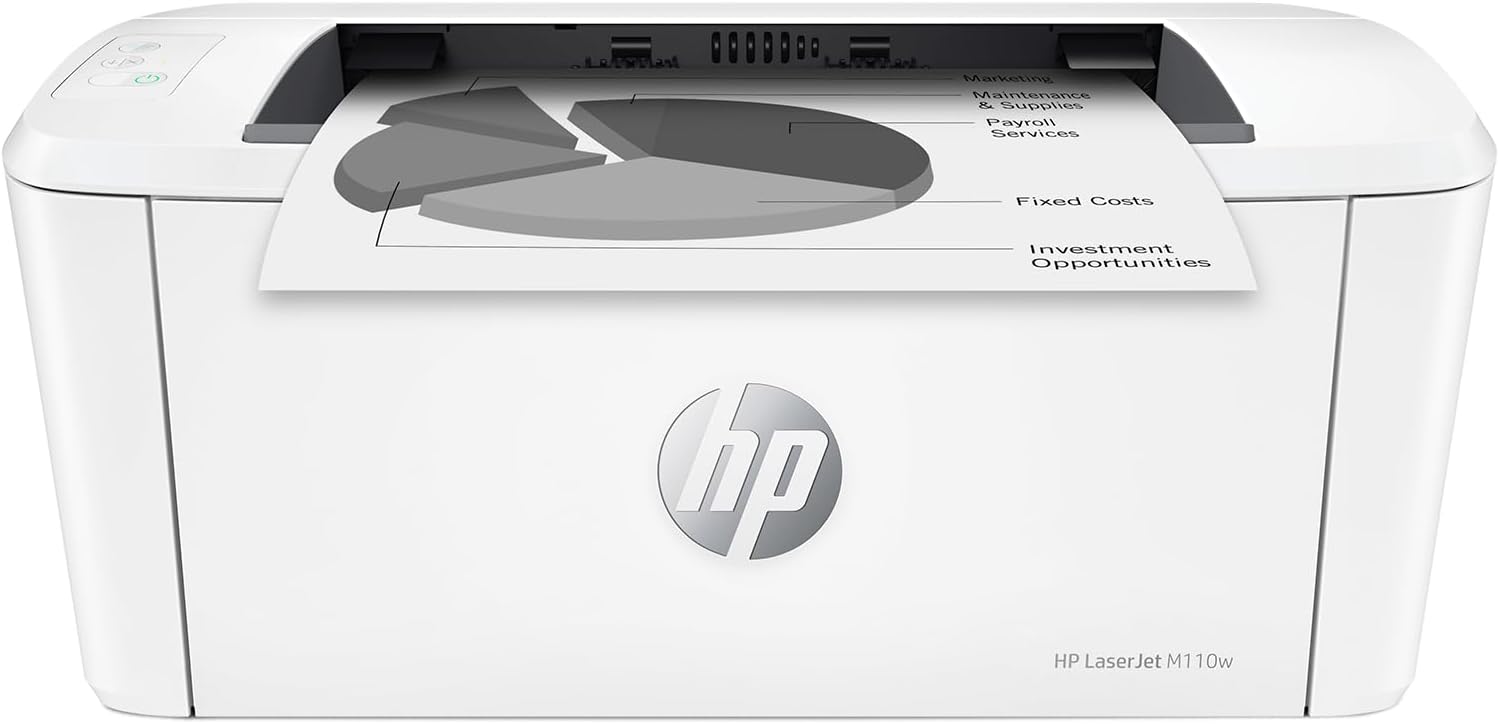
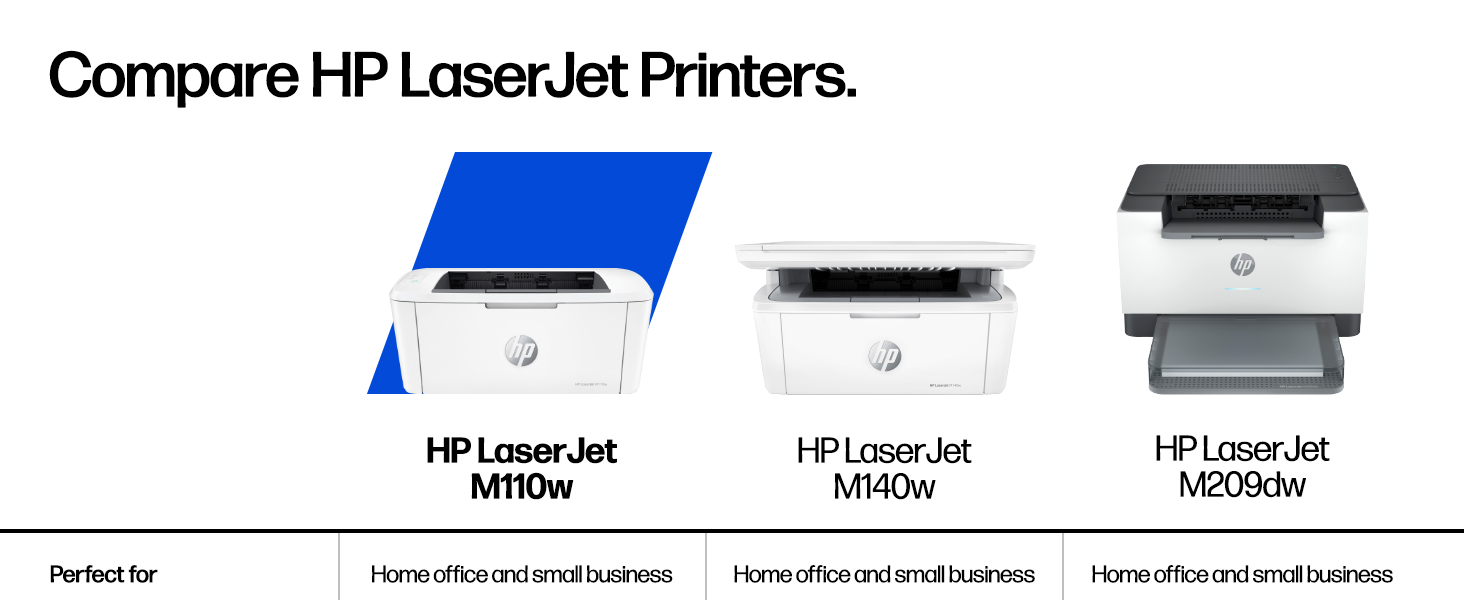
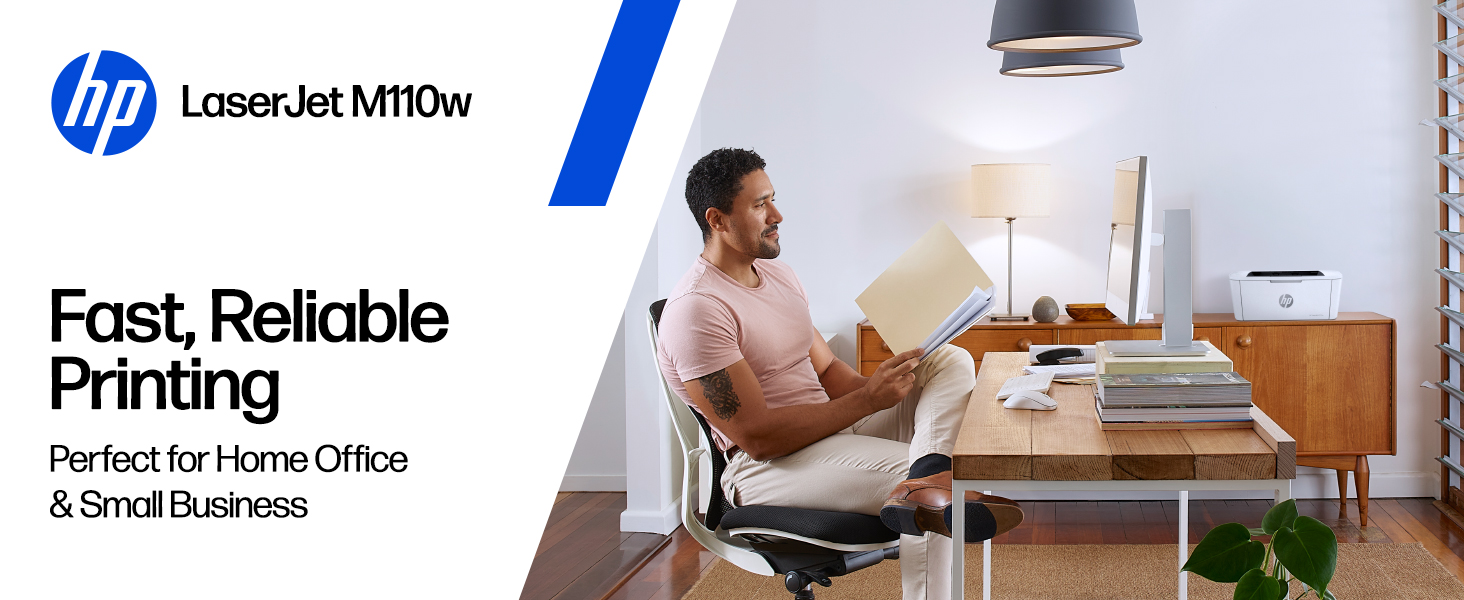
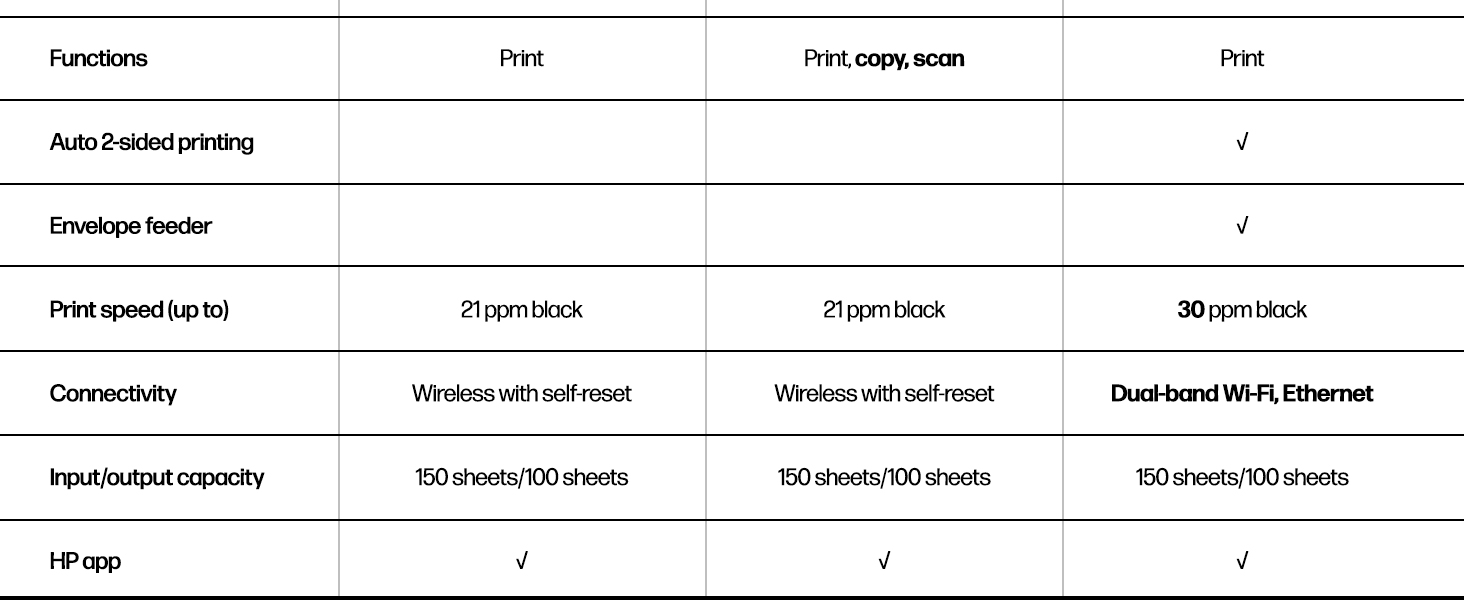
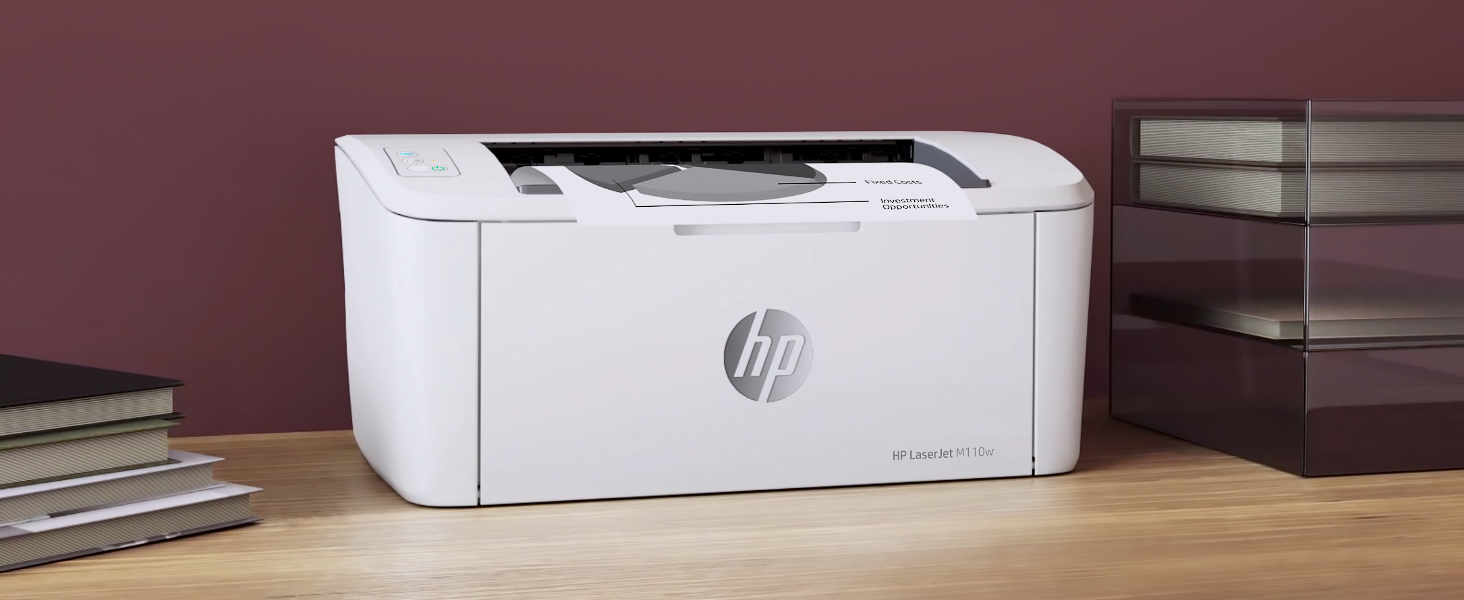
The HP LaserJet M110w is a compact, high-speed black & white laser printer designed for small teams and professionals who demand reliable, wireless printing from any device. With up to 21 pages per minute, seamless mobile connectivity, and an intuitive app, it fits perfectly in tight spaces while delivering professional-quality documents efficiently and sustainably.


| ASIN | B09J7946RJ |
| Additional Printer Functions | Print Only |
| B&W Pages per Minute | 21 ppm |
| Best Sellers Rank | #4,710 in Office Products ( See Top 100 in Office Products ) #13 in Laser Computer Printers |
| Brand | HP |
| Built-In Media | HP LaserJet M110w Printer; Preinstalled HP Original Introductory Black LaserJet Toner Cartridge; Getting Started Guide; Setup Poster; Support flyer; Warranty guide; Power cord |
| Color | White |
| Color Depth | 1 bits_per_pixel |
| Compatible Cartridge | HP Pre-installed black LaserJet |
| Compatible Devices | Laptops, PC, Smartphones, Tablets |
| Connectivity Technology | USB, Wireless |
| Control Method | App, Touch |
| Controller Type | Amazon Alexa, Android |
| Customer Reviews | 4.1 out of 5 stars 2,010 Reviews |
| Dual-sided printing | No |
| Duplex | Automatic |
| Hardware Interface | USB |
| Initial Page Print Time | 8.3 Seconds |
| Ink Color | Black |
| Item Dimensions D x W x H | 745"D x 13.63"W x 6.26"H |
| Item Type Name | Black and White Laser Printer |
| Item Weight | 9 Pounds |
| Manufacturer | HP Inc. |
| Maximum Copy Resolution Black and White | 600 x 600 dpi |
| Maximum Copy Speed Black and White | 21 ppm |
| Maximum Media Size | 8.5 x 14 inch |
| Maximum Print Resolution Black and White | 600 x 600 Dots Per Inch |
| Maximum Sheet Capacity | 150 |
| Maximum print Resolution Color | 600 x 600 |
| Model Name | New Version: M110w |
| Model Number | 7MD66F#BGJ |
| Model Series | 110 |
| Number of Drivers | 1 |
| Number of Trays | 1 |
| Other Special Features of the Product | Energy Star, HP Auto -on/Off technology |
| Paper Size | 4.13 x 5.83 to 8.5 x 14 Inches |
| Power Consumption | 2.3 Watts |
| Print media | Card stock, Envelopes, Labels, Paper (plain) |
| Printer Connectivity Type | USB, Wireless |
| Printer Output Type | Black & White |
| Printer Type | Laser |
| Printing Technology | Laser |
| Resolution | 600 x 600 |
| Scanner Type | Flatbed |
| Special Feature | Energy Star, HP Auto -on/Off technology |
| Specific Uses For Product | Office, Small Teams |
| Total Usb Ports | 1 |
| UPC | 194850676994 |
| Unit Count | 1.0 Count |
| Warranty Description | One-year limited hardware warranty. |
| Warranty Type | limited warranty |
| Wattage | 2.3 watts |
L**E
B/W is quite alright for me
Very compact. Easy to use - not a bunch of confusing settings etc. Iโve replaced a fairly new yet dinosaur sized printer and sooo glad I found this one. Truly the simplest printer Iโve owned - can send from my phone easily and quickly and canโt be happier. Thatโs it.
C**T
Looks and works great - and very small!
I just got this printer and am thrilled with how small it is, what it looks like, and how great it works! I originally had another laser printer that broke (another brand) that had more fax and scanning, but I really donโt need those functions anymore. This printer weighs 9 lbs, compared to my old one which weighed 25! I always buy laser printers, because I donโt print too often and sometimes the ink dries up. I was going to put the printer in a closet, but I donโt think it looks too bad in my kitchen - a plus because itโs very convenient. I am so glad I bought this - you can see in the pics how nice it looks and how small - canโt beat it for the size and price!
T**M
Worse junk than the last one
I bought this HP printer to replace a previous printer that would no longer connect wirelessly, stopped scanning, and got erratic about feeding paper. The one prior to that had also gotten to the point it was erratic about feeding paper but it was about 9 years old so no serious complaint about that one. Since I also bought a color printer which scanned, I bought this basic printer. It will not connect wirelessly and it locks up print jobs. If I wait 10 minutes it will start the print job about half the time. The rest of the time I have to go in and try to pause, restart or cancel the job and usually shut off the print spooler. That works about half the time. The rest of the time I have to shut down the printer and the laptop and restart everything in order to clear the print job. And yes, I know how to set up a printer wirelessly - I've done it several times. Frankly I have been quite disappointed in HP products of late. I won't buy another and when I use up the print cartridges I have I will probably just junk this one and buy a competitor product. One star is too high a rating for this product. Edit to add that it not only was refusing to print again without a 20 minute fight, my other printer (HP8010) decided that it could no longer connect which took about a 1/2 hour of fooling with to rectify but then decided it wasn't going to allow the document feeder to work which I just gave up on. Definitely no more HP printers. Edit to add I just junked this one. The other HP printer decided it doesn't want to do a good job either. If this Epson I just bought only works half right it will HP beat all to hell.
M**Y
Great Printer!
The HP LaserJet, M110W wireless, white & printer perfect for quick prints when you need them. I love the black&white pictures I can zip out. Purchased one for office, one for home. Price is great, easy to set up.
G**S
Great for an Occasional User!
I waited to try out my printer first to see how well it functions. Well, I'm here to tell you that all printers are not Wi-Fi friendly. And neither is this one. I did experience a paper jam and was able to fix it. I also bought an extra long USB cord to connect my printer, since I have poor WIFI connection anyways. The print color is not dark in color or with black and only, but It gets the job done. I'm an occasional user for important documents. The buttons are small and hard to see or read. Set up is easy and appears to be working fine. I would use it a lot more, but would rather save on ink.
M**Y
If you're on the fence, buy it!
Small, compact and prints super fast. The quality of the prints is excellent! I was hesitant because it doesn't have a scanner but the HP software has a phone app to use your phone as the scanner and it works really well. Bring monochrome is fine, too, because I didn't print in color and grayscale images are fine. I bought this because I seldomly print and was tired of having to buy ink cartridges each time I went to print. This has solved that perfectly and at a great price point. I always read the reviews prior to a purchase and all of the negative ones for this are unfounded. I had this setup in literally 5 minutes. There are no issues with Wi-Fi printing. If there are, it's with the Wi-Fi, not this printer. I highly recommend this printer!
L**N
Quality brand
Love this printer. We run a small business, so need to have a decent printer for printing up our bids & invoices. Weโve had now a couple months & no issues so far. No jamming, easy to use. Was easy to set up. Ink lasts awhile. Seems like it will ne reliable. Nice small compact size, is perfect for our small office area! Paper is so easy to load on this one, i love that you donโt have to pull a tray out like most of the others. Go for it. I donโt think youโll be disappointed:)
A**W
Easy install
Mac install was very easy and very fast. No issues at all. From delivery to first print was less than 2 minutes. Nice product.
R**O
La Impresora funciona bien
La impresora funciona bien pero el toner es muy difรญcil de conseguir y carรญsimo , aquรญ en mexico no lo conseguรญ , pague 100 dlls en EUA
B**D
Good quality print at a lower cost
I had to replace a big Canon laser printer. This HP printer is much smaller, which I like. It prints wirelessly from my computer, my tablet and my phone. Nice. It does not scan nor copy. If I want a copy of something, I take a picture of the original with my phone and then print from my phone. It only prints black, not color. This is fine for my printing and cheaper and faster than colour ink cartridges. One caution - when you need to replace the toner cartridges you have to use an HP original or find a cartridge with a matching chip imbedded or it will not print. Amazon does sell suitable cartridges but buy carefully. This printer was easy to setup and has been reliable so far.
N**A
Very good
Very good printer. Not too big and efficient. Prints well very happy. I got it much faster than tge delivery date! Recommend
P**S
Incredible Value
Whether you're a Work From Home, a Student and/or want a reliable, quality, simple, B&W Laser printer, this M110w is amazing! Just got the printer today and had it unboxed and printing within 20 minutes. Connected to my Wi-Fi (no USB/Ethernet cable connections necessary) using my iMac and printed some documents, and am also able to print from my Fedora Linux laptop. (So of course MS Windows users won't have any issue either). Nice looking and small, easy and quick setup. (I didn't opt for any of the HP 'extras' during the setup process.) Also comes with a starter laser cartridge.
H**R
Compact, but not portable always requires WIFI. Have printer cable on hand for future use.
While the quality does not measure up to my old LaserJet 6P it is satisfactory for occasional use. It is tiny for a laser printer and the temptation is to believe that it is portable. I would have liked to be able to use it in the woods while building a cabin to print drawings, but it requires WIFI. Flawed assumption is what comes from urban living. The designers have not thought the process through to the end of the equation. In any event, setup was easy and straightforward from my desktop computer, but I have not yet succeeded in getting it to print from my laptop. That likely arises because years separate the time each of these were purchased and setup of accounts are not identical. So it works on one, but does not recognize the other and does not respond. Like all of the smart devices it requires 2.4 ghz WIFI so you will likely have to set your router to broadcast in both 2.4 and 5.0 ghz. Note: About three months later the info that the printer uses to sign in to WIFI became corrupted so a printer offline message appeared. In order to fix it you need to connect the printer to the computer with a USB 2.0 male A to male B printer cable. It is a good idea to have one on hand, as you will likely eventually need to use it and it is not included with the printer.
Trustpilot
1 week ago
2 days ago