Desertcart purchases this item on your behalf and handles shipping, customs, and support to Slovakia.
✨ Light up your life, smartly and stylishly! 🌟
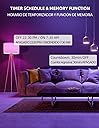
OHLUX Smart WiFi & Bluetooth Light Bulbs deliver vibrant 900-lumen brightness with 10W energy efficiency, featuring over 16 million colors and tunable white light. Compatible with Alexa, Google Home, and Siri, these A19 E26 bulbs offer hands-free voice control, app-based remote management, customizable scenes, and music synchronization—all without a hub. Perfect for millennials seeking smart, energy-saving lighting that adapts to every mood and moment.


| ASIN | B09J2FF18B |
| Accepted Voltage Frequency | 100 to 240 Volts and 50 Hertz to 60 Hertz |
| Additional Features | super bright dimmable music sync |
| Best Sellers Rank | #79,617 in Industrial & Scientific ( See Top 100 in Industrial & Scientific ) #3,923 in LED Bulbs |
| Brand | OHLUX |
| Brand Name | OHLUX |
| Bulb Base | E26 |
| Bulb Shape Size | A19 |
| Color | Rgb |
| Color Rendering Index | 85 |
| Color Temperature | 6500 Kelvin |
| Connectivity Protocol | Wi-Fi |
| Connectivity Technology | Wi-Fi |
| Control Method | Voice |
| Controller Type | Amazon Alexa, Google Assistant |
| Customer Reviews | 4.2 out of 5 stars 4,791 Reviews |
| Efficiency | 80 lumens per watt |
| Incandescent Equivalent Wattage | 80 watts |
| Included Components | Bulb included |
| Indoor Outdoor Usage | Indoor |
| Item Dimensions W x H | 2.4"W x 2.4"H |
| Light Color | RGB Color changing |
| Light Output Maximum | 900 lumens |
| Light Source Operating Life | 30000 hours |
| Light Source Type | LED |
| Light Source Wattage | 10 watts |
| Light Type | LED |
| Manufacturer | OHLUX |
| Manufacturer Part Number | 10W4PA19 |
| Material Type | Plastic |
| Model Name | wifi led bulbs works with alexa |
| Model Number | SQPA6009-A |
| Number of Items | 4 |
| Package Quantity | 1 |
| Power Consumption | 10 watts |
| Power Source | Corded Electric |
| Shape | Oval |
| Special Feature | super bright dimmable music sync |
| Specific Uses For Product | Decoration |
| Style Name | A19 10W 4PACK |
| Theme | Rainbow |
| UPC | 794304732247 |
| Unit Count | 4 Count |
| Voltage | 120 volts |
| Wattage | 10 watts |
| White Brightness | 900 lumens |
J**.
Work Great
Update from a prior review, their is a slight discrepancy as the bulbs are 800 lumens not 900, but brightness is not greatly affected. The price for the 4 pack of 100W equivalent led bulbs is very good. The replacement bulbs work as expected and were easy to set-up and link to the Alexa App. The Smart Home App did report a weak link, but it hasn't been a problem. I did expect this though as it is a good distance from the downstairs router and the upstairs router is shut down. With it active, the bulbs report full signal. Customer Service was very responsive and helpful. They actually reached out to me, I didn't contact them. All around, I would give the Customer Service and Product 5 Stars.
L**T
Awesome, efficient, and simple. Step by Step Guide.
These lights are great. They are energy efficient. They can be controlled via the smart life app or alexa or Google home. They are easy to set up. Confirm your phone/tablet is connected to a 2.4hz wifi network. 1. Install the Smart Life app from the app store and open it. 2. Click the plus button in the top right. 3. Click the Add Manually section at the top (It should already be the default). 4. Click the word "Lighting" on the far left. 5. Click The light bulb that says "Lighting" (Wifi). 6. Install the light. 7. Turn the light On-Off-On-Off-On. 8. Wait ten seconds or so and they will start blinking. 9. Click the large button that says "Confirm your light in blinking rapidly." You're done. The light will be "found," "connected," and "initialize" automatically. Simply give your light a unique name. (Lets say you have multiple lights in one fixture and you've named each light, "Kitchen Light." You can group them together in the Alexa app, which I'll explain later.) You can now control your lights from the smart life app. -Keep your lights on.- If you have the Alexa app set up already and "smart life" skill enabled, Alexa will automatically recognize your new lights and you will be able to voice control them by name. -Keep your lights on- If you do not have the Alexa app set up yet you will need to complete a couple simple steps. To get your lights to work with Alexa you will need to enable the "Smart Life" skill in your Alexa app. 1. Do this by going to the Alexa app home screen and clicking the three lines in the top left. 2. Go to skills and games. 3. Go to the search symbol and type in "Smart Life." 4. Enable Skill. Once you do this go back to the Alexa app Home screen and 1. click the three lines at the top again. 2. Click add device. 3. Click Light. 4. Scroll all the way down to "Other." 5. Click Discover devices. As long as your lights are on and you have followed all the previous steps properly, Alexa will find your lights by the unique names you gave them earlier. Okay, so let's say you have 3 lights or more in the same fixture. It's okay to name them all "Kitchen Light" or whatever you like. They can all be the same, because we can use Alexa to create a group. 1. Go to the Alexa app home page. 2. Click Devices in the bottom right. 3. Click the + button in the top right of the screen. 4. Click "Add Group." 5. Give the group a name that you will use to control multiple individual lights. 6. Add the lights from the list that will be available below by simply clicking each one of them. 7. After you have selected all the devices, click save. Voila. A couple notes. I know this sounds a little complicated but that's only because I literally broke it down piece by piece for those who may not be technologically adept. It's very easy, especially after you do it a couple times. Also, to turn every smart light you have installed off, you do not need to create a group in Alexa. Simply say, "Alexa, turn off all of the lights." Hope this review helps prospective buyers
S**O
Cheap lights
Most of them worked great one has bad wifi connection but still a good buy
L**A
Easy to use
These smart bulbs have completely changed the vibe of my home. The setup was super easy, and they connected with my Wi-Fi and smart assistant (Google Home) without any issues. I love being able to control the lights with my voice or phone – whether I’m home or not. The colors are vibrant, the brightness is adjustable, and setting schedules or using scenes makes everything feel more personalized. They’re energy-efficient too! I’m planning to get more for other rooms. Highly recommended if you're looking to upgrade your lighting experience.
G**T
Works as advertised, what more do you want?
Not usually a reviewer for basic items like this, but I want to up my review count, so here I am. They're LED bulbs that work with Alexa. The light is bright but not overly caustic, if that makes sense. They're easy to set up with their associated app and Alexa. I put them in a covered lamp and they look great. Also, now I have an "Alexa, Code Blue" and "Alexa, Love Shack" command (bright blue lights and red lights respectively) which I assume will have any girl that comes to my bedroom either awed or doubled-over laughing. Either way, they're LED lights, they change color based on voice commands and they were well priced. 5 stars.
C**I
Not fully compatible with Smart Life. Do not recall their state on power up.
First, let's just clear up that I've been using smart life for years. So this is not a user issue. These bulbs have a fatal flaw. They cannot be used in automation scenes in smart life. In Smart Life there are two things they refer to as scenes. One of those scenes is the scenes that allow flashing lights for sorcifuc devices or groups. This is not that kind of scene. The other, far more useful scenes are the automation, especially click to run scenes. These are the scenes where you can turn things on and off in order, or turn some bulbs on and others off or dim 1, brighten 2, etc. These ohlux bulbs are the only ones I've ever connected to Smart life that ARE NOT ABLE to be used in automation scenes. They simply do not appear in the list of devices when adding devices to the routine/scene. This makes them dead to me and probably to a lot of people. Additionally, these bulbs do not remember if they were on or off, or a color after losing power. Those two things mean every time someone hits a power switch by accident you will need to individually reset all the lights to where they were supposed to be. Lastly, these bulbs are a lot longer than typical bulbs meaning they will stick out of or not fit in many fixtures. Junk n
B**T
CONNECTIVITY ISSUES WITH ONE BULB
***UPDATE: I changed my rating from 2 to 3 stars because before returning these I switched out the bulb that kept disconnecting with another one of the four. I've had no issues with this one losing Wi-Fi connection whatsoever and they've been going on at sunset and off at sunrise flawlessly just as intended. I used the bad one for target practice and kept the others.*** I purchased these to go in the 2 enclosed wall sconces on my patio because, like the Philips Hue bulbs, they can be programmed to come on at sunset and go off at sunrise when paired with the Smart Life app. Although the colors are not deeply saturated like the Philips Hue, at less than 1/4 the price I could live with that. However, I can't live with them constantly going offline especially since they're only 10 to 14 ft away from my router. For the first 3 weeks they worked perfectly then one of them started going offline which requires repairing with the router and involves turning the power on, off, on, off, on to put it in pairing mode. Both lights work on the same switch. I tried using the wall switch but only the one that was already paired actually re-pairs with the router. So then I have to get a ladder, unscrew all six screws around the sconce then bring the bulb inside and place it in a different socket to go through the process. Then, of course, put it back in the enclosed sconce only to have it happen again in a day or two. Nope. Getting my money back and will invest in better bulbs.
J**R
Nice easy to use smart bulbs - once you figure out the trick
I bought a pack of these for use around the house and as a replacement for our front door light. I initially had some trouble getting the bulbs synced with the app and on my network. I ended up figuring out that the lamp you use to sync the bulbs matters tremendously. It didn't like the front door fixture or an old-school nightstand light, but it worked the first time in another lamp. I configure all my bulbs using this lamp and then moved them to their final location. I really like using these bulbs with the SmartLife app as I have most of my smart fixtures on it. I hate having a bunch of different apps to control things. Once I synced the bulbs with the app, Alexa recognized them immediately.
F**K
Cumple bien con su función
Funciona bien 👍
I**2
Buen producto
Por el momento después de unas semanas de uso han tenido muy buen desempeño, no se me han desconectado, además de tener muy buena potencia de iluminación. Su vinculación a mi celular desde su App fue muy rápida y sencilla
M**N
Bueno, bonito y barato
Estoy muy contento con estos focos y me arrepiento de no haber comprado más, ya que el precio promocional duró muy poco. Se majena con la app de TuyaSmart y son relativamente fáciles de configurar con la red a través de la app y agregarlos a Alexa o Google Home. Lo único, es que si no conoces la app, se te puede complicar un poco el proceso de configuración. Te recomiendo revisar unos tutoriales.
D**O
Good
Good. Buy it. One of the lights stays on with a faint glow (1% lighting), but it's not a big deal for me. Easy to connect and works with all Wi-Fi bulb commands.
D**N
Fantastic value smart bulbs
Fantastic product. When the bulbs arrived they needed resetting to be able to set them up on the app. If the lights just turn on and are not flashing you need to turn the light switch off and then back on 3 times not too quick so they start flashing. You can now set them up on the app. I personally use the TuyaSmart app as it is very reliable and have been using this app for years for my other smart devices with no problem. Excellent value smart bulbs.
Trustpilot
2 months ago
1 week ago