Desertcart purchases this item on your behalf and handles shipping, customs, and support to Slovakia.
🖨️ Elevate your workspace with smart, stylish, and seamless printing!
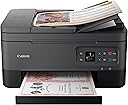
The Canon PIXMA TR7020a is a versatile all-in-one wireless inkjet printer designed for home and office use. It delivers high-resolution prints up to 4800 x 1200 dpi, supports automatic duplex printing, and features a 35-sheet Auto Document Feeder for efficient multi-page scanning and copying. With multiple connectivity options including Wi-Fi, Bluetooth, and USB, plus a compact design and an intuitive OLED display, it combines professional-quality output with user-friendly operation. Canon’s ink subscription service ensures continuous productivity without interruptions.

| ASIN | B09TGB62D8 |
| Additional Printer Functions | Copy, Scan |
| B&W Pages per Minute | 13 |
| Best Sellers Rank | #54,871 in Office Products ( See Top 100 in Office Products ) #56 in Ink Tank Printers |
| Brand | Canon |
| Built-In Media | PIXMA TR7020, Documentation, Set of Standard Ink Cartridges, Power Cord |
| Color | Black |
| Color Depth | 16, 8 bits |
| Color Pages per Minute | 6.8 pages_per_minute |
| Compatible Devices | PC, Smartphones |
| Connectivity Technology | wireless |
| Control Method | App |
| Controller Type | Android |
| Customer Reviews | 3.8 out of 5 stars 3,432 Reviews |
| Display Type | OLED |
| Duplex | Automatic |
| EU Spare Part Availability Duration | 1 years |
| Hardware Interface | USB |
| Ink Color | Color |
| Item Dimensions D x W x H | 15.9"D x 14.4"W x 8.2"H |
| Item Type Name | Inkjet Printer |
| Item Weight | 18.1 pounds |
| Manufacturer | Canon |
| Maximum Copy Resolution Black and White | 600 dpi |
| Maximum Copy Resolution Color | 1200 x 2400 dpi |
| Maximum Copy Speed Black and White | 11.8 pages_per_minute |
| Maximum Media Size | 8.5 x 14 inch |
| Maximum Print Resolution Black and White | 1200 dpi |
| Maximum Sheet Capacity | 200 |
| Maximum print Resolution Color | 4800 x 1200 dpi |
| Model Name | PIXMA TR7020a |
| Model Number | 4460C052 |
| Model Series | PIXMA |
| Number of Trays | 2 |
| Other Special Features of the Product | Auto Document Feeder, Display Screen, Network-Ready |
| Output sheet capacity | 200 |
| Paper Size | 8.5 x 11, 8.5 x 14 |
| Print media | Glossy photo paper |
| Printer Connectivity Type | wireless |
| Printer Output Type | Color |
| Printer Type | Inkjet |
| Printing Technology | Inkjet |
| Processor Count | 1 |
| Resolution | 4800 x 1200 |
| Scanner Type | Flatbed and Auto Document Feeder |
| Series Number | 52 |
| Special Feature | Auto Document Feeder , Display Screen, Network-Ready |
| Specific Uses For Product | home office |
| Total Usb Ports | 1 |
| UPC | 013803348255 |
| Unit Count | 1 Count |
| Warranty Description | 1 year |
| Warranty Type | limited warranty |
J**Y
Love it!
I had a previous printer that suddenly stopped taking the paper no matter what I did it just wouldn’t reach down to take the paper in so I had to replace it. I am so glad I did have to replace it because this printer is heads above my previous one even when it was working at its best! Setting it up with my iPhone was a little tricky but I was able to do it with extra steps that they give you if the auto set up doesn’t work. I haven’t set it up with my Mac air yet but I’m sure it will be a breeze. it’s also nice that there is a place in the back of the printer to put photo paper. You don’t have to use the back feeder except for photo paper. The front of the printer has a tray that easily moves out for you to place paper in it and then the catch tray that retrieves what you printed pulls out right above the paper tray. It has a multi page feeder on top for wanting to copy multiple pages, as well as two sided printing and one single page printing if you just lift the top and place the image on the glass. putting the ink in as much easier than my old printer where I had to reach inside the guts. With this printer you just lift the top and you can easily access the printer cartridges. It does come with one color and one black-and-white cartridge but I’m kind of guessing that they’re probably not as full as when you buy a brand new cartridge by itself. But I don’t print very often just the occasional label every now and then so I think I’m going to be fine. I do recommend this printer but not if you have older operating systems only if you have modern ones. I wasn’t able to get it to work with my iMac which is from early 2000. But I have the latest update for the iPhone and I’m using an iPhone 12 Pro Max and I can print from there. PS: the image I am attaching is a full letter size printout of a picture that was about 5 x 6 and printed on regular letter paper, not glossy photo paper. It’s a little on the soft side but when you see it in person, it’s good enough to put in a frame and hang on the wall. PPS: I didn’t rate tech-support because I am thinking they mean over the phone tech-support and not just the how-to for setting it up that you can get online. Since I haven’t used one-on-one tech-support, I decided not to rate that. But as far as what’s given to me online, it was very easy to understand and simple to set up.
O**V
Whoohoo - unlike HP - this printer WORKS!
This is the 3rd printer in the past 2 weeks I've purchased. The first two were HP. The first HP had a broken scanner. The replacement HP seemed like a nice printer, but the HP Smart app was beyond frustrating. I had used HP printers for years, then recently tried Epson because I liked the ink-tank idea. In comparison to HP & Epson - this Canon meets my needs MUCH BETTER. I will never buy another HP - the invasive HP Smart app with all of it's requirements to be signed into your 'account', and be connected to the internet is bad enough. But the app simply doesn't work, all it does is spin and spin and spin......trying to scan a couple of sheets of paper with HP can take an hour. Epson print heads clog, so if you want to print, you may have to clean the heads twice, and then print the document a couple of times before it's acceptable quality, a waste of paper and time. This Canon printer is so REFRESHING! It quietly and without fuss does exactly what it's supposed to do! Setup was a total breeze, in a few minutes I had the printer drivers and the utility app installed on 2 laptops and a smartphone. The utility app is simple to use, and has the functionality I needed. The print quality looks good. I've not tried the photo printing options yet, but that is a low priority with me. Overall I am thrilled with this new printer!
E**R
The worst printer I have owned
The worst printer I've owned. I had a HP previously but got tired of getting locked into the ink and paper issue and if I didn't keep my subscription, they would lock me out from using my printer. So, I purchased this printer, since I've never owned a canon before, It was very difficult to set up on my Wi-Fi. Once I got it working, it would go into sleep mode and the next time I tried to use it, I had to reload and set it up again because the Wi-Fi would not work. I spent 1 hour one day to reestablish printing and the next time another hour. I called the tech support for canon, and they said my internet was weak and to move the printer closer to my modem. I told them, the printer was in the same room as my modem. I never had Wi-fi problems with previous printers. They said, since it was under a year, they would exchange it for a new one because she felt it was defective. After she checked my serial number, she said I could not exchange it with them because it was made in Canada. She said I would have to exchange it back to amazon. Luckily, they said I had 5 more days to exchange it. I mailed if off this morning and will be going to Best Buy to purchase a new one. Other than the Wi-Fi problems, when it worked, it was fine. I need something more dependable with my daughter starting school. I would not buy this model of printer especially if it was made in Canada.
A**R
good printer, not so good software
it prints and scans beautifully. Wi-Fi is ify. It complains it can find the printer, but then finally prints. The scanning app is less reliable. If Canon can fix these issues, it will be the perfect printer. The paper tray is way too small.
M**D
Exceptional home/office all-in-one — versatile, high-quality and smart
I recently bought this printer and can confidently say it delivers everything I was hoping for (and more). From setup to daily use, it’s been outstanding. Why it impressed me: Setup was fast and hassle-free. The compact footprint keeps it from dominating my workspace. Print quality is excellent for the money, giving crisp black text and vibrant color photos. It includes duplex printing and an Auto Document Feeder (ADF) for multitasking: great for scanning/copying multi-page documents. Mobile and wireless options are well catered for — WiFi, mobile printing apps, AirPrint/Mopria support, which makes printing from phones/tablets seamless. Where it really stands out: In a mixed home + office environment, I had tasks ranging from photo prints, scanned contracts, daily document prints and it handled them all smoothly — no hiccups, consistent quality, and good speed. A few small things to note (but not deal-breakers): It’s not the fastest printer on the market, so if you’re printing huge batches constantly you might see slower times than a dedicated office machine. It’s still an inkjet, so ongoing ink cost will matter depending on your volume. If you require ultra high speed for heavy office work, there may be faster options — but for most home/SMB uses this is more than enough. Bottom line: If you’re looking for a reliable all-in-one printer that offers great print quality, useful features like an ADF and duplex printing, and modern connectivity — this a fantastic choice. I highly recommend it.
B**D
Great printer Overall
Canon 260/261 XL Printer Review Photo Quality: The Canon 260/261 XL printer delivers impressive photo quality with vibrant colors and sharp details. The high-yield ink cartridges ensure that your photos are printed with rich, accurate colors, making them perfect for both personal and professional use. Whether you're printing family portraits or stunning landscapes, the Canon 260/261 XL captures every nuance with precision. Print Speed: When it comes to print speed, the Canon 260/261 XL is quite efficient. It offers a print speed of up to 10 pages per minute for color documents and around 5 pages per minute for high-resolution photos. While it may not be the fastest printer on the market, it provides a good balance of speed and quality, making it suitable for most printing needs. Other Notable Features: User-Friendly Interface: The printer features an intuitive touchscreen control panel, making it easy to navigate and adjust settings. Connectivity Options: It supports various connectivity options, including Wi-Fi, USB, and Bluetooth, allowing you to print from multiple devices seamlessly. Durable Build: Constructed with high-quality materials, the Canon 260/261 XL is built to last, ensuring long-term reliability. Eco-Friendly: The printer is designed with energy-saving features and uses eco-friendly ink cartridges, making it an environmentally conscious choice. Overall, the Canon 260/261 XL is a reliable and versatile printer that offers excellent photo quality and decent print speed. It's a great option for anyone looking for a dependable printer for both personal and professional use
J**N
Solid Printer. Don’t listen to the whining
I bought this printer as part of the prime day deals in summer 2024. I needed a printer but didn’t want to drop big money on one, as I just needed one that could scan and print. This printer has done a really good job for me over that time frame. The starter ink cartridges lasted longer than I expected, and the setup was fairly easy. If you’re not tech savvy, it might be difficult, but the instructions are pretty easy to follow and a simple google search can help you set things up. Scanning requires you to install the canon scanning software on your computer or to use the canon app. It’s also not hard, but not as easy as just pressing ‘scan’ on the printer. As for jams - I only had one. Since the printer doesn’t have a tray to catch the paper when it prints, it falls on the surface you have it on. If you let it print for too long, sometimes the paper will start to build up on itself in a line, causing some pressure on the paper printing out. Clearing the jam was fairly simple, a google search and look at the manual solved it easily. Just keep an eye on the paper and move it away from the printer every few sheets and you’ll be fine! This is a solid deal if you just need a simple printer/scanner for a good price.
R**.
Not A Good PrinterChoice
This is my fifth printer, and my third Canon, so I do have some experience with Canon printers. But that doesn't help much. Our other two Canons were much better, and just wore out, although the last one eventually leaked and didn't last very long. I am still trying to figure out how to make this new one work better. The set up on this one was a nightmare, and the instructions are less than adequate. I bought it because of my familiarity with Canon printers, and mostly for the scanner auto feed feature, which it turns out, is a nightmare to figure out and to use. The photo print operation is too difficult, and picture quality is inferior to my prior Canons, and to our Epson printer, which I will now have to use for photos if I want decent pictures. I suspect the photo quality issue on this unit has to do with the two ink cartridge system vs the 6 ink cartridge system on my last Canon printer. I am obviously disappointed, but it would probably be too difficult at this point to justify a return to Amazon and I really don't want to start all over with something else., since it does seem to print text OK. But I would certainly not buy it again, nor will I be buying any more Canon printers. Added comments, updated on 07/09/2024 It only gets worse. This printer is consistently dirt slow, especially at start up. I had to reset it to NEVER turn off to avoid waiting forever for it to initiate. Even then, its very slow to print. The tiny display and settings are very difficult to navigate. The shift from text to photo and back is problematic, and I still have not figured out how to improve that or the photo quality. The scanner auto feeder feature only seems to work if I put a shortcut on my PC and set it up from there. The on line user guide is lengthy but mostly useless. The black ink is already "LOW" with only modest printing volume. So I assume the ink usage and costs will be bad in the future, if this thing manages to last very long. I may actually trash this one rather than waste a lot of money on ink. To reiterate, no more Canons for me.
M**N
Missing cable and missing ink cartridge
Box arrived without a cable and without an ink catridge.
M**S
Excelente producto
Cumplió mis expectativas muy bonita y llegó rápido
L**Z
Cuidada
Cumple su función llego en tiempo pero trajo poquita tinta pero por el precio estuvo bien
D**O
Mucho gasto
No cumple la calidad y el gasto en cartuchos es muy elevado
Trustpilot
2 weeks ago
4 days ago