Desertcart purchases this item on your behalf and handles shipping, customs, and support to Slovakia.
🚀 Elevate your workspace with a sleek 7-inch touchscreen powerhouse!
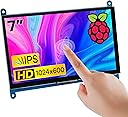
The Hosyond 7 Inch IPS LCD Touch Screen Display Panel delivers a sharp 1024×600 native resolution with vibrant colors and wide 178° viewing angles. Featuring 5-point capacitive touch, it supports seamless plug-and-play connectivity with Raspberry Pi models, Windows PCs, and other mini PCs via HDMI. Its power-efficient backlight control and adaptive sync technology ensure smooth visuals and energy savings, making it an ideal secondary display for professionals seeking versatility and crisp performance in a compact form factor.


| ASIN | B09XKC53NH |
| Adaptive Sync | FreeSync |
| Additional Features | Touchscreen |
| Aspect Ratio | 16:9 |
| Best Sellers Rank | #7,369 in Electronics ( See Top 100 in Electronics ) #253 in Computer Monitors |
| Brand | Hosyond |
| Brightness | 300 |
| Color | Black |
| Compatible Devices | Desktop, Gaming Console, Laptop, Raspberry Pi |
| Connectivity Technology | HDMI |
| Contrast Ratio | 1000:1 |
| Customer Reviews | 4.4 out of 5 stars 616 Reviews |
| Display Resolution Maximum | 1920 x 1080 |
| Display Technology | IPS |
| Display Type | LCD |
| Hardware Connectivity | HDMI |
| Image Contrast Ratio | 1000:1 |
| Included Components | HDMI cable, micro USB cable |
| Item Dimensions D x W x H | 0.6"D x 6.5"W x 5"H |
| Item Weight | 0.4 kg |
| Manufacturer | Hosyond |
| Model Name | 10 |
| Model Number | 10 |
| Mounting Type | Panel Mount |
| Native Resolution | 1024x600 |
| Number of Component Outputs | 1 |
| Picture Quality Enhancement Technology | Adaptive Sync (FreeSync) |
| Power Consumption | 3.1 watts |
| Refresh Rate | 60 hertz |
| Resolution | HD |
| Response Time | 10 milliseconds |
| Screen Finish | Glossy |
| Screen Size | 7 inches |
| Screen Surface Description | Glossy |
| Shape | rectangular prism |
| Specific Uses For Product | Desktop |
| Total Number of HDMI Ports | 1 |
| Total Usb Ports | 1 |
| UPC | 761325160724 |
| Viewing Angle | 178 degrees |
| Voltage | 5 volts |
| Warranty Description | NO |
S**Y
Solid Display for Various Uses—With Caveats
This 7-inch IPS LCD touch screen has proven to be a solid choice for my various computing needs, but it's not without its limitations. The picture quality is commendable, and the touch response is accurate, making it a pleasure to use for both coding and casual browsing. It connects well with multiple devices, from Raspberry Pis to PCs, which enhances its versatility. One major drawback is the lack of built-in speakers. While I usually connect external audio devices, it would have been convenient to have audio integrated into the display. Additionally, the absence of a power button means you'll need to manage power through your device, which can be a hassle. Despite these issues, it’s a great monitor for the price, and I recommend it to those looking for a reliable secondary display.
S**N
Worked first time with Raspberry Pi 4B
Pros: * Easy setup with either a Pi3, 4 or 5 - Very clever design with the little connectors on a PCB. Very neat with no wires or long cables protruding. * Clear and crisp display on all resolutions athough 1920 x 1080 on a small screen like this is an eye chart. I have been using 1024 x 576 and 1152 x 648 for my applications. At this resolution the touch screen is very usable even with my fat fingers. * Colors are bright and saturated. Black is as expected for a modern TFT display. No issues. * Worked instantly, no driver issues, no editing config files to get working. Tested with the 2025 version of Raspberry PI 64 Bit OS. * No USB Sound Dongle needed for sound (as the sound comes over the HDMI connection). This saves a USB dongle and amplifier(s) + speaker(s) that would be needed otherwise. * Sound from included speakers is really pretty good and plenty loud. No driver issues at all. * There is a nice little combined brightness / volume control on the side. Works fine. * Multiple possible resolutions (see attached picture). * A little dimmer than the Official Raspberry Pi display and about the same brightness as the Raspberry Pi Display 2. Still plenty bright in an office environment. As good as your average office laptop. * Seems to use the same power as an official Raspberry Pi display. Cons: * Not as easy to mount as the official Raspberry Pi Display screens. * I didn't notice this at first, but this display has a blue color cast to it when placed next to the Official Raspberry Pi displays which seem to have a slightly warm color cast. Again I didn't notice this until I compared the two displays. * Display surface is reflective, but they all are - a limitation of touchscreens. Wishes: * I wish someone would make a good Acrylic bezel / mount for the screen like the Pimorni ones so panel mounting was easier. Bottom line: I would buy this again for sure. Especially if I wanted to try different resolutions.
H**L
Works well with Raspberry pi 4
A very good screen, nice picture and touch works well. A control wheel to change brightness for the screen and volume for the built in speakers. Cable free installation with adapters for my raspberry pi 4, nice!. I remove a star for the outdated installation guide on Internet. These instructions are for an old version (Buster) of the Rpi Linux and doesn't work on the newer version (Bookworm). When I powered up Rpi, I got a picture but with the wrong resolution 1600x900! To get the native 1024x600 resolution, I had to ( with Linux help from knowledgeable people) force the resolution during boot in an autoexec file.
A**R
Great small format touchscreen monitor
Works great. Perfect monitor if you need a small touch screen. Works well with my Raspberry Pi4.
S**T
Perfect for remote desktop access!
I have several Windows desktop computers that I access remotely over the network. Since I only ever use a laptop to access them, I personally don't need a big monitor, keyboard, or mouse plugged in to them. I feel like that's an unnecessary waste of money and space. Unfortunately, Windows doesn't agree with me; unless it can detect that I have a monitor and mouse plugged in to each of those remote desktops, I often get strange resolution problems, an invisible mouse, and refresh problems that prevent all of my open windows from being displayed. It's maddening. This was my relatively cheap solution. I bought three of the 7 inch model over the past six months for around forty bucks each. Plugging one into each computer (two cables: USB for power/touchscreen + HDMI for video) seems to satisfy Windows that I have a "proper" computer setup. I can now remotely stream all of the desktops to my laptop without any issues. These display panels are so small they can be tucked away unobtrusively between the workstations taking up almost no space (see attached image). And I love that they have flexible virtual resolutions. The hardware may be 1024x600, but they're willing to pretend to Windows that they're 1920x1080. This allows Windows to happily generate a full HD screen. Obviously things are tiny & borderline illegible when viewing a full HD desktop on a display with a third of the pixels. But the upside is I can stream full 1920x1080 to my laptop! This was NOT the case with a different small monitor I had previously hooked up. It's an enormously welcome feature if you're only doing remote access like me. I know this is intended to be used as a display + input device for a Raspberry Pi. If that's what you need, it's likely fine for that. But if you're like me and need something for a remote computer setup, it's an exceptional value that I've been very happy with.
D**.
Perfect for my use!
I use this touch display for my Raspberry Pi when I'm on the go. It is a beautiful display, I have watched movies on it. It's super easy to use as you only need to connect it to USB for power and to use the touch capability. It is bright enough to use in daylight but for watching movies I much prefer using it in darker environments. Having touch capabilities is a huge bonus. I would consider this a high quality display and I definitely recommend this to anyone needing a small and portable screen with touch capability. You will of course need to connect with something else for sound such as a Bluetooth speaker or if you have a 3.5mm output on whatever you are using this with as it does not have any speakers. I find it perfect for a Raspberry Pi project!
P**N
Good screen, meh touch.
The screen looks great but the touch capabilities are mediocre at best. It takes a couple times for the screen to register my touch - thankfully I'm running a passive dashboard so it's not a huge deal.
R**N
Work great for my Windows environment as auxiliary monitors. Also, for Flight Simulator!
These work great, for the price point. I am using for a number of Windows 11 Desktop applications as auxiliary monitors. My main reason getting two of these for Microsoft Flight Simulator 2024 + Air Manager = Awesome aircraft components in front of my face, and can interact with them! Pros - -You can upscale in Windows to 1920x1080 so that certain apps will still fit on the screen. Small lettering has a hard time due to low actual resolution, but works for most applications that you can adjust scale on(or scale in Windows display options). -Touchscreen micro USB connection will also work to power the screen, so only one HDMI and one USB connections needed. -Multiple connection points so you can choose to have these HDMI/USB cables hidden on back, or coming out the side. -a couple of bonus feet for mounting in your choice of orientation/angle Cons - - If you dont mind connections coming directly off the side, the HDMI connector on the back is soldered on such a flat low profile that almost any HDMI connector I had on many HDMI cables that I already have did not fit. I had to take a knife and shave down the lowest profile connector I had so that I would not have any cables branching off the side connection points. - Low Resolution - This is obvious as stated the resolution in the specs here, shouldn't really be a con considering how affordable these are.
M**I
Not good
Not good
A**I
Good but
The screen and the lines are the aligned well
V**.
Good display .
Works good, no issues . Seems like good quality. Using it with Cerbo Gx Victron
M**R
Fácil de instalar
En una cabina de fotos, la necesitaba para saber si los usuarios ya habian terminado la sesión, cumple perfectamente con este cometido.
M**R
Schöner 5 Zoll Bildschirm für die Hausintegration
Knapp über 40 € für ein 5 Zoll Bildschirm der innerhalb von einem Tag bei mir war. Funktioniert einwandfrei Bildhelligkeit ist zufriedenstellend und das wichtigste ist er hat einen HDMI Eingang. Alle Bildparameter lassen sich an der Seite über Knöpfe bedienen wie Sättigung Helligkeit Backlight etc.
Trustpilot
1 week ago
2 weeks ago