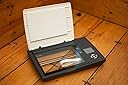
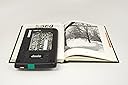
📸 Capture your past, digitize your legacy—no wires, no limits!
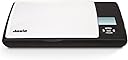
The Doxie Flip DX70 is a cordless, portable flatbed scanner designed for high-resolution (600 dpi) scanning of photos, notebooks, and memorabilia. Powered by 4 AA batteries and featuring built-in SD card storage, it requires no computer connection. Its unique removable lid and transparent scanning window enable precise, live-aligned scans. Compatible with cloud services and desktop software, Doxie Flip makes digitizing and sharing your analog memories effortless and mobile.


| ASIN | B00E00FSDU |
| Best Sellers Rank | #1,520,958 in Office Products ( See Top 100 in Office Products ) #1,853 in Document Scanners |
| Brand | Doxie |
| Color Depth | 24 bpp |
| Connection Type | Included SD Card |
| Connectivity Technology | Included SD Card |
| Customer Reviews | 4.5 out of 5 stars 390 Reviews |
| Global Trade Identification Number | 00662425055531 |
| Item Weight | 2.2 pounds |
| Manufacturer | Doxie & Co. |
| Media Type | Photo, Post Card |
| Minimum System Requirements | Windows 7 |
| Model Name | Doxie Flip |
| Resolution | 600 |
| Scanner Type | Photo |
| Standard Sheet Capacity | 1 |
| UPC | 662425055531 |
| Unit Count | 1 Count |
| Warranty Description | 1 year |
B**S
This Thing Rocks!
Very happy with this scanner. Intended use: I bought this because one of my older relatives recently passed away and her daughter found a number of old photos that I wanted to scan for myself and my mom. Additionally, my son was born in 1997, but I didn't buy my first digital camera until 2004, which meant I had 7 years of baby pictures that needed to be digitized. This scanner is great for this purpose. First Impressions: I got an email from the manufacturer on the day the scanner arrived with a hyperlink if I had any issues. Although I am sure this was automatically generated, I still thought it was a nice touch of customer service that you don't see much of today. When the scanner arrived, I found it to be well packaged. Additionally, I really appreciated that it had everything needed--including batteries, an SD card and a USB SD card reader--to scan and import photos. Use experience: Setup was easy and intuitive. I went from unpacking the box to scanning photos in a matter of a few minutes. The scanner doesn't have a lot of bells and whistles, but it scans photos very well. You definitely want to use the higher resolution (600 dpi) to scan photos. I found this resolution to be satisfactory. It takes about 20 seconds from scan to scan. Of course, that doesn't include the time required to take the pictures out of albums and put them back. One great thing about this scanner is its portability. I can set it own my lap or the arm of my couch and scan photos while watching television. Although I have a flatbed scanner on my all-in-one, this is a much better solution for scanning photographs. I also played with the "flip" capability of this scanner and found it to work well. Batteries: As other reviewers have noted, this thing eats batteries. I went through the 4 included AA batteries and a replacement set before I broke down and purchased two sets of rechargeable batteries, which I would consider to be essential if you plan on doing a lot of scanning. It would be nice if the scanner had an AC port and optional adapter, but I guess that would be contrary to the portability concept. Software I typically use Abobe Photoshop Elements 13 for importing and editing images. However, I used the Doxie software (a free download) so that I could comment on it. I found it to be intuitive and user friendly. It performs all basic image editing well. I also tried the "stitch" feature by scanning a wall portrait with two passes and stitching the images together. It worked. If I wasn't already a fan of Photoshop Elements, I would have no problem using this software. Overall: I think this is a great product and highly recommend it for photo scanning. You won't be disappointed if you purchase it.
L**N
Updated review after the first unit failed to start only after one use
Update: I have to say that I'm really impressed by the company's customer service! I would give their customer service 6 starts if I could. I was contacted very quickly by the manufacturer after my initial review about a defective product I received. They offered to send me a complementary brand new unit to have a chance to re-evaluate it, as well as a pack of Panasonic eneloop pro rechargeable batteries (2550mAh) with a charger to address the short battery life issue. And WOW, what a totally different experience! This time the unit turned on in one easy switch (vs the defective unit sluggish response and eventually refused to turn on), and the rechargeable battery lasted forever-I was too tired to wait until I could exhaust the power, but after 30 scans of 600dpi pictures, the indicator still showed a full charge. At least even after the batteries are gone, I won't have to worry about buying new ones, I could just recharge them. Also what's interesting is this new unit can fit all my different rechargeable batteries without any problem, while my own Duracell rechargeable could not fit into the previous defective unit. In terms of the small scan area in my original review, my feeling is that you have to have a proper expectation to this unit-it is a portable device. I would say it is not meant for replacement of a desktop unit in terms of scale and capacity, but it is superior in other situations like taking it to a library, scanning old album which is a pain to take out each individual pictures. This time I tried the flip mode on my mom's 40 year old album and it was really fun to scan the fragile old pictures without worrying about damaging them! Conclusion: Have the right exceptions and enjoy this versatile and portable little gadget. Also be prepared to spend a little more money on the eneloop pro rechargeable batteries, however, for you to enjoy this scanner, they are actually essential. ************************************************************************************************ Original review: Not sure if it was because I bought a factory re-conditioned item, it came in with 4 empty alkaline batteries. Not a super big deal, it was $40 cheaper than the brand new one, so I just used my own batteries. But it burnt the batteries like crazy, 4 brand new AA batteries only lasted 80 scan. So I changed it to new set of batteries, but the unit failed to turn back on. So I have to return it. Ordered an Epson V19, no power cord, just USB cable powered, scan much bigger area. I'm way happier with the Epson than the Doxie Flip. Don't waste your money on a hype (tiny little scan area), bigger scan area is much more useful!
F**L
The only player on the market.
ADDITIONAL INFORMATION that would have helped me while deciding to make the purchase: Scanner º Optical/Hardware Resolution: 600 dpi. º Scan Speed: 7 seconds at 300 dpi; 15 seconds at 600 dpi. º File Format: JPG at 92% quality. º Minimal scanning features (a plus in my opinion). Software º 110 MB (as of this review) º Must be downloaded from Doxie site. º Can only be used with image files created by Doxie scanners (i.e., proprietory). º Very basic and limited functionality (a plus in my opinion). OVERALL IMPRESSION Overall, I am happy with my purchase. There really is no another device in the market niche to compare with it since this is the only product in the "standalone, portable flatbed scanner" platform. And I don't think it is useful to compare it with your run-of-the-mill flatbed scanners nor with sheetfed scanners. It would be like comparing a pickup truck with a dump truck or with a utility van. Each has been engineered to excel at certain tasks but--while it's possible to accomplish others with it--will do so less desirably and even poorly at others.* SOME THINGS I'VE LEARNED 1. Some reviewers have remarked about the scanner's limited features but these really are the Doxie Flip's strong points. The scanner and software are very, very easy to use. Once you've set up the date you're pretty much ready to start scanning. Switching between resolution depths is a matter of 3 clicks. I am confident that I can explain over the phone to my 85-year old grandmother how to "get the pictures into the flashcard". 2. Scan settings on the Doxie are limited to resolutions of 300 and 600 dpi. These are good compromises for cost, complexity, portability, and purpose. My guess is that higher resolution optics would increase the price and overall hardware-software design complexity. Besides, a capture resolution of 300 dpi is sufficient for a 1:1 reproduction. At 600 dpi, you'll have adequate detail for enlargements. 3. There is no option for alternative file formats. The Doxie saves files in only JPG format.** However the JPG file is created at 92% quality so, while you lose a few details, the captured image is more than adequate for your average home user. My long term solution to the JPG file-format is to immediately make all of the images created by the Doxie Flip "Read-Only" once they're saved onto my computer. 4. Scans from my Doxie Flip are "cool" and the colors appear washed out. But basic processing features in the Doxie software can be used to increase the contrast and color saturation (make the colors richer). As a general practice when I'm scanning pictures for archival, I scan using the scanner's hardware defaults anyway and then use image editing software to tweak the captured image. 5. The Doxie software is efficient and runs with a small footprint. I was able to "stitch" together eight 600 dpi scans of separate sections of a DVD cover into a single image. Having worked with Photoshop and other image editing programs, I was concerned about the length of time it would take but, on a 4-year old Intel Centrino-powered laptop, the Doxie app completed the task in under 2 minutes. __________________________________________ * Each scanner platform (flatbed, sheetfed, portable/mobile) has been designed for a specific sector of the document imaging domain. I use an older sheetfed scanner (Fujitsu fi-5120c) when I need to quickly scan a large volume of office documents and a 13-year old flatbed (Epson Epxression 836XL with a transparency unit) to archive pictures and documents. There is an all-in-one HP printer sitting next to my PC that I use to quickly scan a few sheets without firing up the computer. The Doxie Flip will be used for occasions when I cannot bring the media back to my home to be scanned. ** JPG is known as a "lossy" file compression format resulting in degradation of image details with each file iteration. In other words, as you open a JPG to work on it and then save it over itself (the older file) the successive versions are less detailed.
M**.
This Little Scanner is MAGIC!
The problem my HR office needed to solve was going to Orientations at different locations and having to explain to New Hires that we were going to take their ID cards, take the whole bunch of them to a copier, copy them, then return them at a later time during Orientation. They didn't like letting their IDs out of their sight and we were nervous as all get-out while we were in possession of them. I decided to look up portable scanners, and I found this little gem. To borrow a term from the British, we are all 'gobsmacked'. This is the best invention since the wheel, in the HR world. We used it just a couple of days after receiving it. We had 20 New Hires coming in with paperwork and IDs. While my co-worker checked paperwork, I took each New Hire's ID and quickly scanned it. If they had a birth certificate, I took the top off and scanned it the way the instructions suggested. I was able to return the IDs immediately, no muss, no fuss. Having the little screen put my mind to rest that the IDs were successfully saved to the SD card. Back at my office, I uploaded the pictures to the program. The pictures are so clear! The stitching program is magical; I had to call my coworkers in to watch it! While we purchased it to solve this one problem, I have a feeling that we're going to come up with more and more uses for this gadget. The best features of this unit is that it is small, it is light, but it is well made. It uses 4 AA batteries (included), so no searching for an outlet. It comes with a USB converter, which I didn't know. I bought one because our computers don't have card readers. It also comes with an SD card. I am very happy with this purchase.
A**R
Love It!
This little gizmo has done everything it advertised! It is small, it doesn't need wires hanging off of it, it can be used as a regular scanner or flipped to scan pages that don't easily work on a traditional flatbed scanner. The software that comes with it is fast and easy to use; no, it isn't a full suite of photo manipulation tools, but it does the basics of crop, flip, and merge easily and intuitively. Battery life is a bit unpredictable, but that's the fault of the batteries not the Doxie. Just be sure to have a spare set on hand, because once it is out of juice, it is out of juice. so have a spare set on hand. Also, be warned; do not leave batteries in the thing; the battery housing is not sealed and if you should have a battery failure in the device, you may have little flecks of the battery floating around inside, and showing up on your scans. I have to say that customer service was awesome! The machine I received had a bad battery to start that had left little flecks inside and it was seriously messing up scans on a rush project. The Doxie folks got me a new one pronto. I will add a wish here though: when you download your scans from the SD card, it stashes them into a hidden file until you process them into proper images; the processing is quick and easy, but if you've done a ton of scanning, it still takes time and I desperately wanted a backup of the unprocessed images. I know my way around my computer's operating system well enough to find the file and make a copy, but most folks probably wouldn't be able to do that. And, if, as in my case, you were going to lose access to the hard copies, that backup mattered.
B**R
Handy scanner and first-class customer service
The Doxie Flip works perfectly. It's easy to use, extremely light, and comes in great handy when you have a picture that can't be removed, like an old photo that's been glued to a photo album. Simply remove the cover, flip it over, and scan. I've been using it to digitize all of my family photos that are 20-50+ years old. You can also take multiple scans of a large image and stitch them together. While I use Photoshop to stitch the images together, their free proprietary software also has a stitching feature. I can't review that as I haven't tried it, but using the Doxie to scan multiple images and stitch them together leaves behind zero seams. It's amazing. I'm sure their software has a comparable stitching feature to what I use in Photoshop. The only downside is that the Doxie goes through batteries fairly quickly. It takes 4 AA's, and I'd estimate that it goes through them in about 250 scans. Easy fix: buy rechargeable batteries along with a charger. Problem solved. When it comes to customer service, Doxie is one of a kind. They're very fast to respond, will answer all questions you have, and in my case, they even sent me a box full of wipes to keep the scanner squeaky clean. Free of charge. No shipping cost. And I didn't even ask them to do it. They're awesome! Despite the battery issue, I'd still rate this product a 5. It's THAT good.
K**S
Convinced and Happy - excellent Customer Service
I spent hours scanning pix only to lose them all because the software sucks. I would have returned it, but if fell off my couch and shattered into a thousand pieces. Waste of money. Heartbroken that I lost my images and have to start over. UPDATED: Doxie reached out to me and really wanted to give me a second chance with this scanner. They sent me a new one and asked me to try again, with their assistance if I wanted it. I really wanted to know if I could use this product without outside help, so I declined. I started over, read the instructions well, slowed down and did things a little differently the second time around. It was easy and it worked well! I found success using the Doxie software (free download) to initially open the images on my computer. Their auto crop and rotating features made it easy to make those minor adjustments, save them as JPEGs and bring them over to my external hard drive where I keep all my photos. I transferred the images in groups, rather than dragging the whole folder. That worked well for me. I appreciated Doxie contacting me and making it easy and possible for me to give the device a second chance. It is not many companies that will reach out with such excellent Customer Service. Now that I've got the hang of this little scanner, there will be no stopping me. Great for archiving old family photos from before the digital age. Thank you, Doxie!
O**E
Super handy for small photos and scraps / artwork
My guess is that many of you have a scanner, and probably can’t figure out how to use it. My experience has always been that scanner software is nearly impossible to setup / configure / use and keep working. For the past many years I’ve had an expensive Fujitsu scanner for being nearly 100% paperless. This thing gobbles up mail, statement and papers and turns them into PDFs (I’ll save this for another post). However, what about all those 4×6 photos you have? Receipts? Or really large items that can’t be easily scanned? Enter Doxie. The scanner with nothing to install, no computer to plug it into, the scanner that’s easy to use and cheap. There are multiple Doxie models: Doxie Flip - flatbed Doxie One - sheet fet, basic model Doxie Go - sheet fed, rechargeable battery, 2x the optical resolution, and built-in memory This post is about the Flip What is it? The Doxie Flip [$149 via Amazon] is a tiny flatbed scanner that doesn’t need a computer. It scans photos, receipts and large items (via a clever removable lid and software that stitches photos) and stores them on an SD card that you can later pop into your computer and download (like a camera). You can also, optionally, add an Ey-Fi card and just have the items wireless upload to your cloud of choice (or PC). Why did you get it? Every few months we get some analog photos that need scanning and recycling (we are all digital). And every few months our daughter brings home some largish piece of artwork or poster that won’t fit in our scanner. So I use Doxie to get them into the PC and archived. I pretty much just scan anything I might feel guilty about throwing away, and then I throw it away. We also have a few hundred old photos that my parents gave me (smaller than 4×6) and so over the past year I have been scanning batches of these photos. You really need a flatbed scanner to do this as any scanner that feeds in photos will get scanned in with lines on it due to the glossy paper + dust creating bands / lines on the photos. Flatbed scanners can be a bit of a nightmare when tethered to a PC so this turns out to be a great way to get all those family memories scanned and archived. So I did some research looking looking for something that was easy to use, didn’t require a PC, and was portable (this thing runs off AA batteries). How has it made your life better? It’s a lot easier to get stuff on the PC and share it. It makes getting those hundreds of analog memories we have easy to get on our PC and archived forever. What I will do sometimes is plop down in front of the TV and scan a few dozen photos in batch, then import them to the PC and recycle the photos. I just keep this little scanner in our kitchen and anyone can just grab it and scan a photo. My Eye-fi card delivers it to my PC where it’s stored on a local RAID hard drive and then backed up by Crashplan to the cloud.
A**A
Un piccolo gioiellino pratico, ultraportatile e utilissimo!
Già felicemente in possesso dello scanner portatile Doxie Go, possiedo il modello Flip da più di 2 anni e non ha mai sbagliato un colpo. E' molto pratico, leggero, di facile utilizzo e con un software a corredo (scaricabile gratuitamente dal sito ufficiale) davvero fra i migliori in circolazione. La confezione, curatissima, offre una comoda penna USB completa di lettore di schede di memoria SD per inserire nei nostri computer le scansioni memorizzate sulla SD card (anch'essa inclusa e capace di tenere in memoria 2000+ scansioni a 300 dpi). Doxie Flip è comodissimo per rapide scansioni di qualità di appunti volanti, note su taccuini, piccoli oggetti o vecchie foto, ma il pratico coperchio removibile lo trasforma in uno strumento ancora più versatile. Funziona con semplici pile di tipo AA (fornite) senz'alcun bisogno di collegarlo ad un computer. Consigliata anche la comoda custodia qui in vendita per riporlo o trasportarlo con più ordine. Davvero un ottimo prodotto!++++
J**A
Sencillo, útil y rápido
Buen escáner que está diseñado para ser rápido y con resultados de buena calidad, el software compañero (lástima que no haya versión linux) que se puede descargar, agiliza aún más el trabajo. Lo único, por poner inconvenientes, molesto es tener que andar quitando la tarjeta SD para ponerla en el ordenador, una conexión USB vendría muy bien.
J**Y
Très bien
Excellent pour scanner un paquet de photos ou les photos qui sont dans un album sans les décoller. Le scan est beaucoup plus simple et rapide qu'avec un scanner d'imprimante.
H**S
Not cheap, but we'll worth it!
Birthday present. Great product. Saves having to carry lots of loose, fragile photos or documents or heavy, fragile books from my parents' house to scan at home. The "stitch" software is amazing. For the first time, I have a high resolution scan (rather than a blurry photo) of the family Bible, which I can share with relatives. The Bible is too big & heavy to fit on an ordinary scanner, even if it were not too heavy and fragile to move. It took 8 scans to cover the page, which I uploaded to the software (which has to be downloaded onto your computer), "selected" them - and the software blended them back into a single image for me. I can't see the join. Also tried on a large old photo, with equally impressive results. Accidentally highlighted an extra scan which was not part of the photo, & the software simply told me that it was unable to include that scan! If the edges of the multiple scans don't match exactly, you get a blank area at the edge, which you can then decide whether to crop off or to leave. I already had an old tablet bag which fits the Doxie perfectly - you definitely need a bag, as the rear window (which is just to allow you to see what you're scanning when using the Doxie flipped upside down) has no protection, & the scanner lid doesn't latch closed. The supplied batteries did about 100 scans, then said there was insufficient charge to perform another scan - though my battery tester claimed they were still "fully" charged ... Already have some rechargeable batteries, so will try it with them next. The scanning area is tiny - about the size of a small postcard - but the whole scanner is about the size of a tablet: 10 1/2 inches x 6 1/2 inches x 1 1/4 inches (26cm x 16 cm x 3cm), which makes it very easy to carry round with you. If you need to scan something larger, the "stitch" software will reassemble it for you later. The big green "scan" button is easy to use. Too easy, perhaps - I've taken half a dozen scans of my thumb / the distant ceiling / the table top when moving the Doxie into position for the next scan! There is no facility to delete the scan until you put the SD card into your computer. However, the supplied memory card has plenty of room, so unless you're taking thousands of scans (literally - even at 600 dpi, it will hold almost 2,000 scans) & don't have a spare SD card, then it is not a problem. I've been raving about my new toy. Some people have said dubiously that it is very expensive compared with a "normal" flatbed scanner. It is, but I assume that is at least in part because of the software. And it hardly performs the same function. Portability, plus the ability to produce large scans, are invaluable to me as a family historian! Very pleased with my Doxie Flip so far - and it is considerably cheaper than the more widely advertised rival make. Wish I'd had it years ago! Customer Service is excellent. I filled in a review, not believing it would actually be read, and mentioned one niggle - and they immediately contacted me, and quickly sorted my fairly minor problem, for free! They were so so quick to respond, so friendly and helpful; I can't praise them highly enough. Thank you!
S**R
Handlich, praktisch, einfach
Da ich den Scanner vorwiegend zum Zusammentragen von (alten) Fotos für die Erstellung einer Chronik meines Heimatortes verwenden möchte, habe ich ein handliches, transportables Gerät für unterwegs gesucht. Mein erster Eindruck: Das Doxie Flip ist kinderleicht zu bedienen, auch das Speichern der Scans am PC (Windows Vista) mit der downgeloadeten Software aus dem Internet funktioniert auf Anhieb. Die Qualität der Scans ist ausreichend gut (mit 600 dpi), auch die Farben sind akzeptabel. Das kleine, leichte Gerät ist ideal zum Mitnehmen und durch die eingebauten Batterien ohne jedes Kabel jederzeit einsatzbereit. Auch Fotos, die in einem Album eingeklebt sind, kann man damit problemlos kopieren. Der Scanvorgang kann ohne Aufwärmzeit gestartet werden und geht sehr rasch. Etwas zeitaufwendiger wird es, wenn man größere Fotos (gößer als A6) kopieren will, diese müssen notgedrungen in mehreren Abschnitten eingescannt werden. Die Software am PC fügt die einzelnen Teile aber tadellos wieder zusammen. Die Nachbearbeitung der Scans (drehen um 90° oder in Zehntelgrad-Schritten, zuschneiden, korrigieren von Belichtung und Kontrast etc. ) ist ebenfalls kinderleicht und praxisgerecht. Fazit: Wer einen Scanner für zuhause (am Schreibtisch) braucht, ist mit einem "normalen" Flachbettscanner wahrscheinlich besser bedient, dieser bringt vermutlich noch bessere Qualität um etwa den halben Preis. Wer jedoch, wie ich, einen Scanner zum Mitnehmen sucht, macht mit dem Doxie Flip keinen Fehlgriff. Einen Nachteil muss ich jedoch anmerken: Für das Gerät wurde mir erst auf Anforderung eine Rechnung ausgestellt. Ob diese von der Vertriebsgesellschaft "Apparent Corporation" in den USA augestellte "VAT Invoice" auch Vorsteuerabzugstauglich ist, muss ich erst sehen ...
Trustpilot
1 month ago
5 days ago