Buy anything from 5,000+ international stores. One checkout price. No surprise fees. Join 2M+ shoppers on Desertcart.
Desertcart purchases this item on your behalf and handles shipping, customs, and support to Slovakia.
📐 Elevate your workspace with lightning-fast, large-format scans that keep you ahead of the curve!
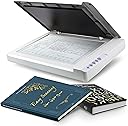
The Plustek OS1180 is a professional-grade A3 flatbed scanner designed for libraries, schools, and small offices. It delivers ultra-fast 8-second scans at up to 1200 dpi with 48-bit color depth, powered by energy-efficient LED lighting. Featuring four one-touch buttons and bundled with advanced OCR and image management software, it streamlines digitizing large documents, blueprints, and artwork. Compatible with Windows and Mac OS, plus TWAIN drivers, it’s the perfect tool for high-quality, large-format scanning with intuitive operation and exceptional image clarity.


| ASIN | B01MZXE0OV |
| Additional Printer Functions | Scan |
| B&W Pages per Minute | 6.67 ppm |
| Best Sellers Rank | #83,946 in Computers ( See Top 100 in Computers ) #131 in Document Scanners |
| Brand | Plustek |
| Built-In Media | ABBYY findreader 12, Pagemanger and Docation |
| Color | gray |
| Color Depth | 48 bits |
| Colour | gray |
| Compatible Devices | Computers, Laptops |
| Connectivity technology | USB |
| Control Method | Touch |
| Customer Reviews | 4.2 out of 5 stars 531 Reviews |
| Display Type | LED |
| Dual-sided printing | Yes |
| Duplex | Automatic |
| Hardware Interface | USB 2.0 |
| Ink Color | grey |
| Item Dimensions D x W x H | 40.7D x 58.9W x 6.8H centimeters |
| Item Weight | 9.52 Pounds |
| Manufacturer | Plustek |
| Maximum Copy Resolution Black and White | 1200 dpi o superior |
| Maximum Copy Resolution Color | 1200 |
| Maximum Copy Speed Black and White | 0.15 ppm |
| Maximum Media Size | A3 |
| Maximum Print Resolution Black and White | 1200 |
| Maximum Sheet Capacity | 1 |
| Maximum print Resolution Color | 1200 |
| Model Name | OS 1180 |
| Model Number | 7.83064E+11 |
| Model Series | OS 1180 |
| Model name | OS 1180 |
| Number of Drivers | 1 |
| Number of Trays | 1 |
| Other Special Features of the Product | A3 Scanning |
| Output sheet capacity | 1 |
| Paper Size | A3 |
| Print media | Glossy photo paper |
| Printer Connectivity Type | USB |
| Printer Output Type | Monochrome |
| Printer Type | [NI] |
| Printing technology | [NI] |
| Processor Count | 1 |
| Resolution | 1200 |
| Scanner Type | Document, Photo |
| Series Number | 783064282635 |
| Special features | A3 Scanning |
| Specific Uses For Product | Office use, Large format scanning, Blueprint scanning |
| Total USB 2.0 Ports | 1 |
| Total Usb Ports | 1 |
| UPC | 783064282635 |
| Unit Count | 1.0 Count |
A**R
Nice product, produces very high quality scanned images
I am totally happy with this product, it can truely scan very high quality images. There are various settings available to fine tune the image as you wish and you can save presets based on your preferences.
L**S
Great for large-size scanning, super value, and the BEST tech support ever
I absolutely love this scanner. I have been working to diminish my stuffed file drawers by throwing away what I don't need and scanning what I want to keep. Some of the keepers were newspaper clippings and other larger items that my other scanner couldn't accommodate--other than scanning them in pieces. Thus began my search for a large-format scanner. Is this the best large-format scanner on the market? That depends on your criteria and how much you're willing to spend. Here's why it is the best for me. 1) If you compare the prices of large-format scanners, this is an unbelievable bargain. If you're trying to scan fine art, it may not be what you need. For my purposes of having high-def, clear copies of precious but mundane items, it was a screamin' deal. 2) This has a great user interface and is fairly intuitive and easy to use. It took me a little while (maybe 20-30 minutes) to figure out exactly how everything worked, which I consider not bad at all. It also has excellent instructions. 3) It offers a lot of fine tuning, with options of color/BW, level of definition/dpi, JPG/PDF, etc. 4) I initially couldn't get it to work and was ready to send it back. I called tech support, and I got a human. Not a human after a recorded menu. A real human answered the phone. The kind and knowledgeable tech support rep who answered the phone walked me through troubleshooting, and I discovered a huge, embarrassing, total rookie error. I hadn't fully plugged in the USB cable. The rep was totally kind about it. 5) Most importantly, this scanner creates clear, high-quality scans. Yay! Mission accomplished. (If you found this review helpful, I'd really appreciate if you would click the "Helpful" button. Thanks so much for reading! Liz)
B**P
Pour ce scanner à plat, je retiens le rapport qualité/prix.
Le choix de se scanner à plat au format A3 correspond tout a fait à mes activités. La prise en main m'a parue facile, il faut bien sûr faire quelques essais pour optimiser les résultats.
R**N
Clear images but struggles with colour balance
The scanner is easy to setup, fast and produces very crisp and clear images. It takes a bit of practice to sometimes find the right settings for your source material. It seems to struggle with certain colour palettes, especially darker sections of an image. In one test case, my cheap Epson scanner on top of the printer produced a more pleasant result than this more premium model. Normally, I don't like to use any filters or enchancements from the scanner software and prefer to do everything manually in an editing program. However, I found without using "auto density" feature the scan would produce a very washed out scan. Overall, this is a good budget scanner but it's probably not for me. I am in the process of returning this and have bought the big brother model, the A320E - which is a CCD type scanner (this is CIS) and should produce richer colour palettes than OS1180.
テ**ラ
思った通り、大きいです。
A3、A4の図面をスキャンして保存しています。 やりやすいです。
E**F
gnadenlos gut
Lange habe ich nach einem DinA3-Scanner gesucht, der mir dabei helfen sollte meine Bilder zu digitalisieren, eben für die Ewigkeit bewahren und sie so vielleicht einem möglichen Käufer vor stellen zu können. Tatsächlich ist der Plustek der Zweite Scanner. Nach ein paar Monaten und 395 Scans später kann ich berichten dass ich an meinem Ziel angelangt bin. Der Plustek kommt sehr gut verpackt mit allem Zubehör daher, um ihn an einen PC anzuschließen und ans Laufen zu bekommen. Windows 11 erkannte den Scanner sofort, was der Vorgänger eben nicht konnte. Selbst wenn man sich nach der Bedienungsanleitung an die Reihenfolge der Inbetriebnahme hielt, wollte Windows 11 mit dem anderen Scanner nicht zusammen arbeiten. Das aber nur Nebenbei erwähnt, damit man nachvollziehen kann wieso es klasse ist dass der Plustek sofort lief. Die Aufstellungsanleitung ist eindeutig und leicht zu verstehen. Die mitgelieferte Software erlaubt es einen die Bilder schon korrigiert zu scannen. Da ich aber meine Bilder pur haben wollte, genauso wie sie nun mal sind mit ihren Rändern, Knicken, Flecken und Schmierhintergründen, ich generell in dafür vorgesehenen Programmen Bilder bearbeite, habe ich die Software nicht in allen Facetten eingesetzt. Die Schnelltasten funktionieren hervorragend, gehörten aber auch noch nicht in meine Arbeitsweise. Trotzdem; Nice to have. Der Plustek scannt gnadenlos alles, wenn man es dann eben möchte. Wie erwähnt wollte ich genau das. Der Scanner hält die Details auf 1200 dpi so genau fest dass man ganz leicht nicht nur die Maltechnik sondern sogar die Struktur des Papieres ganz genau erkennt. Gnadenlos, ist er eben, gnadenlos gut. Der Plustek ist eindeutig ein Scanner der auch einen Profi, der mal was zu Hause ordentlich digitalisieren möchte, zufrieden macht. Plustek scannt Schrift, Bild und Fotos locker ein. Ob Sie jetzt die Bilder beim scannen verändern wollen oder hinterher ist dabei vollkommen machbar. Eindeutig eine Kaufempfehlung für diesen Scanner.
Trustpilot
1 month ago
1 week ago