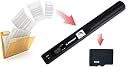
📸 Scan, Save, Succeed! Your documents, your way.
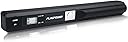
The FLAGPOWER Portable Scanner is a lightweight, handheld device designed for quick and efficient scanning of documents, photos, and ID cards. With a scanning speed of 3 to 10 seconds and compatibility with both PC and Mac, it offers a user-friendly experience for professionals on the move. Its compact design makes it easy to carry, ensuring you can digitize your important documents anytime, anywhere.


| ASIN | B01G8DW7QC |
| Brand | FLAGPOWER |
| Brand Name | FLAGPOWER |
| Connectivity technology | USB |
| Customer Reviews | 4.0 out of 5 stars 308 Reviews |
| Item Weight | 5.1 Ounces |
| Item weight | 5.1 Ounces |
| Light Source Type | LED |
| Manufacturer | FLAGPOWER |
| Media Type | ID Card, Paper, Photo |
| Minimum System Requirements | Windows 7 |
| Network Connectivity Technology | USB |
| Optical Sensor Technology | CIS |
| Optical sensor technology | CIS |
| Resolution | 600, 900 |
| Scanner Type | Document, ID Card, Photo |
| Scanner type | Document, ID Card, Photo |
| UPC | 600977496143 |
S**H
Small, sharp images, bundled with market leading image to text conversion software.
"A hand scanner! Cool! But what's it FOR?! I've got a mobile phone with a camera. I'll just take a picture." That's what I thought when I was looking at the whole scanning situation. But read on - a hand scanner has LOTS of advantages over your phone. But I ran the numbers (little list below), and realised the scanner even in low resolution mode is similar in resolution to my new S7 mobile phone! My phone being: 3024 x 4032 (12 Megapixels) So a new mobile phone sits between the low/medium settings of this scanner wand. This is some awesome scanner. The scanner is designed to illuminate the document without causing any glare or shine on the document. Something very hard to do if you use a camera - which will likely give you shine from local windows or a big blob of glare from the camera flash. The images are clear and bright and in full colour - I've included some samples in my images. If you find a colour cast in scans, the scanner comes with a calibration card to keep the scans crisp and sharp. The scanner avoids "pincushion" or "barrelling" of the image due to the way it's designed. When photographs are taken, the images are always bowed a little in what is called "pincushion" or "barrelling" where the image curves around the centre a little due to imperfections in the lenses. This is obvious if you take a picture of a grid or a brick wall and check the mortar for straight lines. The scanner is a flat row of pixel sensors which means there is NO "pincushion" or "barrelling" because there's no lens - great for archiving charts and text, and makes it easier for image to text converters to do their job. The scanner can make PDF's and JPG's of the scanned document. The PDF contains the image embedded in the document - it DOES NOT convert the image to text that can be edited. To do that you need to use the FineReader software that is included. The Abbyy FineReader Pro 11 inclusion is brilliant - and makes the purchase worthwhile just for it. It costs £160 for the current version (Version 14). A word of warning though - when I installed FineReader on my laptop, I left the "Check for updates and download automatically", while I was using the software I saw a message bar appear by the title bar in the FineReader Window telling me "Update available, download and install?". I clicked "Yes". It shut down FineReader - and during the install of the update complained that some files could not be updated. At that point FineReader errored every time I tried opening it "Unable to register FineReader -FontMatrix" I uninstalled the software, and reinstalled it - and the install failed at the end with the same error! It then rolled back the install. So IMPORTANT! DO NOT CLICK "Check for updates" when you first install the software, and don't update the software if it asks while you're using it - it'll break and I don't know how to get it to work again. Overall this is a GREAT scanner - and bundled with FineReader is a fantastic combo. Pro's: 1: Scan documents of varying length - short scraps or full Legal paper length. 2: No reflections from lights or camera flashes. 3: Very high resolution scans. 4: Removable storage. 5: Very portable, light and small. 6: Easy to get images off - appears as removable drive. 7: Included 8GB card can store 1,777 high res images. 8: Date and time remain set when replacing batteries. 9: Low res mode scans lots faster than high res. 10: Abbyy FineReader Pro converts images to Word documents including pictures! 11: Full colour, can be calibrated too. 12: NO "pincushion" or "barrelling" of the image. 13: Really long pages can be scanned. (Example: 2560 x 6880) Con's: 1: Uses 2x AA batteries, not an inbuilt rechargeable one. 2: Slow scans - 8 seconds for a high resolution page. 3: Takes practice to scan straight while sliding hand. 4: Supplied batteries only scanned 100 documents before becoming flat - get some rechargeables! 5: Abbyy FineReader Pro breaks if it is updated online (license gets corrupted, can't fix even with reinstall). 6: ALWAYS starts in low resolution mode, not what was set during the last scan. 7: Doesn't scan to the edge of the wand case (1 cm in), so thick book's margins may get in the way if you need to scan to the edge. The scanners resolutions. Note that the width is fixed, but the height of a scan is variable - based on when you stop scanning. I got a low res scan of 2560 x 6880! That's a LONG page! The heights here are for a single A4 page. Resolution : Width x Height (Picture size, file size) High: 7680 x 8640 (66 Megapixels!, 4.7 Megabytes) Med: 5120 x 5670 (29 Megapixels, 2 Megabytes) Low: 2560 x 2690 (7 Megapixels, 0.9 Megabytes or 900 Kb)
J**0
Faster than I thought
First impressions, how does this thing work. If you are like me and like to try and work out how it works, don’t. Once you decipher the instructions it is very simple. Initially to turn it on (once you have inserted the batteries of course) press and hold the scan button. Where I went wrong was thinking I had to hold the scan button to actually scan, WRONG! It just turned off again. It was a case of click the scan button (green led comes on) and start scanning straight away. This again is where I went wrong I didn’t move the wand thinking I had to do something else and of course it timed out and the green led went off. Finally got it right, click scan and move the wand down the page, (or whatever else you are scanning), and this is where I mean ‘faster than I thought’ it took about 3 seconds scanning down the A4 page moving evenly. A quick check by hooking the wand up to my computer and viewing the scan. I was happy with the result, so would recommend this product if you just want a cheap mobile scanner. Only 1 negative point so far is that its default scan is .jpg so if you turn it off between scans of documents make sure to change it back to .pdf As far as battery power and how long they last, sorry don’t know, haven’t played with it enough yet.
B**G
A useful addition to the office to cut down on paper
I try to keep as little paper as possible, which means being able to scan in receipts and other assorted bits of paper. A flatbed scanner seems too much like hard work just to scan, for example, a postage receipt or a business card - and I often need to scan away from the computer. This little hand-held scanner has proved an effective way of getting my paperwork under control. When I first switched it on, the error (ERR) red light was on all the time. This was fixed by using the white balance calibration card provided (press the JPEG/PDF button then press the Scan button while holding it down, don't try to press both at the same time), but it would have been good if it had been explicitly mentioned in the instructions on setting the scanner up. Once I had done this, the scans were very clear. I was able to scan a receipt in low light conditions without any special lighting. I found the scanner fine both for receipts and for A4 - small print or large - though you do have to be careful not to move the wand too fast; it's easier to rush on a big sheet. You can capture far more images than I would want on the provided 8Gb micro SD card (though you can use your own up to 32Gb if required). I thought I'd have to use a card reader to connect the card to my computer, but in fact it's just a matter of linking the scanner with the provided USB cable and it opens like an external drive. While it's possible to do some portable scanning using the camera on a phone, this is not something that many businesses will want employees doing - and this scanner produces reliably clear images in a wider range of lighting conditions. The only downside for small items like receipts and business cards is it doesn't automatically trim to the document as some software does. It's portable enough to carry in a briefcase or shoulder bag, making it useful to take to meetings etc. and comes with a useful carrying bag. Overall, a very handy addition to the office if you are trying to cut down on paper.
D**R
The OCR software costs an extra £100+. The scanner is useless without this OCR.
The scanner itself is excellent BUT the accompanying OCR software is for use during the first few days only. After that, you have to pay £100 to £180 for a proper licence. The Amazon documentation says that the scanner comes "with" an OCR package. This may have been true once but is it certainly not the case now. Unless you are prepared to pay for the OCR software, you MUST keep well away from this scanner since it is the OCR that does the heavy lifting.
J**F
Ideal for quickly scanning photos.
The scanner is really useful for me as it means I do not have to take the photos out of the photo album. It also means scanning is a lot quicker than using my printer/scanner. The quality is 900 at the highest value, I accidentally used the lowest dpi as that is the default and for photos it was not very good. I always use the 900 dpi. There was a comment that the batteries are used up quickly but provided you are aware that is not a problem. The photos once scanned do need to be edited as it scans everything you move over.
T**N
Very low quality scanner, avoid!
Returned product as it was useless. It honestly took approximately 10-15 attempts to get it to scan a full document (it kept switching off after about 1cm of scanning) & once I could get a full scan the quality was appalling. The generated image is indeed up to 900dpi but the lens and sensor that capture the image are not capable of more than about 100dpi. I ended up putting this con of a product back in its box and taking photos of my important documents on my android phone which was far clearer than anything this product is capable of.
T**S
Excellent Quality Production Value for Money
The Scanner is easy to use however I did have a problem with the ABBYY Finereader disk. Fortunately I could use other programs on my PC. Still worth the money.
C**A
a scanner app does a better job
I bought it and used it once or twice. It's cool, yes, but a phone does a much quicker job
A**F
Flagpower 900 DPI escaner inalámbrico
Muy práctico, pero como en la reseña de la impresora Laser Jet Pro M452nw, lo compré porque con la impresora no podia escanear, en mi caso prefiero una impresora m.as sencilla con fotocopiadora y escáner incluido. El Flagpower me ha sido muy práctico.
D**A
Comodo e pratico
Il problema di scannerizzare libri e documenti non c'è più: pratico, leggero e facile da usare, questo Scanner portatile ha risolto molti dei miei problemi. Che io sia in biblioteca (dove spesso molti libri non possono essere prestati), che io debba avere una copia digitale della patente o altro, questo strumento si rivela utile e quasi indispensabile. Arriva provvisto di istruzioni e un pratico sacchetto per contenerlo, una scheda di memoria utile ( che in molti altri scanner portatili non c'è) e due batterie per iniziare da subito a usare il prodotto. Basta semplicemente scannerizzare il nostro documento, collegare con il cavo lo scanner al pc e il gioco è fatto!
S**T
Tadelloser Handscanner
Was andere immer hinten dranhängen, will ich wieder mal gleich eingangs schreiben: Ich habe diesen Scanner nicht zu besonderen Konditionen überlassen bekommen, sondern ohne einen Vorteil zum aktuellen Preis gekauft ;-) Der Preis von 50 Euro (inklusive Batterien und Micro-SD-Karte) ist sehr gut. Das Gerät macht einen soliden Eindruck. Auch wenn es sich nur schwer überprüfen lässt: Ich habe jedenfalls den Eindruck, dass die hier und bei TaoTronics, MP power und Easypix verbaute Technik nahezu identisch ist. Die Letztgenannten liegen zudem im gleichen preislichen Rahmen. Die SD-Karte steckt schon. Die Batterien sind fix eingesetzt. Dann schnappt man sich die englische Bedienungsanleitung und stellt das Gerät ein. Ein aufgebogene Büroklammer ist hilfreich, um die Zeit einzustellen und die Karte zu formatieren. Dann wird der Scanner mit der beiliegenden weißen Karte kalibriert. Wie das geht, steht auf der Karte (in Englisch). Nach der vielleicht zehn Minuten dauernden Vorbereitung habe ich einen A4-Ausdruck als Übungsgrundlage genommen. Nach dem Drücken des Scan-Tasters leuchtet eine grüne LED. Nun wird der Scanner zügig und gleichmäßig über die zu erfassende Oberfläche geführt. Am Gerät sind Markierungen, die die Scan-Breite anzeigen. Wer zu langsam ist, den bestraft der Scanner: Er bricht ab. Das war zumindest bei mir einige Male so. Auch das Gerade-Scannen will gekonnt sein. Bei mir tritt meist immer noch der Scheibenwischer-Effekt auf: Zum Ende hin macht der Scan einen leichten Bogen. Das Ganze ist wahrlich eine Übungssache. Wer schon beim zehnten Mal verzweifelt, sollte die Finger von so einem Gerät lassen. Vor dem Scannen stellt man übrigens noch ein, ob man ein PDF oder ein JPG auf der SD-Karte haben will. Die Scans habe ich nicht via dem beiliegenden USB-Kabel auf den PC übertragen. Stattdessen habe ich die leicht zugängliche Karte herausgenommen, in einen Adapter gelegt und dann in den Kartenslot des PC gesteckt. Die optische Qualität der Scans war einwandfrei. Selbst "Free OCR" kam damit einigermaßen zurecht. "Readiris Pro" hat die Scans (egal ob PDF oder JPG) nahezu fehlerfrei in Text umgelesen. Ich gehe mal davon aus, dass es der dem Scanner beiliegende "Abbyy FineReader 11" ebenso gut kann. Etwas knifflig ist das Scannen von Buchseiten. Haben die zur Mitte hin wenig "Fleisch", sprich: Abstand, fehlt dementsprechend Text oder Grafik. Bei meinem Testobjekt betrug der Abstand elf Millimeter. Die schmale Seite des Scanners ist zehn Millimeter breit. Beim Scan waren die ersten Buchstaben etwas angekratzt, aber noch erkennbar. Mein Fazit: Wer regelmäßig unterwegs ein Schriftstück oder eine Zeichnung/Skizze unkompliziert mitnehmen will, ist mit diesem Handscanner gut bedient. Man muss nicht mehr nach einer Kopie nachfragen, die ja bei gebundenen Schriften ehedem nicht einfach ist. Das gut 26 Zentimeter lange, 2,5 Zentimeter hohe und 3 Zentimeter breite Gerät wird in einem mitgelieferten Stoffbeutel verstaut und nimmt im Dokumentenkoffer kaum Platz weg. Wichtiger Hinweis: Die beiliegende Finereader-Version ist keine Vollversion. Nach der Installation wird ein Update verlangt und danach kommt ein Registrierungsfenster. Hier ist Ende, es sei denn, man kauft eine Lizenz für 129 Euro. Es wäre fair, wenn auf diesen Haken hingewiesen würde. Und da die 11er Version nicht die aktuelle ist, könnte dann zumindest eine kostengünstige Lizenz angeboten werden. NACHTRAG nach gut sechs Wochen Mobil-Scannen: Der Handscanner hat sich zu einem zuverlässigen Begleiter entwickelt. Im Schnitt werden täglich etwa zehn Scans gemacht. Nun neigt sich die Kapazität der Batterien dem Ende zu. Bei der OCR-Software, so habe ich nun herausgefunden, muss man das Update ignorieren. Dann läuft es gut mit dem "Abbyy FineReader". Wer aber regelmäßig auf diese Weise Dokumente umlesen muss/will, sollte doch lieber Geld für eine aktuelle OCR-Software in die Hand nehmen. Und noch etwas: Das eingescannte PDF ist letztlich auch nur ein Bild. Es ist kein bearbeitbares PDF bzw. eines, aus dem man Text herauskopieren könnte.
G**I
tres bon produit.
contrairement à ce que j'ai lu les piles ne se déchargent pas aussi facilement. durée environ 3 semaines. Mon fils l'utilise pour l"école il es en 6eme car il est dyslexique et dysorthographique donc impossible pour lui de lire et d'écrire ses cours. une fois le scanner utilisé il peut imprimer ses cours. Si on l'utilise sur des document manuscrit l'OCR ne fonctionne pas. Si on l'utilise sur des documents écrit à la machine l'OCR est capable d'extraire le contenu du texte. il suffit alors de le copier dans un fichier .txt et d'utiliser le narrateur de Windows pour qu'il puisse écouter le texte. Attention la vitre est fragile. Un coup de pied dans le sac et il faut en racheter un.
C**N
Bon matériel
Parfait très utile
Trustpilot
2 weeks ago
2 weeks ago