
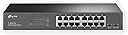

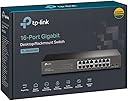
TP-Link TL-SG1016D 16-Port Gigabit Desktop/Rackmount Network Switch
Product ID: 49609477
Details
- BrandTP-Link
- Colourblack
- Compatible devicesDesktop Laptop
- Number of ports16
🌿Energy-efficient tech
🔌16 Gigabit RJ45 ports
🤫Fanless silent design
Desertcart purchases this item on your behalf and handles shipping, customs, and support to Slovakia.
🚀 Elevate your network game with silent power and smart speed!
The TP-Link TL-SG1016D is a 16-port unmanaged Gigabit Ethernet switch designed for desktop or rackmount use. It offers plug-and-play setup, fanless silent operation, and energy-efficient technology to optimize power consumption. With features like auto MDI/MDIX, isolation mode for traffic separation, and loop prevention, it ensures secure, high-speed connectivity for professional and home networks alike.


| ASIN | B003UWRYBI |
| Best Sellers Rank | 511 in Computers & Accessories ( See Top 100 in Computers & Accessories ) 8 in Network Switches |
| Box Contents | Package Contents 16-Port Gigabit Desktop/Rackmount SwitchPower CordInstallation GuideRackmount KitsRubber Feet |
| Brand | TP-Link |
| Brand Name | TP-Link |
| Color | black |
| Colour | black |
| Compatible Devices | Desktop, Laptop, Notebook, Printer, Server |
| Compatible devices | Desktop, Laptop, Notebook, Printer, Server |
| Country of Origin | China |
| Customer Reviews | 4.7 out of 5 stars 10,409 Reviews |
| Data Transfer Rate | 1000 Megabits Per Second |
| Global Trade Identification Number | 01210002616737, 06935364020613 |
| Included components | Package Contents 16-Port Gigabit Desktop/Rackmount SwitchPower CordInstallation GuideRackmount KitsRubber Feet Included components Package Contents 16-Port Gigabit Desktop/Rackmount SwitchPower CordInstallation GuideRackmount KitsRubber Feet See more |
| Interface | RJ45 |
| Item Dimensions L x W x H | 29.5L x 18W x 4.3H centimetres |
| Item Highlight | Full Gigabit Ethernet Switch, Power-Saving Ethernet Splitter, Auto MDI/MDIX, Isolation Mode, Loop Prevention, Plug&Play |
| Item Part Number | TL-SG1016D |
| Item Weight | 1.39 Kilograms |
| Manufacturer | TP-Link |
| Manufacturer Part Number | FBA_TL-SG1016D |
| Model Number | TL-SG1016D |
| Number of Items | 1 |
| Number of Ports | 16 |
| Number of ports | 16 |
| Platform | Windows |
| Product Warranty | TL-SG1016D |
| Product dimensions | 29.5L x 18W x 4.3H centimetres |
| Switch Type | unmanaged |
| UPC | 809186279329 803982806642 |
| Unit Count | 1.0 count |
| Upper Temperature Rating | 40 Degrees Celsius |
| Voltage | 240 Volts |
P**S
Absolutely fantastic switch.
Absolutely fantastic switch! Working with the Virgin Hub 5 it's perfect it get's the job done. I've had zero issues with this switch and will say it is worth every penny. Compact size? Yes! Connectivity? Great and easy! Honestly an amazing switch which I wish I'd gotten sooner. Virgin are trialling the 2.5GB connection on their old 1GB lines using new technology and we have this package meaning we needed something like this and it doesn’t disappoint. I do get up to 2.5GB Downloads sometimes which is proof this works. Though in the screenshot it's lower trust me it does get the whole 2.5GB. Overall an great product and get's 5 stars easily from me!
C**E
Plug it in and off you go
Does exactly what it says on the box, great price, no complaints - why look for something fancy when all you need is plug and play!
A**.
Well !...that's most of the house...
Well !...that's most of the house now networked using a couple of network switches ( or - 'splitters' ), carrying internet all around the place - 'hardwired' - ( that is - using CAT7 ( category 7 ) ethernet cables instead of a Wi-Fi signal ) - to the kids' playstations, TV's, and PC's !! And this 'TP-Link TL-SG105-M2 Unmanaged 5-Port 2.5G Multi-Gigabit Network Switch' is part of a couple of network internet fiber 'splitters', including an 8 port one - that are making everything we use for entertainment in the house linked to the internet !! What's not to like ?!! - And it was on offer from Amazon compared to others of similar scope and capability - but so much cheaper than them !! The quality is good, we swear by TP-Link switches ! When they pack up - hopefully not for a long time - we'll just replace them with like for like ! - Simple ! We have used CAT7 cabling around the house though, we've 'future-proofed' using even faster ethernet when the time comes and the internet gets 'silly-fast' ! If you can afford it, try it ! Great signal from CAT7 ethernet cabling ( hardwiring ) around the home ! And this switch is just right for our ethernet bandwidth ! ( That's why we use 2.5 Gigabit TP-Link switches, our bandwidth from our internet provider is over 2 Gigabits. The switch helps in sharing enough of the ethernet/internet 2 Gigabit bandwidth signal between watching internet TV and when the kids are using the PC or playing games on their XBOX or PS5 at the same time ! I hope you understood that. ) It's not that hard to understand, just go to Youtube or something, and learn how to use a switch - what size bandwidth switch you might need if you do need one, and how to install it ! ( If I can do it - believe me - you can too !! Good luck ! ) 5 Stars for great Prime delivery - next day - thanks Amazon - and this brilliant little discounted TP-Link 2.5 Gigabit Switch that makes such a difference for us all in the home ! ( And maybe for you too soon ?...) 5 Stars !
H**W
Excellent value for money but has some firmware issues you need to be aware of
I am using a couple of 8 port unmanaged TP-Link switches both in plastic and metal housings across the house for years and they have worked without problems. This is my first experience with a managed switch from TP-Link. The web interface through your browser-of-choice is easy enough and works from Windows or Linux, but the setup of the 802.1Q VLAN is not very intuitive at first. I like the concept of two configurations, the currently active one and the last saved one (restored after reset or restart). It allows one to test new configurations with an easy fall-back if it goes wrong and you locked yourself out of the switch for example. On the other hand, if you want to keep a change, make sure not only to click "apply" but also to "save". There are reports on the network that there is a bug in the firmware and it will not always save the latest changes of the configuration. I have not noticed that myself but then I am using the latest firmware v3 (20160722) and the problem may well have been fixed. There is another problem which from reports on the TP-Link forum appears to plague the switch since the very first release v1 (2014) and that has not been fixed in v3. I noticed on the monitoring tab that the switch counts a proportionately small but steady number of receive errors "RxBadPkt" on the two ports that have VLAN egress tagging enabled. No receive errors for other ports and none of the 8 ports shows any transmit errors. I checked both devices connected to these ports and replaced cables but it did not make a difference and I have not noticed any adverse effect of the errors. The problem only occurs on VLAN tagged ports. One member on the forum reported that TP-Link stated that this is a problem of the way the chipset does statistics. Reportedly it causes every tagged packet of exactly 64 bytes length to increment both the Good and Bad packet count. As mentioned, I have not seen any problems in operation and if you need an affordable switch that understands VLANs, the TL-SG108E provides unbeatable value, so 5 stars minus 1 because of the faulty statistics.
V**R
Great 19" rackmount switch – Silent and Reliable!
Perfect fit for my 19-inch Tecmojo cabinet. It’s completely silent (fanless) and the metal build feels very solid. It comes with rackmount ears and screws in the box, so installation was easy. Getting full gigabit speeds across the house with no issues. Highly recommend for any home server setup!
R**D
Great little VLAN switch.
VLAN) and a Draytek Vigor 2860 Router to play nicely with each other in terms of VLANs and tagged/untagged traffic. The Vigor seems to have a few issues with tagged and untagged traffic on the same port, including some embarrasing routing leaks that are being looked at by their support team. This switch does the job perfectly and I now have the general WiFi going to a standard hub and internal VMs on an ESXi host. Guest Wifi is routed direct to internet, and test WiFi going to test VMs via the Vigor and a second NIC on the ESXi host. The switch can work as normal without any VLAN config just fine, or can be configured for one of three different VLAN modes. After initial check out in port mode with ports 1-4 in one VLAN and 5-8 in another I dived in to the wonderful world of tagged VLANs which I thought I understood. I do now... With hindsight it's actually easy to configure. Give an ID and friendly name to a VLAN, select which ports will connect to it and if they should leave tags in place or not for outbound traffic, save and repeat for next VLAN. Each port can have multiple tagged VLANs connected. Easy. I had three issues. Sorry, I mean learning experiences: The management functions of the WiFi router are only accessible via VLAN 1 (undocumented) which is nothing to do with this switch of course, but it means you need to have VLAN 1 defined between the router, switch and tagging set up so you can still reach it from a management PC. At least 1 port on the switch must also be assigned to VLAN 1. I'm thinking this is a TP-Link thing and kinda makes sense. At least its mentioned in switch documentation, and since I need VLAN 1 for the Wifi it's no big deal. There's 4094 other IDs to chose from after all. For untagged traffic entering the switch from a normal PC or hub, you need to configure the default VLAN for that port *on a separate config screen" if you want the traffic to go on a VLAN. Really obvious in hindsight, but took me a little while to figure out what was going on. Maybe the lesson is not to try doing this late in the evening after a long day, nice dinner and couple of glasses of wine. Although it's only been in use for a couple of weeks it's doing the job very nicely. I'm using this for a home office & lab but I'd have no issues using in a "proper" commercial environment either.
J**E
Good value, quality build
I got this at a significant discount and it certainly helps to make the 2.5 Gbit upgrade affordable. It's a basic but high quality, performant switch. You can't go wrong.
D**Y
Solid connectivity and a great price
I recently upgraded my mesh router and wanted to install a network switch in my man cave. The reason was that my setup would be faster and more reliable with ethernet connectivity. I have a PC. PS5. NAS storage for backup and streaming. Adding this switch with cat8 cabling makes the most of the setup. My connection setup is deco be68 to the switch in the cave. The PS5 NAS and PC are all connected to the switch. Overall I would recommend this to anyone who wants more robust connectivity than WiFi alone
N**H
Does what it should, no hassles!
Got this device to replace an older netgear 8port switch. Hassle free set up, literally plug and go. Device is larger than expected, consider the specs and layout of your access point cabnet(if your set up is in a wall resess panel and not a a desk). Beyond that works as it should.
M**.
Fast, dumb switch
Not much smarts, its simply a fast, dumb switch. Nice durable case. Built-in power supply, and uses a (included) plain utility plug. I had intended to buy the next model up which would have some smarts. Plug this in, it switches.
J**S
Veel poorten en werkt goed
Werkt uitstekend, fijn dat de voeding intern zit. Heb hem tegen de muur geschroefd en dat ging niet met de meegeleverde beugels, heb zelf iets gemaakt.
J**R
Excelente switch para centralizar toda la red de casa
Compré este TP-Link de 16 puertos Gigabit no gestionable para centralizar todas las conexiones Ethernet de mi vivienda y no puedo estar más contento. La instalación ha sido totalmente plug & play: del router va directamente al switch y desde ahí reparto la red por cable a todas las habitaciones desde el cuadro de comunicaciones. En cuestión de minutos estaba todo funcionando sin tocar configuraciones ni software. Aspectos que más valoro: • Velocidad real Gigabit en todos los puertos. Las transferencias entre equipos y el streaming 4K funcionan sin cortes. • Total estabilidad: lleva funcionando semanas 24/7 sin un solo cuelgue. • Silencioso (no tiene ventilador), perfecto para tenerlo dentro de un armario o cuadro eléctrico. • Buen acabado y tamaño compacto, cabe sin problemas en un rack o mueble de comunicaciones. • Excelente relación calidad-precio para la cantidad de puertos que ofrece. Si quieres montar una red cableada en casa o en una oficina pequeña y necesitas muchos puertos sin complicarte la vida, este switch es una compra totalmente recomendable. Para mí ha sido la solución perfecta para distribuir Internet por toda la vivienda de forma estable y rápida.
F**D
Good Product
The functions are great
Trustpilot
2 months ago
2 months ago