🚀 Elevate your home network to warp speed and total coverage!
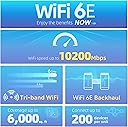
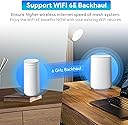
The Dynalink AXE10200 Tri-Band WiFi 6E Mesh System delivers cutting-edge 10.2 Gbps speeds across 6GHz, 5GHz, and 2.4GHz bands, covering up to 6,000 sq.ft and supporting over 200 devices. Powered by a Qualcomm dual-core processor and featuring 8 internal antennas, it ensures stable, secure, and high-capacity connectivity ideal for modern smart homes and professional environments. Includes parental controls, gigabit ports, and dual routers for seamless whole-home mesh networking.


| ASIN | B0BS688PCS |
| Antenna Location | Business, Gaming, Home |
| Antenna Type | Internal |
| Best Sellers Rank | #240,200 in Electronics ( See Top 100 in Electronics ) #560 in Whole Home & Mesh Wi-Fi Systems #1,517 in Computer Routers |
| Brand | Dynalink |
| Built-In Media | 2 Mesh Routers, 2 US Plug Power Adapters, 1 Ethernet Cable, QSG x1 |
| Color | Blue, Gold, Red, White |
| Compatible Devices | Laptop, Personal Computer, Smartphone, Tablet |
| Connectivity Technology | Ethernet, Wi-Fi |
| Control Method | App |
| Controller Type | App and WebGUI |
| Coverage | 6000 square feet |
| Customer Reviews | 3.6 out of 5 stars 67 Reviews |
| Data Transfer Rate | 10.2 Gigabits Per Second |
| Frequency | 6 GHz |
| Frequency Band Class | Tri-Band |
| Is Modem Compatible | No |
| Item Dimensions L x W x H | 4.84"L x 3.58"W x 7.76"H |
| Item Height | 7.76 inches |
| LAN Port Bandwidth | 1000 bps |
| Manufacturer | Dynalink |
| Maximum Upstream Data Transfer Rate | 10200 Megabits Per Second |
| Model Name | Dynalink AXE10200 Tri-Band WiFi 6E Whole Home Mesh System |
| Model Number | DL-WME38 |
| Number of Antennas | 8 |
| Number of Ports | 4 |
| Operating System | RouterOS |
| Other Special Features of the Product | Guest Mode, QoS, WPS |
| Security Protocol | WPA2-PSK, WPA3-PSK |
| Special Feature | Guest Mode, QoS, WPS |
| UPC | 840151200276 |
| Wireless Communication Standard | 2.4 GHz Radio Frequency |
| Wireless Compability | 2.4 GHz Radio Frequency |
E**L
I have had better experience than most
My experience with this router has been 80% good and 20% bad. Overall, I believe the hardware of the router is great except the 6GHz band antenna which is outright weak. The problem most people had with this router is because the router uses the 6GHz band for backhaul, and this band is the weakest there is out there (much like the one in the TP-Link's BE10000 WIFI 7 router). I know this because I experimented with this router while connected on my phone on the 6GHz band and also using the band as a backhaul in the mesh setup. In my experiment, using the wireless backhaul (which uses the 6GHz band), the WIFI connection got weaker and weaker as I move the router point at1 feet interval away from the main router. The further I go, the weaker the connection. In fact, I lost almost all connection while having the point 20 feet away from the main router. I repeated the same experiment, using only the main router. I enabled the 6GHz band and assigned a custom SSID which allowed me to connect to the router specifically on the 6GHz band on my phone. I noticed that as I move away from the main router while connected on the 6GHz band, I kept losing bandwidth. I currently have a 1GB/sec internet service, and at 20 feet from the main router, I was getting speeds of about 22mb/sec. On the reverse, I got better connection as I move closer to the router and even recorded a speed of about 950mb/sec while standing right next to the router on the 6GHz band. The other problem is that the android app has bugs. I currently use an android phone, and I could not use the android app to setup the system. In fact, at first, I couldn't find the dynalink android app in the play store at all but I did find the app in the apple store. I happen to have an iphone that I don't use laying around, and I was able to use the apple app from the app store to setup the router. I did later find the android app in the play store and installed it but I never has any luck connecting to the system with the android app. Currently, I mostly resort to using the browser to access the router's setup page to make changes because I figured that this is the most reliable away to make changes to the router. Another issue people encounter while setting up the router mesh is that the point need to be setup wirelessly to the main router first before you can switch it to a wired backhaul otherwise, the point will just setup as a router of its own even though it is connected via ethernet cable to the main router. The point has no way of knowing that it is connected to the main router. In this case, you will need to factory reset the point and start over and set it up the recommended way. So, in other to have good experience with the router, you need to first use an iPhone to setup the router and make sure to follow the mesh setup instructions in the box to set up the router point. Secondly, you need to use wired backhaul between the main router and point, if not, you will have mediocre internet connection or dropped connection when connected to the internet via the point. Thirdly, either completely disable the 6GHz band or only use the band for devices that are located few feet from the main router or point. Other than the 6GHz band issue, the router performed as well as my orbi wifi 6 router which I hoped to upgrade with the dynalink router with the 6GHz band on budget (considering that I purchase my unit at $99). I have used my router for about 6 weeks, and I have never had any issues with connection on any of my devices, and I hope it continue to serve for a much longer time.
P**O
Junk
Piece of crap from the moment I took it out of the box. App didn't work. It wouldn't recognize the devices during the discovery process. There was no option to exit to a main menu or troubleshooting. The routers showed up on 5 of my personal devices, but the passwords only worked on one of them. Website is also a complete waste of time. Never bothered to wait until "normal business hours" to get support because it would mostly likely be more of a waste of my time. Couldn't repack it for return quick enough to get my refund. Don't waste your time and money like I did.
A**R
Best thing I have purchased in MONTHS!
We have SPECTRUM and live in the Mountains. Our WI-FI signal was horrible and we had dropped calls, etc. for weeks. Finally we got a Spectrum tech to give us a tip to buy this from Amazon and we followed his directions. It was the best thing we ever did. Everything in the house now runs PERFECT!
J**G
Decent Range but doesn't work for my situation.
In addition to needing a bridge mode and struggling to integrate with their initially endorsed routers seamlessly, this device not only falls short of its promised support but is also overshadowed by the superior power of its standalone router (Dynalink DL-WRX36). Unfortunately, the router shares the same limitation of no bridge mode ability, suggesting a company-wide decision that renders all Dynalink devices incompatible. The configuration of wireless channels continues to elude users, further compounded by the constraint of permitting only one unit to utilize Ethernet backhaul. To exacerbate matters, the setup app remains inaccessible on the Google Play Store, significantly complicating the overall user experience.
S**M
"It offers fast internet and WiFi,
"It offers fast internet and WiFi, capable of connecting many devices in a large space. It appears to be useful for a spacious home. Note that it's not a modem-router combo; a separate modem is required."
E**O
Funciona muy bien
fácil de configurar , Internet bien rápido
R**B
Hate to say this but this is junk.
Wanted to love this, but I found out why this is cheap.Very hard to set up, then once you do you find it dropping the mesh and reconnecting along with how poor the range is.There is no way the two units will cover the square feet claimed.The speed was great as long as you were right by the router unit but going to the mesh unit speed dropped greatly.Thought I would upgrade from my Asus 6 wifi to this 6E system for cheap as on paper it all sounds good but was nothing but a waste of time and a huge letdown.The app didn't want to connect to the router and after running ip config and getting the default gateway I finally was able to get onto the web guide and get it working, but again, in the end a waste of time.
A**R
title required
Better than expected
Trustpilot
3 days ago
2 months ago