Buy anything from 5,000+ international stores. One checkout price. No surprise fees. Join 2M+ shoppers on Desertcart.
Desertcart purchases this item on your behalf and handles shipping, customs, and support to Slovakia.
🚀 Mini PC, Major Impact: Power, Speed & Style in One Compact Package
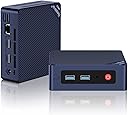
The Beelink Mini S12 Mini PC features the cutting-edge 12th Gen Intel Alder Lake-N95 processor with 4 cores and 4 threads, boosting speeds up to 3.4GHz. It comes with 8GB DDR4 RAM and a 256GB M.2 SSD, expandable up to 4TB, ensuring smooth multitasking and fast storage. Dual HDMI ports support 4K@60Hz output for dual-monitor setups, enhancing productivity. Advanced connectivity includes WiFi 6, Bluetooth 5.2, USB 3.2 Gen2, and 2.5Gb LAN for ultra-fast data transfer. Its compact design with a VESA mount option saves desk space, making it ideal for home, office, or professional environments.


| ASIN | B0BVFVRDXN |
| Additional Features | Mini pc |
| Aspect Ratio | 16:9 |
| Best Sellers Rank | #2,171 in Computers & Accessories ( See Top 100 in Computers & Accessories ) #77 in Mini Computers |
| Brand | Beelink |
| Built-In Media | 1 x Intel 12th N95 Mini PC, 1 x Power Adapter, 1 x User Manual, 1 x Vesa Mount with Screws, 2 x HDMI Cable (100CM & 20CM) |
| CPU Model | Intel N95 |
| CPU Model Number | Intel Alder Lake-N N95 |
| CPU Model Speed Maximum | 3.4 GHz |
| CPU Speed | 1.7 GHz |
| Cache Memory Installed Size | 6 |
| Cache Size | 6 |
| Color | Navy Blue |
| Compatible Devices | Headphone, Keyboard, Projector, Television |
| Connectivity Technology | HDMI |
| Cooling Method | Fan |
| Customer Reviews | 4.4 out of 5 stars 122 Reviews |
| Display Resolution Maximum | 3840x2160 |
| Display Type | LCD or LED |
| Graphics Card Description | Integrated |
| Graphics Card Interface | Integrated |
| Graphics Card Ram | 1199.99 MB |
| Graphics Coprocessor | Intel UHD Graphics |
| Graphics Description | Integrated |
| Graphics Ram Type | Shared |
| Hard Disk Description | SSD |
| Hard Disk Interface | Serial ATA |
| Hardware Interface | 3.5mm Audio, Bluetooth, HDMI, Headphone, PCI Express 3.0 |
| Human-Interface Input | Keyboard |
| Item Dimensions | 4.88 x 4.45 x 1.65 inches |
| Item Weight | 0.66 Kilograms |
| Keyboard Description | Standard USB Keyboard |
| Keyboard Layout | QWERTY |
| Manufacturer | Shenzhen AZW Technology Co., Ltd. |
| Memory Slots Available | 2 |
| Memory Speed | 3200 MHz |
| Memory Storage Capacity | 256 GB |
| Model Name | Mini S12 |
| Model Number | MINIS |
| Model Year | 2024 |
| Native Resolution | 3840 x 2160 |
| Number of Component Outputs | 2 |
| Operating System | Windows 11 Home |
| Optical Storage Device | 256 Gb |
| Personal Computer Design Type | Mini PC |
| Power Consumption | 15 Watts |
| Power Plug Type | Type A - 2 pin (North American) |
| Processor Brand | Intel |
| Processor Count | 4 |
| Processor Series | Intel N95 |
| Processor Socket | BGA 413 |
| Processor Speed | 1.7 GHz |
| RAM Memory Installed | 8 GB |
| RAM Memory Technology | DDR4 |
| RAM Type | SODIMM |
| Ram Memory Maximum Size | 16 GB |
| Resolution | 3840 x 2160 |
| Specific Uses For Product | Everyday Use |
| Style Name | Minimalist |
| Total Expansion Slots Quantity | 2 |
| Total Number of HDMI Ports | 2 |
| Total Thunderbolt Ports | 2 |
| Total Usb Ports | 4 |
| UPC | 810056048549 810056049829 |
| Video Output | HDMI |
| Video Output Interface | HDMI |
| Video Processor | Intel |
| Warranty Description | 1 year |
| Wireless Compability | 802.11ax, Bluetooth |
| Wireless Network Technology | Wi-Fi |
| Wireless Technology | Bluetooth, Wi-Fi |
V**T
Great computer for regular home and work use
I love the space savings and processor and the included memory and SSD. The SSD is faster than a SATA III SSD by about 20%. It's ingenious actually, it's Nvme single channel (instead of the usual 4 channels). It allows the use of normal M2Nvme 2280 drive to upgrade with but at the same time allows these machines to be built at lower cost and they are plenty fast for anyone but power users. I believe they use a pcie 4 channel. The machine boots from bios screen to windows sign-in screen in a bout 10-15 seconds. The processor is the N95 Alder lake which has 4 cores/threads and runs at 1.7 Ghz with boost up to 3.4 Ghz. Great performance considering the 4 cores are Alder lake's "efficiency" cores. Intel says this chip is about equivalent to full desktop Skylake processors at the same speeds. I do know that it's noticeably faster than the Haswell core i5 4590 that I was using previous to this machine. It's got a single SODIMM slot with a DDR4-3200 that can be upgraded to 16 GB (I've heard of rumors of these taking 32 GB SODIMMs, but Beelink support says 16. I've got two of these (one for my wife and one for me). Her's is an 8GB/256GB and mine is the 16GB/500GB model. It also has a drive bay for a 2.5" x 7mm SATA drive up to 2TB. I've been thinking about putting an old Samsung 860 EVO 256GB drive in there.
M**R
Amazing! How can they do this at this price?
Since I'm the "computer guy" amongst my friends, one asked me to get an inexpensive computer that he could both use for everyday tasks at home and also to help him run his small business. So far this is everything that we both could have hoped for. He got a new monitor that had a standard VESA mount on the back and also a standard base. He's using the base on his desk and so I used the small bracket that is included with this computer to mount it directly to the back of the monitor. The kit also included a short HDMI cable to run from the computer to the monitor so that I didn't have to bundle up extra wire. The PC was super simple to get up and running. We literally mounted the PC to the monitor, connected the HDMI cable, the power cable, his wired keyboard and mouse and connected the ethernet cable to his router, turned it on, logged in to his Microsoft and Google accounts, performed the Windows updates and he was up and running. I don't know how you could get a much simpler process with everything going so smoothly. Everything seems to be exactly as advertised as far as specs and there were absolutely no issues using the preinstalled version of Windows 11 Pro. While I only used the computer a short while during the setup and configuration process, I was amazed at both how cool the box remained and how silent it was. This was an excellent purchase that I will probably be repeating for another friend who needs a basic system to replace an ancient behemoth of a PC that they're currently using and can't really update anymore. Very happy with this little box.
A**R
Great Inexpensive Mini PC
I purchased this with the intention of using it as my new Home Assistant server to keep on the basement shelf with all my other home Internet gear. I was impressed by its small size, relatively low power consumption and how feature-loaded it came. Given that this mini PC came with Windows 11 Professional (even withthis low price! ), I diverted this box to my desk for a while to play with it a bit. The Windows build was a bit older, so I ended up testing an in-place upgrade to 24H2, which took about a half hour to complete. Most other activities I ran on this box were at a decent speed for a box of this nature. Since this was going to be my first venture into Home Assistant, I opted to first set this up inside a Hyper-V VM, which started off well, but as I started cramming more components into HA, I realized I was running out of RAM to hold both Windows itself and the VM. I ended up swapping out the 8 GB RAM module for a 16 GB stick I picked up on Amazon as well, and that left me in good shape. Eventually, I got comfortable enough with HA to go beyond the proof of concept stage and wiped the SSD drive and loaded it with a native install of HAOS. While the M.2 SSD interface supports NVMe drives as well, the included drive was only a SATA SSD. I used a Sabrent enclosure that supported both standards to load HAOS on the drive. Had I stuck with the original 8 GB of RAM, I would have been perfectly fine with it, as Home Assistant is currently reporting that it's only using about 1.1 GB out of the 15 GB it sees now. This Mini PC was a perfect choice for my intended use, with good apparent quality and speed for my purposes. Given that I'm not running it too hard and that it's housed in the basement, cooling has not been an issue. Based on my experience here, I would not hesitate to recommend it for a similar use or the need for a small computer in the future.
D**N
the price is the cherry on the cake
Great quality, it 's fast enuf for 90 percent of my uses, and the price is the cherry on the pie
R**D
Rock Solid Linux (Debian) Workstation
Runs Linux like a dream. Needed to USB Tether my phone to install the Intel Wi-Fi drivers (iwlwifi) on Debian 11. Using (UGREEN USB) for the audio driver, instead of on-board. I also disabled Turbo in the bios as it ran a little warm (56C compared to 45C at Base Speed) $ inxi -l System: Host: debian Kernel: 5.10.0-26-amd64 x86_64 bits: 64 Console: tty 2 Distro: Debian GNU/Linux 11 (bullseye) Machine: Type: Desktop Mobo: AZW model: MINI S v: 10 serial: N/A UEFI: American Megatrends LLC. v: ADLNV104 date: 02/06/2023 CPU: Info: Quad Core model: Intel N95 bits: 64 type: MCP L2 cache: 6 MiB Speed: 800 MHz min/max: 800/1700 MHz Core speeds (MHz): 1: 800 2: 800 3: 799 4: 799 Graphics: Device-1: Intel driver: N/A Display: server: X.org 1.20.11 driver: loaded: vesa unloaded: fbdev,modesetting tty: 127x37 Message: Advanced graphics data unavailable in console for root. Audio: Device-1: C-Media Audio Adapter (Unitek Y-247A) type: USB driver: hid-generic,snd-usb-audio,usbhid Sound Server: ALSA v: k5.10.0-26-amd64 Network: Device-1: Realtek RTL8111/8168/8411 PCI Express Gigabit Ethernet driver: r8169 IF: enp1s0 state: down mac: 7c:83:34:be:05:f0 Device-2: Intel Wireless 7265 driver: iwlwifi IF: wlp2s0 state: up mac: dc:46:28:43:63:f9 Bluetooth: Device-1: Intel Bluetooth wireless interface type: USB driver: btusb Report: ID: hci0 state: up running bt-v: 2.1 address: DC:46:28:43:63:FD Drives: Local Storage: total: 238.47 GiB used: 9.66 GiB (4.1%) ID-1: /dev/nvme0n1 model: 256GB SSD size: 238.47 GiB Partition: ID-1: / size: 27.33 GiB used: 5.2 GiB (19.0%) fs: ext4 dev: /dev/nvme0n1p2 label: N/A ID-2: /boot/efi size: 511 MiB used: 5.8 MiB (1.1%) fs: vfat dev: /dev/nvme0n1p1 label: N/A ID-3: /home size: 204.74 GiB used: 4.45 GiB (2.2%) fs: ext4 dev: /dev/nvme0n1p4 label: N/A Sensors: System Temperatures: cpu: 45.0 C mobo: N/A Fan Speeds (RPM): N/A Info: Processes: 239 Uptime: 15h 23m Memory: 7.57 GiB used: 2.48 GiB (32.8%) Init: systemd runlevel: 5 Shell: Bash inxi: 3.3.01
S**0
Great basic pc
Great pc for basic tasks or services. I use mine as a Plex/Roon server as well for running Kodi. Plenty of power for these tasks. The only issue I ran into is the Realtek WLAN card. It works, but had issues when AC is enabled and would lose connection. Disabling AC fixed the issue for me and I will probably replace the card at some point.
M**X
Product dies after 2 to 3 hours of use. Suitable for landfill only.
I purchased the Beelink Mini S12 Mini PC, 12th Intel Alder Lake- N95 to use as a spare computer in another room in my house. Initially, it worked OK and I was able to set it up with some basic software. I did not use it for several weeks and when I tried to turn it on it was dead. There was no indicator light, no fan noise and the monitor said there was no device connected. The unit case does become very warm right above the power plug. I tried resetting the BIOS and that did not work. I initiated a support ticket with Beelink but have had no response from them. The return and support windows on Amazon are way too short. If I don't hear back from Beelink soon, this one will be in the landfill.
Y**K
Perfect for an always-on 4K TV
This thing is perfect to pair with a 4K TV to have an always-on calendar & email client. I don't plan on playing any videos or games with this machine anyways, so I only needed 8 GB of RAM. Because Mini S comes with a pre-installed Windows 11, the setup took less than 15 minutes. This was much simpler than the 2+ hours I spent setting up an Intel NUC 13 installing Windows 11 and the drivers manually. I was pleasantly surprised at how flawlessly Windows 11 worked on an N95/8GB spec. I love this tiny machine so far! It stays relatively cool even if I keep it on for a few days. It handles Chrome browsing like a boss even with 10+ tabs. At such a low price, I have zero complaints and can only recommend Mini S for daily light use.
D**U
Tasarımı ve güç tüketimi çok iyi
Ev kullanımı için çok ideal.Düşük güç tüketimi sessiz
M**L
Good
Works great, I recommend
S**R
Working smoothly..
Working smoothly and no issues..
M**I
يوجد عيب في النظام
حبيت ان اجرب الجهاز
Trustpilot
2 months ago
3 days ago