


🚀 Power Your Productivity with the Ultimate 10-in-1 Hub!
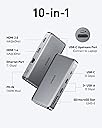
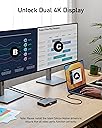
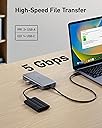
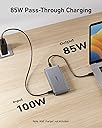
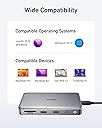
The Anker 563 USB-C Hub is a premium 10-in-1 docking station designed for professionals seeking maximum connectivity and efficiency. Featuring dual 4K HDMI outputs, 5Gbps USB data ports, and up to 100W power delivery, it supports a wide range of laptops including MacBook, Dell, and Thinkpad. This hub transforms your workspace with seamless multi-device integration and reliable pass-through charging, backed by an 18-month warranty and responsive customer service.

| ASIN | B0BNZ5TCG8 |
| Additional Features | HDMI™️, Powered |
| Best Sellers Rank | #16,888 in Electronics ( See Top 100 in Electronics ) #249 in Laptop Docking Stations |
| Brand | Anker |
| Color | Gray |
| Compatible Devices | Laptops, Monitors |
| Customer Reviews | 4.0 out of 5 stars 200 Reviews |
| Data Transfer Rate | 5 Gigabits Per Second |
| Global Trade Identification Number | 00194644118709 |
| Hardware Interface | HDMI , USB 3.0, USB Type C |
| Manufacturer | Anker |
| Mfr Part Number | A83860A1 |
| Minimum Required Operating System Version | Windows 10 |
| Model Number | A83860A1 |
| Number of Ports | 10 |
| Operating System | Windows 10 |
| Special Feature | HDMI™️, Powered |
| Total USB Ports | 5 |
| Total Usb Ports | 5 |
| UPC | 194644118709 |
M**M
This worked for my Macbook!
This docking station solved my issue for my Macbook. I tried a couple other options but this was the only one that worked. I have not experienced any issues since setting this up a few months ago.
A**O
IT STOPPED WORKING
The USB-C power port stopped working after 3 1/2 months. 04/03/2025: Amending review: EXCELLENT CUSTOMER SERVICE. The supplier reached out to me and sent a replacement free of charge. THANK YOU!!!
D**.
External monitor becomes jerky and fuzzy, unusable with late 2024 M4 Max MacBook Pro
Before using this, I was required to install "MacOS InstantView," and it provided a terrible experience. The mouse movement was suddenly jerky, and the text/details became fuzzy. I have gone back to the dongle I was using before. I wanted a reliable solution for additional USB ports and extra monitors, and this device was unusable with my late 2024 M4 Max MacBook Pro.
G**Y
Works great with Macbooks
Works great for my 2019 M1 Macbook Pro. i can use my Macbook display and two external monitors at the same time (all with different displays)
A**D
great hub, doesn't power laptop when used to drive monitors
great hub. works great to allow a keyboard, mouse, display to all connect to the laptop. BUT, the power that is going to the hub doesn't support power to the laptop. It's ok with me, I just plug the laptop USB-pd power to the laptop, and the hub to the laptop usb-c. I have separate power supplying the hub.
A**L
Functional but not as expected
Bought this for resetting my desk with different setup. It worked for single setup and also had to install a third party software to make it work, I felt it kind of hacky way to support dual monitors. So I decided to delete the software and return the product. It did connect as it claimed and it’s made with quality material as any other Anker products. This can be only compatible with Apple product as I tried my Dell with it but it didn’t work.
A**D
Recommend It, But...
I also have Anker 553 Usb-C hub, it has similar I/O options with this one except this one has extra Usb-C, which I needed. Usb cable is not fixed, which is great but you need a cable that can transfer video if you need replacement. Not any Usb-C cable will work. 553 model is more compact and that one is plug and play, you don't need any additional drivers. This one requires a driver to be installed, so if you need this for work computer and it is restricted, you will need to contact your IT department. If you don't want that, get the 553 model. Note : Both model's PD port does not charge Legion 7 laptop. Other features are functional.
J**R
Best features
Pros: - The power-in is a USB-C cord, so you can use your laptops power supply instead of the big bulky custom ones that come with other hubs. In my case, I used my MacBook charger, which is nicer and could get a longer USB-C cord to get this to the wall. - The Upstream Port (connect to laptop), is also a USB-C port, so you can use a longer USB-C cable. Other hubs have the upstream port connected to the hub (and they are short). But with a longer cable and this slim design, I can hide the hub behind my monitor. Cons: - Only has HDMI, no Display Ports. - Probably could use another USB-C input or two. I'd gladly sacrifice the Micro SD port for this. Who uses Micro SD ports these days?
Trustpilot
3 weeks ago
5 days ago