Desertcart purchases this item on your behalf and handles shipping, customs, and support to Slovakia.
💼 Elevate your desktop game with WD Blue — where reliability meets performance.
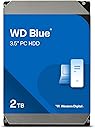
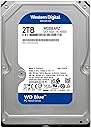
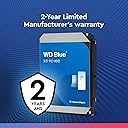
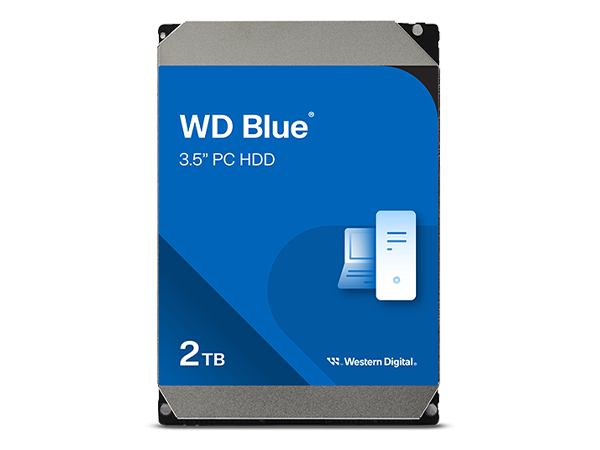
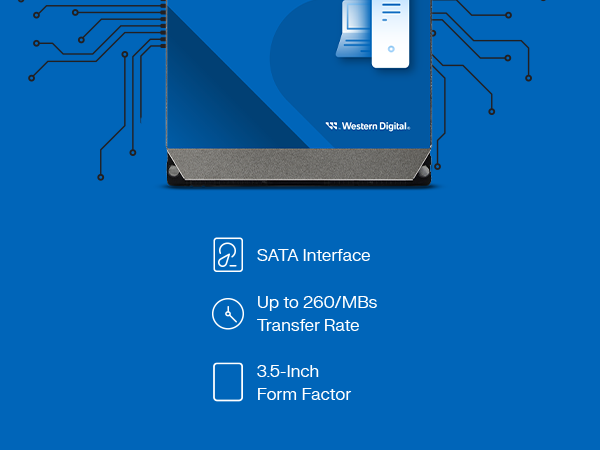
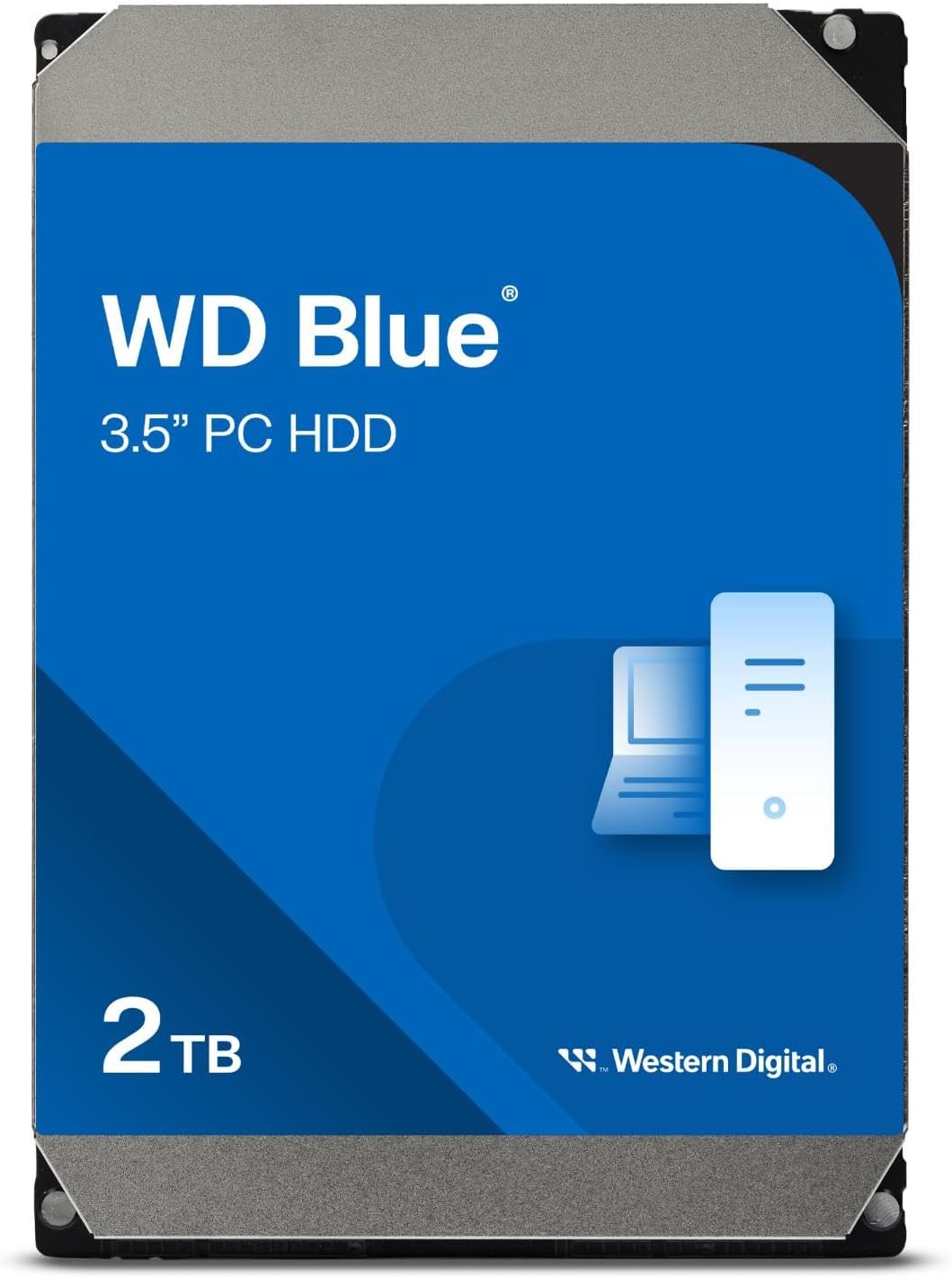
The Western Digital 2TB WD Blue internal hard drive offers a spacious 2TB capacity with a 5400 RPM speed and SATA 6 Gb/s interface, designed for reliable everyday desktop computing. Featuring a 64MB cache and backed by a 2-year warranty, it’s ideal for professionals seeking dependable storage with efficient performance.


| ASIN | B0C4X1JLD4 |
| Additional Features | Designed for reliable, everyday computing |
| Best Sellers Rank | #175 in Internal Hard Drives |
| Brand | Western Digital |
| Built-In Media | Internal Hard Drive |
| Cache Memory Installed Size | 64 |
| Color | Blue |
| Compatible Devices | Desktop |
| Connectivity Technology | SATA |
| Customer Package Type | Standard Packaging |
| Customer Reviews | 4.7 out of 5 stars 6,836 Reviews |
| Digital Storage Capacity | 2000 GB |
| Enclosure Material | polycarbonate |
| Form Factor | 3.5-inch |
| Global Trade Identification Number | 00718037900667 |
| Hard Disk Description | Mechanical Hard Disk |
| Hard Disk Form Factor | 3.5 inches |
| Hard Disk Interface | Serial ATA-600 |
| Hard Disk Rotational Speed | 5400 rpm |
| Hard-Drive Size | 2 TB |
| Hardware Connectivity | SATA 6.0 Gb/s |
| Hardware Platform | WD |
| Installation Type | Internal Hard Drive |
| Item Dimensions L x W x Thickness | 9"L x 6"W x 3"Th |
| Item Type Name | Internal Hard Drive |
| Item Weight | 15.84 ounces |
| Manufacturer | Western Digital Technologies, Inc. |
| Media Speed | 6 GB |
| Mfr Part Number | WD20EARZ |
| Model Name | WD Blue HDD |
| Model Number | WD20EARZ-SPC5XB0 |
| Number of Items | 1 |
| Special Feature | Designed for reliable, everyday computing |
| Specific Uses For Product | Multimedia |
| UPC | 718037900667 |
| Warranty Description | 2 Year Limited Warranty |
K**Y
Bought to use in my dedicated Plex media server and it works great! Best bang for your buck hard drive out there!
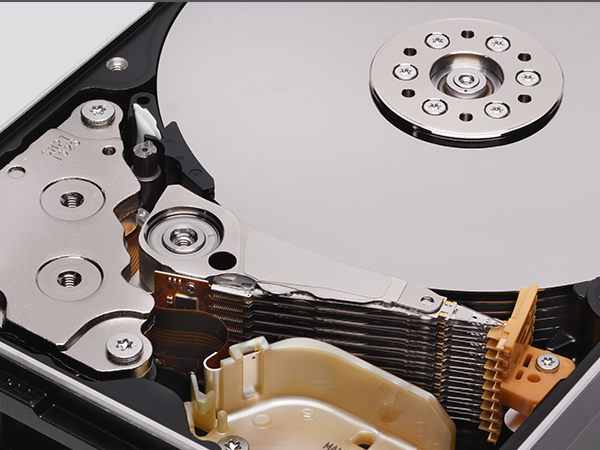
I have a veritable rainbow of WD drives (red, green, blue) between my PC, Drobo and newly built NAS and they are all real workhorses. I have yet to have any of them fail or misbehave even after 8 years. I know certain colors are best suited for certain applications, but I find the blue drives to be the best bang for the buck and most versatile. I bought this most recent 4TB blue to install in an old PC that I turned into a Plex media server/home made NAS. I've been wanting to have a dedicated media server for some time and finally had the chance to do it but needed more storage space. The PC I had has a 1TB hard drive that I wanted to remain dedicated to running software and store all of my movies, tv shows, documentaries, and kiddie crap (haha) on its own drive. I installed this the other day and loaded all my visual media on it (I keep pictures and music on yet another drive) and I still have room to spare. I immediately connected the new server to Plex through my Roku 4 and watched a movie (1080p) on the TV while streaming another to my phone and had no trouble whatsoever! I know a lot of the buffering problems stem from inadequate CPU and mine is good, but just in case you're wondering, these blue drives have no trouble streaming content from when you've got adequate transcoding power in your machine. A lot of people would tell you you need red drives but old blue does just fine in my experience and is so much cheaper! For those of you who are new to installing new hard drives, it's a piece of cake but just be aware that this drive does not come with any cables or mounting hardware, so you'll need to be sure you have your own SATA cable and an available power source cable as well as screws or whatever you need to mount it in your case. Also for the newbies, you can't just plug and use, you'll need to go in to your drive manager and name/format it before you can use it. This is also very very easy to do and only takes a few minutes and then you're ready to go! I don't use these WD drives to boot and run software anymore (it's all about SSD's for that now - buy one, it will change your life) but I use these drives to hold and back up all of my data for me and I love them! You really can't get more storage and a more reliable drive for a better price than this. And don't be freaked out because the picture shows the inside of the hard disk, this is a fully enclosed drive (see pics). Hope this helps! Happy computing! I did NOT receive this for free or at a discount.
S**D
WDs rebranded Green drive, cheap storage, a little noisy head movement and vibration, not too slow, no surface errors
EDIT: I was disappointed and quite frankly upset when I learned more about this drive after purchase. However, it performs pretty well and I can trust it now that I've owned it for a long time. No errors or problems for several years. It outperforms my budget Samsung HDD drive which had less than 100HRs before throwing errors. This WD has thousands of hours with no issues. That's impressive. To be honest I love the drive but I am still upset it is just a rebranded green drive...whatever Original: ITS A GREEN DRIVE NOT BLUE (okay the label is blue and it is as advertised but if you bought WD HDDs before you know what that means) History: WD made cheap and bad green 3.5" drives 5400RPM and in efforts to boost sales they got their label changed to blue and discontinued the use of green labels #marketting SOB's Well anyways, kinda expected that for $99 that I paid. This goes into the PS4 3.5" adapter so not a big deal if it fails. Before the facts, there is GOOD NEWS and it's listed at the bottom and the drive does work fine right now but 3 stars because I'm worried ok, it makes noises (probably normal noises), and it is really a cheap green drive so that worries me too. The current facts: It vibrates, it makes old and somewhat loud pc like noise (head movement) when playing games or when not playing games but transferring more than one file at same time. (downloading 2 or 3 games at once) If it is doing multi file transfer but one after another instead of all at once, then the head doesn't move much so no noise can be heard. The intensity of the noise is no louder than old drives of the 90s so I'm only half worried, as this may be the actual design of this drive. It gets warm almost too warm but not toasty. (granted it could use better ventilation and it is sitting in the adapter thing above a warm ps4) There was one BIG issue (which may have been the ps4 adapters fault) where I lost all data on the 3rd day. It would turn on and spin but ps4 could not recognize it or be able to initialize it (ps4s version of formatting) The fix was to use pc and 3rd party free-ware to rebuid the MBR. Guess something went wrong with ps4. Afterward once MBR was rebuilt it still only worked after I initialized (ps4s version of formatting) the whole drive and started resh again and that was a BIG improvement. 2 weeks and 1.3 TB later it is doing ok. I still don't know what went wrong that day THE GOOD NEWS ( best for last eh?) No surface errors found, tested this right out the package and after I had ps4 screw up the hdd MBR (assuming it was PS4 that did it, or the adapter) Guess i'll keep track of it and re-review if i can once it screws up again and I'll do SMART diagnostics to make sure the drive is not at fault
A**N
Good Value For Cold Storage
My drive works well. It is quiet and has a good transfer rate (about 175MB/sec for large files). I use this drive for storing backups. My files are about 30 to 50 GB each. I use this drive externally, in a USB 3,0 cradle. When I am done storing my backup files (and assorted other large files), I spin the drive down, remove it from the cradle and place it in a HDD storage box. For this type of use-case, I highly recommend the drive. As other reviewers have noted, check the warranty status on WD's website immediately after receiving the drive. If the status is anything less than covered for 24 months, return the drive immediately for a refund. Also, make sure you buy this from Amazon and not a third party seller. This will protect you. I cannot recommend this drive for hot storage. Spinning all the time that your computer is on, the drive may not last as long. For constant spinning, I use my WD Red drives. They are more reliable and have a longer warranty. Of course, you will pay more for them, but that is worth it to me. I have concerns about the technology in the WD Blue drives. They are more prone to data loss. For me, this is not a problem as I verify my backups immediately. But, I would be concerned if I were using them for hot storage. For cold storage, I care more about price/GB. WD Blue 4TB is hard to beat in this regard. Finally, if you are thinking of using this as a system drive, don't. Just don't. A 1TB or 512GB SSD is affordable, reliable, and fast. For this, I recommend Adata SX8200 pro. They are a great choice if your motherboard has a NVME M.2 slot. I hope this was helpful.
J**N
The sweet spot for capacity, price and reliability
It is my professional opinion, based on decades of building, upgrading and repairing PCs, that Western Digital makes the most reliable hard drives in the marketplace. I believe this 4TB hard drive from Western Digital continues their tradition of "cool and quiet" performance and outstanding reliability, and this particular offering is in the "sweet spot" of cost per unit of storage, where you get the most bang for your buck. I replaced two 1TB hard drives with this single 4TB unit, to double my capacity and reduce complexity (my two 1TB drives were configured as a RAID stripe set, which increases transfer speed but also doubles the risk of failure). The upgrade was easy, I was able to quickly move my files to the new drive, and it is humming along nicely now at just over 50% capacity. I use this to store all of my files. I have an SSD for my main/system drive, which stores the OS and applications and loads everything lightning fast. I was concerned initially about the slower 5400RPM rotation speed of this drive, but it has not been a problem at all. When I was transferring files to the new drive I was getting between 140-200MB/sec, which is great for a mechanical hard drive. The drive is warm to the touch but not hot. I fully expect this drive to perform for years trouble-free, just like the Western Digital drives it replaced, and the Western Digital drives that they replaced before them.
J**.
Good for archiving
It is what it is and does what it says. Not much I can add to this, it's a 5400rpm motorized 4tb drive and it acts like one too. If you have ever changed a hard drive before then installation is typical. The main reason I wrote this review is to warn you this is not a fast drive and its not supposed to be. Usually slower drives are great for archiving and that's what i bought it for so I am happy. I see an average read write speed of around 100mbps and it gets slower as it gets full so its typical of a large motorized drive. This would not be a good drive for gamers or anything that requires speed and i would imagine a NAS unit set up for raid striping would do fairly well with a bunch of these because its priced well. As for reliability we will see as i have only had it a month but Ive had good luck with WD drives as archivers before in the past but I still prefer seagate for motorized sandbox do anything project drives. I have a whole fleet of seagate and WD 1 tb drives that are over 10 years old that i use for various projects as needed and only a few have failed thru the years and most of that was either cause of other issues or just age and time doing what it does and that's expectable. I tried doing some editing and file work in the drive and yeah its a slow tugboat of a drive but it gets it done. Normally i use 2tb nvme gen4 pcie 4 drives for editing and recording and file work so yeah this is going to be slow but it is exactly what it should be for archiving. Definitely made for long term storage. If anything changes I will update this review but so far so good and all predictable and typical so far. One good thing and I need to mention this, one thing I cannot stand is windows putting drives to sleep or even worse, the drive going to sleep on its own. This one does not sleep and stays at the ready constantly and that's exactly what I wanted. I will manage my own power and pay my own bill and I am happy to pay for things that do what I want them to do and windows needs to stay out of my power options because there's always linux.......I hope they see this in Redmond. If you need long term storage then just buy this. it's a keeper. Oh yeah and while I am here formatted properly in windows you will only see 3.63 tb. Now I constantly see reviews of people complaining about the drive space not showing what its advertised. I have also seen so many people try to explain it. Here's the short version for people that just don't get it. In our world 60 minutes is an hour and 24 hours are in a day. the numerical figure of 10240 is a mathematical time-base reference. That's why time based electronic devices don't understand what 1000 or a 10 based decimal system is. You dont need to be a mathematician to understand our way of doing time but unfortunately this is the way devices must function in a 24 hour 365 day world. If you still don't understand it then look up articles about the French based revolutionary era decimal clock and why they decided it was not a good idea. So 1000 = 1024. That's the amount of space calculated mathematically in a device that must keep track of time in hours days and years and until that changes hard drives will always read less than the advertised space once they are installed in a device that must keep time. its just that simple. If a drive was in a device that time did not matter then it would show the same amount as it is advertised to have but there is no such thing as 1000 as a reference in a system that requires time management. it simply cant function that way so you are getting the space you paid for but our pcs just see it mathematically different. This is how the world spins and days are calculated and why timekeeping is important. We cannot change the universe, we can only use our man made devices in it. Get educated, read things, get answers, and stop writing complaining reviews about things you don't understand. it has to be this way to function correctly. That's just the way it is.
M**S
Great drive for mass storage
I have purchased several of these over the past few years for use in a home file server. These are reliable drives. I am running four of these in a file server, soon to be five, and have been running them for around three years with zero failures or SMART warnings. No drive lasts forever, but so far these just keep trucking along. When the inevitable drive failure occurs, I will likely replace the drives with the same model if it is still available. I highly recommend GSmartControl. It runs in both Linux and Windows, is free/open source, and will provide a full SMART report including the usual indicators of a drive that is going to fail: bad sectors, and number of reserve sectors available. Once a drive has bad sectors and starts remapping reserve sectors, it is time to start migrating data before the inevitable data loss occurs. So far, three years in, I have not a single bad sector across four of these drives. Speed-wise, they are what you would expect from a 5400 RPM spinning hard drive. Nowhere near the fastest, but fast enough for what I need them to be. Install an SSD for your boot/OS drive, maybe a WD Black 7200 RPM drive for programs, and use these for storing your media files. The important thing to do is gauge what level of performance you need for a particular task and how much money you are willing to spend. For mass data storage where speed is not a requirement, these drives work very well and I highly recommend them. If you need performance, look at SSDs. If you need speed but also size and do not want to spend a ton of money on a large SSD, look at the WD Black 7200 RPM drives.
J**E
Great drive so far.
This is doing really good for gaming. Using this HD and the other parts listed here, getting spectacular performance and game-play on: DCS, World of Warships, and many other Steam games set on high or max. Plenty of room. Also used with Blender 2.8 & DaVinci Resolve. My setup below was easy, go into bios to set clock and boot drive, save & exit, reactivate windows and load new drivers etc. which was very easy to get done. Build List: MSI MPG X570 GAMING PLUS Motherboard (AMD AM4, PCIe 4.0, DDR4, SATA 6Gb/s, M.2, USB 3.2 Gen 2, HDMI, ATX), AMD Ryzen 5 3600 6-Core, 12-Thread Unlocked Desktop Processor with Wraith Stealth Cooler, 2x (32GB) Thermaltake TOUGHRAM Black DDR4 4400MHz C19 16GB (8GB x 2) Memory Intel XMP 2.0, MSI RX Vega 64 AIR Boost 8G OC Computer Graphics Card, WD Blue 4TB PC Hard Drive - 5400 RPM Class, SATA 6 Gb/s, 64 MB Cache, 3.5" - WD40EZRZ, Redragon K551 Mechanical Gaming Keyboard with Clicky Cherry MX Blue Switches Equivalent Steel Aluminum Series Vara 104 Keys Wired Computer Keyboard for Windows PC Games (Black RED LED Backlit) , Kingston A400 240G Internal SSD M.2 2280 SA400M8/240G, Thermal Grizzly Kryonaut Thermal Paste, 1g. Apevia ATX-JP800W Jupiter 800W 80 Plus Bronze Certified Active PFC ATX Gaming Power Supply, Supports Dual/Quad Core CPUs, SLI/Crossfire/Haswell,
J**O
Muy bueno
Muy bueno después de becarios años me funciona muy bien
D**Z
SMR / CMR ayrımı önemli
Öncelikle ürünü "amazon.com.tr" satıcısından aldım. Üzerinde "arena bilgisayar"(WD Türkiye dağıtıcısı) adına kayıtlı garanti belgesi çıktı. Seri numarasıyla WD'nin kendi sitesinde kayıt yaptırınca 2 yıl + 1 ay garantisi başladı. Yani görünürde bir sorun yok. Ürün retail değil OEM (zaten retail mağazalarla arasındaki %25 fiyat farkının kaynağı da bu) ama garantide bir sorun çıkmıyor. Öte yandan HDD seçmek sandığımdan daha zormuş arada bir tane seagate iade etmem gerekti. HDD alırken SMR mi yoksa CMR mi olduğuna dikkat etmenizi öneriyorum. Ben ilk başta umurasamadan 2tb smr bir hdd söyledim fakat 1 tb'dan sonrasında saç baş yolduracak derecede yavaşlayınca konuyu araştırdım ve SMR disklerin gerçekten sıkıntılı olduğunu farkettim. WD Blue'da sonu "AZ" ile bitenler SMR, diğerleri CMR. 10 yıldır hala çalışmaya devam eden WD Blue'ma da biraz güvenerek bu arkadaşı aldım. Umarım ileride sorun çıkartmaz.
A**E
Zuverlässig und sicher
Wie von Western Digital zu erwarten eine Festplatte die für die Größe angemessene Geräuschpegel hat nicht zu laut und nicht zu leise für HDDs schnellen speicherzugriff und eine große Menge an Speicher und viel Dateien zu speichern und zu sichern
J**Y
Great price for 4 TB
Excellent. Easy to install.
A**R
تقيم الهارد
منتج جيه مظبوط وجديد
A**R
Exactly as should be!
Quick! And works great. Thanks
Trustpilot
1 month ago
1 month ago