

Desertcart purchases this item on your behalf and handles shipping, customs, and support to Slovakia.
🚀 Upgrade your WiFi game—fast, sleek, unstoppable!
The Blueshadow USB WiFi Adapter delivers dual-band 802.11ac wireless speeds up to 600Mbps, upgrading any desktop or laptop with a compact, high-gain antenna design. Compatible across Windows, Mac, and Linux, it ensures seamless HD streaming, gaming, and reliable connectivity even in low-signal areas. A cost-effective, plug-and-play solution to future-proof your network experience.


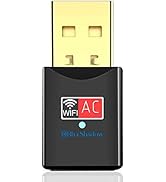

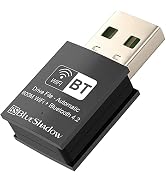


| ASIN | B077XJB1Z8 |
| Best Sellers Rank | #321 in USB Computer Network Adapters |
| Brand | Blueshadow |
| Built-In Media | USB, USB2.0 |
| Color | Black |
| Compatible Devices | Desktop, Laptop, Supports Windows 11, 10, 8. 1, 8, 7, Vista/XP/ Mac OS X 10. 5-10.15,Linux(Kernel 2.6.24-4.15) Compatible Devices Desktop, Laptop, Supports Windows 11, 10, 8. 1, 8, 7, Vista/XP/ Mac OS X 10. 5-10.15,Linux(Kernel 2.6.24-4.15) See more |
| Compatible Operating System Family | ChromeOS, Linux, MacOS, Windows |
| Customer Reviews | 4.3 out of 5 stars 8,295 Reviews |
| Data Link Protocol | USB |
| Data Transfer Rate | 600 megabytes_per_second |
| Hardware Interface | 802.11 ac/b/g/n |
| Item Dimensions L x W x H | 3.8"L x 0.83"W x 0.59"H |
| Item Weight | 1.12 ounces |
| Manufacturer | Blueshadow |
| Mfr Part Number | 802 |
| Minimum Required Operating System Version | Windows XP |
| Model Number | 802 |
| Number of Items | 3 |
| Number of Packs | 1 |
| Product Dimensions | 3.8"L x 0.83"W x 0.59"H |
| UPC | 611890576010 611890576034 |
| Unit Count | 1 Count |
| Warranty Description | 2 |
A**Y
Wow, works!
I changed my internet provider and the router with the new service ran at 5mgz. My adapter card in my 5 year old PC only ran at 2.4mgz, so the day I changed services my "high speed" internet came to a crawl. After many hours of trying to figure out what was wrong I found some blogs that led me to check the existing cards MGZ. After learning that I cannot swap the card out some blogger suggested these USB toggles. I found this one, bought it, just installed it, and boom! High speed is 100% as advertised. For just under 20 bucks I don't know how you could go wrong. I'm shocked that it works as advertised, and took 5 minutes to install. Just pop in the mini disk, run the install file when you search in your folder (it does not automatically guide you to an installer) , double click and finish install through the wizard. Easy peazy. Then press the windows and X key to bring up your device manager, disable your old card and enable your new card and reboot. Or I think I rebooted first then disable and enabled. It was super easy, and super quick and I know how the speed my service is able to provide. Cheaper than buying a new pc :) This is a super great work-around!
T**T
Easy Installation If...
When I installed an upgraded wireless 5G router, I found that my ancient (7 year old) Dell laptop did not support 5G wireless. Not wanting to go through the hassle of setting up a new laptop, I searched around for a alternate solution. That's how I found the BlueShadow WiFi USB adapter. Actually, there are a number of different devices that handle this problem and the price is definitely less than a new laptop. I ordered and received it the following day. While waiting I did some reading and found that the necessary drivers could be downloaded from BlueShadow. I knew that the product came with an installation CD, but pulling out an external drive is usually a pain. Also, when I received the package I found that the included CD is one of those small (M-Disk) things. I don't know if my external drive will even accept one of these, so downloading the software was a good solution for me. After downloading the driver package, I found that it included a quick-install PDF document. Reading through it only took about five minutes and was definitely worth the effort. There are several important tips: 1. You must "disable" the existing Wireless device if your computer has one. Otherwise the computer will be confused about which wireless device to use. Do this before anything else. 2. Unzip the downloaded driver package then find the folder for your operating system. They include folders for Windows, Linux and Apple. In the correct folder is an "Install.exe" file. Double click this application and the normal Windows installation screen will show and you can do a normal software install. 3. Once the install process is completed restart your computer. You can plug in the USB WIFI device before performing the restart. After restarting, go to your "Available Networks" list and you should see your 5G network. Click on it and enter any required password. That's it, I now have 5G wireless access on my old non-5G laptop. Total installation time is under ten minutes once you know what to do. So far, the device work perfectly. Connects automatically on start up and doesn't seem to be unstable or to have disconnect issues. For the price, it's an amazing solution.
V**®
Cheap & Automatic
It was a while since I built a desktop PC. The old one had a built-in WiFi adapter, so I didn't bother to think of getting one this time around. I was searching around and saw those adapters with the antenna, but they seemed bulky and I didn't want to open up the chasis again. Then I saw this one and it sounded so simple. The other thing no one seems to talk about is that in a case of an emergency, you can always take it out and plug into another computer that lacks WiFi. This adapter is the true meaning of Plug and Play. You just pop it in the USB port, and a few seconds later the computer recognized it and began the installation process. It's more like a firmware update than an actual installation, as no program is installed and needed to run it. Instead, once the computer recognized it, the WiFi icon at the bottom right of your task bar would appear and automatically scan for WiFi signals, and then all you have to do is click on the icon and choose your WiFi signal and log in. It couldn't be any more simpler, maybe in the future AI will recognize your home's WiFi and log you in automatically. The size is super tiny, the price is cheap, and you just plug it in and it works - this is as easy a recommendation as you can get.
S**Y
Doesn't have Bluetooth
When I first ordered this, I thought I was getting a combination WIFI AC and Bluetooth dongle. I probably thought it had Bluetooth because of the company's name Blue Shadow. My mistake that I didn't look carefully. The dongle wasn't immediately recognized by Windows 11 Pro so I had to look up the hardware ID from the Device Manager and then google it. Once I found the right driver, it worked flawlessly. The company does offer their driver but its in a mini-CD which isn't practical with modern computers without optical drives. They also offer a web url but I felt safer to get the realtek drivers directly from realtek instead of the Chinese supplied one not to mention it was more up to date. It's a fine dongle as long as you only need wifi and not bluetooth. Tapo offers a dual bluetooth wifi for just a few extra dollars more and its a more known brand. I'll be returning this one to pickup the Tapo dongle
N**E
Perfect
Super cheap, works perfectly. Had it for years on an ancient desktop and never ONCE had an issue. 10/10 dont know what else you could ask for. Still working 4 years later
B**C
Works on WIN 10S laptop
Seller delivered in record time - Next day! I bought two as I'm tired of the 2.4G network speed due to so much local interference on our two laptops. 1st problem is the drivers are on a mini CD - well who has an optical drive on a laptop theses days? Downloaded the drivers from the website listed on amazon product page. It takes a little while but was easy to install and get the 5G up and running. The WIN 10S was a little more problematic. The download takes forever - presumably due to the Microsoft security. So I copied the CD to a USB drive on a desktop then tried running the driver installation on the 10S - No joy. 10S wouldn't accept the program UNLESS I EXIT 10S as a one way deal - not a good idea. Then to my surprise, feeling defeated and ready to send the 5G USB back to Amazon, I plugged it into the 10S computer and it fired up all on it's own - clearly the 10S laptop had the drivers already installed. The moral of this story is if you have a WIN 10S laptop - just plug the USB WIFI in as a plug and play. Performance wise, this unobtrusive little dongle multiplied the internet speed significantly. Of course you do need a 5g router available.
R**K
Dies quickly, but otherwise nice
Worked well for 90 days with fairly light part-time use as an access point. Configured automatically on several devices and no performance issues. All the sudden just up and died - no blue light, no activity on USB.
A**N
It was great.. in the beginning
I purchased this Blueshadow Wifi Adapter on May 28, 2023. It's not the first time I bought this product. The first one that I used worked amazing, but broke because I stepped on it. So ended up repurchasing it in hopes of a repeat performance. In the beginning, it was amazing. I was able to play my games with no issues whatsoever. However, as the months went by, the connection started to degrade more and more, until finally my wifi was working at a crawl. The speed tests indicated that it wasn't downloading more than 1 MB per second. I might as well have been using a dial up! Then two days ago, the device died completely. The blue light won't even turn on anymore. When I unplugged it, the gold metal actually looked tarnished. I can't explain it. Maybe my computer was running too hot, even though I have it on a cooling pad. I plugged in another wifi to the same port and its working fine. I'm not sure what caused this device to fail in such a short amount of time. I haven't even had it a full year yet. I see in some other posts that I'm not the only one this happened to. It's a shame, because when you first buy it and plug it in, it works awesome. Over time though, it completely degrades in less than a year.
G**S
Quickly replaced the WiFi adapter card in my laptop
The adapter card in my laptop died - and this was a quick and simple fix. The USB dongle is slightly larger than a mouse dongle, for example - but is not particularly obtrusive. It worked great straight out of the packaging, and was delivered the next day.
P**D
Klein und schnell
Guter, schneller USB WLAN Adapter. Wird sofort (mit den richtigen Treibern von Windows, Linux und Android erkannt und ist sehr leicht zu installieren. Jederzeit eine Empfehlung wert.
M**N
Parfait
Fonctionne très bien
A**R
Very easy to connect
For educational purpose and it is easy to use
S**A
Piccola ma efficiente
Una piccola chiavetta usb. Utile, mi ha risolto il problema del 2,4gz/5gz Semplicissima da usare. Basta inserirla in una porta libera e il gioco è fatto. Il pc la rileva da solo. Come sempre puntuale la consegna
Trustpilot
2 months ago
2 weeks ago