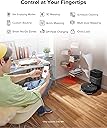
✨ Elevate your clean game — Effortless, smart, and unstoppable 🧹
The Roborock Q5 Pro+ is a premium robot vacuum and mop featuring a powerful 5500 Pa suction, LiDAR navigation for precise mapping, and a self-emptying station that supports up to 7 weeks of hands-free cleaning. Designed for hard floors, carpets, and pet hair, it offers multi-mode cleaning controlled via app or smart home integration, making it the ultimate time-saving solution for maintaining a pristine home with minimal effort.

| ASIN | B0C7VN9NWK |
| Battery Life | 240 minutes |
| Battery Type | Lithium Ion |
| Best Sellers Rank | #551 in Industrial & Scientific ( See Top 100 in Industrial & Scientific ) #1 in Commercial Indoor Vacuum Pads |
| Brand | roborock |
| Brand Name | roborock |
| Capacity | 7.7 liters |
| Cleaning Path Width | 15.07 inches |
| Color | Dark Gray |
| Compatible Devices | Amazon Echo, Google Home, Smartphones |
| Control Method | App |
| Controller Type | App Control |
| Customer Reviews | 4.0 out of 5 stars 25,478 Reviews |
| Filter Type | Cartridge |
| Form Factor | Robotic |
| Global Trade Identification Number | 00195043003511 |
| Included Components | Robot vacuum |
| Indoor Outdoor Usage | Indoor |
| Item Dimensions L x W x H | 13.38"L x 19.17"W x 20.51"H |
| Item Type Name | robot vacuum |
| Item Weight | 16.5 pounds |
| Lithium Battery Voltage | 3.6 volts |
| Manufacturer | roborock |
| Manufacturer Part Number | Q5 Pro+ |
| Model Name | Roborock QV 35A |
| Model Number | Roborock QV 35A |
| Noise Level | 67 db |
| Number of Items | 1 |
| Number of Power Levels | 2 |
| Number of Speeds | 2 |
| Number of Wheels | 2 |
| Other Special Features of the Product | LiDAR Navigation |
| Power Source | Battery Powered |
| Product Dimensions | 13.38"L x 19.17"W x 20.51"H |
| Recommended Uses For Product | Regular floor cleaning, including carpets and hard floors, with both vacuuming and mopping functionalities. |
| Special Feature | LiDAR Navigation |
| Style Name | Q5 Pro+ Black |
| Surface Recommendation | Wood, Tile, Carpet |
| Voltage | 3.7 volts |
C**M
Excellent Robotic Vaccuum with Lots of Features
A Little Background: This review is coming from someone who works in the IT industry, so I'm very comfortable with technology. Features and settings that I say work great and are easy to setup may not come so easily to some. That said, I don't have extensive experience with robotic vacuums. I have used the same ole Roomba 670 for the past few years and haven't "upgraded" because, quite frankly, I was never really impressed with the technology. Don't get me wrong, the 670 picks up great, but the pinball cleaning pattern just isn't conducive with whole-home use and made it, at least in my estimation, "good enough for the high spots". Coming from that, what I'm impressed with may not be so impressive to some. There's your context, so apply it to my product review and dissect accordingly. Suggestions: 1) Make sure it's fully charged before doing anything. Download the app while you wait so you'll have that handy once it's time to begin setup. 2) RTFM. It's a pathetic little guide almost devoid of meaningful information but read it anyway. You may extract tidbits of info that you find useful. 3) Once ready for setup, open the app and begin the wireless connection to the robot. Some access points will recognize that the client doesn't support 5 GHz connections and isolate that band automatically, but if yours doesn't choose the 2.4 GHz connection NOT the 5 GHz. Recommendations: 1) Update the firmware immediately after setup is complete. This will ensure the latest fixes and features are available, potentially making for a much smoother experience. Access your robot in the app and open its settings. Click on "Firmware Updates" and apply if an update is available. Make sure the robot is fully charged before you start this process and don't touch anything until it is completed. The robot will announce that the update is complete, and the app will indicate that the firmware is up to date. FINALLY! TIME TO CLEAN! *** Not so fast! IF you want to save the map generated by the robot, you'll need to enable that option in settings FIRST! I really debated on whether to share this information or let folks experience the same joy I experienced when the first cleaning was completed, and I went to edit the map. Only then did I learn this setting needed enabling. Once again, access the robot in the app and open its settings. Open "Manage Maps" > Enable "Map Saving (Beta)" > Set the number of levels in your home you'll use the robot in. There, now that I've robbed you of that wonderful experience start the robot and let it clean. Only pick it up or assist it if requested. Now, the Good, the Bad, and the Ugly: Good: 1) Cleaning (Grade: A+): Suction is powerful on bare floors and the automatic carpet boost works great on runners and throw rugs. My floors are bare throughout the home with low-cut level loop style rugs scattered abroad. I cannot speak to the vacuum's performance on carpet, but I'd guess it would perform great on low and medium level loop carpets. I'm not so sure about shag or cut pile style carpeting. Thinking about how these robotic vacuums work, I'm not too sure any of them would do much more than tug at the long, thick fibers. You can manually adjust the power of this vacuum in its settings, so a little experimentation might make all the difference between great or poor performance on carpeting. 2) Pattern/Navigation (Grade: A+): The sensors on this robot are awesome and that means the software and engineering driving the robot is awesome. The robot cleans in a methodical back-and-forth pattern that overlaps just enough to ensure thorough cleaning, but not enough to amount to wasted energy. It calculates the cleaning area as it maps the surroundings, cleaning in small grids along its path. It does an excellent job of identifying objects and navigating around (or over) them. The cliff sensor works well, and the robot spends less time bumping into and getting stuck under objects, and more time cleaning the floor. It does a tremendous job at edge cleaning as well. This robot has true "smarts". Goodbye pinball wizard robot vacuum. 3) Mapping (Grade: A+): It's mind blowing to watch how quickly this thing maps the room and its surroundings. Once you have the damned setting enabled to save the maps, features such as spot cleaning, room/zone editing, and no-go zones seem to work great. I've seen several complaints about mapping, but I'd point out an important caveat to that feature and that would be the word (BETA) beside the setting. When software (or in this case a feature) is in beta, bugs are to be expected as it is rolled out. Because the mapping feature is disabled by default, enabling it means you are agreeing to the UAT (User Acceptance Testing). Sending a detailed email to support about the bugs you are experiencing will help advance the development and push the software stable more quickly. Much more quickly than leaving a product review like "mapping sucks", "mapping is garbage", etc. Until it is stable, issues with mapping are on YOU as soon as you toggle that setting. They seem to be very actively updating and improving the software, so I expect this feature to be stabilized sooner than later. Unfortunately, testing takes the one thing we all hate to sacrifice...time. 4) Features (Grade: A+): To highlight a few: Manually adjust the vacuum power, Pin n Go (tap a spot on the map and deploy for spot cleaning), In-app Remote Control, Scheduling, Mapping, No-Go Zones, Room and Zone Editing, Cleaning History, Guided Maintenance Scheduling and Monitoring, Firmware Updates. This thing is packed! 5) Durability (Grade: A+): Of course, the true measure of durability is time, but you know how it is when you can tell you're holding and looking at a well-made product. This vacuum has that look and feel that is reassuring that it will last for a long time to come. I've also witnessed it climb in and out of a table stand with legs made of square metal tubing on multiple occasions, and had I not seen it, I'd have placed money against it being able to do so. The legs are black, so I guess it doesn't "see" them? I don't know, but it's tripping. If it were cheaply made there's no way the drive train would be stout enough to traverse that obstacle. Bad: 1) Dust Bin (Grade: C+): The dust bin is tiny. I mean really tiny. I mean it's really, really tiny. Roborock has announced an automatic dumping dock is forthcoming, and I hope they have the good sense to make it compatible with a wide variety of their robots, because they'll make a fortune selling the things if the other models have capacities like this one. I'd buy one right now if it were available for the S4 Max. If they rush it or allow marketing to dictate the development and make it only compatible with the latest and greatest robot in a bid to push consumers to upgrade, they're going to miss out on a lot of revenue. They'll be severely underestimating my ability and willingness to push pause, dump the bin, and resume cleaning if they decide to go that route. 2) Documentation (Grade: C-): It's thin. It's so thin it's almost transparent. It is the weakest link in Roborock's chain. You can read the manual, in-app help, and every FAQ on the website and hardly glean a single thing of note. Sure, it mentions most every feature but elaborates on almost none of them. It's as if robotic vacuuming with Roborock is a delicacy that you must cook yourself, but they want you to prepare it without giving away the recipe or any of the ingredients. I have no idea why I'm bitching about it though. I've really had no need for it, but it's still true for those who do. Ugly: Absolutely None! Buy it. You'll love it if you're coming from an outdated model with a fraction of the features. I'm sure you'll appreciate all that it has to offer if you're coming from a slighly older model looking to upgrade, or crossing over from a rival brand in search of something better.
M**N
Fantastic robot vacuum
I don't write very many reviews but this robot vacuum deserves a review. Absolutely amazed. I have two early iteration, bump and turn Roombas that work very well but are getting tired. Decided to replace with a smart robot vacuum. The Roborock Q5+ Robot Vacuum with Self-Empty Dock had many good reviews. Boxed very well. No trouble getting it to connect to my wifi. Charged up for the night and sent it cleaning the next day. Amazing how it mapped out the whole house as it did its first vacuum. It did get stuck once on some wires under the bed but was able to find it on the map. As it wandered around, mapping and cleaning, it would skip half of some of the rooms. I thought I was going to have to force it to find the rest of the missed areas. No worry, it eventually went back and discovered the missing areas. Love how you can see where the vacuum is and where it has cleaned on the map. I easily divided up the map into separate rooms so I can tell the vacuum to work on one or two rooms at a time. Picked up a huge amount of dirt and cat hair that the Roombas missed. The Roborock maneuvered around furniture very well and looking at the map, made sure every area of the house was vacuumed. It runs around the perimeter of the room and then systematically ran in straight lines in the middle of the room. The app is so easy to use and the mapping was excellent. Even though the internal dust bin was well packed with dirt, the self emptying charging base completely emptied the robot with a big thawoop. When emptying, it is noisy but it was to be expected. It is a vacuum and vacuums are generally loud. I set the robot to automatically empty when finished. Noticed the next day when I told it to only do two rooms, that is didn't automatically empty. I pushed the empty button and it warned me that it would be loud and did I want to proceed. All in all I am very impressed. Cleans well, maps the house well, the app is very easy to use. Hopefully it lasts a long time. Very happy. Update on Roborock Q5+ After using about six times I have a few comments. We have hardwood floors with very short pile oriental rugs. The Roborock tends to get stuck transitioning from wood floor across the rug fringe. Not too much of a problem as the Roborock figures it out. Another thing compared to old Roomba, the Roomba has duel rubber rollers where the Roborock has a single brush/rubber roller. I ran the old Roomba after running the Roborock and the Roomba does a much better job picking up the cat hair/fuzz than the Roborock. Think that deeper pile carpet wouldn't have this issue. Still give the Roborock five stars but now wish I had gotten the dual rubber roller Roborock. They are more expensive and I don't want mopping ability. So I saved money with the Q5+ and still happy with the purchase.
J**E
Would recommend
This is my second roborock, I also have a Q8. So that's what I'm comparing to below. Pros: - good price, especially if you can get it on prime day - this one is self emptying unlike the Q8 - the app is wonderful. You can schedule, you can have it run in specific rooms or zones, you can double clean, set no go zones, so many features, all free - haven't really had any issues with battery life - setup is easy Cons: - while the vacuum itself isn't too loud, the self emptying feature is very loud - you do have to buy vacuum bags. I got a 20 pack pretty cheap and it will last me literally years (hardwood and area rugs). If you are cleaning carpet you'll go through them faster. - it had some issues for a few days where I would send it to clean and it wouldn't go, said there was no path to the room or something. Then it randomly deleted the whole map in the app? I had to completely redo it which was fine, but it did mean that it wouldn't run my scheduled cleans because it didn't have a map. This only has happened once. - I did have some issues defining and separating rooms how I wanted them in the app, but got there eventually It does have a wet mop feature but I've never used it so I can't comment on that. Overall I recommend it. I like it just as much as my Q8, just for some different reasons.
C**G
A solid vacuum for hard floor cleaning but may disappoint with carpets
I'll start by saying that I rarely leave Amazon reviews, but I felt that this issue was important enough to warrant one. I was a big fan of my previous Roborock S5. I used it primarily in an environment with hardwood, tile, and low pile carpet, but it always cleaned extremely well and navigated better than any other robot vacuum I'd seen. I'd recommend it to all my friends and tell my family how awesome it was, despite very few of them having an actual interest in purchasing a robot vacuum of their own. This positive experience was what prompted me to look for an upgrade whenever I moved into a house. I had been very excited after hearing about the announcement of the Roborock S6 MaxV. The idea of a robot vacuum being able to determine what objects to avoid would, in my mind, bridge the gap between a truly autonomous assistant and an ineffective annoyance that frequently eats cords and gets stuck on furniture. I will say that I was impressed with the navigation abilities of the S6 MaxV. It does actually seem to avoid items that it could get caught up on. The previous generations were already great at navigation, but would still require prep work beforehand so that they didn't suck up unintended items. While the S6 MaxV object recognition is not perfect yet, I have no doubt that improvements will be made though future updates. It's also very neat to see the robot mark obstacles on the in-app map and try to label what it believes them to be. I did have an issue that cropped up several times. The robot would mark something as an obstacle in the app, but it wouldn't try to avoid it at all. For example, it marked a couple bar chairs with pedestal bases as an item that needed to be avoided. I was impressed that it even identified them as "pedestal" in the app. However, whenever it got to them, it still tried to climb the sides and ended up getting stuck for several minutes. After it sorted itself out, I figured that it would avoid them during the next pass. Unfortunately, it did the exact same thing and tried to drive up the side of the chair base again. The biggest problem that I had with the S6 MaxV (and the reason I'm going to be returning it) is the carpet performance. The navigation issues that I mentioned are minimal by comparison and this vacuum still plans its routes better than any that I've seen previously. However, the carpet performance was pretty much nonexistent in my particular situation. I realize that most robot vacuums are oriented at hard floor cleaning. I fully understand that it's potentially going to be a very long time before we see a robot vac that's as effective on carpet as a human being using a full fledged vacuum. However, this product is advertised as being able to operate on carpet. Of course, one could make the reasonable assumption that it would have difficulties with shag carpet or other types of uncommon surfaces. Regular vacuums have the same problem when it comes to very high pile materials. My home has what I would describe as moderately thick medium pile carpet. See the included photo for an illustration of the length. I didn't choose it and it definitely would not be my preferred flooring, but it's what I'm stuck with for the time being. I hadn't even considered that this vacuum might run into any issues with this surface because it is not shag or high pile, but I found that I was very wrong. Upon reaching the carpeted area during its first run, I noticed a strange sort of whining noise. It wasn't very loud, but it was definitely different than the previous sounds the vac was making. Turns out that the whining noise was the brush getting jammed up on the carpet and remaining almost completely stationary. I was able to open up the top cover while the vacuum was operating and view the brush rotation (or lack thereof) through the semi-transparent dustbin. It would either remain completely stationary or very slowly rotate with the forward motion of the vacuum as it was being pushed by the carpet below. As most people know, a vacuum's effectiveness is determined by both suction and agitation and not just one or the other. Upon reporting the issue to Roborock support, they asked me to provide documentation of the carpet style as well as video of the issue, which I was more than happy to supply. After several back and forth messages, they told me that the behavior was "normal" and that I "don't have to worry about it." Yeah, that didn't sit right with me. I've owned a Roomba and a Neato - both of which were considerably more affordable than this vacuum - in the past and they've never encountered issues with the brush roll being inoperative on carpet. Roborock told me that the suction alone is enough to clean the carpet but this is simply not true. If this were factual, why would any vacuum include a brush bar at all? In the end, I cannot justify paying $750 for an appliance that won't clean half of my home satisfactorily. Maybe this would be acceptable if it was commonplace for all other robovacs to struggle on carpet in a similar fashion, but it is not. In conclusion, if you mainly have hard floors or very low pile carpet, I think that the Roborock S6 MaxV could be a decent choice for you. However, at that price point, there are other robovacs that can also do the job just as well for cheaper, including some of Roborock's other models. I'd primarily go for the S6 MaxV if you're interested in the AI recognition technology or have many obstacles around the house that are below the line where the LIDAR would detect them. For me personally, after additional evaluation I have decided to go with the Ecovacs Deebot Ozmo T8 AIVI. It offers almost the exact same functionality as the S6 MaxV, very similar navigation and object recognition, and even has double side brushes and an optional self-emptying stand. You can sometimes find the robot and self-empty stand bundled together for just marginally more than the S6 MaxV is going for currently. The biggest plus is that I've found that it has no issues with the brush roll at all. In fact, it picked up tons of debris that the S6 MaxV had missed on the carpet just minutes before. I still prefer the app functionality of Roborock and I really like the company as a whole. I just wish that they would have done some more testing and refining so that they could have spotted some of these potential issues before release.
D**S
Almost perfect
It cleans especially well. This means the one disposable dust bag it comes with will fill up quickly so immediately buy dust bin bags-you will need them fast. Be sure you get the RoboRock app to set it up with. Setup is easy and essential using the app. Alexa or Google integration is a breeze. It is fairly quiet on balanced suction mode, and not really so loud on turbo. You MUST manually empty the dust bin in the Q5+ if it fills during cleaning and that is a real possibility if you have a lot of square feet. It will dock due to low battery or being full and upon docking it will empty by itself. However if during its cleaning cycle, it gets full, it will not sense this nor return to dock to empty. You MUST empty the dust bin-easy enough to do using the app. Dust bin contents are sucked into the dust bin back when docked and you manually choose empty dust bin. You have to let it run and do its thing. The best thing: set room mapping up and let it run around to map your floor. Then it will clean. Doing mapping first is easy and fast. You have to save maps of rooms/floors by setting save on-you toggle it to "on" and then you map. You can set up tasks meaning you can have it clean one room then go back to dock to empty and this is a good thing because it most likely will not overfill from one room and you need not manually empty it. Create three or four tasks and with each completed task, it will go back to dock and empty. If you do not do tasks, and you try to clean 1200 square feet, it WILL fill up and you MUST intervene and tell it to go back to dock to empty it. I run it 2x a day for 1200 feet and no matter what I do, it fills up before it is done cleaning. I have no idea where it comes from but the bin gets full about half way through. There is no way to get around this. This device picks up ever-so-fine dust, and dirt-better than with a vacuum. The big clumps of hair if you have dogs...not so much but these are visible and easily picked up after the device has left them behind during its runs. It just cleans and cleans! Let me go back to cleaning. It does this well. I am surprised how much small stuff it picks up. It picks up dog hair, etc. well. It seems to pick up dirt I cannot even see or notice. With a full charge, you may get 1200 square feet; I do with about 15% battery left. If not, it will go back to charge on the dock when it gets to 19% low. My plan: let it work using tasks (you can set a room or floor schedule) and let it charge and by the morning, empty the dust bin by using that option via the app, and let it clean again a floor where you do not have activity or where people are not at home or around (bedrooms for example). I say work it; run it daily. I have a good vac; I vacuumed Wed, and it is Sun and it is shocking to see what it has been picking up in the dust bin. If you have a dog or cat, this is the move. I am not saying it will pick up long hair but the short hair and dander, yes it 100% will. It cleans under the beds (yay!) and under furniture where it fits. It is not an industrial vac. It most likely won't and should not be used to pick up wood chips, etc. around a wood stove, nor should it be used to pick up large particulate matter. It does pick up coins without any noise or damage so that it great if you miss a coin on the carpet or floor. I can use Alexa ("Alexa, tell Roborock to empty the dust bin" or "Alexa, tell Roborock to start cleaning" or "Alexa, tell Roborock to dock") for basic commands. If you have a spill, you will have to experiment to get the unit to clean it up; it looks like if you press the home button on the device, it cleans within a 10-foot radius. It will just try to clean in rows so you will just have to try it out for spot cleaning. It may be a pain to get it to do that. I can't imagine people with pets not having this or one of the Roomba pet hair cleaning units. This is going to save me so much work. I am not getting any younger. I thought "Why deny myself technology?" so I got it on sale. I highly recommend meaning for me it matched my expectations and needs and easily so. One last thing: the roller will clog with wrap-around hair. It is easy to take out and clean BUT you MUST put the roller brush cover on exactly meaning there are four tabs and two go in manually at a bit of an angle and the other side of the roller brush cover has two clips that go back into place when you pinch them. IF you see any of the four tabs, you do not have it in place correctly. This shows up when you try to empty the unit. It will not empty. You will hear it try but it will not because the suction is too low because the roller brush cover is not completely installed/inserted. You may find the unit telling you you are attempting too many empty commands and it will ignore your commands to empty the dust bin if you find you had the roller brush cover on loosely. The way around this is to take out the dust bin and with a flashlight locate the reset hole (use a pin). It is well-hidden. When you find it, put in the button while also holding the home or power button. This resets the device. You have to readd your unit to wifi (not 5 but 2.4) and be sure your phone's wifi for this is on the 2.4 band. Reattach the unit to your 2.4 wifi and you will be good to go. The unit will start recognizing the empty command and with the roller brush cover on correctly (no tabs showing), you will see the unit empty its dust bin. All maps, etc. are saved in the app. Only the unit gets reset. The bags are really easy to change. I filled that "7-week" bag in a week. That is how good the unit is. I have run it 3x a day and I still pick up dirt. I have no idea how or why but I do breathe easier now without any decongestants, and the house is clean! Any vacuum clogs and needs cleaning. This unit is no different. It is maintenance. After a week or so, you get the hang of it. I did not get the combo mop unit because I can do that with another machine. I wanted a dust bin that was 100% for dirt pickup. It works. It works well. I am getting another for the second floor with carpet and with carpet, the unit senses this and goes into turbo mode to clean. For hardwood, it does not have to do that. There are four speeds. Night is quietest. Balanced is good. I like that setting. The wrap-up: run this a couple of times a day (why not?) and pause your cleaning via the app after 30 minutes or so to return it to dock and empty. Or use tasks. No one is going to get 1200 square feet cleaned in one pass without emptying. That is a good thing. This device picks up! For real!
N**E
The smartest vacuum ever!
My wife and I are in the process of 'smart-tizing' our new home; so, of course, we needed to invest in a robot vacuum. After 'some' research, we initially bought the Shark IQ (more like low-IQ) - disastrous...didn't function as a vacuum or a robot; didn't vacuum anything (lint, hair, dust), and couldn't map the room or find its station...it was like a lost dog roaming around in circles, bumping into walls. Needless to say, we returned it. Subsequently, my wife and I did A LOT more research - Reddit posts, endless YouTube videos, tech reviews, etc...stumbling upon this lesser-known robot - Roborock S6. In that it was only offered for sale via Amazon or eBay, we were a bit skeptical, but the reviews were unanimous...excellent performance. Enter the S6. Due to our previous experience, I was leery out of the box, nervously syncing the bot to app and network. I have to say, despite a recurring error (5) within the first few days (resolved, see below) and a less-polished app, the robot is amazing. It mapped our entire upstairs (600 sq ft) in 1 run, and vacuumed the carpet (all carpeted floors) impressively. It runs in complete darkness due to its laser optics which is one of the lesser-known perks; should be one of the more marketed features, as a robot is supposed to function unattended - often times when home is vacant and dark! Absolutely love it! For the price and the performance, this is a must-buy for robot vacuum shoppers! Now, I need to mention several of out-fo-the-box cons; one of which has been resolved, the other, from what I hear, will be resolved, the last of which may be resolved with help of Amazon (Alexa) and app dev: 1. Error 5...error 5...error 5. This was a recurring theme within the first few days. The robot would stop completely, notify via audible voice from robot itself and app. Error 5 occurs when the main brush becomes jammed, prompting the user to 'un-jam'...which is actually quite easy; but, this required constant attention. Now, you could override this by simply resuming remotely, but the user wouldn't know if the brush was truly jammed. Most of the times, the brush was indeed jammed with hair that had gotten tangled mostly in the space between the axle and rotor fittings. It occurred so regularly that my heart began to sink because I feared I'd need to return a robot that I loved for all other reasons. I did try to rectify initially with vinyl electrical tape to better seal said gap to prevent entanglement; but, that only delayed the inevitable error 5. But, wait! After researching online, I learned there is a 'Carpet Mode' in the app’s peripheral vacuum settings that, when activated, supposedly enables maximum suction and main brush roller agitation upon sensing carpeting. After activating, I was a bit nervous; but, lo and behold, the darned function worked...and resolved the issue...no more error 5...and no more tangles! Amazing! I understand why this carpet mode is a selection and not a default mode…higher suction and more vigorous brush action requires more battery which is less economical; however, in that the robot has an automatic recharge and resume function that resumes right where it left off after charging in addition to the battery life being one of the largest of the robots we’d researched (5200mAh), I’d suggest having this carpet mode engaged by default. 2. The less-refined Roborock app. Now, I know there is an alternative Mi-home app that's a universal smart app for multiple devices from a third party that has more features; but, I wanted to stick with the manufacturer-sponsored app. This is a Chinese product; so, there are a few English-based grammatical errors you'd expect from non-native speakers...those are trivial. My biggest gripes are the layout itself, the clunkiness of the mapping, and lack of storing multiple floor maps. First, the layout, some menu items (like the schedule /timer or the aforementioned carpet mode) that are buried in places that should be more prominent as they're features that are more routinely used. Second, the mapping system. Again, part of this is the function that actually enables map memory is a toggle that actively needs to be selected by the user, and is located in a peripheral menu. Why is this not just natively enabled by default? It does, in its current state, save multiple back-up versions of the map in case the user accidentally deletes or needs to redo an edit. Speaking of the edit, the editing needs to be refined. Currently, the edit modes are partitioned into ‘room’, ‘no-go’ and ‘entire map’ - this could easily be integrated into one edit menu. Also, even though the map can be partitioned into sections, there is no way to label/name each section which may be nice with things like Alexa. Speaking of partitions...when the original run that maps is complete, the robot’s algorithm tries its hardest to define sections; but, we needed to refine it. The split function to manually separate sections is a bit wonky…it ultimately worked; but, took several edit retries. Now, all these things re. app being said, I’ve read from 2020 CES reports, Roborock is working to polish and improve their app, specifically enabling the ability to map and memorize multiple floors. This would be great, as we would love to be able to have our robot vacuum and mop (yes, there is a mop function) both floors. 3. This is the least important; even though Alexa is a big part of the routines governing other sections of the house. Alexa seems to have limited functionality with the Roborock app skill enabled…allowing simple vocal commands like clean (entire house), stop, return to station. I have yet to be able to have Alexa recognize the device so that routines can be enabled. I’ve had no trouble finding my other 20+ devices. This has been reported to be an app issue. It would also be nice, as stated earlier, to be able to label the rooms by name, and then be able to vocally request Alexa to have the robot to clean certain rooms / sections. Anyway, overall, this is an exceptional robot that does everything it advertises. We love it, and highly recommend it!
W**S
Good at what it does
This is my first robot vacuum, and I have only had it for one month, so far I am quite satisfied with my purchase. I chose a model that only vacuums as that was my need, I cannot speak to mop functions (apparently there is an add on for this model if wanted). I have a mix of carpet, hardwood, tile, and a number of area rugs in various sizes (incl. faux-fur, woven, low profile, and non slip mats). If you manage your expectations (read be realistic) about what a programmable piece of machinery is going to be able to do, I find the Q5 Duoroller + is excellent at its job. Does it completely remove the need to vacuum? No, but for our house (2 story, 3k+ sq ft), it keeps the floors generally free of dirt, debris, and pet hair (3 cats & a chinchilla) on a day to day basis. I can handle occasionally doing the fiddley bits of vacuuming. It does require the Roborock App be downloaded if you want to fully take advantage of the robot’s capabilities, but can do very basic functions with just the three buttons on the robot. The App is a bit clunky, and not always intuitive, but it doesn’t stand out as more so than the majority of Apps I’ve come across. There are definite improvements that could be made but I have managed to map the house and set up several automations without too much hassle (it has been kind of fun actually). How does the robot perform? It is not a genie, there are areas that the robot cannot reach (under the sectional/recliners, thru narrow openings, etc). While it does vacuum up the majority of debris, the robot is not able to get absolutely everything from the very edges of rooms and around the very base of furniture (dressers, bed frames, etc). This is a limitation of automation & design (from reviews of various robot vacuums it is common issue). I have read several posts about it getting stuck on cords/rugs, getting “lost”, falling off “cliffs”, and knocking over furniture. I spent the better part of several afternoons following it around to see how it handled challenges: the 3 cats (not just them but their toys), 2 story home (stairs and ledges), changes in floor surface, and other obstacles (shoes, remote controls, backpacks, etc). Did it have issues cords and rugs? Yes, but more importantly, it managed to extract itself without destroying either. Shaggy area rugs and slender device cords were more of a problem, as one would expect, low profile rugs/mats and heavier duty electrical cords it went over without a care.Did it sometimes take a few minutes to sort itself out? Yes but I did not once have to “rescue” it as others suggested would be the case. It handled doorway sills/thresholds, of various materials, and even managed to vacuum the bases of my bar stools (an unexpected bonus). It has not driven itself off any stairs, nor committed a “Thelma & Louise” under the second story banister, even while it was initially mapping the house. Your mileage may vary. This model has LiDAR, cliff sensors, and the “bump” sensor. The robot navigates quite well considering how cluttered some of the rooms in my house are. I’ve only had it get “lost” once, that was when I was picking it up and moving it multiple times from room to room to test out its limitations (not a recommended practice). It can “bump” gently against objects during cleaning as it is navigating. I was impressed that in doing so it did not cause water to spill out of the cats’ water dish, move the food plate more than a ¼” (we have an auto feeder for the cats and that was a bit of a concern), nor did it push the pillow cat beds across the floor or knock over anything. I have not found any new scuff marks on furniture or baseboards but it has startled a couple of the cats by bumping them (no cats were injured during these experiments). It is limited in what it can sense below ~ 4” (from the ground), think small toys, tails, shoe laces, pet “accidents”, etc, so be aware of that (and plan accordingly). The robot has sucked up a few cat toys, interestingly they did not cause it to stop vacuuming although it’s efficiency was diminished. When I later retrieved the toys from inside the robot they were in fairly good condition (considering their ordeal) and the robot was not damaged. I’m certain there are things it could suck up that would cause damage (broken glass, stripped coaxial, etc) which is a hazard all vacuums face to one degree or another. The robot will notify you of any problems it encounters, such as not being able to return to the dock because there is an obstruction or the suction pathway being clogged so I suspect you’d learn of any damage pretty quickly. Set up of automations in the App was a bit time consuming and not the most straightforward. The company does release software updates. If you don’t want to set it to download/update automatically, you will need to check regularly for updates in the App. This model does have the ability to store up to 4 maps to work from, which is necessary if you have a multi level house. You do have to carry the little robot up/down to whatever area you want cleaned if it is not on the same level as the charging dock (it’s not very heavy) so be strategic when placing it’s home base. It will obediently return to its starting location when the job is done and wait to be retrieved (for some reason I find that amusing). Maintaining and cleaning the robot is pretty straightforward/easy. I found the two rubber rollers particularly quick to clean as they are easily removed and disassembled without tools. I expect to spend about 15-20 minutes a month on maintaining the robot/dock for longevity. The rollers, side brush, and filter are replaceable and the App has a page where you can easily monitor them for how much “life” they have remaining. The included combo brush/cutter tool I find very useful, the tiny Philips head screwdriver not so much. I recommend using a larger screwdriver along the lines of a #2 size, to remove the few screws you may need to for maintenance. The dock is likewise easy to maintain. Yes, some small amount of dust escapes the holding bin, but the majority is contained and sucked from the robot into the dock bin efficiently. This is the only time I find it to be a bit loud, but you can program when it does it’s emptying so there is that, it is not overly loud during normal vacuum runs. The dock bin has a disposable bag (like in the typical old-style bagged vacuums gramma had) which is supposed to be able to hold around 7 weeks worth of debris. I say take that with a grain of salt. I have already had to replace mine once so I expect it will be a monthly chore at our house. It is super easy to do and the bag opening very neatly closes when removing it from the compartment to minimize dust, just slide in the new bag and the robot is ready to go get the little dust devils again. To wrap up: This little robot does one thing, it vacuums. It has enough bells and whistles to do it effectively (within reason). The programming is competent enough that I can sort of “set it and forget it”. I feel confident enough that it can run itself while I work but I will likely turn it off when away on vacation.
J**Y
So close to 5 stars. Worth the cost
Ive owned mine for several weeks now and feel i can give a pretty informed review. First is that this is definitely worth its cost if trying to find something that will get the job done well and are trying to avoid how expensive the top of the line robot vacuums are. I owned an irobot (only vacuum) for 3 or so years and when it died I had to get a very basic style (vacuumand mop). The mapping was very quick and pretty spot on with the ability to adjust barriers, mark/label different rooms, label the floor type (carpet vs hard floor) ect. I like how I can customize how I want it to clean and can adjust it depending on the day (suction setting, water setting, more detailed pattern, one pass or two, how often I want it to self empty) The mop is basically still the same you see with most, where its a washable pad that glazes over the floor, although this does SLIGHTLY agitate so I guess thats a little better. Ive had once or twice where its gotten stuck on something but that was not its fault at all. The water tank doesnt need to be filled as often as I expected (my basic one needed to be refilled 2 or 3 times in one cleaning) whereas this can go through a few cleaning sessions unless im having my entire house done. Then i would have to refill it at the end of a full house cleaning. Ive had no issues with its docking. Only problem is that there typically is still always some debris after its done and has gone to self empty. Mind you i have a great pyrenees so the hair in this house is overwhelming to the poor vacuum im sure. All I all i would say this has been a HUGE improvement and has taken a significant chore off of my daily list. I still will need to bust out a manual mop, but this is going to be the case no matter what style I were to buy.
M**E
Roborock Q5 Pro – ausführlicher Praxistest nach mehreren Wochen Nutzung (85 m², Fliesen & Teppiche)
Wir haben länger nach einem bezahlbaren, aber trotzdem intelligenten Saugroboter gesucht und uns schließlich für den Roborock Q5 Pro entschieden. Nach mehreren Wochen im Einsatz auf ca. 85 m² (überwiegend Fliesen, dazu ein paar Teppiche und die langen, schwarzen Haare meiner Frau) kann ich sagen: Der Q5 Pro ist für diesen Preis erstaunlich gut – mit kleinen Schwächen, aber mit viel Leistung für den Alltag. 🧰 Einrichtung & erster Eindruck Die Einrichtung war sehr einfach, vorausgesetzt man ist halbwegs fit im Umgang mit dem Smartphone. WLAN einrichten, App installieren und den ersten Mapping-Durchlauf starten – alles ging flüssig und ohne Fehlermeldungen. Der erste Kartierungslauf hat ca. 30 Minuten gedauert. Besonders überrascht hat mich die sehr gute Raumerkennung. Die Karte wurde detailliert erstellt und die Räume korrekt getrennt, sodass man später gezielt Räume oder Zonen auswählen kann. 🧹 Reinigungsleistung auf Fliesen, Teppich & schwierigen Stellen Auf unseren Fliesen saugt er wirklich gut. Er nimmt Staub, Krümel und selbst die langen Haare zuverlässig mit. Besonders positiv: • Er fährt unter Möbel, wo andere Modelle scheitern. • Ecken werden erstaunlich sauber. • Auf hochflorigen Teppichen schaltet er automatisch in den Turbo-Modus. Einziger wirklicher Schwachpunkt: sehr flache Hindernisse. Beispiele aus unserem Alltag: • Spiegel-Schranktüren reflektieren den Laser → der Roborock denkt, dort gäbe es noch einen weiteren Raum. • Eine 2 cm hohe Metallstrebe unseres Couchtisches erkennt er nicht – dafür musste ich eine Sperrzone einrichten. Trotzdem: Für einen Roboter ohne Frontkamera ist das Niveau gut. Nur ein Sensor für flache Objekte wäre eine sinnvolle Ergänzung. 🗺️ Navigation & Verhalten in der Wohnung Die Navigation ist im Vergleich zu einfacheren Robotern ein riesiger Unterschied. Der Q5 Pro fährt die Wohnung klar strukturiert ab und kein „Chaos“-Muster. Besonders gut: • Stuhl- und Tischbeine erkennt er solide, auch wenn er manchmal kurz braucht, um wieder herauszumanövrieren. • Kabel sind – wie bei fast allen Robotern – ein Problem. Wenn ein Handyladekabel rumliegt, wickelt er sich darin auf. • Größerer Aufwand vor dem Start: Kabel hochlegen, Schuhe so hinstellen, dass keine Schnürsenkel erreichbar sind. Im normalen Betrieb ist die Lautstärke akzeptabel. Der Turbo-Modus ist spürbar lauter, sodass wir ihn nicht laufen lassen, wenn wir im Homeoffice telefonieren. Dadurch ist unsere Regel: Wir starten ihn am liebsten, wenn wir nicht da sind. 🔋 Akkuleistung Für unsere 85 m² reicht der Akku völlig aus. Er schafft die Fläche ohne Zwischenladen. Wie lange er zum Vollladen braucht, weiß ich leider nicht, aber der Akku war bislang nie ein Thema für uns. 🧼 Wartung, Filter & Haare Wir müssen den Staubbehälter nach jeder Reinigung ausleeren – bei zwei Personen absolut normal. Die Reinigung ist gut gelöst: • Der Filter lässt sich einfach herausnehmen. • Ich empfehle, ihn direkt mitzuausklopfen – dauert nur Sekunden. • Die Hauptbürste sammelt Haare, aber die Achsen sind gesteckt, sodass man die Haare wirklich schnell entfernen kann. Gute Lösung. Ersatzteile (Filter, Bürsten) haben wir noch nicht bestellt, aber der Aufbau wirkt robust und pragmatisch. 📱 App & Funktionen Die App ist einer der größten Pluspunkte: • Stabil, keine Abstürze • Start von unterwegs klappt problemlos • Live-Ansicht der Route funktioniert einwandfrei • Virtuelle Wände und Sperrzonen lassen sich perfekt setzen • Zonenreinigung nutzen wir ständig (z. B. Küche nach dem Kochen oder Badezimmer) Wir nutzen auch eine wöchentliche Routine, die so konsequent läuft, dass wir uns vor dem Urlaub inzwischen daran erinnern müssen, sie zu deaktivieren. 🧩 Verarbeitung & Alltagstauglichkeit Der Roborock wirkt hochwertig verarbeitet. Einziger Punkt: Die vordere Rolle könnte aus einem anderen Material sein, dann wäre sie auf harten Böden etwas leiser. Im Alltag ist der Q5 Pro zuverlässig, hatte keine Fehlermeldungen, keine App-Probleme und meldet sich nur, wenn er irgendwo festhängt. ❗️Fazit: starke Preis-Leistung mit kleinen Schwächen bei flachen Hindernissen Positiv: • Sehr gute Raumerkennung • Starke Saugleistung auf Fliesen & Teppichen • Automatischer Turbo auf Teppichen • Sehr gute Navigation • App ist top und super zuverlässig • Einfache Wartung • Wirklich gutes Preis-Leistungs-Verhältnis Negativ: • Erkennt flache Objekte (ca. 2 cm) nicht • Spiegel können den Laser irritieren • Etwas laut im Turbo-Modus • Kabel und Schnürsenkel muss man hochlegen ⭐️ Würde ich ihn wieder kaufen? Ja – definitiv. Für den Preis bekommt man eine durchdachte, zuverlässige und moderne Lösung, die uns jede Woche Zeit spart.
A**R
This Robot Vacuum maps up to 4 floor plans
I did lots of research before purchasing Roborock S4, there are lots of robot vacuum on the market. We think Roborock is by far the best robot vacuum.
L**8
Impressionné !
Nous avons deux Labrador et... on a un peu abandonné l'idée d'avoir une maison propre. Mais quand même. Il y a trois ans j'ai acheté un Roborock S5 avec fonction serpillère. La technologie n'était clairement pas au point et je me suis dit, pourquoi pas prendre ce modèle. Après déballage et test, ce robot est vraiment le top. La fonction serpillère parvient à quasiment effacer les traces de pattes / boue de nos chiens. Alors ça n'est pas aussi propre qu'après un passage à la main, encore que. Franchement c'est très bien. De plus je le trouve plus silencieux que mon S5 même en mode aspiration forte. Et le top, c'est que là où mon S5 n'arrivait pas à aspirer mon tapis, celui-ci passe dessus sans problème et là aussi, pour un robot ça fait clairement le job. Ca ne dispense pas d'un ménage hebdomadaire mais pour un nettoyage quotidien j'ai trouvé le robot parfait !
M**A
Very bad purchasing experience
The product is probably nice and effective, but the seller is selling it in Saudi market where the voltage is incompatible to the functioning of the product. They should not sell it in a market which is not right for the product!
F**N
Vacuums and mops very well, very happy with it!
I was looking for a robot that can really vacuum and mop well, and thought that is not possible. I had a Neato XV Signature Pro that vacuums well, and thought that could not be surpassed. I was wrong. Roborock S5 Max could do either or both vacuuming and mopping very well. The other features that one can use from the App is wonderful too. Bought a unit for my parents and might buy one for my in-laws. "The Rock" is now our BFF!
Trustpilot
1 day ago
3 days ago