Desertcart purchases this item on your behalf and handles shipping, customs, and support to Slovakia.
🔒 See More, Secure Smarter — 4K Clarity Meets Bulletproof Reliability
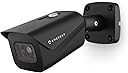
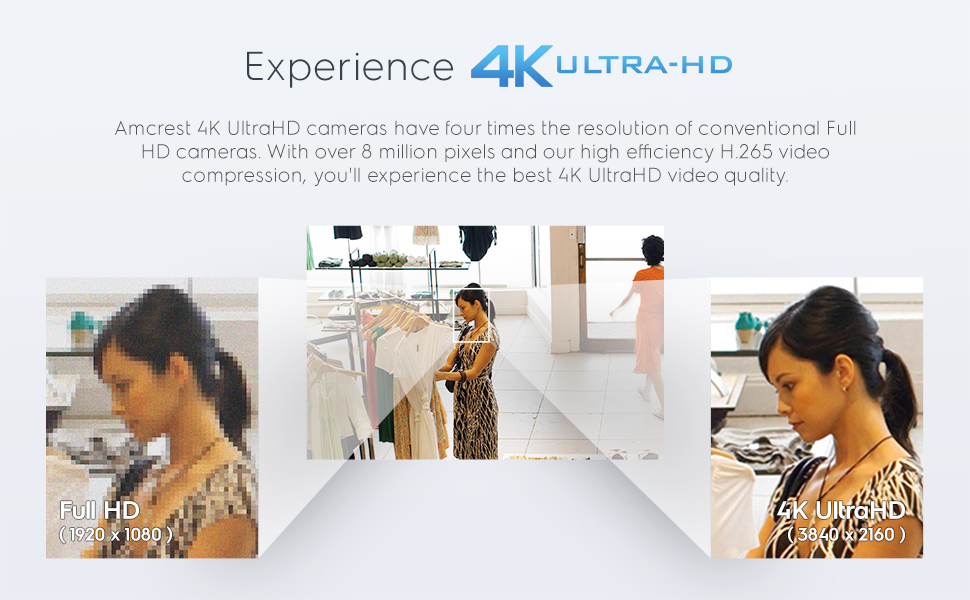
The Amcrest UltraHD 4K Outdoor Bullet Camera delivers professional-grade 8MP video with a wide 125° field of view and up to 98 feet of night vision. Its IP67 weatherproof metal housing ensures durability in harsh outdoor conditions, while Power over Ethernet simplifies installation. Compatible with Amcrest’s apps and major third-party NVRs, it supports local 256GB MicroSD recording and optional secure cloud backup. Ideal for millennial professionals seeking high-res, reliable, and smart home or business surveillance.


| ASIN | B07C7W91YR |
| Alert Type | Motion Only |
| Antenna Location | Outdoor Security |
| Best Sellers Rank | #242 in Bullet Surveillance Cameras |
| Brand | Amcrest |
| Built-In Media | Quick Start Guide |
| Color | IP8M-2496EB-28MM (Black) |
| Compatible Devices | Desktop, Smartphone |
| Connectivity Protocol | Ethernet |
| Connectivity Technology | Ethernet |
| Control Method | App |
| Controller Type | Iris |
| Customer Reviews | 4.3 out of 5 stars 1,008 Reviews |
| Effective Still Resolution | 8 mp |
| Effective Video Resolution | 8 mp |
| Enclosure Material | Metal |
| Field Of View | 112 degrees |
| Form Factor | Bullet |
| Frame Rate | 15 fps |
| Indoor Outdoor Usage | Outdoor |
| Indoor/Outdoor Usage | Outdoor |
| Light Source | LED |
| Manufacturer | Amcrest |
| Memory Storage Capacity | 256 GB |
| Mfr Part Number | IP8M-2496EB-28MM |
| Model Name | IP8M-2496EB-V2 |
| Model Number | IP8M-2496EB-28MM |
| Mount Type | Wall Mount |
| Night Vision | Night Color |
| Night Vision Range | 131 feet |
| Number of Channels | 1 |
| Number of Items | 1 |
| Other Special Features of the Product | Image Sensor, Motion Sensor, Night Vision |
| Photo Sensor Resolution | 8 mp |
| Photo Sensor Technology | CMOS |
| Power Source | Power Over Ethernet |
| Recommended Uses For Product | Outdoor Security |
| Special Feature | Image Sensor, Motion Sensor, Night Vision |
| Specific Uses For Product | Outside, Outside; Amateur, Outside; Professional |
| UPC | 091952777591 091952772015 798068901611 |
| Unit Count | 1 Count |
| Upper Temperature Rating | 60 °C |
| Video Capture Format | H.265/H.264 |
| Video Capture Resolution | 4k |
| Viewing Angle | 125 degrees |
| Voltage | 12 volts |
| Waterproof Rating | IP67 |
| Wattage | 6 watts |
| Wireless Technology | Wired / POE |
| Zoom Type | Digital Zoom |
D**N
Crystal clear, very sharp, easy to use camera
Wow. What a great camera. Crystal clear, very sharp. I can take a picture and zoom in for every little detail. Night vision is awesome. Far much better then my current LAView system. So one of my cameras was flaking out on me…a dome camera. I picked this one because 1) dome cameras suck if you are near a wall and 2) I needed a wide angle lens. So here are the pro’s and con’s. Pros: • Quality of image is outstanding! • Night vision is also very very good. Even when there is a streetlight in the street, the camera compensates for that specific spot and doesn’t kill the entire picture. My street is about 60 feet away from the camera and I can see past the street and to the neighbors house very clear precision. I wasn’t expecting that so it was a pleasant surprise. • Required me to change the password upon entering the camera setup…requires 8 character min. • The 2.8mm wide angle lens is awesome. Works better then my existing dome camera. • Is IP67 weather resistant. But you have to check the temperature because some IP67 cameras can’t withstand cold Michigan weather. This one can rated at -40 degrees! • The camera is able to be seen through Chrome, or phone app on and off home wireless connection. Definite bonus. I currently have an LA View camera system which requires “internet explorer”. Yes! Can’t upgrade the plugin. This camera can be seen anywhere. • Able to integrate into my existing system using ONVIF protocol. It took a bit of work trying to find the configuration. It comes standard with TCP 37777 but I was able to change the management port to 8000. • Easy to create HTTPS certificates for SSL rated privacy. Cedrts are only good for one year though. • Using SMTP protocol, port 25 tcp – there are buttons for easy setup of google, outlook, comcast, yahoo, etc. • Has the new high efficiency video coding standard / data compression … of H.265! So nice….especially when you only have a 2GB HDD. You can also downgrade to H.264, H.264B, MJEPG. • I even tried standalone…yes it has an SD Card that you could use even if you don’t have a NVR. • Software/app is very easy to set up. If you connect to the camera, there is a bar code you can scan. Done. Works via home wireless and also on cellular connectivity (not connected to your internal network). • The physical look/feel of the camera is solid! There are two red lights when the IR is turned on…very much more subtle then the old versions with a ton of IR lights. CONs: • They do have a cloud backup that you can use if you don’t have a NVR system of your own and SD Card is just not enough….but it is $6 per camera per month. Kinda pricy if you need coverage of 4-6 cameras.
B**R
High-Quality Camera Delivers
This is my second Amcrest product. (The first was the AD110 doorbell cam). The rest of my cameras are Ubiquiti UVC G2 bullet cams which are getting pretty outdated at this point and I am in the market to replace them with something newer. Since I was happy with the doorbell camera, I jumped at the opportunity to test out this 4K Bullet Cam. I've had it and tested for a week so here's my results. Pros: 4K Image is stunningly crisp and detailed Wide viewing-angle covers a larger area than expected Popular protocols supported (H.264/H.265 and RTSP) Can use with any number of NVR systems or the Amcrest Apps SD slot card for out-of-the-box recording Cons: (There's only one) The cable extends out of the camera body for POE and optional barrel connector for power. This is not an issue if you can mount where the excess cable can be tucked in to a wall, but is the only thing I don't like better than my Ubiquiti cameras which allow the ethernet plug to connect in to the camera body with a weatherproof grommet. I unboxed the camera and it came with everything I needed. The sticker for the mounting pattern was especially useful. I ended up using slightly different anchors because I mounted in my garage on a wall which is drywall over 3/4" particle board. The quickstart guide covers using the apps (there are a few different apps Amcrest provides and they also cover briefly how to connect to third party apps such as BlueIris). To get the physical mounting instructions, the quickstart guide refers to a link with a video and some instructions. Even though the instructions were for a slightly different camera model, they are sufficient. Your exact setup is going to vary anyway so use your judgment along with the instructions for the guide. It's recommended to use a bare cable and crimp ends on to the cable to get the ethernet connection made to make it easy to get the connection in to the weather resistant housing. We had a bunch of snow and I couldn't get to the box of cable I had in the shed, so I used a 10' pre-made cable. As you can see in one of the photos, I had to trim the anti-snag part of the boot to make it fit. If you use a bare cable and crimp the connector on yourself as recommended, you won't have this issue. It is also why I ended up with a slight surplus of cable. I plan to redo the cable at some point in the future. Once the camera was installed, I turned the port on, on my switch and it powered up. The Amcrest app in search mode found my camera (and my doorbell camera too) easily and I was able to adjust the mounting slightly to get the exact viewing angle I wanted. I also added the doorbell camera to the Amcrest view pro app. If you just want basic viewing, you can stop here and you are good to go. I had some other things I wanted to test out including a live feed on my camera monitor in the office so I had a few more steps. If you go to the camera's IP in your web browser (I just used my iPad and it worked great) you can login with default credentials of admin/admin and it will prompt you to change the password. You can then see the live view and customize network settings, picture settings, motion/recording settings and stream settings. I ended up setting a static IP on the device itself as well as adjusting the settings on the sub stream to test them both out. I made sure RTSP was setup on the default port and I was able to add it to my camera display by just configuring the URL rtsp://<user>:<password>@<ipaddress>/ and it loaded up the main stream. You can really see (bottom left) how much better the Amcrest camera picture is than my other cameras. The night vision is really good too. A huge improvement over my UVC G2s. One thing I really like is you can move the overlays around the image to customize. For a final test, I spun up an instance of Shinobi (open source NVR) and was able to quickly add in my new camera and setup recording and notifications. This worked completely as-expected and I had zero compatibility issues. Basically put in the URL and it just worked. Overall this is a great camera and definitely a good candidate for me to use to replace my aging 720p cameras. The product supports all of the industry-standard specs you would expect and plays very nicely with both the Amcrest apps and the third-party apps that I tested.
C**S
Generally great camera but the app needs work!
I've had this camera installed for about a month now and while I really do like the camera there's several things I don't like about it. That being said, most of my concerns are most likely app related and not necessarily the fault of the camera. The camera itself seems to do exactly what it's supposed to do and at the advertised specs (except night vision). Pros 1. The camera construction quality is solid 2. The image and video quality are excellent 3. Motion detection is good (though this can be a problem) Cons 1. The sensitivity level/zone changes don’t seem to make any difference either that or it takes a while for any changes to be reflected within the app. I was constantly getting motion detected notifications at night as spiders ran a web nearby. Even after the web was made the movement of a single strand has enough of a reflection in the IR to cause a notification. I changed the sensitivity across the entire level with no immediate changes to notifications. After a couple of days the notifications seemed to stop entirely. I noticed the spiders were gone but there’s hanging lights and a rope that no long seem to trigger a notification when they move. I also no longer get notifications when someone is walking in the yard like myself. I’m going to have to continue to adjust the sensitivity but slowly as I can’t tell what the turn around time is for applying the change since it seems that the change isn’t immediate. 2. The lack of audio is frustrating. I get that this camera was advertised as not having a mic but it doesn’t negate the fact that a mic really should be included on all types of cameras and not just the dome variant. If I get another camera it will have audio since it’s important for me as I use the camera to keep an eye/ear on my 6yo as he plays in the backyard and I have to work in my home office. 3. Intermittent “failed to connect” notices. This was a common occurrence when opening the app the first week or so. Fortunately, it hasn’t happened in a while. It’s possible the reason for it was because I didn’t apply a static IP address to the camera at the time, however, my router typically doesn’t change IP addresses even after a restart. Just to be sure I did add the camera to my routers IP address reservation list but I can’t say whether that fixed the issue, though I don’t think it did as I’m pretty sure I was still getting the error long afterwards. Needless to say whatever the cause it seems to have went away. 4. Instead of automatically scaling the image the app “squeezes” the feed when the phone is in portrait mode and I have yet to find a way to change this. This is better than what Google does in that they “zoom in” of which I forget about every time someone rings the doorbell (it zooms into a location that isn’t where people stand to ring the doorbell) so when I open the live feed I don’t see anyone unless I change to landscape mode. This leads me into the grid issue. The predefined grid options are all a 1:1 scale (2x2, 3x3, 4x4, etc.) This means regardless of the grip option I choose it will “squeeze” the 4K image into a 1:1 aspect ratio fully distorting the image. It would be nice if the app allowed us to keep the aspect ratio and/or define our grid based on the number of cameras I have. I currently have one and plan to get a 2nd but I don’t want a 2x2 grid when looking at the feeds. Instead I want to customize it and change the view to a 1x2. In portrait mode a 1x2 works great from an aspect ratio perspective for 2 camera feeds. 5. The IR isn’t bad but I question its range. I have a small backyard (well within the max range) and it definitely doesn’t light it all up. Interestingly enough, it greatly increases my Wyze Cams view that sits about 15 or so feet adjacent to it. From the Wyze Cam perspective, the IR on the Amcrest is fantastic – pretty much lights up most of the yard. Unfortunately from the Amcrests vantage point that’s not the case. Again, I plan to get a 2nd Amcrest camera with the 2nd one having audio so I can move this camera and see if I can’t find an optimal spot elsewhere. 6. Installation was a pain. This is mostly because good instructions weren’t provided, and none were available on the website. I searched YouTube and found an old video Amcrest posted 4 years ago but there were enough differences between the current models and it that those instructions didn’t always apply, however, they were better than nothing. The biggest problem I had was the connection of the ethernet. I used the POE side to power the camera and there was no documentation on what to do with the 12v connector and there were no instructions, to include in the video, on how to use the grommet/seal. The only information it gave was to make sure to put the end on the ethernet cable before terminating it. Good advice but not a complete picture. The problem is, there’s a thick rubber grommet that fell out when I opened the back and wasn’t entirely sure I was correct in its placement. I’m still not sure but it’s there. 7. Not ecstatic about the lack of a dust cap for the dangling/unused power connector. 8. Once the base is installed, I saw no way to manually pan the camera. This was a head scratcher because I can manually adjust/change the tilt but now I’m going to have to remove the mount from the ceiling and see if it can be adjusted WITHOUT drilling new holes. If I end up having to drill new holes just to change the pan angle, I’ll probably send the camera back because that would be ridiculous.
A**R
Good bang for the buck if you're a DIYer
Tl;dr: Good cameras except for the garbage firmware and app. Great for DIYers. I have been running two of these cameras for about a year and a half now. After some initial quirks with the setup, I was able to get both uploading still images to an FTP server. The app (both phone and browser) is garbage and filled with spyware so I don't bother using it at all. I do not use the video mode on the cameras because these cameras do have one important limitation: the upload speed really matters. If it takes too long to get an image or video uploaded to an FTP server, they fail silently and just don't upload the image or give you any sort of error warning. Now this could be gotten around by having an NVR or similar on-site to upload to and then have the NVR upload to a remote server. That wouldn't be a bad idea since these cameras do try to call home to China all the time and then you could isolate them from seeing the internet. Another issue is that every time they restart (you'll want to have them auto restart about once a day so they don't freeze), they delete all the old images on an FTP server. The company's documented way to "fix" this is to disable the ability to delete images on a server. That... doesn't work very well for a variety of reasons. Oh another weird quirk is that you can't set it to upload to a specific file name, such as if you wanted to point a webpage at a specific image. Instead I use a PHP script to identify the latest image that's been uploaded and serve that image to people looking at the webpage where I share the two camera outputs. One other thing to note... I have to use port 21 to get these to upload to an FTP server. I use a special account just for these cameras that's isolated from the rest of my server for this reason. There isn't anything particularly important that these cameras are taking photos of so it's okay for my use case. Your use case might dictate that you need more security. But for my application (periodic still images uploaded to a server), it works well enough. The image quality is surprisingly good for a $90 camera. The IR night mode is fine out to about 30 feet. After that, you'll need a secondary IR light source. If you were to pair these with a DIYed NRV that isolates the cameras on their own network, then these cameras would work great for a lot of applications. Just don't bother with the company's apps. Oh also these do NOT come with a POE injector. You'll need to grab one of those which costs about $25. Or plug in a wall wart transformer to the dongle off the back of the camera. I have chosen to go the POE injector route which has simplified my wiring setup. If I were running a bunch of these for a security system, I'd buy a POE switch. I have had these cameras out in the weather including down to 3F and up to 90F (in direct sun), with rain, snow, hail, and whatever else nature can throw at the cameras. So far the biggest issue was when a spider built a web in front of one of the cameras.
S**S
Compatible with Q-see QC8816 NVR (ONVIF protocol)
One of my cameras broke, and required a replacement. I have my house monitored using a Q-see NVR QC8816. Note that this camera does NOT need to be connected to a NVR- you can connect it to your home network (requires a POE switch- see the product's installation instructions). I won't be talking about connecting to a home network or to the cloud; I'm only concerned with connecting to my home NVR. This Amcrest camera was available for $95, or I could buy the less-capable OEM camera for $175. The Amcrest camera satisfied the following requirements: - 8MP (4K) resolution: to identify facial features and license plates - IP67 rating: for between -22 and 104 degress F; if you live in a cold climate, beware of IP65 or IP66 ratings, which don't go down to -22 deg F. - wide FOV: This camera has a wider FOV than the OEM camera; important b/c the OEM camera did not cover the entire driveway (I think the OEM cam was <90 degrees; this one is over 110) - ONVIF compliant; the protocol used to communicate with my QC8816; cameras that are not ONVIF compliant won't work (be careful- some cameras that say they are ONVIF compliant still won't talk to the QC equipment, so this was a risk) - POE (power over ethernet): This camera may be powered via the ethernet cable (POE), or via a separate power line. if you don't have separate line providing power to your original camera, you'll need POE capability. Installation suggestions: - Before installation, ensure the camera is compatible with your NVR by connecting it directly to your NVR and observing the camera output on your monitor. - If you install for cloud recording or remote viewing (e.g. on your cell phone), then you MUST change the username/password of the camera. Else, the bad guys will thank you for access to your home video stream (there are website that make this very easy) The camera comes with screws (w/ drywall anchors), an installation template (makes pre-drilling the holes easier), and instructions. Right out of the box the camera provided a great daytime picture. Motion detection worked with my NVR. Night vision was very good. Overall, good price for a very good camera. Installation was easy (provided the lines are run), came up running immediately. ONVIF compatible, wide FOV, POE, and 8MP.
M**E
Camera Clear Image But Not Consistently Functional
Camera had clear image but it lacked consistent functionality. First, motion detection didn't work properly despite adjusting sensitivity. It kept sending alert when there's no motion. For instance, I pointed the camera at my bookshelf 24/7 & it kept sending motion detection alerts on my iPhone. Second, recording on microSD card didn't work properly. I had a 32GB microSD card inserted into the camera & set the camera to have push notification using image & later video. Next, to trigger motion detection, I waved my hand repeatedly in front of the camera until it finally sent alerts to my iPhone. But when I opened up the alert, either image or video, it tells me there's no recording. Then finally after exhausting all possible setting changes on my iPhone, I decided to download their software on my laptop to give it one last try. I was able to get it to record after formatting the microSD card. App on iPhone didn't allow me to format microSD card. But even after formatting microSD card, the camera would record sporadically. Third, I didn't know their technical support didn't work on weekends. I tried calling them but got message saying please call during normal business hours. And the message didn't say what their "normal" business hours. Fourth, their apps, both on iPhone & on laptop, were very complicated to use. The help menu on iPhone didn't cover all settings. And speaking of app, their iPhone app bore a striking similarity to app for Q-See, which I had been using for my two 4MP Wi-Fi cameras. I supposed it was my experience with Q-See iPhone app that allowed me to navigate their app on my iPhone. On a positive note, my final comment is that the camera did produce a relatively clear image of what's in front of it. Namely, I was able to decipher ~75% of my car's license plate from a distance of ~30 feet from the camera.
J**.
Decent Wide-Angle Surveillance Camera at a Decent Price
The AMCREST IP8M-2496EB is a decent, mid-priced option for most surveillance systems. Full disclosure, I was reimbursed for this camera by AMCREST. My surveillance system uses exclusively AMCREST cameras as I have found them to be of reasonable performance and value. I have multiple resolution cameras in my system - 960H, 2MP, 3MP, 4MP, and 8MP - and a combination of wired (both coaxial cable and ethernet) and wireless connections. The IP8M-2496EB camera is the first PoE camera that I have added to the system. As with all previous additions of AMCREST cameras, connecting this camera to the surveillance system was very straightforward. Use of their mobile app to add equipment is simple and quick, and has worked this way with every one of the dozen cameras and recording devices I have added to my system. The PoE functionality of this camera worked perfectly directly out of the box - truly plug & play. The camera clearly states that it does not have the power supply included, so you must supply power either through an adapter or through a PoE switch. I use a PoE switch in my system, and it works very well - no signal dropouts and good speed (dependent upon your switch speed). The IP8M-2496EP camera has a significantly wider field of view than any of my other cameras, and the image is reasonably good over the entire field of view. In my evaluation of this camera, I compared it to a 2MP camera (IP2M-841), which has a 90° field of view. The full view resolution of the two cameras seem to be very similar, but if zoomed (using the scroll function of the mouse rather than the digital zoom function) the image of the 2MP camera does seem to be slightly better when the image is adjusted for the size difference. I've attached a photo illustrating this - the two pics were taken using the IR illumination from the cams which were mounted about 18" apart. The pics were adjusted to be approximately the same size using Photoshop, but no other changes were made. Since the 8MP camera has a significantly wider field of view, this means that the pic is zoomed to a higher degree to be the same size - and this may be a reasonable explanation of why the 2MP camera seems to have better zoomed resolution than the 8MP camera. I am working with the AMCREST product development team to determine whether my hypothesis makes sense. With this limitation in mind, I have set up my system to use narrower field of view cameras where it might be necessary to zoom in for something like facial recognition. This IP8M-2496EB camera has 112° field of view and offers a very good wide view where the zoomed in limitation is of lower significance. Ultimately, this camera will be mounted to provide a wide-angle overview of my property rather than to provide protection for specific entrances and buildings. All-in-all, I have been very pleased with the performance of the IP8M-2496EB camera. I will be adding at least one more of them to provide a very wide field view (~ 225°) of my property and out buildings. A significantly larger amount of money can be spent on setting up a security system, but I have found the AMCREST cameras and recorders to be a very good value proposition - a proper balance of price and performance.
W**.
High quality at a reasonable price
This camera is a great addition to my network video system. Set-up is very simple and straight forward. You can use it as a stand alone recording camera or add it to a networked system, and you can record directly to an added micro sd card located inside the camera (you will have to provide your own), you can save video to a network video recorder or even to a FTP server or NAS. I gave the night vision 4 stars because although the night vision is very clear if you have any objects in front of the camera (close to the camera within its field of view) those objects seem to absorb a lot of the infra red light thus minimizing the effective night vision distance. Makes the objects close very bright and the distance gets darker the farther away you look. As far as the set-up process goes all I had to do was connect it to my network via an ethernet port, check what ip my router assigned to it, log in via IE (I tried other browsers and even the plug-in recommended by Amcrest but had issues so I used IE and it worked fine), change the user name and password, and I was off and running able to configure my ports, change the ip to static, and so on. I then removed the camera from my network (unplugged it) and wired it up in its final location via POE to my NVR. I then had my NVR do a search and viola, new camera added. I also have another configuration option I tested which as soon as I receive some additional networking materials I will implement. I have a 9 port Amcrest switch that I connected to my network and then I connected this camera to it to see how it would react and I was able to add it to my Amcrest Surveillance Pro program just like it was connected to my NVR. The advantage to this is I am able to access the web interface without disconnecting it from my NVR. A couple of small things I would like to make note of is 1) the mounting can be a bit tricky unless you are lucky to have a perfect mounting location. This is due to the way the swivel and surface mount are designed. For example, if you mount it horizontally with the open part of the base swivel in either the left or right direction you can only adjust from straight forward to 90 degrees either left or right. The same applies if you mount it vertically, you can only go up or down. I had to mount mine in a diamond configuration because I needed both left and down adjustments and 2) (this is really piddly) when you utilize the POE connection for you final set-up you are left with the power connector dangling free and open to the elements. Electrical tape works in a pinch but a type of end connector, end cap, something to protect it would be a nice addition. I have played with a couple options and have settled on heat shrink but I am going to try a vacuum hose end cap if I can find one that fits snug enough. All in all this is a very good camera and I plan to add more when time permits.
M**S
Value for money
Yet to use the pair of cameras for identifying people, but so far I'm disappointed with the following: 1. The night time "Infra-red" illumination LEDs are are easily visible at night and draw attention to the existence of the camera - can't be easily "hidden". These illumination LEDs obviously fail the test for "infra-red" (infra=below the visible red part of the human observable spectrum of electromagnetic radiation). 2. One camera seems to be more sensitive than the other. Daytime video capture (using Blue Iris) looks good - but I don't have another camera similar with similar specifications to use a benchmark.
C**N
De las mejores cámaras para exteriores
La calidad es excelente, de noche se distingue todo perfectamente pero hay detalles que deben saber: no olviden conseguir el eliminador a 12v porque no lo trae incluido. Además no es wifi solo se conecta por cable ethernet así que tendrán que batallarle un poco para instalarla pero la calidad que ofrece vale la pena. Otra recomendación es que si estará en exterior traten de asegurarla muy bien para que no se las vayan a robar como a mí (o que al menos les cueste). Ya que al guardarse todo en la memoria, si se roban la cámara se va con todo y tarjeta y el servicio de nube de amcrest no es económico que digamos.
I**A
Ideal para oficina (requiere PoE)
Me gusta el equipo y el software para manejar las camaras. Es importante tener equipo para suministrarle PoE.
A**O
No aguantó una lluvia
La compré por todas las buenas opiniones que tiene esa cámara. Lo que me desilusionó es la presentacion. Parece usada. El cable viene un poco raspado al igual que la carcasa de la cámara ya que trae un pequeño rayón por un costado, además el lente viene de igual forma rayado y no venía empaquetado bien ya que ni el manual de usuario que la misma caja dice que trae adentro viene. La verdad espero que sirva como tanto presumen. ya que la primera impresión fue mala. Quiero comprar otra pero me da miedo que venga peor.
J**E
Precio regular, buena calidad
Es muy fácil de instalar y configurar. La visión es buena pero no se distingue el rostro, aunque tiene zoom digital.
Trustpilot
5 days ago
3 days ago