Desertcart purchases this item on your behalf and handles shipping, customs, and support to Slovakia.
🆔 Print your identity in style—double-sided, durable, and designed for pros who demand more.
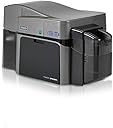
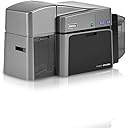
The 2ID Fargo DTC1250e is a professional-grade dual-sided ID card printer engineered for corporate, government, and educational use. It offers high-definition, edge-to-edge printing on CR79 and CR80 PVC cards, with an automatic duplex feature and a compact footprint ideal for any workspace. With USB connectivity, built-in erase and rewrite functions for reusable cards, and a reassuring 3-year global warranty, this printer combines reliability with versatility. Complimentary beginner software streamlines card production, making it the go-to solution for organizations seeking durable, professional ID credentials.


| ASIN | B0C63HGM25 |
| Additional Printer Functions | Print Only |
| Best Sellers Rank | #70,273 in Office Products ( See Top 100 in Office Products ) #71 in Identification Badges |
| Brand | 2ID |
| Built-In Media | Toner Cartridges |
| Color | # gray |
| Color Depth | 24 bpp |
| Colour | # gray |
| Compatible Cartridge | B0C632XGKT |
| Compatible Devices | PC |
| Connectivity technology | USB |
| Control Method | App |
| Controller Type | iOS |
| Customer Reviews | 3.9 out of 5 stars 10 Reviews |
| Display Type | LCD |
| Dual-sided printing | Yes |
| Duplex | Automatic |
| EU Spare Part Availability Duration | 3 Years |
| Hardware Interface | USB |
| Initial Page Print Time | 10 seconds |
| Ink Color | Black |
| Item Dimensions D x W x H | 23.4D x 47.5W x 24.9H centimeters |
| Item Type Name | Color Laser Printer |
| Manufacturer | 2ID |
| Maximum Copies Per Run | 1 |
| Maximum Copy Resolution Black and White | 300 dpi |
| Maximum Copy Resolution Color | 300 dpi |
| Maximum Copy Speed Black and White | 10 ppm |
| Maximum Media Size | Cartão |
| Maximum Print Resolution Black and White | 300 dpi |
| Maximum Sheet Capacity | 100 |
| Maximum print Resolution Color | 300 dpi |
| Model Name | DTC1250e |
| Model Number | DTC1250e Simplex (Printer Only) |
| Model Series | DTC1250 |
| Model name | DTC1250e |
| Number of Drivers | 1 |
| Number of Ethernet Ports | 1 |
| Number of Trays | 2 |
| Other Special Features of the Product | Auto-Duplex, Compact, Double Sided Scanning, PVC ID Card Printer, USB Connectivity |
| Output sheet capacity | 100 |
| Paper Size | 85.6 x 54 milímetros millimeters |
| Print media | Card stock |
| Printer Connectivity Type | USB |
| Printer Output Type | Color |
| Printer Type | Thermal |
| Printing technology | Thermal |
| Processor Count | 1 |
| Resolution | 300 x 300 |
| Scanner Type | Business Card |
| Series Number | 1250 |
| Specific Uses For Product | ID Card Printing |
| Total USB 2.0 Ports | 1 |
| Total Usb Ports | 1 |
| UPC | 644625339437 |
| Unit Count | 1.0 Count |
| Warranty Type | Full warranty |
J**S
Easy to use
Great card printer
C**S
Pre-Punched card printing
The pre-punched cards that have the hole on the long edge won't print properly. If you create your design upside down and put the cards in the "wrong way", they will print, but it seems redundant to create a design and have to flip it upside down before it can be printed.
J**R
New Printer Jams On First Use
I unpacked the printer and set it up as per the guide. On first use, it tried to print, but stopped and displayed a red warning light. I checked the printer and found the following: 1. The new ink cartridge seemed to be jammed. It seemed stuck and I had to work with it a bit to make it turn. 2. There were 2 cards jammed in the machine. 1 I pulled out easy with a pier of pliers. The other was much hard to pull out. Eventually it came out, but there is a black piece (which appears to be a roller) stuck to it and torn in half. (Note: It is a bit difficult getting the print cartridge into the machine, though it come out easy.)
M**Y
Jam & not operable
I used the printer & it operated well initially, the ribbon ripped and then I replaced. It then got jammed & not operable. SMH. I need a phone number or a place to take this printer to service it. Can you please send me the contact information for this broken device. Thank you. Unsatisfied customer
Trustpilot
1 month ago
1 month ago