Buy anything from 5,000+ international stores. One checkout price. No surprise fees. Join 2M+ shoppers on Desertcart.
Desertcart purchases this item on your behalf and handles shipping, customs, and support to Slovakia.
๐ Unlock unstoppable 5G power with Peplink MAX BR1 Mini โ your remote networkโs secret weapon!
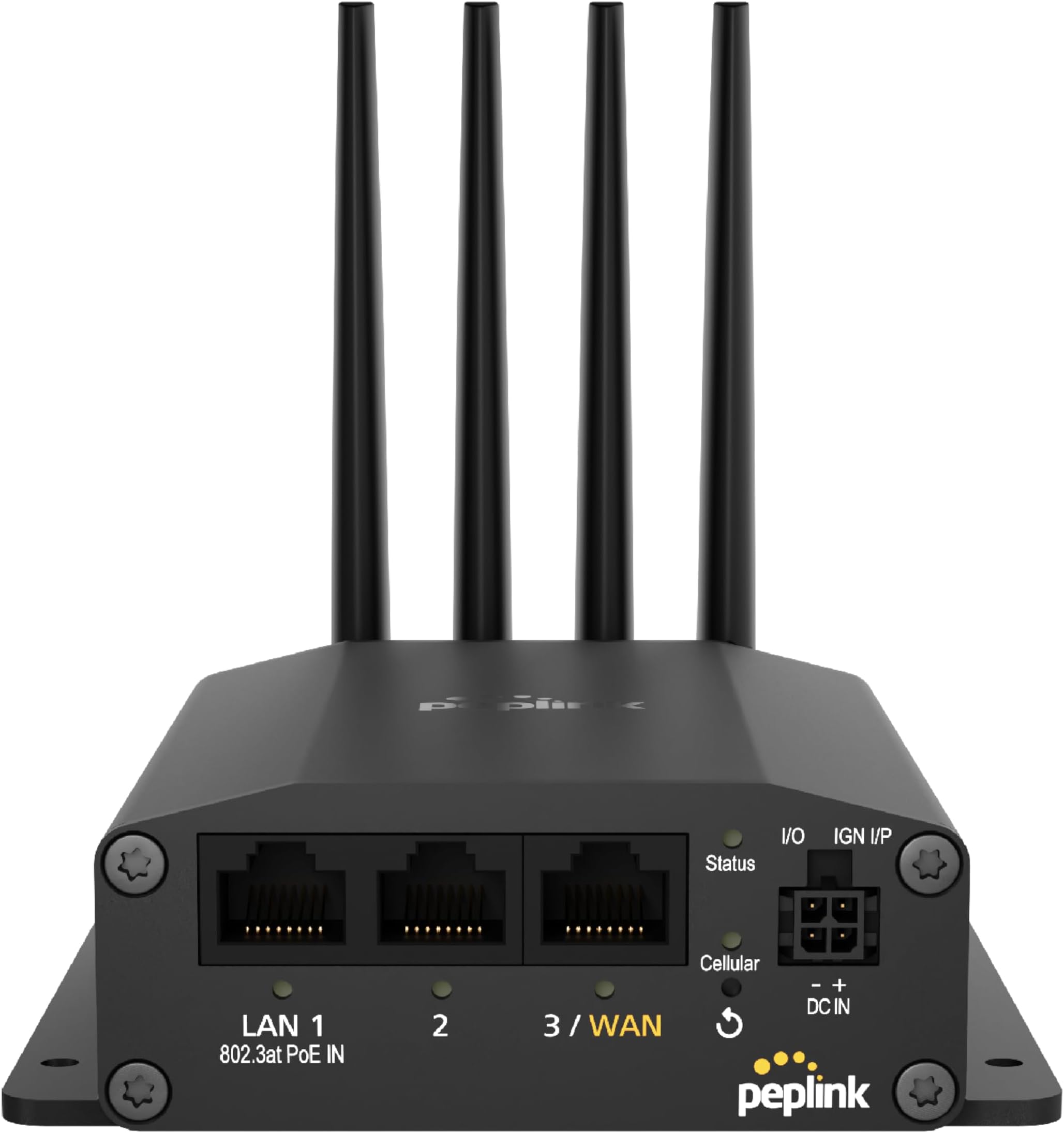
The Peplink MAX BR1 Mini is a compact, rugged 5G/LTE cellular router designed for mobile, IoT, and remote applications. Featuring a CAT 20 modem with redundant SIM and eSIM slots, it offers reliable, secure wired connectivity through three gigabit Ethernet LAN ports. With up to 300 Mbps throughput and VPN capability, it supports remote management via Peplinkโs InControl2 platform and can be upgraded to dual WAN for enhanced network resilience.


| ASIN | B0CQP9L9TB |
| Antenna Location | Business |
| Antenna Type | Fixed |
| Best Sellers Rank | 180,669 in Computers & Accessories ( See Top 100 in Computers & Accessories ) 279 in Mobile Broadband Devices |
| Box Contents | AC Adapter, Antenna |
| Brand | Peplink |
| Brand Name | Peplink |
| Colour | Black |
| Compatible Devices | Laptop, Personal Computer, Smartphone, Tablet |
| Compatible devices | Laptop, Personal Computer, Smartphone, Tablet |
| Connectivity Protocol | Ethernet, 5G, LTE |
| Connectivity Technology | 5G, Ethernet |
| Control Method | Remote |
| Controller Type | App Control |
| Coverage | Cellular Network Only |
| Customer Reviews | 3.6 out of 5 stars 13 Reviews |
| Data Transfer Rate | 300 Megabits Per Second |
| Frequency | 5 GHz |
| Frequency Band Class | Dual-Band |
| Frequency band class | Dual-Band |
| Has Internet Connectivity | Yes |
| Has Security Updates | No |
| Is Modem Compatible | Yes |
| Item Dimensions L x W x H | 12.7L x 10.7W x 3.6H centimetres |
| Item Weight | 0.43 Kilograms |
| LAN Port Bandwidth | 1000Mbps |
| Manufacturer | Peplink |
| Manufacturer Part Number | MAX-BR1-MINI-5GN-T-M-PRM |
| Maximum Upstream Data Transfer Rate | 300 Megabits Per Second |
| Model Name | MAX BR1 Mini 5G (No Wi-Fi) |
| Model Number | MAX BR1 Mini 5G |
| Model name | MAX BR1 Mini 5G (No Wi-Fi) |
| Number of Antennas | 4 |
| Number of Ports | 3 |
| Operating System | Peplink SD-WAN Operating System |
| Other Special Features of the Product | QoS, Remote Access |
| Router Network Type | Cellular Only |
| Smart Home Compatibility | Not Smart Home Compatible |
| Special feature | QoS , Remote Access |
| Unit Count | 1.0 count |
| Voltage | 12 Volts |
| Wireless Compability | 802.11a |
| Wireless communication standard | 802.11a |
K**I
Works great with Verizon hotspot plan
A little bit pricy for a 5G modem only unit. But it works great with Verizon hotspot plan. Just plug SIM card then it connects. Remote control from inControl APP is another great feature. Easily to monitor and update setting. Donโt need to plug in LAN cable to check status(but initial setup is still needed). Signal is way much better than my old Netgear LTE modem. This is great choice as a backup internet modem.
J**N
Newer models are not very good
I used Peplink/Pepwave devices for about 10 years, but the newer models are just not good. This device was very unstable, especially on the 5G and 4G Band 66 signals. Even though my signal strength was relatively strong, the unit would disconnect for about 2 minutes at least 10 times every day. The 4G Band 4 was the only band that was relatively stable. I previously had the Max BR1 Pro 5G unit and it had the same issues. I thought it may have been the cell towers but now I can rule that out because I purchased a KuWFi Outdoor 5G Router here on Amazon and it works great; Super stable 5G and 4G connections on all bands. I will not purchase any more Peplink products.
W**L
This device is a hit and miss with T-Mobile Business Internet (not usable for Home Internet)
Well, I've spent almost two weeks trying to get this to work on a T-Mobile Business Internet Account. I was a Home Internet User then converted to a Business Internet Account. First line it just blinks green. I had T-Mobile reset the network settings twice, then provision the line again. Still no dice. Then I tried a new line-id with same results. Went to the store 4 times and tried as many SIM cards plus two. If you have an existing account this may work, but as it stands I think T-Mobile is a brick with this device if starting fresh. I'm debating to return the PepLink to rule out the hardware (which appears fine to me), or dump T-Mobile and use another data provider. This whole experience has left a real sour taste in my mouth with T-Mobile Business Internet. 6 SIMS 4 Trips to the store 36hrs with phone support 3 network resets 1 master reset And a whole new Line Number created to rule that out. Verizon may work. I think that's the next step or return the device to rule that out.
C**P
stability issues
These frequently lock up with any of the newer firmware. Convenient remote management.
M**S
Don't waste the money
Sub-par performance. There are less expensive options that provider better throughput.
Trustpilot
2 months ago
2 months ago