Desertcart purchases this item on your behalf and handles shipping, customs, and support to Slovakia.
๐จ๏ธ Print smart, save big, and stay effortlessly connected!
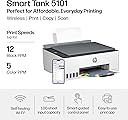
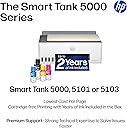
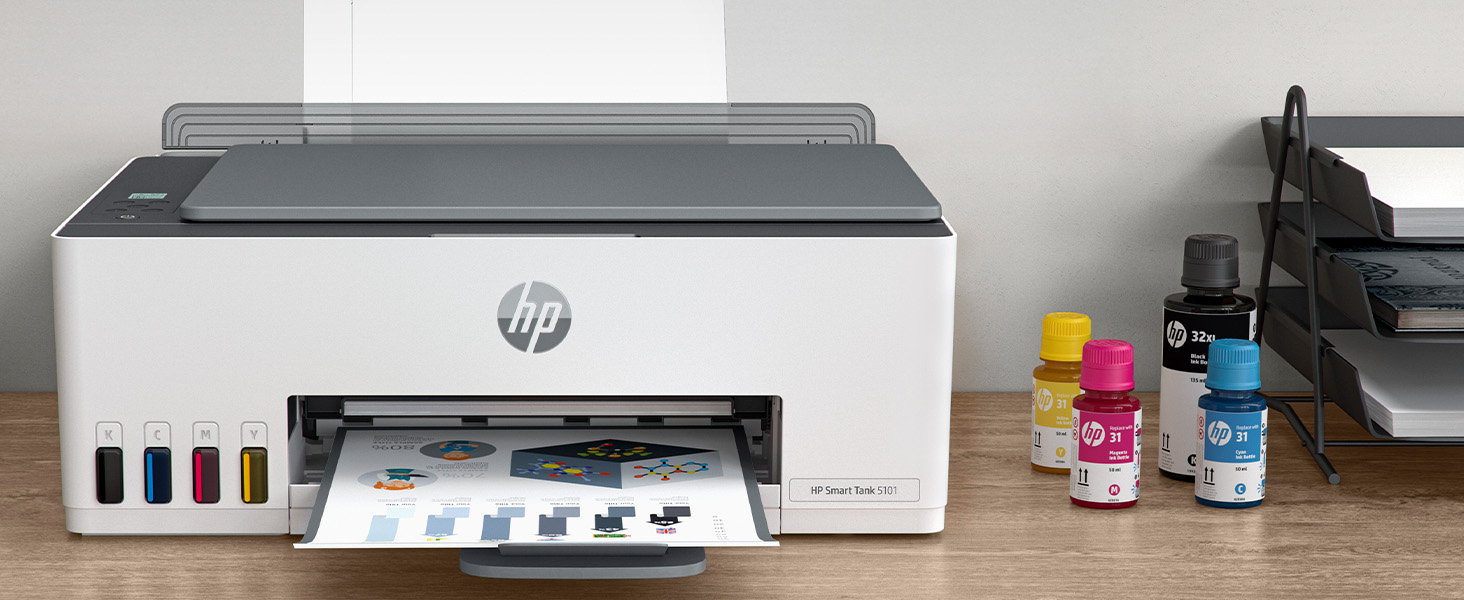
The HP Smart Tank 5101 is a wireless all-in-one inkjet printer designed for high-volume home use. It offers fast black-and-white printing at 12 ppm and vibrant color prints at 5 ppm with a sharp 4800 x 1200 dpi resolution. Included with the printer is 2 yearsโ worth of original HP ink, enabling up to 6,000 pages of printing right out of the box. Its self-healing Wi-Fi ensures stable wireless connectivity, while the spill-free refill system makes ink replacement clean and easy. Perfect for professionals seeking cost-effective, high-quality printing, scanning, and copying in one sleek device.


| ASIN | B0BL466Y41 |
| Additional Printer Functions | Copy, Scan |
| B&W Pages per Minute | 12 ppm |
| Best Sellers Rank | #60,928 in Computers ( See Top 100 in Computers ) #130 in Ink Tank Printers |
| Brand | HP |
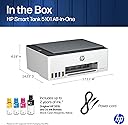
| Built-In Media | HP 31 Cyan Original Ink Bottle, HP 31 Magenta Original Ink Bottle, HP 31 Yellow Original Ink Bottle, HP 32XL Black Original Ink Bottle, HP Smart Tank 5101 All-in-One Printer |
| Color | White |
| Color Depth | 24 bpp |
| Color Pages per Minute | 5 ppm |
| Colour | White |
| Compatible Cartridge | 32XL (Black), 31 (Cyan), 31 (Magenta), and 31 (Yellow) |
| Compatible Devices | Laptops, PC, Smartphones |
| Connectivity technology | USB, Wireless |
| Control Method | Touch |
| Controller Type | Android |
| Customer Reviews | 3.9 out of 5 stars 8,449 Reviews |
| Display Type | LCD |
| Dual-sided printing | No |
| Duplex | Manual |
| EU Spare Part Availability Duration | 2 Years |
| Hardware Interface | USB 2.0 |
| Initial Page Print Time | A4 Black 14 sec; A4 Color 21 sec Seconds |
| Ink Color | black, cyan, magenta, yellow |
| Item Dimensions D x W x H | 36.1D x 43.5W x 15.7H centimeters |
| Item Type Name | Inkjet Printer |
| Item Weight | 11.09 Pounds |
| Manufacturer | HP |
| Maximum Copies Per Run | 99 |
| Maximum Copy Resolution Black and White | 1200 x 1200 dpi |
| Maximum Copy Resolution Color | 4800 x 1200 dpi |
| Maximum Copy Speed Black and White | 10 ppm |
| Maximum Media Size | 8.5 x 14 inch |
| Maximum Print Resolution Black and White | 1200 x 1200 Dots Per Inch |
| Maximum Sheet Capacity | 100 |
| Maximum print Resolution Color | 4800 x 1200 Dots Per Inch |
| Model Name | ST 5001 |
| Model Number | ST 5101 AIO |
| Model Series | 5000 |
| Model name | ST 5001 |
| Number of Drivers | 2 |
| Number of Trays | 1 |
| Other Special Features of the Product | Energy Star, Self Healing Wi-Fi |
| Paper Size | 3.5" x 5", 4" x 6", 5" x 7", 8" x 10", 8.5" x 11", 8.5" x 14", A4, A6, half letter, legal, executive) |
| Power Consumption | 0.11 Watts |
| Print media | Envelopes, Glossy photo paper, Paper (plain) |
| Printer Connectivity Type | USB, Wireless |
| Printer Output Type | Color |
| Printer Type | Inkjet |
| Printing technology | Inkjet |
| Processor Count | 1 |
| Resolution | 4800 x 1200 |
| Scanner Type | Flatbed |
| Series Number | 5101 |
| Special features | Energy Star, Self Healing Wi-Fi |
| Total USB 2.0 Ports | 1 |
| Total Usb Ports | 1 |
| UPC | 196068963484 |
| Unit Count | 1 Count |
| Wattage | 3.02 watts |
C**D
Saves ink usage costs !
I'm most impressed with the ink usage and economy of savings. I got rid of my previous HP ink cartridge printer because I was furious with HP gouging me for $90 cartridge replacements - even when I mostly print in Black Only mode. + After 3-months, of moderate print usage (I'd say about 25-pages per week), I still show full levels on ink - all colors! + Print quality is fine - can't tell a diff from the last ink cartridge printer. No issues with smearing! Couple of downers: + it may go into internet sleep mode; or it seems to drop my wireless connection. About 35-ft from the WiFi router. After a power cycle, it seems to reconnect. + it may take a while for the initial print job to activate, and makes some machine noises, but finally pops out the print page. + hard to see ink levels from the front well window. Best to check with the app. So in summary, I give it 5-star because it met my goal of saving on ink. Really an improvement on ink economy and affordability with no loss of print quality.
S**H
HP Customer Service Rocks
My printer all of a sudden wouldn't print. HP customer service representative, Ambrose, was amazingly helpful. Highly recommend the printer and their customer service.
W**H
Affordable good quality ink tank printer
We have owned a few printers over the last 30 or so years. Most have been HP and we have always liked them and had good luck with print quality and features. The one sticking point has always been cartridge cost and reliability. And they have never worked well refilling them. Our last printer was a Canon and we will never buy one again. I had been watching the ink tank printers but price was the stumbling block. With the 5000 series the ink tank printers they are finally affordable. This printer makes very nice crisp prints in both letters and pictures. It does scan, the tray is direct feed from the rear top of the printer making it nice if you make water slide decals or anything similar. Super easy to set up and install the software, print heads fill tanks etc. Once on your network it just powers down and waits for the next time you tell it to print. The printer appears to be a winner and now we just have to test it for long term reliability of print heads etc. But as it stands we are impressed and do recommend this if you are tired of the small amounts of ink in cartridges and the high cost.
D**E
Dirt cheap to operate!
Can be a bit persnickety connecting but once set up this thing is amazing. Had it 2-1/2 years now and just filling up the black ink now; the bottle supplied initially had enough left to top it up from almost empty and still has a bit left. We would be buying cartridges about twice a year before.
C**N
Most disappointing HP Printer i have ever owned
Dear HP, why has your printer quality dropped so much? I have Only owned HP printers for as long as i can remember, mostly having good success with them. The best printer i ever had was my first, a Deskjet from the 90's. While the color wasn't the premium level they have today (so they say), i used that thing like mad for more than 6 years. After that one, each NEW printer lasted less than the one before that. My last one was the HP ENVY 6055e (purchased in 2023). It lasted me 1 year and the #1 reason i got rid of it was same issue i'm having today with the Smart Tank. Before the 6055e was an Envy Photo 7858 (purchased in 2021); I really liked how well everything looked when printed, but i struggled to get it to print after a year. In the end i was hand feeding it every time to make it work. My brother has that printer and still hand feeds each sheet. The Smart Tank 5101 I purchased on April 14, 2025 (currently doing the review 7 months later). I got this for 2 reasons: 1) to fix the paper load issue, and 2)I was hoping to print my own designed sublimations to press on to shirts. Well, not even a year yet and by far, this is the worst HP Printer i have ever owned. I waited this long to do the review as i really wanted it to work out and at nearly $200, i had my fingers crossed. 30 minutes now trying to print TWO LABELS and the printer finally fed the label sheet, but then it spit it out with nothing on it. I'm back to trying to get this to print The gravity feed on the Smart Tank i thought would make things better, but if anything it's worse. No matter how many pages i stick in, 1, 20 or 40, it doesn't matter as majority of the time i can't get anything to print. Paper, labels, card stock, doesn't matter thick or thin, i find myself having to fight 20+ minutes to print ONE page. I've tried talking to HP reps and they explain how to do the cleaning maintenance, something i've done with these for 25+ years and to load more paper into the feed. I don't have any more that i could even load this thing with; this is just insanity. On this Smart Tank, i thought maybe it's like the others and i need to clean off the wheels. Uh, there's no easy way to clean the rollers as there are no panels on the bottom or back that come off. As a matter of fact, if you have a jam, the only way to get in is thru the front panel (and no the scanner bed does not lift open); best have some long pliers or tweezers to reach in there, especially if you have big hands They do have a display for errors and print info, but it's just symbols, no words and is on the top, in the middle of the printer. If i want to attempt to read it, i have no choice but to stand up to look directly down at it; you can't read it from any other angle. The old printers had it on the front face and had words. I can't get these labels to print. Even removed the label sheet, still nothing. Those 1-star reviews for this printer are increasing and now i know why. Holy Wait Time Batman, it finally loaded and started printing; 45 minutes to print one sheet. It's a good thing i didn't have a hammer in this room, as the ungentle persuasion was a thought for a while. The page i got to print, was not my 2 labels i needed. I just said to heck with it and printed a full sheet on glossy photo paper and it printed. I tried for a second page, just as a test and NOPE, back to the same issues as before. I give up. This was the first printer in a long time that i got Brand New, not a refurbished model and did not up for the extended warranty, which in the end is gonna cost me dearly. I have 2 HP OMEN PCs and like them both, they have worked great and are chuck full of name brand components. As for the Smart Tank if anyone else gets this, i hope you don't have the same issues because it is so frustrating.
Trustpilot
1 day ago
1 week ago