


Desertcart purchases this item on your behalf and handles shipping, customs, and support to Slovakia.
🚀 Future-Proof Your Home Network with Deco 7’s Lightning-Fast WiFi 7 Mesh!
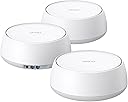
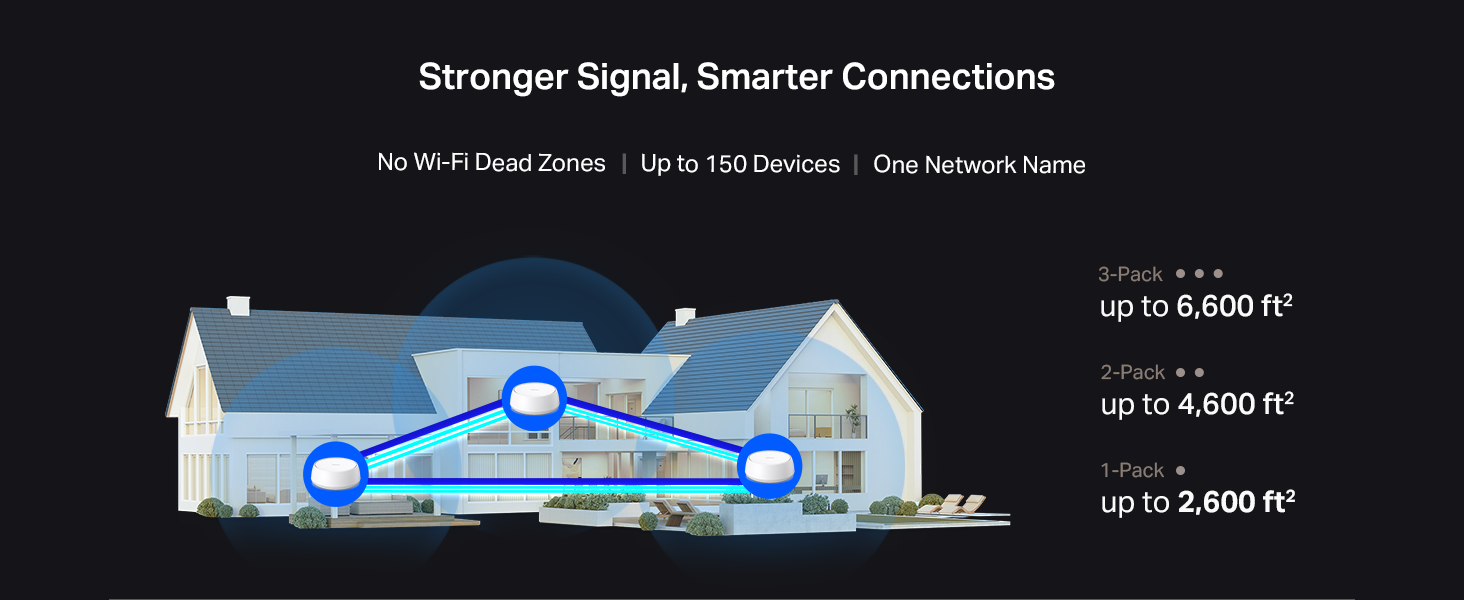
The TP-Link Deco BE25 3-pack WiFi 7 Mesh System delivers ultra-fast dual-band speeds up to 5 Gbps, covering up to 6,600 sq.ft. and supporting over 150 devices. Featuring AI-driven seamless roaming, 2.5 Gbps wired backhaul, and advanced security with HomeShield, it ensures reliable, secure, and future-ready whole-home connectivity controlled effortlessly via the Deco app.




| ASIN | B0DKVDZXSN |
| Antenna Location | Home |
| Antenna Type | Internal |
| Best Sellers Rank | #5 in Computers & Accessories ( See Top 100 in Computers & Accessories ) #3 in Whole Home & Mesh Wi-Fi Systems |
| Brand | TP-Link |
| Built-In Media | 1 RJ45 Ethernet cable, 3 Deco BE25 units, 3 Power adapters, Quick Installation Guide |
| Color | White |
| Compatible Devices | Gaming Console, Personal Computer, Smart Television, Smartphone, Tablet |
| Connectivity Protocol | Wi-Fi, Ethernet |
| Connectivity Range | 6600 square_feet |
| Connectivity Technology | Ethernet, Wi-Fi |
| Control Method | App, Remote, Voice |
| Controller Type | App Control, Voice Control |
| Coverage | 6600 square foot |
| Customer Reviews | 4.3 out of 5 stars 1,331 Reviews |
| Data Transfer Rate | 5000 megabits_per_second |
| Frequency | 5 GHz |
| Frequency Band Class | Dual-Band |
| Item Highlight | Up to 6,600 Sq.Ft | 2X 2.5G Ports Wired Backhaul | VPN,MLO, AI-Roaming, HomeShield, Deco BE25 3-Pack |
| Item Weight | 3.3 pounds |
| LAN Port Bandwidth | 2.5 Gbps |
| Manufacturer | TP-Link |
| Maximum Upstream Data Transfer Rate | 5000 megabits_per_second |
| Mfr Part Number | Deco BE25(3-Pack) |
| Model Name | Deco BE25(3-Pack) |
| Model Number | Deco BE25(3-Pack) |
| Number of Antennas | 2 |
| Number of Items | 3 |
| Number of Packs | 3 |
| Number of Ports | 2 |
| Operating System | OpenWRT |
| Other Special Features of the Product | Alexa Compatible, Guest Mode, Internet Security, Parental Control, Remote Access |
| Router Firewall Security Level | Advanced |
| Router Network Type | hybrid |
| Security Protocol | WPA-Personal, WPA2-Personal, WPA3-Personal |
| Special Feature | Alexa Compatible, Guest Mode , Internet Security, Parental Control, Remote Access |
| UPC | 810142820318 |
| Unit Count | 3 Count |
| Warranty Description | 2 Year Manufacturer |
| Wi-Fi Generation | Wi-Fi 7 |
| Wireless Communication Standard | 802.11.be, 802.11ac, 802.11ax, 802.11g, 802.11n |
| Wireless Compability | 802.11.be, 802.11ac, 802.11ax, 802.11g, 802.11n |
P**H
fantastic
I’m extremely impressed with the TP-Link Deco 7 BE5000 mesh system. Setting up the three units was straightforward through the Deco app, and the coverage has been excellent. With the three-pack, TP-Link rates the system for up to 6,600 square feet and more than 150 connected devices. The Wi-Fi 7 performance is excellent. Speeds are rated up to 5 Gbps, with 4K-QAM, Multi-Link Operation, and 240 MHz channels helping improve throughput and reduce latency on compatible devices. The two 2.5 Gbps Ethernet ports on each unit are also a huge plus, especially if you have multi-gig internet or want to use wired backhaul between the Deco units. One of my favorite features is the seamless roaming. I can move around the house without having to manually switch networks, and the AI-driven roaming does a good job keeping devices connected to the appropriate Deco unit. The system also offers useful security and parental-control features through HomeShield. The only downside is that you won't get the full advertised Wi-Fi 7 speeds unless your devices support the newer Wi-Fi 7 features. Also, because this is a dual-band system, it doesn't have a dedicated 6 GHz band like some more expensive tri-band Wi-Fi 7 systems. Overall, this is an excellent mesh system for a large home. **Fast speeds, great coverage, easy setup, strong wired connectivity, and reliable roaming make this a fantastic upgrade over a traditional router. Definitely recommend it!**
V**E
Fixed my brick apartment problem
Moved to a new apartment and discovered that all walls had full brick hidden underneath. No access to coax except the front of the unit, and my office was at the far back of the unit 50+ feet away and separated by 4 brick walls. I tried several other lower end solutions and could not get anything higher than 30-40 Mbps in my office with lots of packet loss (1 Gbps coming out of the modem in the living room.) Some devices couldn't even see or connect to the wifi network in the back of the unit. This solution was incredibly easy to configure and setup. App works very well and has a lot of fun options for those who like to tinker. After a little tweaking to find the sweet spots for the 2 nodes, I now get 400-700 Mbps through the first 2 brick walls and 300-500 Mbps in my office with 0 packet loss. I'm sure I could improve the speed further upgrading to one of the $500 mesh solutions available, but for how difficult wifi range is for my brick unit, this device was a lifesaver and I highly recommend giving it a shot for anyone struggling with signal loss.
J**R
Love the mesh network on my FIOS network w/ warning
Let me start out with a warning, if you already have older TP-Link mesh on your system, clear that off your network and remove it from your Deco app before you start installing the BE5000. I didn't do that and spent a lot more time than should have been needed not realizing that me 3 year old device would have been controlling all the better satellites. Now that I've warned those that have existing TP-Link mesh, we'll go thru how easy this install is, if you do it right. I bought the three unit pack During Prime Days as my old Orbi system was no longer being supported and my whole house primarily uses/used that for APs. Having FIOS, I'm satisfied with their router as it gives me uncomplicated TV support. Yeah, I could use the mesh network or buy a FIOS router and save money but I stick with the rental to save aggravation and know I'll be up and running within a day if there's a failure. Once I hosed the first disk and cleaned up my issues, I just hooked the BE25 into the cable I had from the old TP unit and plugged it in. The Deco softaware as an AI function, if you want to use it, or just a step by step process. I did both as after I installed the main unit, I was curious how the AI worked, just a little more hand holding. It took less than 5 minutes to get the 1st unit up running and updated. After that, all you need to do is find out where you're going to put the others and plug them in. I'd suggest doing them one at a time so you can name where they're located easily. The controlling unit finds them and you can set up the room names at that point. Because I screwed up initially, I had to do a reset on that first unit so it forgot about the initial error. There's a button on the bottom that you need something narrow to press, but a second later all is forgiven and the master finds it. I also reset the three year old WI-FI 6 and named it as a mobile device. I plan on putting it in the basement but I probably don't even need it there as these units have more than double the strength of anything I had in my house before.
P**R
For the sake of your sanity buy these mesh wifi devices.
The Deco mesh WiFi system is worth the money. Super easy to install and setup one unit as the router. For the other units, just plug in the power cord and answer a few questions in the app. Easy. I spent much less time installing these devices than the previous equipment from oogle-boogle. I'm still bitter. The TP-Link Deco units have given great performance and zero problems. I'm very pleased.
M**C
Fast Wifi Almost Perfect
System was easy to setup. The speed it fast and the coverage is good with the three units. My only issue is with connection speed. Sometimes it takes my computer a long time to connect. I had a extender in my previous system and it was named different than the router. It's nice to have the same name throughout my house (Not switching). Not sure how the Wifi 7 works as I have an AM4 motherboard with Wifi 5.
K**N
Good value but not perfect
I needed to upgrade my wifi because my sprinkler control unit in my detached garage was not getting a strong enough signal. Initially, I set one of the satellites inside my home at a window sill just 10 yards away from the garage hoping to get an improved signal. Unfortunately, the signal to my garage was still too weak for my sprinkler unit (which apparently has a poor wifi receiver). I was close to returning this product, but I decided to try and place the satellite inside the garage instead....and that was the magic solution! Although the signal going through walls is disappointing, if the satellites can just barely reach each other, then you will be able to utilize the improved range if your connecting device is in close proximity of any of the satellites. If you are trying to to extend the range outside the main home or through multiple walls, I don't think this is the best solution, but if you are inside, I think you will be fine if you space the satellites correctly. The app was the main reason I ended up giving it 5 stars because it is very easy to use and gives you the flexibility to choose a frequency like 2.4 GHz for some smart devices that require it. I think it's a great product IF you end up getting the range you need, but be aware it may struggle penetrating walls.
N**A
AMAZING RESULTS!!!
This mesh system is amazing!!! It covers such a large area I have a 2200 sf home and the WiFi main modem had to be installed in the furthest room where we hardly even use the internet. The installer was lazy and did not want to install a coax plug in a more central location he just found one and plugged it in there. Even with a powerful router we were getting only 150mbps throughout the house (we signed up for 1gig). After the deco 7 mesh system install we were at 600mbps throughout the ENTIRE house including outside in our backyard where we have devices we use as well! I HIGHLY recommend this system it is inexpensive and you get amazing results!!!
N**D
Good as a router, but GREAT as a WiFi mesh paired with an OPNsense Router!
This review is for the TP-Link Deco 7 Dual Band BE5000 WiFi 7 Mesh wifi system. As a Wifi Mesh system, these are great. Terrific signal strength, wired backhaul, dual 2.5Gb Ethernet, and an app that makes them easy to use. No real complaints, and you certainly will not miss the tri-band functionality unless everything on your network is bleeding edge. Signal quality is highly stable and reliable. As a router, these are good, but with some caveats. They're very stable and I have found, in more than a year of use, no instance of buffering while streaming video internally or externally (Plex / Netflix, etc). They have a decent array of features for routing, including some control of DHCP, a built-in VPN server, and a handful of other security features. But there are some issues from a router perspective, not least of which is the fact that a lot of the built-in features require a subscription to use. None of the basics, so don't worry about that, but if you want anything meaningfully advanced, you'll need the subscription or an alternative. There's no real anti-malware functionality without a sub. The VPN server system is good, but it's also limited to just one client at a time, which is something of a problem. That said, if you're willing to use a cheap micro PC running OPNsense as your router and put these into AP mode, they're better by far than pretty much anything else you'll find in this price range, especially if you're using the wired backhaul. With a cheap $20 2.5Gb Mini PCIe 2.5Gb ethernet adapter addon, I turned an old Dell Core i5 micro PC with 16GB RAM and a 128GB SSD into a router that's far more powerful than anything you'll buy in the consumer market. OPNsense is free and includes far, FAR more security functionality, with no subscription, than this provides even with one. The benefit for the TP-Link Mesh is that by removing the workload of routing and DHCP from the wifi mesh setup, you free the full power of all three pods and their CPU's/RAM to focus exclusively on the quality of your wireless connections. The result is faster throughput, better reliability and absolutely no worries at all about how many devices you're putting on your network. If you're at least a tiny bit competent with downloading and installing an OS from a USB, and you're looking for a more robust network connection, then you'll be extremely happy with letting these handle your wifi while an OPNsense pc handles the harder work of routing.
C**1
For a British consumer, this is a nightmare.
This router has a US plug, not a UK plug, which was not mentioned in the product information. It is difficult to imagine buying a US electrical appliance on Amazon UK. How should a consumer distinguish between them?
O**.
Muy buen producto.
Excelente producto a pesar de no tener un gran alcance la señal llega fuerte.
A**H
5/5 ⭐ Excelente producto, totalmente recomendado.
Excelente producto, llegó en tiempo y forma. Cumple completamente con todas las especificaciones indicadas. No tengo ninguna otra observación; ya llevo varias semanas con el producto y funciona tal cual se describe. Sin duda una excelente compra.
X**X
Great Product, Worth Trying!
The product is excellent! I bought it after hearing many recommendations from friends, and it truly proved its efficiency. It covered the entire villa without any interruptions and supports a high-speed network with complete stability. I highly recommend purchasing it—an outstanding experience worth the investment.
M**K
Fantastic App. Solid And Reliable Connection.
I waited nearly a month to write this review. Setup was a breeze and the control is as good as I've ever had in a network system. Over the past several weeks I have had the Deco-BE25 WiFi 7 3pk up and running through wired backhaul in our home and it has been nothing short of fantastic. I haven't experienced any drops or interruptions in my signal the entire time. Signal strength is better than my ISP provided all in one unit and the amount of settings and control I have is so much more and much easier to manage through the Deco app. I've had nothing but a great experience with this system and the app. I love being able to chose which band to use for each device and I also love the fact I can direct each device to use a specific unit as it's signal source rather than have it roam. I can rename every device to help me better identify it in my system and I've been able to direct each unit to the best possible unit for optimal signal strength. This made it a seamless transition getting all my 2.5ghz smart bulbs and such connected. I can create a blocked list and guest wifi effortlessly through the app and everything can be done in realtime without having to reset the units. If I want to make a system setting change I can just do it through the app and it applies to my system without missing a beat. This is truly a refined and well thought out system. I will acknowledge that I'm using these units through wired backhaul and have no experience with the wireless signal. But for my use case I couldn't have asked for a better experience. The APP truly is one of the best in the industry and one of the better experiences I've had in home networking. The units run cool and quiet and have been flawless in their reliability and signal strength. Highly recommended from me.
Trustpilot
2 weeks ago
1 month ago