Desertcart purchases this item on your behalf and handles shipping, customs, and support to Slovakia.
๐ง Elevate your audio gameโbecause your ears deserve the best.
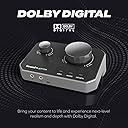
The Sound Blaster G8 is a cutting-edge USB DAC and headphone amplifier featuring dual USB-C inputs for simultaneous device streaming, native 32-Bit/384kHz high-resolution audio playback, and a custom Xamp bi-amplifier for precise stereo sound. With an exceptional 130 dB dynamic range and the powerful Sound Blaster Acoustic Engine, it delivers immersive, crystal-clear audio perfect for gaming, music, and multimedia across multiple platforms.


| ASIN | B0DJLV9G3L |
| Audio Output Mode | Stereo, Surround |
| Best Sellers Rank | #20 in External Sound Cards |
| Brand | Creative |
| Built-In Media | Item |
| Compatible Devices | Headphone, Laptop, Personal Computer, Smartphone, Tablet |
| Customer Reviews | 4.2 out of 5 stars 133 Reviews |
| Hardware Connectivity | USB |
| Hardware Interface | USB |
| Hardware Platform | USB-C |
| Item Highlight | High-performance, USB DAC, Headphone Amp, Gaming Audio, High Resolution, Multi-Platform, Desktop Audio, Amplifier |
| Item Weight | 540 g |
| Manufacturer | Creative Labs |
| Maximum Sample Rate | 384 KHz |
| Mfr Part Number | 70SB190000000 |
| Model Name | Sound Blaster G8 |
| Model Number | SB1900 |
| Number of Items | 1 |
| Number of Packs | 1 |
| Platform | Not Machine Specific |
| Signal-to-Noise Ratio | 120 db |
| Surround Sound Channel Configuration | 5.1 |
| UPC | 054651196391 |
| Unit Count | 1 Count |
| Warranty Description | No Warranty |
G**G
Great hardware and physical buttons, typical Creative software
The Sound Blaster G8 works as described and sounds fantastic. My favorite feature is the physical button right on the unit to switch from speakers to my headset/micโit's so much easier than having to change outputs in software. Speaking of software: as usual with Creative, the software side doesn't exactly excel and can be a bit clunky, but it gets the job done once you set it up. Overall, the hardware convenience makes it totally worth it.
D**R
Epic Sound Card with Incredible Virtual Surround Sound for Headphones
Tons of input options with great flexibility and easily the best virtual surround option for headphones that is available. I've tried every different virtual surround option out there from Razer's THX to Dolby and DTS:X. Creative's SBX has the absolute most natural and immersive sound by far. It does a great job of blending sounds over both ears instead of having those sharp, laser focused, sounds hitting a single ear in a weird unnatural way. Just because something is on your left making noise doesn't mean your right ear can't detect it as well, albeit quieter. Luckily Creative understands this concept. They have spoiled me to the point of literally refusing to game without one of these sound cards plugged in. The crystallizer is a cool feature as well but it is very unforgiving with poor quality samples and music. Definitely brings out all of the details in a song though. Just keep it low and I'd recommend turning off surround for music listening. Surround is definitely meant for gaming.
D**Z
Fantastic DAC for Both Headphones and Speakers
Iโve been using the Sound Blaster G8 for a few weeks now, and Iโm genuinely impressed by its performance. I mainly use it with my Logitech Z623 speakers and a pair of high-impedance headphones, and the difference in clarity and depth is amazing. The G8 delivers clean, rich audio with powerful bass and detailed highs, even at lower volumes. Itโs compact and built solidly, with intuitive controls and excellent customization through the software. The dual USB input and audio mixing features are perfect for gaming and streaming setups. I switched from onboard audio, and the improvement was instantly noticeable โ everything sounds more dynamic and alive. Itโs plug-and-play friendly, and works flawlessly on both PC and console. For the price, itโs an outstanding upgrade for anyone looking to elevate their sound experience.
P**T
Excellent sound, one of the best.
Excellent 32-bit sound, but sometimes won't be detected by the PC, which means it has to be unplugged & replugged in. Otherwise, I highly recommend the G8.
I**N
It works for me even without driver.
I bought G8 because the optical-in is dead on my Schiit Modi 3+/Heresy. I like my devices can work without drive and G8 does. And I can record sound of optical-in from G8 on my PC. I know some gaming DACs can't. The sound of G8, without driver, any effect nor EQ, surprises me. G8 is a bit cleaner and clearer than my Modi3+/Heresy and slightly brighter. And G8 has enough power to drive my HD600, DT770 80ohm, TYGR300R and MDR-V6. I don't expect a lower price gaming DAC can do better than an audio stack which is less than 5yrs old. A few downside of G8. There is a big gap drop in low volume area. It maybe an issue for low-ohm and sensitive headphones. And the tilt of G8, longer 3.5mm head will hit the table.
B**T
Single Player Only, it's not worth the headache for more
I've not had a love hate relationship with something like i have had with this in some time When it sounds good it sounds fantastic. Best sound i've heard out of PC period. Can't fault it. That's where the pros end. The software is DIRE. I don't know what sort of voodoo-stars-all-align-perfectly scenario Creative managed to conjur up in house to write the instructions, decide it works, or compile its feature list, but this product simply will not do what it advertises. I cannot, for the life of me, get the chat/game mix to work. At all. I've uninstalled and reinstalled probably 10 times and reset the device and app multiple times, desperately trying to make it work properly so i can keep it for that great audio. It doesn't set up consistently - sometimes usb 2 shows playback controls, most the time the only output option for usb 2 (chat) is line out - which obviously will not work. The first time i set it up using the instructions, it would reset every time i started windows despite always being powered and the mic/sidetone only worked if the mic was unmuted during boot. Sometimes USB 1 shows playback and recording tabs, other times it doesn't. Sometimes presets persist, other times, they just reset or change values themselves arbitrarily. It is an exercise in futility trying to get it to work consistently. USB 2 will not output audio, rendering one of its selling points and dials useless. I've tried every combination of settings i can think of. i've tried every windows device setting i can, multiple times, and every last time USB 2 will not output audio in any form. On discord, the mic will work, but the actual output will work on everything but USB 2 - including USB 1 which is then mixed with game audio so it's all or nothing. The two usb cable approach and in app management is weird, It feels entirely convoluted, and i feel like that's echoed in the fact that it doesn't actually work. A sane company would have worked out how to present it as a singular interface, if only to make it easier for users to troubleshoot and understand. Troubleshooting it feels like juggling two seperate entities - and you can only see one at a time. You can't intuitively even work out what is you should do by default, even if you sit and logically try and work it out. The sidetone implementation is poor. The only way you can even use it is by turning off every single effect on the card, otherwise you get latency. No bass, no surround (you would never turn it above 10% anyway, it's really not good), definately no noise cancelling or anything else (which causes unusable latency - so why even bother adding it?). The sideone also is permanently on; why not link it to the chat channel? why would i want it on when i'm turned to the game side? Astro mixamps somehow nailed perfect, uncoloured, latency free sidetone over a decade ago, but it still eludes Creative for some reason, and Logitech in their infinite wisdom have abandoned it. Why is it this hard to loop it back in before processing when others managed it for less money? This is the first time i've given a Creative product a try in 2 decades, after I personally figured out how to make existing soundcard and their software work on Windows Vista when Creative claimed it impossible (entirely to sell new sound cards). My forum post ended up being pinned on Creative's website whilst they spent 9 months figuring it out themselves. I can not stress how little i knew about software at that point yet figured it out in 2 days. It would be like your gran fixing your flying car whilst the inventor sat sobbing. It would appear they've not attempted to improve their software in any shape or form since then. I don't understand how the leading, longest standing name in computer audio can be so terrible at working computer audio. The design is - functional. Creative seem pathologically committed to making products that look and feel average at best depending on the day. Nearly everything they bring out looks and feels like it was designed 2 decades ago. The best thing i can say about the design of this is that it isn't as obnoxious, toy like or counter intuitive as some of the their other products this side of millenium. Any praise is coming off the back of how dreadful their stuff usually looks. It's a pretty low bar. If you're only going to use it for single player and never even touch voice chat, it's probably the best thing you can buy, if it behaves, and it's a big if. If you want to use your mic, steer clear. It's not worth it. It won't work. The instructions will not help you. I've gone back to my Mixamp TR. It genuinely seems still like the only dependable all rounder if you want sidetone, EQ and chat mixing. With some tuning anyway from Astro's default batsh*t insane EQing to something that resembles a normal band range and the Dolby Atmos App EQ you can get suprisingly close to the sound profile of this thing. Not quite there, but at least it works every single time as you would expect.
C**S
Good, but started malfunctioning.
This is pretty good DAC when it functions correctly. Unfortunately, the product started malfunctioning after about a month and a half of use. Some times it would have a big delay when sending sound and other times I would have to move the volume knob up or down. The Sound Blaster Command Software is... acceptable. It's good when you need to configure something on the DAC, but you can just attach a dedicated USB-C power supply, connect a LINE-IN or TOS cable to your hardware of choice and it will work that way as well. No Software needed. About the volume control knob. It's either malfunctioning or it's not analog - trying to set it to low volume just lowers the volume instantly and pushing it past low volume just makes it have a sudden burst of sound. It's a MUCH bigger issue when using it in High Gain mode. Close to "nearly damaging your hearing" levels of loud. It's a serious problem and the main reason I cannot recommend this product. I recommend getting the G6 over this model. It's cheaper, and you won't risk going deaf with the odd sound control knob.
J**N
Good DAC
Well I am an older gamer, think ISA Sound Blaster cards. With that said I have been careful with my hearing and still truly enjoy reference audio for my music library. The Sound Blaster G8 IMO is a great balance of audio quality for music with sound reproduction for FPS footstep tracking. If you are a gamer that is not a full fledged audiophile this is a good buy. Though the audio quality could easily be considered entry level audiophile. For reference I am driving a pair of Audeze Lcd-2 planar magnetic cans with no issues so far.
K**N
Easy to set up and use, works very well
Very new to the world of audio and DACs. I'd been just using the headphone port on my tv up until recently. Plugged my headphones into my computer to play a game with friends and happened to listen to some music when I noticed that my headphones' audio sounded much better and more full, for lack of a better word. Plugged them back into my tv to double check and sure enough, they sounded worse, lacking both bass and detail. Now I'm definitely in the minority on this, but my current setup is very much a couch media setup, with all my consoles any my PC connected to my living room tv. I needed something that could be plugged into my tv for all my consoles with an independently connected power supply cord and a separate connection dedicated to my PC which could carry both my headphone and microphone signals, and the Sound Blaster G8 checked all those boxes. Looked up some reviews and was pleasantly surprised to find that this one was recommended. Bought it, and I'm not at all disappointed with my purchase. My headphones' audio sounds as good as, or better than my PC does by itself, but with the added benefit that I can now have my headphones and microphone connected to my PC while my headphones are also connected simultaneously to all of my other devices via my tv. It's a perfect fit for my setup. The build quality was also surprisingly good too. I'd heard other people in reviews bemoan the plastic construction, but it's not cheap-feeling at all to my hands and as long as it remains that way, I'll be more than happy with it. One small issue I did have though was when I tried to plug in my digital audio cable for my tv, the door that's supposed to close when there's no cable connected seemed to snap and now won't close. I also had some trouble connected the cable, likely as a side effect of this issue. That said, once the cable was connected, no further issues. Overall, if you've got an oddly specific living room multimedia setup like I do, I can definitely recommend this product. The two usb-c ports (a rarity on DACs like this from what I've seen) are a game changer, allowing my to have a cord connected to my PC and a separate power cord for all my other devices when my PC isn't on. Not to mention the other incredible port selection variety. While I'm not planning to upgrade my headphones right away, I'm confident that this DAC will be able to drive them given the specs. Give it a try if it fits your needs.
A**R
everything good except mic working adds clicking noise.
best, only downside is when earphone with mic is connected you get clicking sound while recording via mic. so the clicking sound gets recorded too., so thats kind of issue needs to be fixed., increased audio volume and quality.
S**.
Great Sound Card
Bought this to replace my current G6 (or use as a backup for G6). At first I didn't notice the difference in sound quality, but after careful listening I did notice an improvement over the G6 sound quality. The sound stage appears to be deeper and wider over the sound of G6, and once you get used to it, it should be a good upgrade over the previous card. The only issue I had was that since my computer is a bit old, it only has one USB-C port, so using this sound card would take up the USB-C port and make it unavailable for other uses. However, once I replace my computer with extra USB-C ports in the future, this should no longer be a problem. (Note: I don't play a lot of games and mainly listen to music using this device, so the review is based on music-listening experience only.)
M**N
Take your headphones to another level.
Take any headphone to another level all together, be prepared though because it will make them capable of blowing your ear drums. Tons of options for customisation and adjusting, scout mode is amazing.
M**.
Frequently disconnects and a Short Life Span.
Many faulty hardware issues with this. Constantly shuts down while in use, needs to be reset frequently. I tried all the usual trouble shooting. Different cables, different ports, different PC, updated everything, removed old drivers, etc. etc. etc. Nothing but trouble with this thing from start to finish. I'm done with it. Going to try and send it back... but probably too late. My advice to anyone looking at this, keep looking. Don't purchase it.
Trustpilot
1 month ago
1 day ago