Buy anything from 5,000+ international stores. One checkout price. No surprise fees. Join 2M+ shoppers on Desertcart.
Desertcart purchases this item on your behalf and handles shipping, customs, and support to Slovakia.
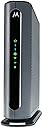
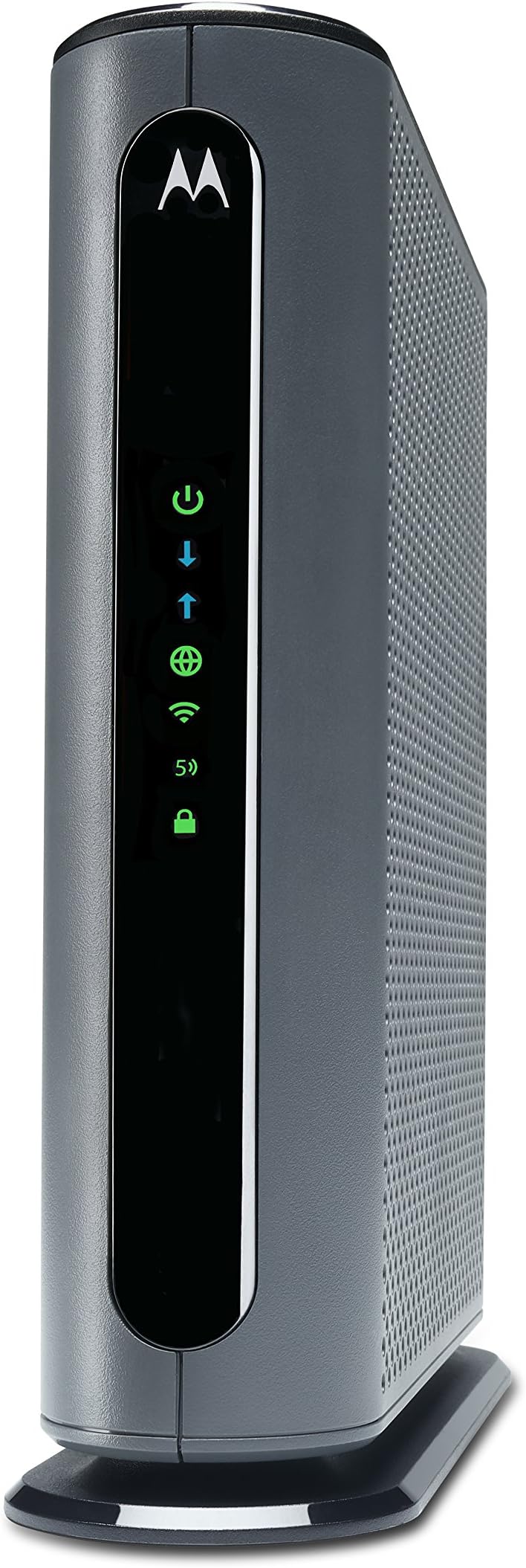
๐ Turbocharge your home network with Motorola MG7700 โ speed, range, and security in one sleek combo!
The Motorola MG7700 is a DOCSIS 3.0 cable modem and AC1900 dual-band Wi-Fi router combo designed for cable internet plans up to 800 Mbps. Featuring 24x8 channel bonding, Power Boost amplifiers, and four Gigabit Ethernet ports, it delivers fast, reliable wired and wireless connectivity. Certified by Comcast Xfinity, Cox, and Spectrum, it offers easy setup, robust firewall security, and extensive coverage, making it ideal for demanding home networks with multiple devices.


| ASIN | B07BRZ2KW5 |
| Antenna Location | Security |
| Antenna Type | Internal |
| Best Sellers Rank | #2,381 in Computers & Accessories ( See Top 100 in Computers & Accessories ) #11 in Modem Router Combos |
| Brand | Motorola |
| Built-In Media | Cable Modem Router, Power Supply, Ethernet Cable |
| Color | Black, Grey |
| Compatible Devices | Smartphone, Tablet |
| Connectivity Protocol | Wi-Fi, Ethernet |
| Connectivity Technology | Ethernet, Wi-Fi |
| Control Method | Touch |
| Controller Type | App Control |
| Coverage | Extensive Wi-Fi coverage |
| Customer Reviews | 4.3 out of 5 stars 11,522 Reviews |
| Data Transfer Rate | 1 Gigabits Per Second |
| Frequency | 5 GHz |
| Frequency Band Class | Dual-Band |
| Global Trade Identification Number | 00855631006354 |
| Has Internet Connectivity | Yes |
| Is Modem Compatible | Yes |
| Item Dimensions L x W x H | 8.6"L x 2.9"W x 9"H |
| Item Type Name | Cable Modem/Router |
| Item Weight | 0.04 Pounds |
| LAN Port Bandwidth | 10/100/1000 megabits per second |
| Manufacturer | Motorola |
| Maximum Upstream Data Transfer Rate | 8 Megabits Per Second |
| Mfr Part Number | MG7700-10 |
| Model Name | MG7700 modem |
| Model Number | MG7700 |
| Number of Antennas | 3 |
| Number of Ports | 4 |
| Operating System | ZyNOS |
| Other Special Features of the Product | Internet Security, LED Indicator |
| Router Firewall Security Level | basic |
| Router Network Type | Wi-Fi 5 |
| Security Protocol | firewall |
| Smart Home Compatibility | Not Smart Home Compatible |
| Special Feature | Internet Security, LED Indicator |
| UPC | 855631006354 |
| Unit Count | 1.0 Count |
| Warranty Description | 2 year manufacturer |
| Wi-Fi Generation | Wi-Fi 5 |
| Wireless Communication Standard | 802.11ac |
| Wireless Compability | 802.11ac |
T**E
Great Modem/Router!
The Motorola MG7700 is an awesome modem/router. It replaced an older Netgear N450 modem/router that kept dropping its WiFi connection, and had to be rebooted constantly. The Setup of the MG7700 was very easy, and it did not even require calling Comcast to get it configured. I just went to the activation website and put in my Comcast account information. The MG7700 was connected to the Comcast network within 15 minutes (150 mbps plan). The MG7700 improved the WiFi connection to all of my N and AC wireless devices. I live in a 2400 square foot house and I have multiple RING security cameras around the perimeter of the house. The connection between the MG7700 and all of the RING devices is fast with no dropped connections ever. I also have 3 Rokus, a Samsung Smart TV, a Honeywell thermostat, 3 cell phones, 2 laptops, a tablet, 2 Echo Dots and 3 Amazon smart switches connected intermittently to the MG7700 throughout the day. They all stay connected with outstanding WiFi speeds. In fact my Acer laptop connects by AC wireless at 866 mbps. Most of the N wireless devices connect around 156 mbps, and everything stays connected without any drops. I also have 3 desktop computers (1 is a server) and 1 network printer connected to the 4 ethernet ports with no connectivity issues at all. I have been a Network Administrator for over 20 years, so setting up the MG7700 was really easy for me. For those that need help there are many online websites that show how to "tweak" the settings in the MG7700 for the best Wireless connectivity. Trust me the suggestions do work to maximize the WiFi connections. For security purposes I highly recommend changing the MG7700 user name and password. Also change the SSIDs and their security keys, along with the default IP address of the MG7700. Lastley, make sure that the firewall is turned on. This will keep those prying eyes off of your home network. I have used many Motorola products over the years, and they have all worked great. The MG7700 is no exception. Those individuals leaving bad reviews either do not know how to setup a WiFi router correctly, or just received a lemon (it happens). I highly recommend the MG7700 to anyone that wants a fast, secure and reliable home network. Update: it is now 4.5 years later (08/11/23), and the Motorola MG7700 is still working as well as it did when it was brand new. I have had no issues with this modem/router whatsoever. The internet speed (now upgraded to 300 mbps), and the wired and wireless connections are still as fast and stable as ever. The only very rare internet lapses are on the ISP's side. The only addition I have made to the MG7700 is attaching a USB powered, 120mm computer chassis fan to the outside of the MG7700 (blowing air on the motherboard/transceiver chipset side). This helps to keep the MG7700 cool 24/7. Heat is the worst enemy of a router, and all computer equipment in general. Keeping the MG7700 cool will keep connections stable, and greatly increase its longevity. As I originally stated in this review 4.5 years ago, the Motorola MG7700 is a great product, and I highly recommend it (and its newer successors) even more now. Update 2: Well, after 5 years and 3 months of flawless use this Motorola MG7700 finally (partially) stopped working. The 5 ghz wireless transceiver completely quit working. However, the cable modem and 2.4 ghz wireless transceiver still work fine. With the planned-obsolescence of these modem/router combos being about 3 to 5 years, I have no complaints at all, as this Motorola MG7700 has indeed performed flawlessly during this entire time. I have recently replaced this Motorola MG7700 with a Netgear Nighthawk CAX30 modem/router combo. The CAX30 was very easy to setup with Xfinity, and it is working great so far. I will leave an honest, detailed Amazon review for the CAX30 after it has been in use for a while, but So-far-so-good.
M**S
WHAT A DIFFERENCE!!!!
Although I ordered and received the Motorola MG7700 last September (2018), I just now installed it this week (last week of December 2018). Why so long, you ask? Well, because I'm old and techy-impaired, and this stuff scares me. So there. I have been using, for several years now, a $13-per-month modem and router provided by Comcast, my internet provider. It was a cheap piece of crap, but worked (somewhat) for my needs. In the past couple of months, though, my wife's ability to access the internet on her laptop from various locations in the house have been spotty to nonexistent, at best. No, she wasn't happy about that at all to the point she was threatening to call Comcast and have them send out a service rep. Now let's stop right there for just a minute. The last thing I want in my house is a Comcast Service Rep. In fact, I am convinced that to be a Comcast Service Rep you are required to be a convicted felon, straight out of the penitentiary. Not good. The last Comcast Service person I had at my house, Vernon, was so impatient to leave that, in the middle of the job, he handed me the equipment and asked me if I minded finishing the job myself. I stood there stunned and in disbelief as Vernon explained that "the games" were on TV that day and he wanted to go watch them with his friends. I told him to just leave. Insert image here of me in my front yard, standing and staring with my mouth open, holding a big roll of coax, as the Comcast truck pulled away. UNBELIEVEABLE! Anyway, back to the Motorola MG7700. .... this week things came to a head with connection issues on my old modem/router that I dragged out the new Motorola modem/router and proceeded (cautiously) to install it. I carefully disconnected the old Comcast router and modem (it was actually two separate pieces). Then I followed the well written set-up instructions that came packaged with the Motorola MG7700 and hooked everything up. The hard part, for me, was calling Comcast/Infinity Tech Support to completed the set-up from their end. They seem to be oblivious to the fact that not everyone is a computer geek and tend to ask questions that are WAY over my head. Well, they were true to form and what would have taken a 10-year-old only minutes, took me two phone calls and well over an hour. I suspect both phone reps with whom I dealt are both heroin addicts by now. FINALLY, though, the planets came together and the Motorola MG7700 is working BEAUTIFULLY! The difference in connectability from any location in the house is SOLID! Plus, internet browsing speed is BLISTERING compared to what it was formerly. I am ECSTATIC, my wife is ECSTATIC, and we both couldn't be happier with the results. For our needs, the Motorola MG7700 24x8 Cable Modem Plus AC1900 Dual Band WiFi Gigabit Router with Power Boost solved all our connection/speed issues and was worth every penny it cost. HIGHLY RECOMMENDED! GET ONE!
S**S
Great machine, terrible user support.
Now that this machine is up and running, I love it. But it was a bit of an ordeal to get it going. Most of that was the fault of Xfinity, whose customer support is abysmal. They make it very difficult for you to wean yourself away from the rented modem that they are collecting $14 a month to provide for you. Once I got that problem solved though there was a slight problem with this machine itself. Iโm sure most of us who switch from renting to own in her own modem would like to keep the name of our home Wi-Fi network and password the same. Instructions on how to do this are unclear and self contradictory. They tell you the best way to do it is to hook a computer directly up to the Modem with an ethernet cable of which they provide you with a short one. But that assumes that your computer has an ethernet port. A lot of laptops these days do not. The only device I own that have ethernet ports are on a different floor from this modem and wouldโve been a huge pain to transport downstairs. They also provide you with instructions to go to a website of theirs with a difficult URL (a string of numerals and periods) And log on to your own home network as an administrator. The username and password that they gave you in the manual did not work repeatedly for me. I tried calling Motorola to get advice on this, and they too have customer support a that is extremely difficult to diet through to. For one thing, they only operate Monday through Saturday, and with limited hours on Saturday. Heaven for bid you would actually want to install this machine on your Sunday off. You might sit on hold for an extremely long time and then never actually reach someone. Do you have the option of hitting 2 on your phone to get a call Back from them when you get to the top of the queue, which I tried, and no one ever called me. You can also go to their website and chat with the technician. This too is very spotty. Itโs very hard to find the link to do this. When I finally did manage to chat with someone, The solution was fairly simple. Just unfold the paper clip, insert it in the restart pinhole in the back of machine, and then I was able to use the admin name and password that they provided to update the name and password of my Wi-Fi network to the old familiar one. It took hours. So they need to clean up their customer service act, but their machine is excellent. Iโm looking forward to the day about a year from now when it pays for itself and modem rental charges I have saved by sending Xfinity back my old machine!
J**M
The product is good, but the support is terrible
I installed the product according to the Quick Instructions and the Ethernet worked perfectly right away, but I was having a lot of problems with the 2.4 G wifi dropping out. I reinstalled everything again, but had the same problem. I downloaded the entire huge manual from the website and spent all day doing and redoing very thing it said to do. I also discovered that instructions in one part of the manual were different from instructions in other parts. I also discovered that the device did not respond in the way that the manual said it would. I tried calling the Help line and was told there was a 9 minute wait. After 1.25 hours, I was still on hold when I got a message that "There is nobody available to help you. Goodbye" and I was disconnected. The next morning I called as soon as the Help center opened and finally got a human being. I started to tell him everything I had done, when he interrupted me and asked "Did you do a factory reset?" I said that I had done it many times according to the manual's instructions. "Push a paperclip into the reset hole and wait 10 seconds". The tech person said "That is the problem. Hold the paperclip in for at least 20 seconds." I did that and at 20 seconds a lot of lights started flashing and I had finally done a correct factory reset. After that, I reinstalled everything and now the device is working extremely well and I am very happy with it. So the bottom line is that the device works well, but the instruction manual is confusing, self-contradictory and wrong.
L**H
Worth Every Penny
I formerly rented a brand new Xfinity DPC3941T modem/router for a month while temporarily searching for a good, new modem/router to purchase. Not only does this Motorola MG7700 modem/router save me $11/month ($132/year) in Comcast rental fees, but its performance drastically exceeds that of its predecessor. Beforehand, multiple smart devices around my house (i.e. HP wireless printer, NEST thermostat, RING doorbell + camera, Apple TV, and various cell phones + laptops ) would intermittently disconnect or experience issues reconnecting to the internet network (even though the internet network is listed as available and strong). Worst of all, these devices would face limitations in functionality. At first, I thought the latter issue was due to technical problems associated to independent devices themselves. Little did I know, I was wrong. It was due to the Xfinity modem/router. Ever since I switched to the Motorola MG7700, it has solved everything! Whereas my HP wireless printer was only able to print documents through wifi, but send any scans or access previously inputted email addresses via wifi, it can now. Likewise, my family's Apple TV is able to access ALL subscribed channels and networks now instead of only Netflix and Youtube. Beforehand, it kept running into "unavailability issues" connecting to the Amazon Prime, ABC, NBC, PBS, and FOX streaming services. It was utterly frustrating... Despite multiple hours invested into researching and troubleshooting these individual problems, there was no successful, permanent solution - just temporary workarounds that occasionally worked. I had to reboot the Xfinitiy modem multiple times a week for all of the wifi-dependent deivices to work or register the network (despite being set to automatically connect to the specified wifi network). The Motorola MG7700 built-in router sends out strong, reliable signals that have remained uninterrupted to this day. All of the aforementioned devices have been working optimally since I replaced the Xfinity modem/router. While the Xfinity router download speeds were alright, the Motorola one is significantly faster. The set up was simple, straightforward, quick and I experienced no issues activating it remotely with Comcast. All in all, this Motorola modem/router is the best I've encountered so far (and that goes for past modems/routers my family has used prior to the Xfinitiy one).
J**N
Keeps breaking down
When I first got the Motorola MG7700, I was pleased with it. My cable company had no problem activating it once I set it up. We connected WiFi stuff that had been having problems on our cable rented modem. Plugged in 3 ethernet connected computers. Everything was hunky dory. Then, after about 1 month of use, our connection went down. Contacted the ISP, they said everything was fine on their end. The indicators on the modem said we were connected. But all our devices, ethernet and WiFi, were unable to get to the internet. Since I still had the old modem, I reconnected that one - we were back in business. WiFi wasn't great (one of the reasons we had gone with a new one) but back in business. So, I called customer support for the Motorola. The guy who helped me guided me through about an hour of steps, checking a bunch of settings in the Motorola, re-setting it to factory default, unconnecting and reconnecting things, and we finally got the connection up and running again. His name was John, and he was wonderful. He said since the modem had been connected for as long as it had been, and the settings we had gone through were what they were, most likely it wasn't the ISP but the modem that had a problem. Said he would put a bunch of notes in the case and if I had the problem again, they would replace the modem, because that's what seems to be the problem. One week later (yesterday), it died again. Called the Motorola service people again. NEW guy I talked to insisted it was the ISP that was the problem, and that I needed to call them and re-activate the modem. He admitted that since the modem HAD worked for a while that was a wierd thing to have happened, but insisted it couldn't be the modem. We went through the whole procedure of re-setting the modem to factory new again, and unplug the thing again, unscrew it from the connection to the ISP again, and nothing was done other than that. Yeah, we got it working again, but HE said if it went down again it was the ISP. I asked if I could somehow call the ISP BEFORE it goes down again to fix whatever he thinks is wrong. He said yes, I should do that. So, I called the ISP. They could see nothing wrong, but I finally got them to deactivate then reactivate the modem as the second tech guy had insisted was the problem. They said they had never had that problem with this brand and model of modem, and didn't see that it would do any good, but they would do it since I asked them to. It's been about 5 hours now. Modem is working at the moment. But I am expecting it to go out again. I have had more than a few modems in my lifetime, and this is the first one I've had so much trouble with. I'm disabled, and having to deal with constantly re-setting and unplugging the modem is a pain (literally). I went with this modem to save some money on renting from the ISP, but this is not worth it. I can't even bring in the old modem so I can stop renting the stupid thing because I need a backup for when this new one dies . . . NOT a happy camper. Not thrilled that the second tech support guy basically devalued everything the first one said and blamed the ISP. Not happy that I've had to re-set this stupid modem I believe it's 3 times (or is it 4?) since I set it up only a month and a half ago. At this point I would not purchase a Motorola Modem ever again. Addendum: Have called product support 7 times. Sometimes I'm on hold for over 45 minutes and they hang up on me. Sometimes I talk to someone who still insists it's the ISP. ISP says they show that they are connected properly with the modem. They've resed the stupid thing over and over again - sometimes it works, sometimes it doesn't. Have to constantly hit the "factory reset" button when it dies. The 7th time I called Motorola product suppoer, I finally got someone who said they would send me a new one. Now, THAT process is a pain too! They want a credit card number, in case I don't return the old one. They say I have to pay to send the old one back, and that I better make sure I pay for tracking becuase it might not get there. Whole process is a pain in the butt. I am even more unhappy now. Downvoted this thing to 1 star due to their product support. I would suggest not purchasing this POS. New Addendum: These idiots want to put an amount "on hold" for the new modem. An amount that is MORE than we paid for the modem in the FIRST PLACE! Never dealt with such a bunch of jerks! The customer support person didn't say they were going to do that. In fact, he specifically said there would be no charge if we turned in the old one within 30 days. But no charge is NOT the same as "we will put a hold on your credit card for $184.99. I am NOT authorizing this crap! Don't trust them at all at this point. Buyer beware!
B**.
RELIABLE AND STURDY
Has worked well, Unfortunately moving to area without cable so will have to stop using. I have used for over 4 yrs ONLY NEED THIS UNIT FOR BOTH CABLE AND INTERNET
T**N
Motorola MG7700 on Charter Spectrum 400Mbps Service
Being old school, I was quite hesitant to consider a integrated modem with wireless router. That choice always seemed to be with compromises in performance and added complexity with diagnostics, and subsequent long term reliability. That said, the consistency in most reviews regarding both the interface/setup & configure, and overall performance plus Motorola's 2yr warranty/support, the quick in stock availability via Amazon, the add'l cost & add'l lead time of separate Modem & Router vs Modem/integrated Router combo , simply compelled me to try it. Omgosh was this easy to setup for a new Spectrum 400Mbps service. The documentation from Motorola is excellent and complimented the setup guide from Spectrum.......just don't ever recall any equipment and service going back to ISDN, to DSL, to ATT fiber ever being this straight forward to setup and get working without headaches of some kind. While I did not need to utilize Motorola's tech support, I was impressed with their easy find & download the well written documentation in .pdf files for their products. So much for my 20th century concerns of integrated units. So simple. I've yet to get it loaded with heavy video streaming traffic via wireless, but the reception of 2.4G is quite impressive in a single story 1850 sq ft ranch. Router located as close to center as room layouts allowed. Reception covers entire house well including a 45' driveway beyond the garage. Signal only started to diminish 8' outside the house at the furthest corner from the router. One of the rare 2 times I've been able to thoroughly enjoy a telecom component purchase and install in lieu of buyers remorse or haunting 2nd guessing my choice of purchase after setup. Hardware gives the appearance of Motorola days of yore when they were quite robust and substantial. Although now relatively lightweight, this one is heavier/more robust feeling than a few Arris modems & others of the past that I've used in the past. Nicely made unit. In the next couple of months, I will try to follow up with some feedback on how well it handles multiple wireless traffic and something specific regarding its' 5G realistic coverage.
Trustpilot
1 day ago
2 weeks ago