🚀 Mesh WiFi that keeps you connected, covered, and in control—everywhere you go.
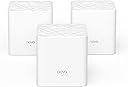
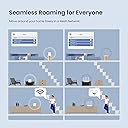
The Tenda Nova Mesh WiFi System is a 3-pack dual-band AC1200 mesh network solution designed to blanket up to 3000 sq.ft with fast, stable WiFi. Featuring MU-MIMO and Beamforming technology, it supports seamless roaming and lag-free connectivity for over 40 devices. With WPA2 security, guest networks, and parental controls, it offers robust privacy and easy management through the Tenda app, making it ideal for modern smart homes and busy professionals.


| ASIN | B07DFQGP1K |
| Antenna Location | Business, Gaming, Home |
| Antenna Type | Internal |
| Best Sellers Rank | #35,003 in Computers & Accessories ( See Top 100 in Computers & Accessories ) #404 in Whole Home & Mesh Wi-Fi Systems |
| Brand | Tenda |
| Built-In Media | 1 Gigabit Ethernet Cable, 3 Power Adapters, NOVA MW3 3 Identical Mesh Points, Quick Install Guide |
| Color | White |
| Compatible Devices | Smartphone |
| Connectivity Protocol | wi-fi |
| Connectivity Range | 3000 square_feet |
| Connectivity Technology | Ethernet, Wi-Fi |
| Control Method | Voice |
| Controller Type | google_assistant |
| Coverage | Up to 3000 sq.ft. |
| Customer Reviews | 4.1 out of 5 stars 3,597 Reviews |
| Data Transfer Rate | 1200 megabits_per_second |
| Frequency | 5 GHz |
| Frequency Band Class | Dual-Band |
| Global Trade Identification Number | 00885397271505 |
| Item Dimensions L x W x H | 3.54"L x 3.54"W x 3.66"H |
| Item Type Name | Mesh Wifi System |
| Item Weight | 528 g |
| LAN Port Bandwidth | 10/100 Mbps |
| Manufacturer | Tenda |
| Maximum Upstream Data Transfer Rate | 600 megabits_per_second |
| Mfr Part Number | MW3 3-pack |
| Model Name | Nova MW3 3-pack |
| Model Number | MW3 3PK |
| Number of Antennas | 2 |
| Number of Items | 3 |
| Number of Packs | 3 |
| Number of Ports | 6 |
| Operating System | ZyNOS |
| Other Special Features of the Product | Beamforming, Guest Mode, Parental Control |
| Router Firewall Security Level | Basic |
| Router Network Type | Mesh |
| Security Protocol | WPA2-PSK |
| Special Feature | Beamforming , Guest Mode , Parental Control |
| UPC | 885397271505 |
| Unit Count | 3 Count |
| Voltage | 12 volts_of_alternating_current |
| Warranty Description | 3-year warranty |
| Wi-Fi Generation | Wi-Fi 5 |
| Wireless Communication Standard | 802.11ac |
| Wireless Compability | 802.11ac |
A**D
Great product - easy to install and works for what it is made for
I find very few electronic wi-fi products done right, this is one of them. 1) It is great value for money compared to other whole house mesh wi-fi systems in market. 2) Works great - I have kept one cube in basement where my router is, one at first floor and the third on second floor. I have Smart TVs, Wi-Fi Connected DVD players, tablet, computers/laptops, VOIP phone, cell phones being used in all area and I can say that I am impressed - I see excellent connection everywhere in my home. Devices connected in the first go and have not dropped connection ever. Granted I have used this product for only 2 days, however, I was so disappointed with my other system that this one is a marked improvement. 3) It is super easy to install. Connect any of the cubes to your router, follow directions to set-up via cell phone app, once connected then simply place other cubes looking at the rage availability on the app. I was able to set-up the entire system in under 10 minutes. No other configurations are required - the system will automatically update (if needed), balances the network, restarts in night to refresh itself. I have had no drops (not even once) for any of my device and I use a lot of wi-fi based devices from the most modestly priced to most expensive. So, there must be at least 10-12 devices connected at the same time and it works beautifully. 4) It is beautiful to look at - can become part of any place you like to keep it. All you see is this nice white cube with aesthetic top and a small beautifully places small soft glow green LED light. 5) The control app is simply, GUI based and does not intimidate user at all. 6) I do not think there is any loss in bandwidth - I get great streaming on my 4K TV. The only item they can work on is the accompanying manual - however, it was easy to find and install the app on Apple Store.
P**H
Whole-home mesh WiFi for Under $100? Absolutely.
I was skeptical of these when I bought them; all the reviews I read said to go with either Google WiFI or Eero, but I really didn't want to spend $200+ on a mesh setup, especially without knowing how coverage would be in our new house. My personal set up is running in "APmode" with a Ubiquiti EdgeRouter (which I also HIGHLY recommend) acting as router, DHCP, and secondary DNS for my network, with a Synology NAS running primary DNS. -- SETUP -- Setup was very very easy. Its pretty much plug in, turn on, and pair with the Tenda app. -- INTERFACE -- I took 1 star off for the UI because there's no web UI as of this review. Tenda is supposed to be rolling a web management UI out as a firmware update sometime soon-ish, but its not out yet. As of this review, all management is done via the Tenda smartphone app. It works well, but isn't as full-featured as I would like, but I'm a developer by day and my depth of interest in customization or metrics is probably way deeper than most. In the app you can see your online nodes, what devices are connected, and all the usual info -- perfectly usable. -- ISSUES -- The only issue that I had was related to DHCP leases for the nodes. When running in AP mode, the nodes aren't responsible for their own DHCP leases which has the potential to cause problems should leases expire and different IP's get assigned. This causes the nodes to not be able to communicate with each other, breaking the mesh. This can be worked around by one of two ways: 1) dont use AP mode, or 2) assign static DHCP reservations to the nodes on first boot BEFORE pairing. I didn't do this and had to re-create my mesh after a power outage, but have since assigned static DHCP leases and have had no issues since. Unless you're running a slightly more complicated setup as I am this should never be an issue, though. -- FEATURES -- The addition of an Ethernet port on the nodes is brilliant. I have one node stationed behind my smart TV with the TV tethered via CAT6e to the node. This eliminates a wireless hop that would otherwise have to exist if I weren't able to hard-wire my TV into the network. -- BANDWIDTH -- The stated bandwidth for the mesh is 1200 Mbps, however real-world bandwidth is closer to 90Mpbs with multiple devices and streaming IoT on the network (I have a few WiFI CCTV cameras, smart tvs, and other bandwidth-heavy things). I have yet to hit bottlenecks in bandwidth even when streaming 4K video over the mesh along with all the other crap on my network. -- CONCLUSION -- If you want a hyper-feature-rich experience and Gigabit WiFi speeds, go look at Google WiFi or Eero, but if you want dead-simple, bulletproof, no-frills, no-BS mesh WiFi, this is the setup for you. 5/5 would buy again
G**B
Basic setup is easy, but setting up a second IOS device is challenging
The basic setup of the 3-pack product was easy. The web site has extensive and fairly readable documentation. The Tenda App for IOS works well; but I have not found a way to use the Tenda app from more than one IOS device. I have spent well over an hour reviewing the Nova FAQ. There is an "Account Authorization" screen that purports to allow management from other devices, but it only allows adding "registered" accounts. I have not yet discovered how to register a second account. And if I run the Tenda App on a second device, not much useful happens. I called the tech support 800# during the supported hours; never even got into a wait queue. Live chat was also not active. Update: I got a fast pickup (no wading through an autoattendant) from tech support today at 5:30 PM. The tech provided a solution after a short discussion; but not exactly trivial. First, use the Tenda Wifi app on the SECONDARY IOS device to register a distinct email address (tap the "profile" icon in the upper right corner of the app window; then the Login button; then the Register tab in upper left). Enter a distinct email address and a password of your choice. Then switch back to primary IOS device, run the Tenda Wifi app, touch settings, scroll down to Account Authorization, and add the new account. Now go back to the secondary IOS device, click on the profile icon, log in, navigate back to the My Wifi screen; the network diagram should appear. Contrary to the documentation, the mesh of Nova devices can be managed simultaneously from two different IOS devices; you don't have to jump through hoops trying to figure out how to logout from the first device. I have since discovered that all the hoopla above is not vital, if you simply want to use two IOS devices. Just login on the second device using the email address and password registered using the primary ios device.
M**L
Easy Setup and full net speed connection in all locations in home
Have owned for one week: Likes: Easy setup first connected 1st unit to existing Modem and ran through 4 or 5 steps on phone, including setting password for Wi-FI, then placed Units 2 and 3 of the mesh at locations that would extend the signal. Both turned green light on in about 10 seconds, indicating full strength signal and indicating all units were communicating. I placed these units about half-way to the areas that had poor reception before (60 ft out from 1st unit). Started with laptop and connected with no issue. Then added over the next couple days, the TV's, Kindles, kids gaming units and printers, all went smoothly. (3 of us, added up to over 15 devices, the good news is I read somewhere that it will handle up to 40 connections - enough to handle everything when my teenager has all their friends over. My checks shows that all have excellent signal, and no dropped connections. I left the Comcast modem on until I had the majority of equipment linked. Today, I turned off the Comcast modem wireless - to prevent interferences, per recommendations from friends, however they seemed to be playing nicely together. It may be the beaming technology of the new units helps them focus the signal where it is being used. Also, the units are nice looking small white boxes and can be mounted on the wall or placed on table. They pretty much disappear. Any improvements that I would recommend to the manufacture? I would have liked cord on the power supply to each unit to have been 8 ft long to allow easier mounting up high on my wall. I made do, by using an extension cord and hiding the cord behind the furniture I placed them on top off. (higher is better as far as signal - two of mine are at 6 ft and one is on a table ). This unit was a deal for a MESH WI-FI system and provides the same speed that I have when connected by cable. Be aware that there is a MW3, MW5, MW6, model. I bought the MW3 as it will handle several times my connection speed. MW6 handles extreme speeds (think fiber optic and top end connection package) that are not available in my area. I would recommend to friends.
T**.
More flakey than a box of cereal
Like many of the other reviews here, I've battled the wifi demons for years and with the arrival of mesh wifi, it seemed like my prayers had been answered. I decided an economical (i.e. cheap) leap was a good start, and came across the Tenda Nova. Install was relatively painless, and while the app is basic (and yes, no browser interface, must use the app on a mobile device), it did the trick. One thing I've learned with multiple wifi systems in the past is that a daily reset (power off/on) can do wonders, so I was pleased to see the scheduled maintenance option in the app. Fast forward a couple of weeks and the entire set up craps out during the night. No wifi in the morning, all smart home devices disconnected... Not impressed. After about an hour of wrangling with which node to reset when, I realized that it was necessary to do a hard/factory reset on the main node (wired to my modem) to get the system back on track. Lesson learned, I set the maintenance schedule to force reset the middle of each night. Since then there's been a couple of repeats of the above, which is getting annoying... Having to hard reset an access point every couple of weeks isn't giving the reliability I want or need. Speed and performance is great when it works... But only if it works! Fast forward to the last couple of days: there was a firmware update and in normalandia that should mean better performance and stability. Instead (and my motivation for writing this review) I'm now in this endless loop of hard resetting the primary node every few hours... With that, I'm off to spend a bit more $$$ on a more known and reputable brand that I know will have the reliability (and support) needed to make the product worthwhile. Enjoy your $100 drink coasters if you purchase the Tenda Nova...!
J**O
A Few Functional Limitations UPDATE-too many
UPDATE- I can no longer live with the functional limitations of this product. They have had plenty of time to roll out an simple update to restrict the address range of their DHCP server, but have failed to do so. Not one update at all. I contacted them and told them what they could do to easily address this most significant limitation. All I got was a thank you and we will forward it to our product team (if there is one). I HAVE to have the ability to assign static addresses. I can't wait any longer. I am removing a star for poor support. I purchased this to improve the WiFi coverage in my house. It seemed a very good value compared to other competing brands, and IT IS, but there are a few compromises that accompany this value. First the compromises: (1) You MUST have a smartphone to manage this product. There is NO WEB INTERFACE! All management is thru an smartphone app. I use an android phone but there is also an iPhone app. (2) There is no functional capability to handle any static IP addresses in the LAN, short of turning off the DHCP server and setting up a static address for ALL your LAN devices... NO WAY JOSE! Most modern routers have a way to "reserve" IP addresses for individual devices on the network; this one doesn't have that capability. An alternative on some routers is to be able to set the DHCP server address range, so you can assign static IP addresses to devices outside that range. This product uses the whole address range for its DHCP server. (3) My old router had a USB port to set up a USB hard drive or printer to be accessible via the network. This product lacks any USB interface. Despite these limitations, I have been pleased with the performance of these devices (one week in). I have great signal strength in every room now. If a device has 5ghz capability, it connects on that band. Other 2.4ghz devices seem to work equally as well, connecting smoothly. Each node has 2 ethernet ports. The node that connects to your internet modem uses one of these ports for the connection leaving a second for a wired ethernet device to be connected. On each repeater node (I have 2), both ethernet ports are available for wired devices to be connected. I'm hoping Tenda will correct the DHCP limitations in a future firmware update. That is the KEY LIMITATION that needs to be addressed. If they do correct this shortcoming, I will revise my review to a full 5 stars.
L**S
Nice price, excellent economical step up from basic "router/extender" land....
Purchased this system for a rambling early 19th century home we are moving into - post & beam, lots of lathe & plaster walls, where a single wifi router was not going to do the trick. The nuisance of devices jumping back and forth between a base router and extenders' different SSIDs was already very familiar to me - something I'd learned to get around but was constantly confounding guests. I have only used it for a couple of weeks, but the Tenda system plugged in and set up very, very easily (ie. my parents could do it in 10 minutes w/o a phone call). Coverage through a 14 room home, using the three Tenda stations, is perfectly acceptable for my needs, and I'm thrilled not to have the confusion of multiple SSIDs covering different areas of my new home (even before I welcome family and guests whom I would have had to explain it all to). I should say that I am not a high performance bandwidth user - a 30MBit internet gateway is fine for me, and wifi at 10-15MBit in the darkest shadows of the house is plenty to make me happy. For $100 vs. a $50 wifi router that would have had signals fade to black in the farthest corners of my new home, this purchase was very well worth it - highly recommended for most basic internet users. Performance users (100Mbit +) might want to investigate what the backplane (inter-node) network supports - in my application the network has been stellar.
I**S
So far so good!
I purchased these in hopes of simplifying my network. I have a small shed that was converted into a living unit in the backyard of the home on the property. The initial setup involved the cable modem in my unit and then a router connected with a long buried Ethernet cable to the house. There were some issues with the router slowing downs speeds dramatically and didn’t have the signal reach to reach the front of the house where we have exterior Wyze cameras installed. Now I can just run my first node from the Ethernet into the house in the closest room to me, then centrally in the house, then one in the garage. We now have excellent coverage throughout the house, front and backyard. All of my cameras out front work great now and don’t have weak or disconnecting signal every other day. So far so good, worked for what I need it for. I will say, the units are very light weight, small, and made from plastic and feel like garbage, but they work, and that’s all that matters. I will report on any issues if they arise.
K**E
Product worked perfect for what we needed it for
They seem to work really well helping move the Wi-Fi around the house as we had an upstairs downstairs apartment Maybe even cut it on with one more just to pull it to the end of our apartment
W**D
Small but practical
The Tenda mesh instalation was easy for a new user of the technology and much better than using a wifi extender and repeater
F**I
Worth the money
Easy to install. Light weight. Perfect size. Only app access no desktop access. app is not that good. Over all it does what it says.
T**Z
Super Easy to set up- Dead spot gone, home office at full speed
I spent a lot of time reading different review and deciding if I really need to invest in a mesh system or just keep going with the wifi booster I was using- I am so glad I brought a system-even if this isn’t the one for you- invest in mesh- its changed my whole home office experience. My video calls use to drop all the time or freeze, I thought it was bandwidth given everyone is working from home etc this has be COMPLETELY fixed now- I cannot believe I wasn’t using this before hand and was coping with a booster instead. For this exact system it was SUPER easy to set up, the instructions in the pack are absolutely clear, the app tracks you through things stage by stage I had zero problems and everything worked right away and I am not the most tech savvy person. Each node ( primary and secondary) will need to be plugged into a power socket but they don’t take up much space and can be dotted around the house. Don’t suffer form dead spot or poor speeds, get a mesh system, game changer
M**3
Works wonder!
This mesh wifi is a good one and much better than a wifi extender. The dead spot in our flat now has an internet signal. Single coverage of the same signal.
Trustpilot
2 days ago
2 months ago