Buy anything from 5,000+ international stores. One checkout price. No surprise fees. Join 2M+ shoppers on Desertcart.
Desertcart purchases this item on your behalf and handles shipping, customs, and support to Slovakia.
🚗 Upgrade your drive with smart tech that keeps you connected, entertained, and ahead of the curve!
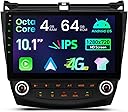
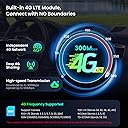
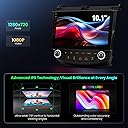
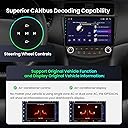
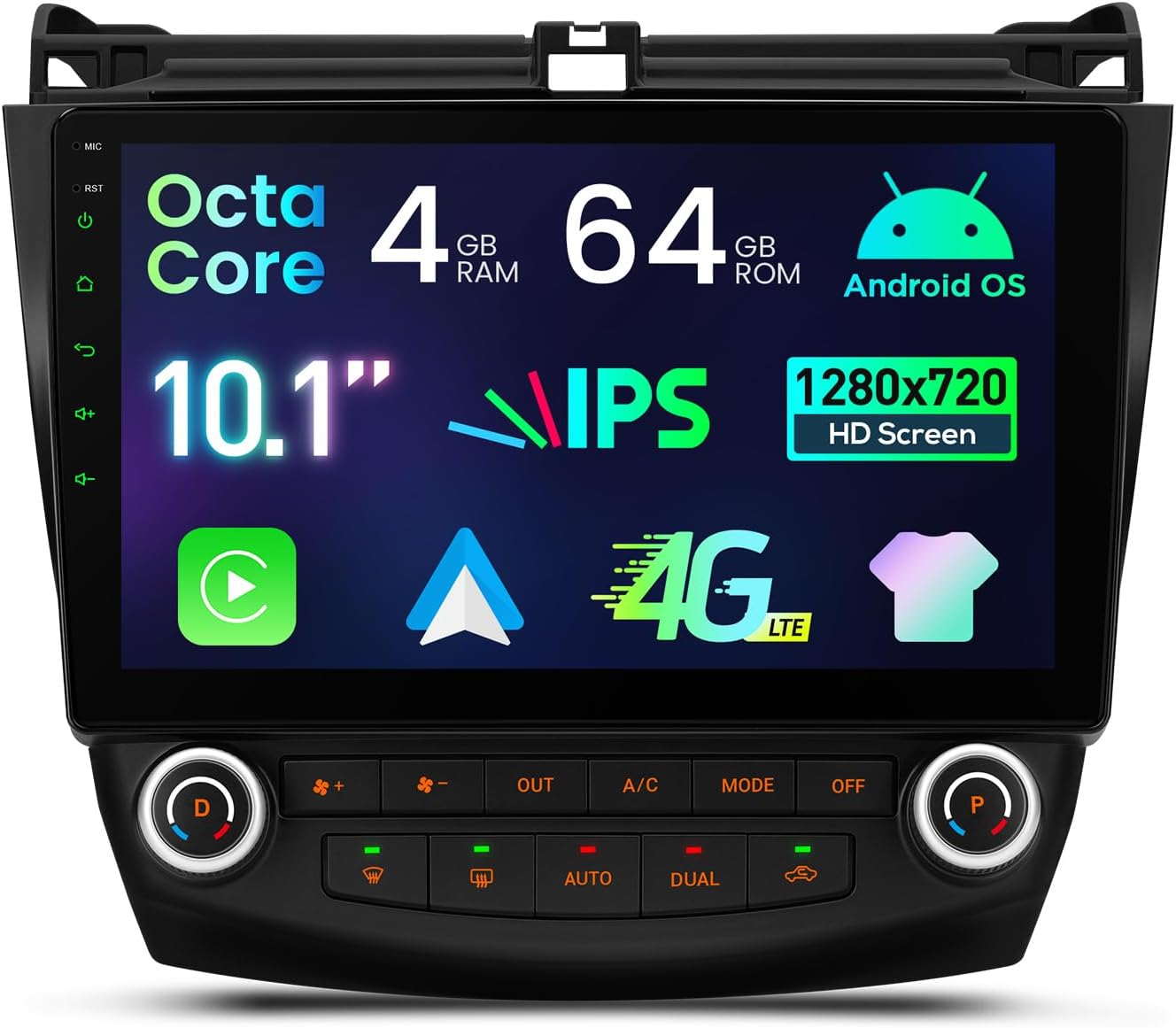
The XTRONS Android 14 Car Stereo is a cutting-edge 10.1-inch touchscreen head unit designed specifically for Honda Accord 7th generation (2003-2007). Featuring a vibrant HD IPS display, powerful Octa-Core processor with 4GB RAM, and 64GB storage, it delivers smooth performance and rich visuals. Stay connected on the go with global 4G LTE, dual-band WiFi, and wireless Apple CarPlay/Android Auto support. Its customizable UI and built-in GPS navigation make it a perfect modern upgrade for your classic ride.


| ASIN | B0DXZWM4M6 |
| Additional Features | Bluetooth, Touchscreen |
| Are Batteries Included | No |
| Best Sellers Rank | #66,481 in Electronics ( See Top 100 in Electronics ) #889 in Vehicle GPS Units & Equipment #1,019 in Car In-Dash Navigation GPS Units |
| Brand | XTRONS |
| Compatible Devices | Smartphone, iPhone |
| Compatible with Vehicle Type | Car |
| Connectivity Technology | Bluetooth, USB, Wi-Fi |
| Control Method | App, Touch |
| Customer Reviews | 4.0 out of 5 stars 675 Reviews |
| Display Type | LCD |
| Human-Interface Input | Touchscreen |
| Item Weight | 6.5 Pounds |
| Manufacturer | XTRONS |
| Map Type | Road |
| Map Types | Road |
| Memory Storage Capacity | 64 GB |
| Mounting Type | Dashboard Mount |
| Operating System | Android |
| Screen Size | 10.1 Inches |
| Special Feature | Bluetooth, Touchscreen |
| Supported Satellite Navigation System | GPS |
| Touch Screen Type | Capacitive |
| Vehicle Service Type | Car |
| Warranty Description | 1 Year Manufacturer |
A**A
great option for 7th generation accords
Nice upgrade for my 2007 ex-L accord with factory navigation. My radio had stopped working a while back and I was avoiding replacing it because of the cost. Also, the dash kits available thru crutchfield have the hvac controls high and the screen low, and you lose the storage compartment below the radio. This radio has a much bigger screen and cost less, and you keep the cubby. Biggest advice, read through the reviews and q&a people have gone to the trouble of posting. Also watch the videos on available youtube. You have to use the correct harness for your car (dual or single zone) and make sure you have connected all the wiring harnesses correctly. Then use the settings, car infotainment, about this car, settings, 8888 to get to the secret menu which I took a picture of. From here you pick CAN type which sends you to the place where you enter your car (75) even though it looks like it is already entered. just select it and type 75 again. You can also change from C to F while you are here. There is also a boot logo option on the secret menu as well, I put in the honda one. Your controls should work from the bottom of the radio as well as from the touch screen. If touchscreen doesn't work here, maybe you didn't connect the small interconnecting wire harnesses on the back of the radio. I also changed to the newer format for the radio display using an app that was included on the radio called topic switching. Not sure why they didn't call it UI switch, but for some reason I clicked on it and found out it was there. I liked how it looks more like a phone screen, just a bit more modern than the one that comes up when you first start it up. And I moved the apps around so the ones I use are on the first page. I did not connect the parking brake wire so some functions will not work for me, but I do not plan to watch videos. I installed a backup camera off ebay ($20) and am very pleased with it, functions perfect so far:) Super happy with this. Overall, this is a great system for me. Major upgrade for my car. Cons, 1) I had factory navigation on my car, so I have a small gap above the radio as a few other reviewers reported. It doesn't bother me too much. Maybe I will glue a piece of trim in there if it starts to annoy me. Heck, it is a 14 year old car, the stain from my kid's spilled drink on the carpet bothers me more :) Also, my model had an extra thin screen above the vents for the clock, it is dead now but I don't really mind much. 2) The wires were kinda tricky to arrange so that the door to the lower cubby didn't hit them. I also had a couple extra harnesses for the factory navi that are just living back there now, and the wires are not as secure as I would like. It would have been nice to have a little shelf or something to wire-tie stuff to, but it seems to be ok. Hopefully I don't have to pull it apart in the future if stuff shifts around. 3) The random temperature displayed in left upper corner must be measuring the temperature inside the radio. It seems to run about 30 degrees higher than the cockpit temperature. I contacted XTRONS to see if I they knew how to make it stop showing and they were sorry but could not help me. They were pretty quick to respond to my emails though. 4) The Easy Connect App worked well with my phone when I could get it to connect. But, it was flaky to connect. Sometimes it came right up, sometimes it wouldn't come on at all. I gave up on it and ended up getting a wired carplay/android auto dongle ($40) which seems to be more dependable. Maps, calls, texts, spotify all working together nicely:) Happy driver but $40 poorer. 5) The system is a little laggy, takes about 30 seconds to start up from ignition. The AC will come on while it is booting, which is good cuz it is hot this summer. It is not perfect but good for the price. I hope it last a while because I hope to drive the car for a while longer.
B**O
Better than a non working OE radio
Looks good and for most part works good. 1- A/C display sometimes freezes, A/C commands are working fine but the display is frozen so it’s no biggie. 2- rear speakers not working at all. After messaging with Xtrons ( they have good and fast communication here in Amazon) they told me my vehicles OE digital amplifier does not work on this new unit so my rear speakers not working . I had no idea I had a factory digital amplifier so now I have to find a way to go around that. 3- the entire unit froze and was in operable while driving. It’s only happened 2 times. Once I tuned car off and started back on it worked just fine. Over all satisfied and totally upgrades look of car but has few minor glitches and have read many worse things from others.
D**T
GREAT unit! There IS a trick however....
Purchased this unit for my cherry '06 Accord ELX after considerable research on the various "look alike" units. At first I was disappointed as the AC controls would NOT play nice with my dual automatic AC system. I had NO Auto OR Dual button capability or system functionality. In addition the right side of the car was blowing full hot irrespective of the temp that was set by either knob. This being an Android 10 system and a relatively new headset to the market, there was ZERO online advice. I suspected that there had to be some hidden settings, but no where was how to get to them documented. I finally contacted XTRONS via Amazon and they responded with EXACTLY the needed into within 24 hours. The trick is that you have to go into "Car Infotainment, then selected the settings (gear symbol upper right corner"), then enter 8888 to get to the hidden settings page, then select CAN Type. REGARDLESS, I repeat, REGARDLESS, of what it is showing, enter 75 as the type, then ensure that the Dual AC is selected. I actually had to do this several times before the car and the AC control clicked and everything worked perfectly. This back page is ALSO where you can set the temperture UNIT to either Centigrade or Fahrenheit. One thing I have noticed is the indicated temp on the display when it is showing the AC page, are sluggish to register changes to the temperature setting BUT the AC system itself responds immediately. The next time you enter that page of info the temps shown reflect where the system is presently set. A minor glitch overall. I also installed the wireless Apple CarPlay module which works PERFECTLY! I installed the TPMS system and the Sony CCD reverse camera. I did install a small unpowered USB hub as the unit only has 2 USB ports and one is for marked for the mirror link functionality. The hub worked perfectly as it allowed me to easily locate the hub and the TMPS and CarPlay modules under the center panel mounted to cross members NOT the upper panel. I made use of the cross members for the system GPS module. FYI, this unit does NOT require a separate WiFI antenna as that is built into the unit. I might add that while this is a 2GB Ram, 16GB Rom, Quad core Android system , it is silky smooth even on the Apple CarPlay which is using WiFI for the comms link. The sound quality has exceeded my expectations. I was anticipating upgrading the speakers next along with separate amps and sub, but after hearing how well the 4X45 watt internal amp and the Honda factory speakers (at least the ones on my Accord) perform, I can certainly live with those speakers for the time being. The only complaint I have is the lack of installer docs availability online. Granted this system is not that difficult to install and configure, the lack of how to reach those hidden settings had me ready to return the unit. That said, I can't say enough nice things about the way that XTRONS promptly responded with the precise information needed to resolve the problem as well as open up all those other hidden setting for exploration. FYI, the quality of design and construction are superb and the unit looks totally factory once installed. The only nit is the inability to change the color of the backlight on the AC control buttons from red to something close to the Honda factory greenish white. Why they changed to red when not ANY gen 7 Accords used that color is a mystery. HIGHLY RECOMMEND this headset for anyone with a gen 7 Accord. Brings a great car into the world of touchscreen infotainment
Z**S
Not worth it
Let's start with the good: - The radio works pretty well overall, and it is mostly plug and play. - The wiring connects natively and is fairly simple to just plug in to the factory harness, and has provisions for third party amplifiers using preamp outputs via RCA ports. - The software is fairly easy to understand and navigate, and while the radio is by no means fast its fast enough to work with android auto without any issues besides the occasional hitch or frame drop - I didn't notice any issues with sound quality or GPS/FM reception despite being lazy and putting the antennas under the dash instead of properly outside of the car The neutral/unimportant gripes: - The wire looms require interconnections and are quite messy, and there is no real way to properly cable manage them nicely - The back of the radio gets very hot while in operation; not dangerously slow but if you drove somewhere on a warm summer's day and then tore your dash down you could get some mild burns off the back of the unit - Packing materials are somewhat subpar and messy, with unlabeled or poorly labeled/organized bags and a complete lack of mounting hardware - Plastics used aren't a proper match for the dashboard - The gauge cluster temperature no longer works, although there is one present on the unit itself And the very, very bad: - The screen is made of a very soft material and scratches easily; I left mine laying face down on the gear shift while working on it and the plastic/leatherette top of the knob left deep scratches easily. You can easily press a nail into the display - The screen doesn't have fine brightness control, and is far too bright at night; it's unpleasant to look at and is bright enough to overwhelm your view of the dashboard even at its lowest brightness - The climate control is a bit of a nightmare to get working, requiring repeated reboots, resets, and diving through a poorly documented dev menu - The software is extremely unpolished and there's a large number of development applications left visible for no apparent reason, as well as being very counterintuitive to navigate - The buttons and materials used are extraordinarily cheap feeling and poor quality, with a large amount of give and mush in the buttons and a complete lack of proper feedback in the knobs. There's also a large amount of sprue from poor molding visible in many places on the body of the unit. - The backlighting used for button indicators and the buttons themselves is extremely dim, and it's impossible to tell if something is on during the day without shading it from the light And, the ultimate dealbreaker for me: The climate control does not properly address the zoning damper, resulting in the floor and the top vents being the only ones accessible. It is not possible to use defrost, or any mix thereof, which is a major safety hazard and was ultimately what convinced me to replace the unit. In addition, this presents as the damper running against mechanical stops and the motor failing to reach position resulting in a horrible clunking noise, and it is very likely to result in the zoning damper failing completely in short order. XTRONS support was helpful but very slow to respond, and sent me a replacement CAN module (very, very slowly - it took 3 weeks to reach me in a major US city), which ultimately made no change. For reference, my car is 2004 model with dual climate control and an automatic V6. Save up the extra 2-300$ and buy the PAC adapter unit and a real head unit. The PAC unit has its own issues, but it's a worlds better product than this, which is unfortunately a 300$ piece of ewaste for me now.
M**L
Decent audio, good car compatibility, some bugs and quirks
I had no problems with compatibility with my 2007 Honda Accord LX's single-zone air conditioning. It all pretty much worked out of the box, though I have encountered some bugs and quirks with the unit that prevent me from rating it too highly. This unit replaced the factory radio, which has not functioned for many years despite only having about 50K miles on the car (I don't drive a lot) and it being stored all but the last few years in a garage. I tried another Android head unit before this one that I returned because the D/P labels on the temperature knobs were backwards, at least one of the knobs had were tighter in some areas when turning, and the buttons did not light up. None of those are a problem with this Xtrons unit despite the air conditioning controls looking identical. I am not super picky about audio, but I find that the audio quality is perfectly fine with this Xtrons unit and my factory speakers and no external amplifier. I have even added a backup camera (purchased separately) to my car and, and where there are blanks for switches for other models of the car left of the dash I modified them have USB ports connected to the Xtrons' USB ports (some soldering and hand carving and finding just the right parts to fit was required as none of the pre-made ones I could find are compatible with the 7th generation Accords). As for issues I have... * There is a constant faint white noise produced in the speakers (sometimes with the local AM radio station also bleeding through faintly) when volume is set greater than 0 despite nothing like music or radio playing to generate audio. It's unaffected by volume otherwise. It doesn't matter if it's in the car or running off a battery on my desk, so power filter/etc. would not help. A firmware update provided by the admin over on the Xtrons Facebook group did not help. Fortunately it's only loud enough to hear when the unit has power but the engine is not running. * The beep when pressing buttons that's on by default is insanely amp-distortingly loud. You can be sure I turned that off first thing. * At 100% brightness I still wish it were a little brighter during the day, even without sunglasses. Worse, LCD displays use polarized light and apparently the designers didn't consider use with polarized sunglasses because the LCD panel used is polarized perpendicular to sunglasses. That means with my polarized sunglasses on to reduce glare when driving the Xtrons display is pretty much pitch black. * Only one of the other supposedly available themes can be installed. Android won't allow the others to install because they were built for an earlier version and are considered not secure. * The external CAN Bus decoder box may make it easier to replace if it fails, but it makes it extra hard to arrange all the cables and wires behind the unit in a way that doesn't interfere with the door of the storage compartment below the unit (and part of the reason to use a unit like this is to keep that compartment). It took a lot of trial and error and zip tying and re-zip tying to get it all working together and I left off the connector bundle for an amplifier/external microphone/SIM card. Xtrons' own site showed a different version with the CAN Bus decoder built in, but they informed me that version is no longer available. * I'm not sure the unit isn't a tiny bit too wide or the lower tabs a little too short or what, but it doesn't seem like it's pushed in far enough for the lower clips to clip, and it's only secured by the three screws up top. Perhaps the CAN Bus connector behind the air conditioning controls is interfering and I'd need to cut some allowance in the dash for it. I have it working with the cubby door now, so I'm hesitant to mess with it any more. * The unit seemed to crash/freeze a couple times early on and require a reset but mostly I think it's been fine. I have it set to auto-open Waze, which it sometimes doesn't (unknown of that's Waze's fault or Xtrons) and Waze often has issues (crashing or not displaying map lines, but no doubt those are Waze's bugs, not Xtrons). * Doesn't seem to share my iPhone's data connection through Bluetooth, which I kinda got the impression it's supposed to, or others do? In any case, what works mostly okay for me is to connect to both Bluetooth and my iPhone's Personal Hotspot (using an automation on the phone to turn Personal Hotspot on when the Xtrons pairs to Bluetooth because IOS turns Personal Hotspot off when not in use to save battery). * A couple of the air conditioning buttons serve no purpose for me since my car is not dual zone. * Setting Front Defrost on doesn't turn A/C on. This is different from the stock controls and pretty much always when I turn on Front Defrost I want A/C on also for defogging (without causes fogging). On the other hand, I always hated that the stock controls turned off recirculation when turning on defrost, and the Xtrons doesn't. I like that. * Manual was pretty sparse and a lot of information I had to figure out on my own or through information about other Android head units of other brands. Despite the issues and quirks I am for the most part satisfied because now I have a radio that works when I haven't for ages, a built-in GPS, hands-free calling, and a reverse camera. But there's definitely some areas that could be improved.
D**R
Back Up Camera Reverse Wire-This is MAJOR
Installed unit last week. Works flawless. Installed Erapta ERT11 back up camera today. Did not work. Lots of head scratching and checking of connections. Everything looked fine. Then I looked at the wiring diagram in the product description above and realized I was connected to the wrong REVERSE wire #12. The correct wire is #16 REVERSE-IN. Works Great! FYI: 2005 Accord LX Camera Installation: 1. Drill 3/8" hole next to license plate light and insert 3/8" rubber grommet. 2. Insert camera wire and caulk with silicone. 3. Mount camera and bracket behind license plate using existing license plate screws (camera clears license plate light by 1/8"). 4. Remove trunk rear plastic trim on back of car. 5. Remove passenger side trunk cover. A tool to pop up the fasteners makes it a lot easier. 6. Pop up the right side rear seat bolster by gently prying up and out with pry bar or large screw driver and move out of the way. No need to remove any seats. 7. Pop off the rear floor door trim. Be careful, there's a little white button under the rear seat holding the trim down. 8. Pop off the front floor door trim. 9. Pop off the trim next to the glove box. 10. Drop down the glove box. 11. Run the RCA cable through the trunk up high by the back of the bolster on the passenger side through the space next to the grey foam and fish it down to the rear passenger door. 12. Use a wire fish or some kind of stiff wire to pull the cable under the trim between the doors. 13. Fish the wire along the front door floor and up behind the glove box and into the radio area. 14. Connect the RCA cable and the red trip wire to the correct REVERSE-IN wire on the Android unit (Posi- Lock or solder). 15. Secure cable with wire ties back to the trunk. Cover any exposed areas with plastic wire loom. 16. Secure the RCA cable (in the plastic loom) to the trunk hinge on the passenger side the same way the existing wire loom is secured on the driver side trunk hinge. 17. Connect the camera positive red wire and the RCA cable red trip wire together and connect to positive passenger side reverse light with Posi-Tap or solder. The camera and RCA cable trip wire are long enough, there's no need for any additional wire. 18. Connect the camera black ground wire to the black reverse light ground wire using Posi-Tap or solder. Better yet, ground to the rear passenger light mounting bolt. 19. Connect the RCA cable. 20. Start car and put in reverse. You should have a nice rear view now. 21. Reverse assembly order. Entire job should take an hour or two. Enjoy.
A**S
Easy Installation, Flush Fitment, HUGE display!
This is a great addition to my 2004 Honda Accord! The OE head unit stopped working so I had to replace it and this was the best solution I could find! What’s the best thing about this head unit? You DON’T need a dash kit! It fits flush with the dash and is much lighter than the OE unit(granted the 6-disc changer is now gone). It’s also plug and and play, all the wire harnesses plug in to the stock harnesses and the decoder provided with the unit does the rest. The only downfall with this product is obtaining information for troubleshooting. There is a manual provided with the unit but it’s very basic and this unit can be overwhelming at first. For example, a lot of adjustments have to be made in the hidden menu, which is accessed by a 4 digit code. For my vehicle it was “8888”. This is NOT something provided in the manual or on the XTRONS website. Generally, it’s a cool head unit with a huge 10.1” display, especially for a 4-door sedan. The DSP(audio setting) is complex but very convenient if you know how to tune, definitely helps if you have subwoofers. The only other downfall is the initial boot up takes about 30 seconds and the unit will also start to lag if you start operating too quickly(app to app). I also, contacted XTRONS support to resolve an issue and they were very helpful and replied to all my questions promptly and accordingly. I would also recommend, leaving the screen protector ON during installation and even after. You might have to remove the head unit to address installation errors like I did and without the screen protector ON, you will definitely scratch your brand new unit. I would rate 8/10 for the reasons above but I’m still happy with this product and would definitely recommend if your wanting an affordable upgrade!
R**F
Heat does not work properly
I have a Honda accord 2005 ex coupe. The heat does not work on this product. I tried two different units and had the same problem with both. The passenger side blows out heat but the driver side blows out cold air. I put the old radio back in and my heat works perfectly. I also spoke with customer service and they had me replace the ac board with a product they shipped to me. The heat still don’t not work properly. Customer service did get back to me within 24 hours by email every-time I contacted them. They could not solve the heat problem. Also, it does not run smoothly. At times the product will reset on its on completely randomly. There are a few glitches that randomly happen. This product would be very useful if these problems did not exist. Bluetooth connects easily. It looks good in the car and having CarPlay in an older car is extremely helpful. However, these problems do exist. After trying two different units and replacing the ac board on one of the units , I have to conclude the heat most likely does not work properly for this product.
U**N
It’s decent for what you get
It’s not perfect in my opinion but it works well the Fairly responsive for the price the only thing I would change is that I would give this thing a volume nob. (As a side note after having this device for a year or so now two additional things stand out some may have an issue with the climate information not showing anymore so you’ll never really know where air comes out unless you place your hand over to feel it and since that doesn’t work you’ll never know what temperature your blasting in your car because there will be no read out and I’ve looked for help with the product and it wasn’t too helpful sadly and lastly if you car about hands free calling it works but rather poorly it always seems as if no one can hear you clearly unless it’s completely silent within the car and even then the mic isn’t that good
W**!
Wow - what a quality Head Unit!🔥
I’ve had this head unit now for a couple of weeks and wow… so impressed and satisfied. I spent about a whole month reading up, looking around and searching through soo many head units, and I eventually found this Xtrons head unit. I read all the reviews and got a mixed opinion about it. (Some people had bad experiences, and some really good) After thinking about it for a few days, I bought it, and about roughly a week later, it arrived from the US. Yeah… I totally forgot that they were opposite driver’s side. (You can set it up to be opposite. But the Driver’s and Passenger’s Dual AC knobs are opposite still…😂 Ok with dual aircon turned off.) Very pleased with the speed, quality and sound. I’m still struggling a bit with the bass settings, but we’ll get there!
Trustpilot
2 weeks ago
1 week ago