Desertcart purchases this item on your behalf and handles shipping, customs, and support to Slovakia.
โจ๏ธ Elevate your desk game with the Air96 V2 โ where sleek meets speed and style meets stamina!
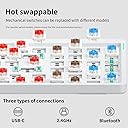
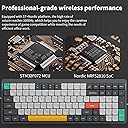
The nuphy Air96 V2 is a premium 100-key wireless mechanical keyboard featuring a slim 13.5mm aluminum frame, Gateron Brown switches, and versatile connectivity options including Bluetooth 5.1, 2.4GHz wireless, and USB-C wired. It supports multi-device pairing with QMK/VIA programmability, boasts a 1000Hz polling rate for ultra-responsive input, and houses a robust 4000mAh battery delivering up to 220 hours of use. Designed for professionals and gamers alike, it combines ergonomic comfort with customizable RGB lighting for a high-performance, stylish typing experience.
| ASIN | B0CRKQ1BQ9 |
| Amazon ๅฃฒใ็ญใฉใณใญใณใฐ | ใใฝใณใณใปๅจ่พบๆฉๅจ - 120,980ไฝ ( ใใฝใณใณใปๅจ่พบๆฉๅจใฎๅฃฒใ็ญใฉใณใญใณใฐใ่ฆใ ) ใฒใผใใณใฐใญใผใใผใ - 1,328ไฝ |
| GTIN (Global Trade Identification Number) | 06976604913531 |
| ใใใใๅบฆ | 5ใคๆใฎใใก4.3 65 ใฌใใฅใผ |
| ใซใฉใผ | ใฐใฌใผ |
| ใญใผใใผใใฎ่ชฌๆ | ใกใซใใซใซ |
| ใญใผใใผใใใฌใผใ็ด ๆ | ใขใซใใใฆใ |
| ใญใผใใผใใฌใคใขใฆใ | QWERTY |
| ใทใชใผใบ็ชๅท | 96 |
| ในใคใใใฎใฟใคใ | ใกใซใใซใซ |
| ใปใฏใทใงใณๆฐ | 2 |
| ใใใฏๆฐ | 1 |
| ใใฉใณใ | nuphy |
| ใใฉใณใๅ | nuphy |
| ใใฟใณๆฐ | 105 |
| ใกใผใซใผๅ | nuphy |
| ใกใผใซใผๅ็ช | keyboard |
| ไบๆใใใคใน | ใใฝใณใณ |
| ไปๅฑๅ็ทๆฐ | 1 |
| ไฟ่จผๅ ๅฎน | ๏ผๅนด้ใฎใกใผใซใผไฟ่จผ |
| ๅ็ฎๅฏธๆณ๏ผL x W x H๏ผ | 37.3้ทใ x 13.2ๅน x 1.4้ซใ cm |
| ๅๅใฎๆจๅฅจ็จ้ | ใฒใผใใณใฐ |
| ๅๅใฎ่ฟฝๅ ่ชฌๆ1 | ็ก็ทๆฅ็ถใชใใทใงใณใ้ซใใใผใชใณใฐใฌใผใใใจใซใดใใใใฏใใถใคใณใ้ทๆ้ไฝฟ็จๅฏ่ฝใใซในใฟใใคใบๅฏ่ฝใชใใใฏใฉใคใ |
| ๅๅใฎ้้ | 663 ใฐใฉใ |
| ๅ็ช | Air96 v2 |
| ๅฏพๅฟใใใชใใฌใผใใฃใณใฐใทในใใ ใใกใใชใผ | Linux, Windows |
| ๅฏพๅฟใใใคใน | ใใฝใณใณ |
| ๅฟ ่ฆใชๆๅฐใชใใฌใผใใฃใณใฐใทในใใ ใใผใธใงใณ | Ubuntu 16.04 Xenial Xerus, Windows 10, macOS 10.12 Sierra |
| ๆฅ็ถๆ่ก | BluetoothใUSB-Cใ2.4GHzใๆ็ท |
| ็นๅพด | ็ก็ทๆฅ็ถใชใใทใงใณใ้ซใใใผใชใณใฐใฌใผใใใจใซใดใใใใฏใใถใคใณใ้ทๆ้ไฝฟ็จๅฏ่ฝใใซในใฟใใคใบๅฏ่ฝใชใใใฏใฉใคใ |
| ่ฃฝๅใฎๆจๅฅจ็จ้ | ใฒใผใใณใฐ |
| ้ไฟกใปๆฅ็ถใคใณใฟใผใใงใผใน | BluetoothใUSB-Cใ2.4GHzใๆ็ท |
| ้ต็คๆฐ | 100 |
G**O
Excelente teclado
Todo perfecto con el teclado pero el hecho de que sea ISO layout sรญ hace que cambie la experiencia ya que hay que estar mapeando las teclas del espaรฑol ya que no trae la รฑ por ejemplo. Aรบn asรญ yo estoy muy contento con รฉl y recomendarรญa la compra.
D**D
I LOVE this keyboard. Please make a German Layout version. :)
Lovely keyboard, my second purchase, with a (compact) extension for numerals/calulations on my Apple devices. Robust and reliable. I had almost switched over to a new Keychron board (I actually like the German ANSI setup) but today, after only about a months work, the new keychron keyboard started acting up with progressively more irritatating little bugs: doesn't want to pair with devices some days.. a random key doesn't work (new!).. So, I'm back. โโโPlease make a German ANSI Keyboard layout NuPhy! :)
M**E
Love this thing - qmk, rgb, hot-swap, feels great
Love this thing! qmk, rgb, hot-swap support. And it feels great, and I for mine for a really great price, about half of similar competitors
M**K
Well built, almost perfect
I've been using the keyboard with a MacBook and PC for two months. I game and work with it. I had to use VIA to fix mac function key issue. It's a hassle but it worths. Also there is this double press issue that happens occasionally. Beside these it just works. No connection issues with/without dongle.
M**D
Exceeded my expectations. I'm a little in love.
This little thing has exceeded my expectations! I did a lot of AI assisted research before buying, and expected to have to accept the default combo-key device switching. To my surprise, once I came to understand how to connect and work the VIA web app, I found the keycodes for device 1 and device 2 and simply assigned them to a couple of rarely used keys (in Windows, you do this in Layer 2. Depending on what keys you assign, you can probably give them their original assignments in Layer 3, which is the Fn layer). Presto! One press device switching. I also expected to have bluetooth connection problems and have to flash the bios to the March 2025 version. So far, this has not been necessary. It looked like a pretty complex process, so I'm hoping I continue to not need it. Most of all, though, I didn't expect to immediately love how the keys feel. I am coming from an MX Keys whose battery died finally after years and years. For a replacement, I wanted smaller footprint, keys that say "Alt" like they're supposed to in Windows, and device switching at least as good as the MX. Success on all those, and the feel is really lovely. Sound is unexpectedly satisfying as well. It just feels really high quality and my fingers land well and feel confident. I got the brown switches. I don't really need backlighting at all, so I have set to a solid gentle color, doing a slow breathe. I also assigned the battery check to Fn+B. Not hard to remember. For those lamenting the lack of an Insert key, it actually comes with an Insert key cap. You can use Via to assign Insert to something and then give it that keycap. You would have to sacrifice a key to do that, though. But, if you really need Insert, it is assigned to Fn+Delete in Via. At least mine was. But you can always set it that way if you like, or give it to Fn+Home. I should clarify that the device switching keycodes are under Custom in VIA. And the original key assignments persist. So you can assign them other keys but the original Fn+1, Fn+2, etc. are still there. These are not the F keys in the F1, F2, etc. row, by the way. They are the numbers above Q and W. As you can see from the length of this review, I'm looking for excuses to just keep typing away on this thing. I'm sure that will pass, but it really is a delight.
Trustpilot
1 month ago
2 weeks ago